I had a look around but i couldnt realy find what i was looking for or i am not getting it.
I have a shelly 1 thats controling my front gate. i have set the shelly on a auto of of 0.1 seconds.
Now my gate behaves as following:
If the gate is closed switching will open it
If within 7 seconds you press again it will stop the motion
After 7 seconds its Open
If you then press again the gate will close
if within 7 seconds it will stop the motion
after 7 seconds it will be closed.
I also plan to add a magentic sensor to confirm that the gate is closed and run this to the shelly input.
Now my question is if i can visualise what is happening in the entity like a described above.
Closed state
Opening
Open
Closing
Stoped motion state.
You don’t customize the existing entity, you create a new one that does what you want.
What you want is a template cover:
You’ll have to write some templates to use the state of your Shelly entity to set the state of your template cover. If you need help just ask, and share what you’ve tried.
Thanks for your reply, definitely dint come close to searching those key words.
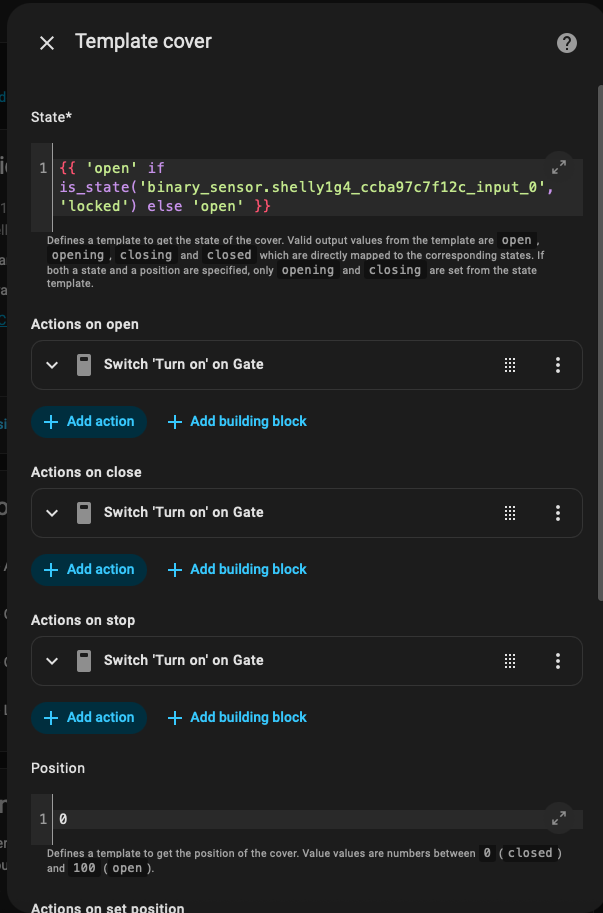
I got the template integrated with the cover now. I guess I did something wrong.
When I press the button it goes from closed to open and then straight back to closed. This is probably because I set the Shelly up with the auto off. But if I don’t do this I have to trigger the Shelly twice before something happens. Do you know a work around for this?
Also can I get opening and a closing state on a timer? So when I press open it goes in to opening for a set time. If I press within that set time I get a status like stopped. And the other way around as well.
Your template has an if statement that results in either open or open.
In addition, a binary_sensor can never be unlocked it will only be on or off.
Test out your template in developer tools → template before using it in the sensor. That way you know it works. You can also look up the state of any entity in developer tools → states, where you’d see the state of your binary_sensor is off or on.
To get something functional without opening or closing states, you should be able to use something simple like {{ is_state('binary_sensor.shelly_blahblah', 'on') }}
Once you get something working, then you can work on adding the additional states.