Hi all,
I’ve released a free, open-source (MIT) custom integration that brings drone Remote ID into Home Assistant. If you run one of our D.A.R.S. receivers, it plots every nearby drone the receiver picks up onto a live map, and lets you hang automations off detections.
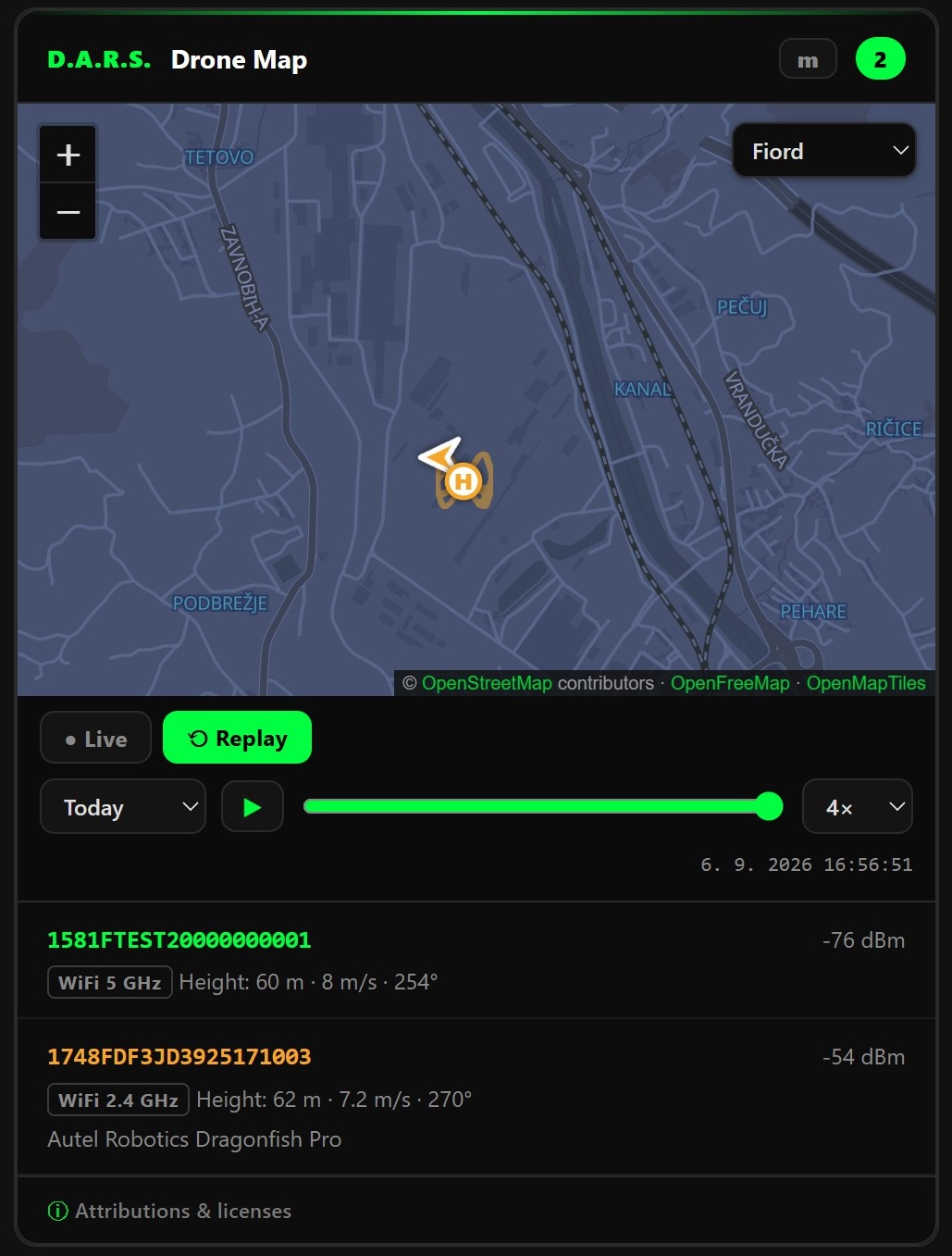
Repo (HACS custom integration): GitHub - getdars/dars-homeassistant: Home Assistant integration + Lovelace map card for D.A.R.S. drone Remote ID receivers (BLE, local push). · GitHub
What it does
- Live map of every detected drone — markers with heading, track, and the take-off/operator point (Lovelace card is bundled, no separate install)
- Entities: active-drone count with full per-drone attributes, nearest drone ID/RSSI, a “drone detected” binary sensor, connection status, plus per-drone
device_trackers for the built-in map - Day-by-day flight replay in the card, reading HA’s own Recorder history (no extra storage)
- Fire an automation the moment a drone shows up — notification, light, siren, TTS, whatever you’ve got wired
How it works
It’s a local_push integration. The HA host holds a long-lived BLE GATT connection to the receiver, subscribes to the notify characteristic, and decodes the ASTM F3411 / ASD-STAN Remote ID frames locally. No cloud, nothing leaves your network. It’s auto-discovered over Bluetooth, and works through an ESPHome Bluetooth proxy if the receiver isn’t near your HA box.
Install
HACS → Custom repositories → https://github.com/getdars/dars-homeassistant (category: Integration) → download → restart. It should auto-discover the receiver, and type: custom:dars-map-card works out of the box (the card auto-registers).
You’ll need
- A D.A.R.S. receiver (disclosure: this is COTS with our firmware) running in its detection mode
- A Bluetooth adapter on the HA host, or a Bluetooth proxy in range
- Drones nearby that actually broadcast Remote ID

Nice side effect: because it lives in Home Assistant, iPhone/iPad users can view it too through the HA companion app — which is handy, as there’s no native iOS version of our phone app.
It’s still early, so bug reports, feedback and PRs are very welcome — and I’d genuinely like to hear what people end up automating with it.
Cheers
