Is the BRP069C4x supported or not with Daikin integration (local api) ?
Official documentation tells yes with a firmware 2.8.0 but many says this can be used only with the onecta daikin integration (cloud API).
Is someone able to use it locally ?
Is the BRP069C4x supported or not with Daikin integration (local api) ?
Official documentation tells yes with a firmware 2.8.0 but many says this can be used only with the onecta daikin integration (cloud API).
Is someone able to use it locally ?
I’ve been looking for the same information. The Daikin integration page says that BRP069C4x is supported from HA release 2025.9 if the adapter has firmware 2.8.0. Mine seems to have 2.0.0 and I can’t find a way to update it. My unit is a Perfera A (FTXM-A).
My also is a daikin perfera, with BRP069C4x fw 2.0.0
@fredrike is the maintainer of the integration, may be he can tell us something more ?
Some news? I have brp069c4x and 3 Daikin Styilish with fw 2_0_0 any chance to work directly on lan and not with the cloud integration?
Seems this is a typo in the description of the integration. Looking at the source code of pyDaikin, used by the integration, I saw “Daikin class for BRP069[A-B]xx units.” which would exclude BRP069Cxx. Checking because I 've the same stupid BRP069Cxx in my indoor units  …
…
I was also trying to update my Comfora firmware after reading this but seems not needed then?
I have the same Daikin BRP069C4x WIFI adapter and also stuck on firmware v2.0.0.
I’d also like to connect it to Home Assistant.
I created my account on EU servers, selecting South Africa as country. Not sure if it perhaps limits firmware version based on country. It did update mine from a 1.X version to 2.0.0.
This is not possible with the Daikin Integration, it should be with the HACS integration daikin_onecta (using the cloud API, not local)
See here: BRP069C4x firmware version 2_0_0 supported? · Issue #83 · fredrike/pydaikin · GitHub
Has anybody that was on 2.0.0 been updated to 2.8.0?
I have a BRP069C4x running 2_0_0 and it doesn’t offer any updates…
It says that the region is EU, maybe that’s relevant?
Is there maybe a way to force the update?
Just this morning I've got an update to update on my BRP069C4x from 2_0_0 to 2_3_0. Sadly still not working with HA locally.
I have 3x BRP069C4x indoor units. I/m not sure why these wifi adapters are so bad.
ping times are through the roof. like 100ms on average to 1s sometimes. the units are quite close to my AP.
I have already tried everything to improve this. separate 2.4Ghz network. no band steering, keeping things as simple as possible.
I got the 2_3_0 firmware upgrade on those (from 2_0_0) and it's unable to upgrade.
Somehow I bricked one unit already. Unit still works but I'm unable to add it back into Onecta.
Anyone successfully upgraded the units to 2.3.0?
I's really like to add them directly into HA. but seems impossible.
I just firmware upgraded another unit to 2_3_0 and same thing happened.
it's wifi unit is bricked. the airco still works on the remote but ping times are >1s and making device network / wifi useless. the unit is offline in onecta and does sometimes reappear.
If anyone knows how to unbrick these, please let me know
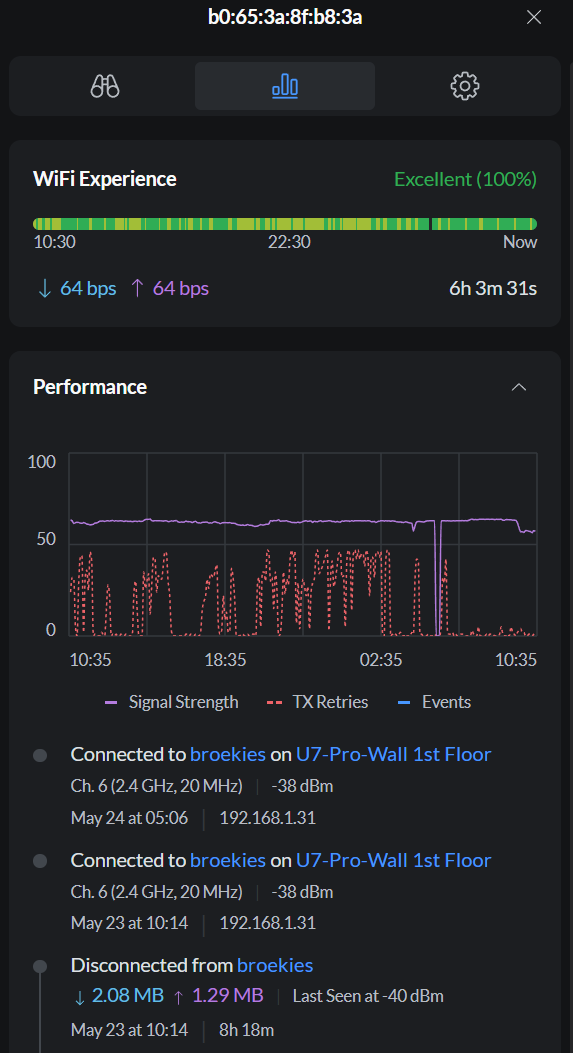
Hi, I had comparable trouble with the same BRP069C4x adapters: I updated 2 of my 3 units, then ran into issues re-adding the devices to my Daikin account. I also run a UniFi network with U7 access points. Since I changed the DTIM interval from Auto to 3, the Daikin units are responding to ping again. It reduced the latency and TX retries noticeably for me. If you haven't tried DTIM yet, set it to 3 on your UniFi APs and test ping again.
I had similar trouble with the BRP069C4x adapters: I updated 2 of 3 units, then couldn't re-add them to my Daikin account. I also run UniFi with U7 APs. Since changing DTIM from Auto to 3, the Daikins reply to ping again. I later set DTIM to 10 and was able to add the devices back.
I had issues even before the firmware updates, and I thought the updates would fix things. There was also a Daikin app update last week and likely backend changes at Daikin, plus ongoing UniFi updates—I'm not sure what finally crashed everything.
Update from another BRP069C4x / Perfera owner (EU, FW 2.3.0)
I'm seeing the same pattern on a Daikin Perfera FTXM35R2V1B with built-in BRP069C4x (wlan-dx4, firmware 2_3_0, MAC 50:26:ef:b3:93:b6). The unit worked with Onecta for ~2 years, then became unreliable over several weeks.
Symptoms
REGISTERING_TO_CLOUD_FAILED, rsc:4000, or HTTP timeout on PUT /config/adapter/user_info (method: polling)tx_bytes-r ≈ 0, high latency, HTTP to the module often times out/common/basic_info, /aircon/* → 404; only config endpoints respond intermittentlyWhat we tested (without a lasting fix)
| Area | Tests |
|---|---|
| Network | UniFi (UCG Ultra, U6 Pro, multiple APs): dedicated IoT SSID + xHome, both 2.4 GHz WPA2-PSK, PMF off, no WPA3, same LAN (no guest isolation) |
| Optimizations | Fixed AP (U6 Pro), fixed IP (192.168.1.21), DTIM 3 on xHome (as suggested by @ChristianB78 — helped ping/retries somewhat, did not fix cloud registration), BSS transition off, 2.4 GHz channel plan, min data rate tweaks |
| Onecta | Multiple commissioning runs, SP A (AP mode) / SP 3 (factory reset), account unlink/relink, mobile data disabled during setup, firmware 2.x / 2.3.0 |
| Logs | Several Commissioning Diagnostic exports — AP phase often OK, home-network find slow or fails first, cloud phase always fails |
Not router-specific — Fritzbox users report the same
This does not look like a single-vendor Wi‑Fi misconfiguration. Similar Perfera + Onecta issues are reported on Fritzbox setups as well.
On the Akkudoktor forum (DE), stefanelo describes the same problem with a Perfera: Fritz!Repeater mesh did not help (tested 1750, 3000, 6000, 7490 mesh). Only moving the main Fritz!Box close enough to the indoor unit so the adapter could join Wi‑Fi during setup worked — repeaters failed in every case.
That aligns with our experience: UDP discovery works, but stable association + cloud registration is the hard part — and extra Wi‑Fi hops (repeaters/mesh) don't fix it.
Current understanding
What helped marginally: DTIM 3, fixed AP, less 2.4 GHz congestion — not a complete fix.
What we're considering: Daikin support, external BRP069B42 on S21, or Faikin for local control (ordered today).
If anyone has completed Onecta setup successfully on C4x FW 2.3.0 (UniFi, Fritzbox, or other), please share AP/DTIM settings — it would help clarify whether any network tweak actually fixes cloud registration or if it's purely module/firmware-side.