I updated to 2026.2 this morning and after the restart I had an error that said I had duplicated dashboards.
and as a result I have lost all colour and backgrounds from the top menu bar on every screen/dashboard. I have tried to understand and correct this but I am a bit lost.
Can anyone advise please.
All my dashboards use standard HA templates , none use any custom scripts so I have no idea where this is going wrong.
Modern look in the default theme: We’ve retired the old blue top bar in favor of a clean, consistent theme that matches our Settings page. This distraction-free design lets your cards and data take center stage.
The error you get doesn’t exactly say you have duplicated dashboards - it says an input select is getting filled with a duplicate entry (that do seem to be dashboards from the description), so I guess there is a script or automation or something doing that…
I have noticed an issue with the new “modern look”. It is supposed to match the Settings page but on my instance the icons on the top bar do not use the highlight colour when selected as they do in the Settings page. I have cleared the browser’s cache.
This is driving me mad, I cant seem to pin point what is wrong to remove the error.
So I have checked to see what is common across those dashboards and the only thing is they are user created.
I have checked the code on each and Input Select is not used.
So to test I removed all the cards from one dashboard (batteries) to a temp place but no the error still includes that dashboard.
So I created a new dashboard called Batteries Test. With nothing in it this was now included in error. I deleted the old Batteries dashboard and renamed the new one to Batteries but the error didn’t change and continued with the new battery dashboard name of batteries test which I had renamed.
So now I am totally confused and at a total loss …Help Pls
I dont understand what Input_Select/Set_options is or where to start looking
Can anyone give me pointers please.
Keeping in mind this only occurred since recent update to 2026.2
all I can see from the error you posted is that something somewhere seems to be doing an action (used to be called service call untill recent) input_select.set_options (input select now seems to be called dropdown in the helpers menu), and that seems to include the “option” (one of the choices in the dropdown) lovelace twice. This could happen anywhere in a script, blueprint, automation, integration… I don’t think the service call is in the actual cards on the dashboard.
I’m guessing the service call fills the dropdown with a template containing all dashboards names , and that template for some reason returns “lovelace” twice. Maybe try looking in logs to see if the error pops up there as well, with more context?
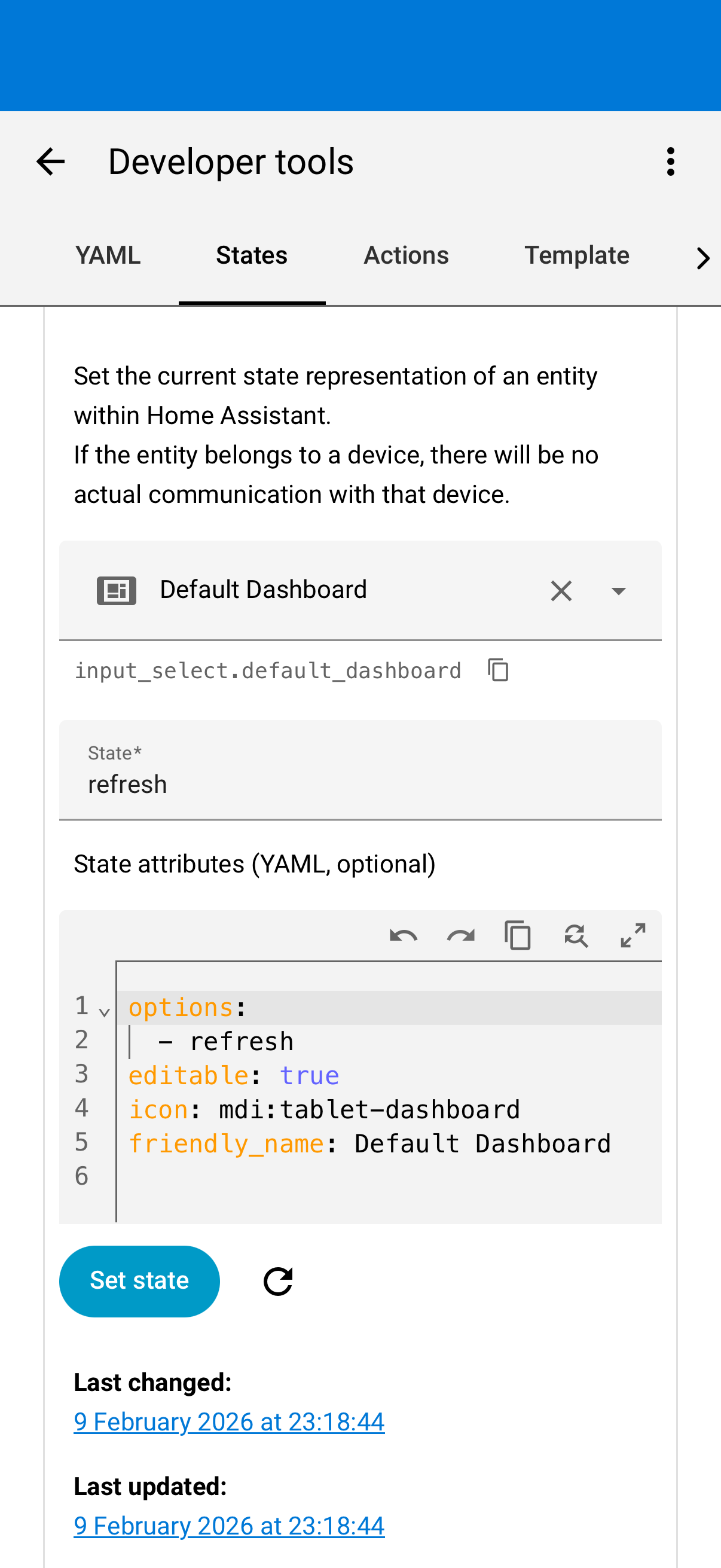
It wasn’t automations, scripts etc it was the default dashboard state set to and I think stuck at “refresh”
Once I cleared the state , the error disappeared. So it wasn’t anything I had done , added or changed.
Select developer tools from settings
select states
use ctrl+f to find Select or Input_Select
I only had the one entry which was the default dashboard.
Remove the refresh yaml of the default dashboard
Now this works until a restart when it occurs again.
just to add it looks like I need to make a change in the ui-lovelace.yaml but even despite using the terminal and searching at command prompt level I cant find it.
Anyone know how I can change the default dashboard yaml to remove the refresh option.
So I have tried a number of things and I have proved that the default dashboard includes an Input_Select option with a option setting of refresh. This is causing this error.
I have edited the default.js file which is found under homeassistant/www/community using the file editor but when the system restarts the value is set back to refresh and the problem reoccurs.
However the value in the default dashboard.js doesn’t change from where i edited it, therefore i must be in the wrong place.
So as a last resort ( this is really been winding me up) I deleted the two files in homeassistant/www/community/default-dashboard and guess what.
No change after restart the input_select value in the default dashboard was back to refresh.
All I can say is I dont have a default.js or default-dashboard there, so based on my install it doesn’t seem to be a bug in home assistant itself.
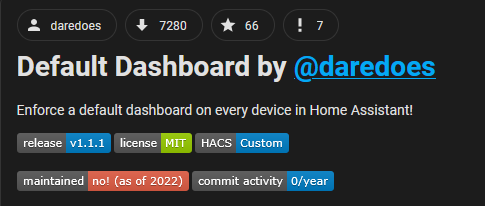
Based on the description of the files it sounds like you have possibly installed Default Dashboard by @daredoes (eg via hacs), and there is a bug in that (a community plugin made not by the home assistant team itself).
From what I can see, this is not maintained, so if it is indeed that the best option would be to uninstall it… Can you check if you have this installed?
So if I change the state to anything other than refresh or even set at null it fixes the error message I see when I initially open ha
This only lasts until a restart. Thus my theory this is a built in value or something like a resource that set it when that was installed, but I have no way of knowing which resource and I can’t seem to remove or make a permanent change as it reappears on restart
I don’t think it is something builtin to home assistant core, as then I and many others should have the same entity (and files you described earlier), and I don’t, and I would expect many more reports of the bug.
Did you check if you have default dashboard integration or something like it installed from a community source, like hacs? I mean it is simple to check and/ or remove or disable if it is, and see if the error disappears?