Now that there is wake-word detection in the Android companion app, I finally had a nice use case for my old and trusy Pixel 2 Android phone.
I had it flashed to Lineage OS a while ago, and after updating it, it was running Android 15. I didn’t install Google Apps so I downloaded the latest HA companion app version from GitHub.
Requirements
- An (old) Android phone
- The HA companion app
- An input_boolean / toggle helper to switch between clock and control view
- the custom Kiosk Mode integration to hide the sidebar and header
- I added a specific blackout theme to make it pure black, without card backgrounds and borders.
- (optional) the custom font-clock card to make the clock bigger than is possible using the built in clock card
- (optional) the custom Mushroom cards to add a menu chip so the menu can still be reached to change settings.
The dashboard
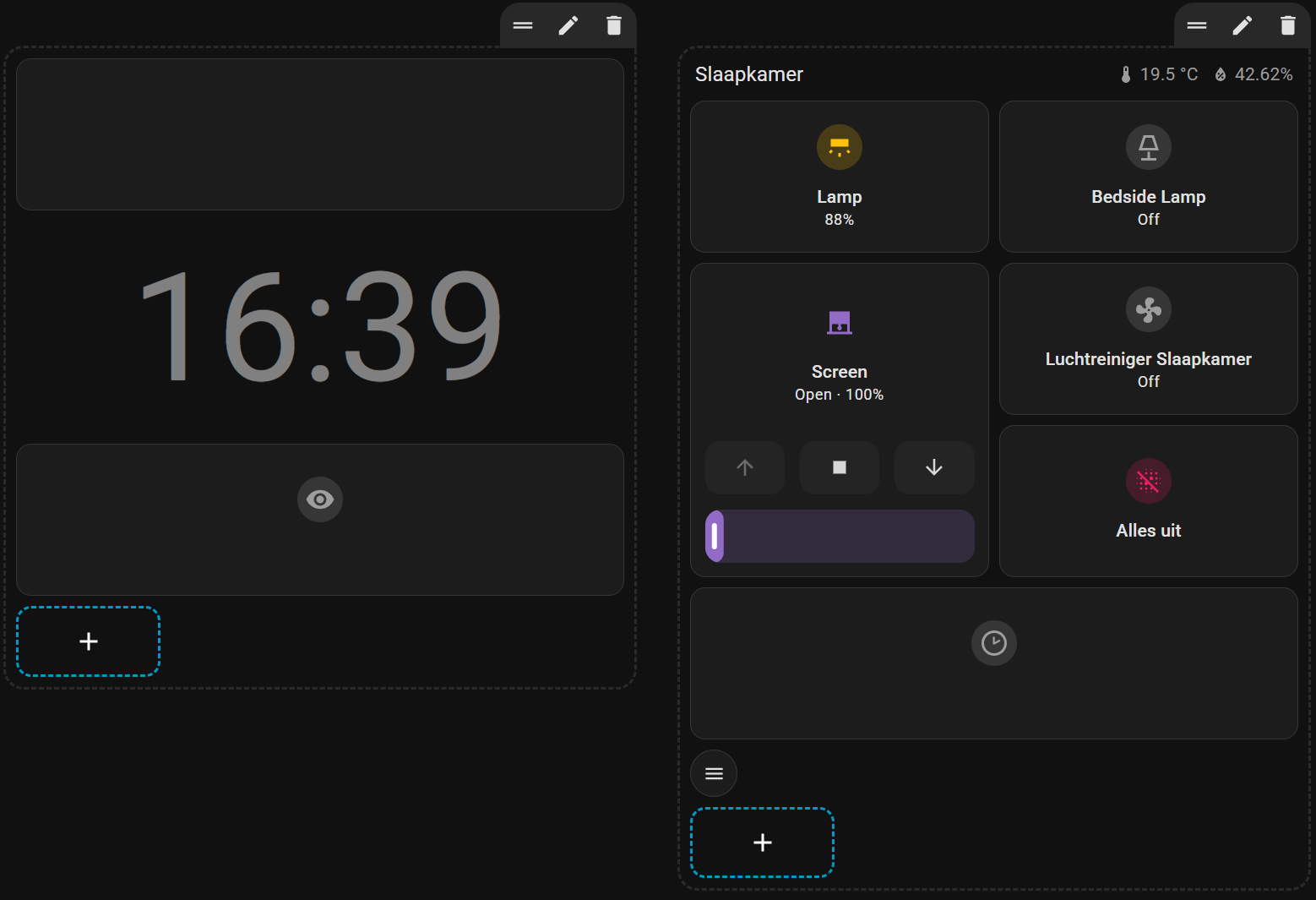
I created one Dashboard with two sections.
- The first section shows just a the clock and one additional button to toggle to the control view. It uses an input boolean to determine which section to show. Based on the hour (if it’s even or odd) an empty card is shown or not. This moves the clock down or up every hour, to prevent screen burn-in
- The second sections shows controls for the room, and one button to turn off all lights in the house which might be left on.
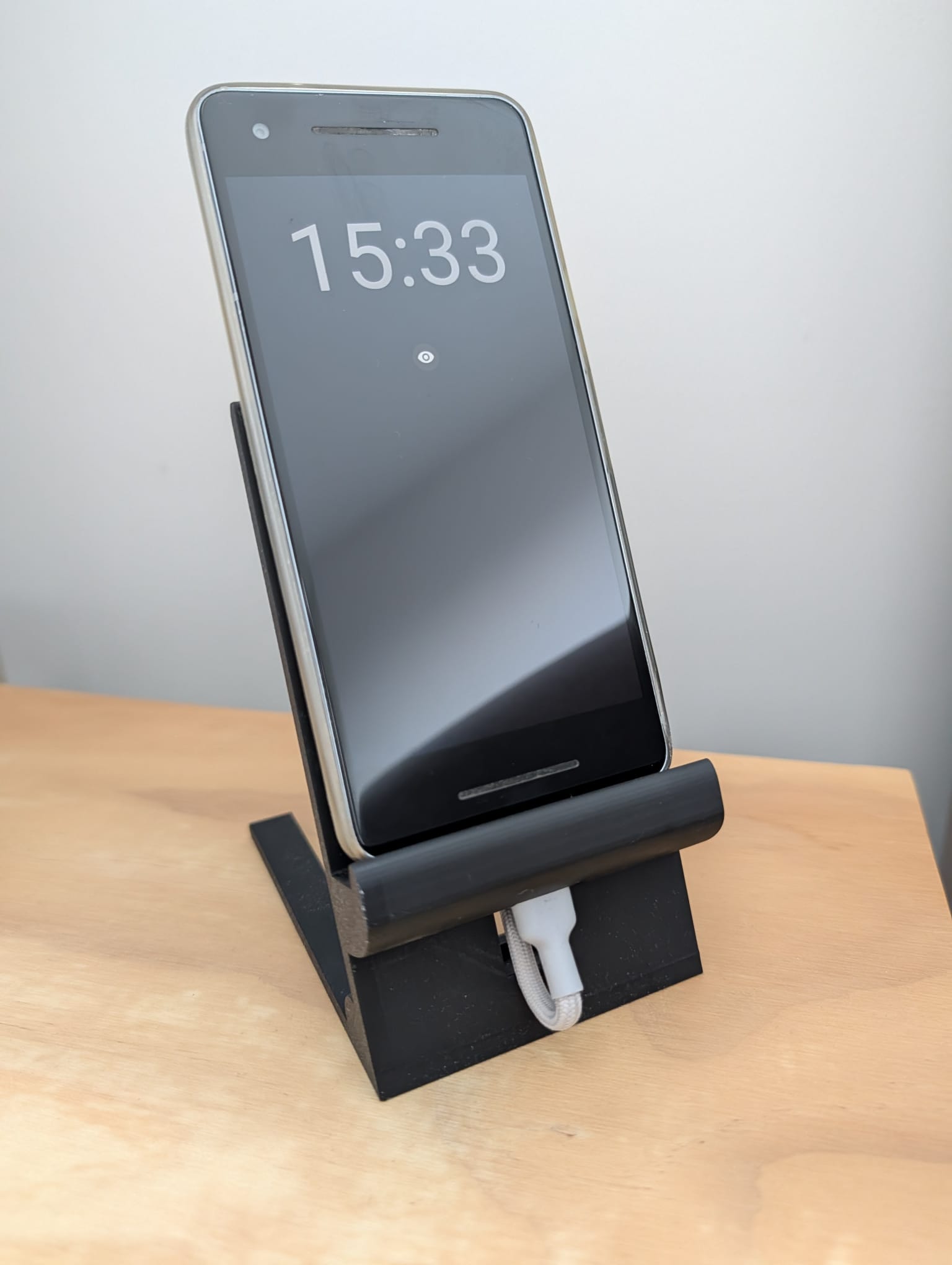
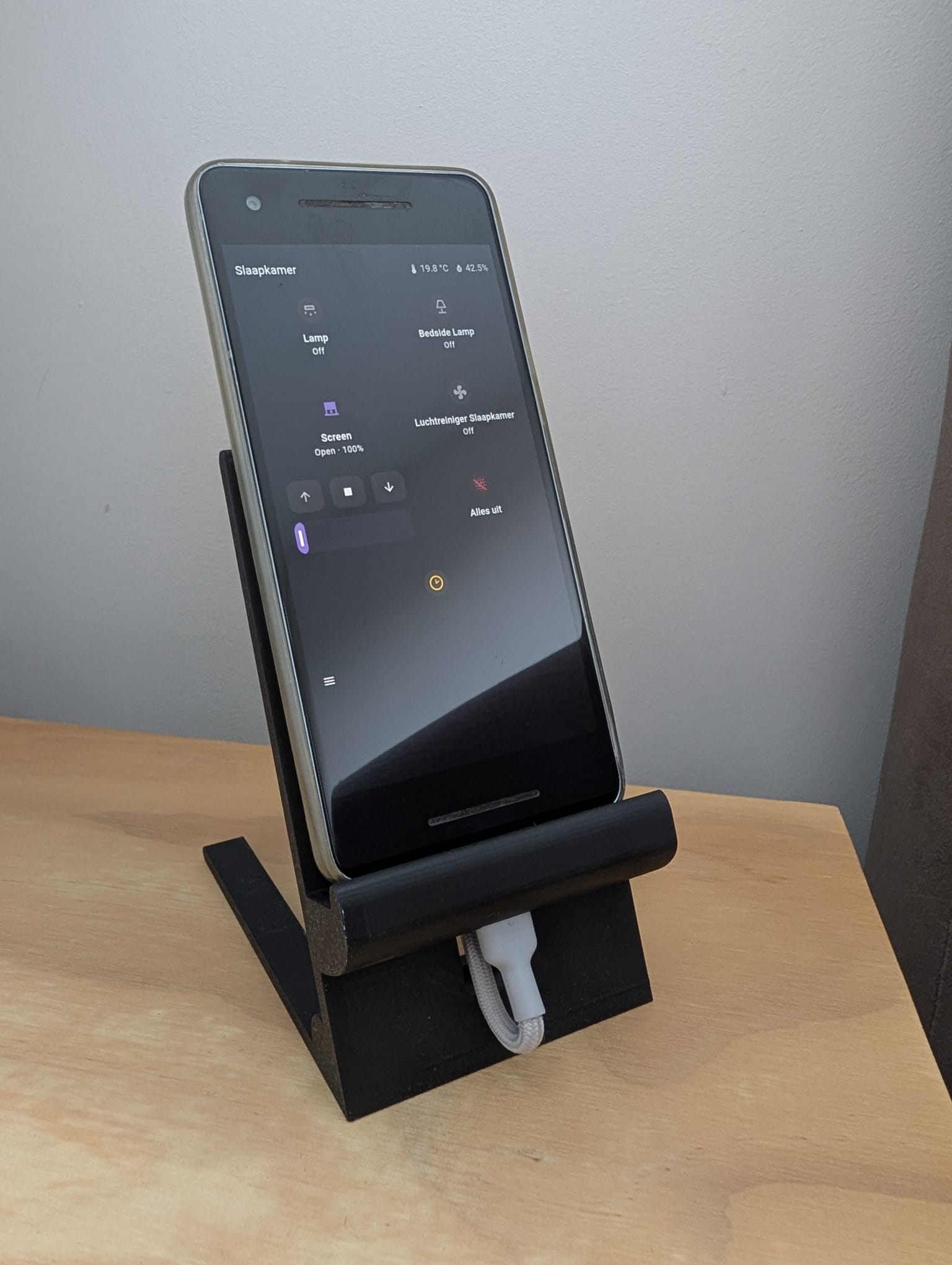
And you can issue voice commands 
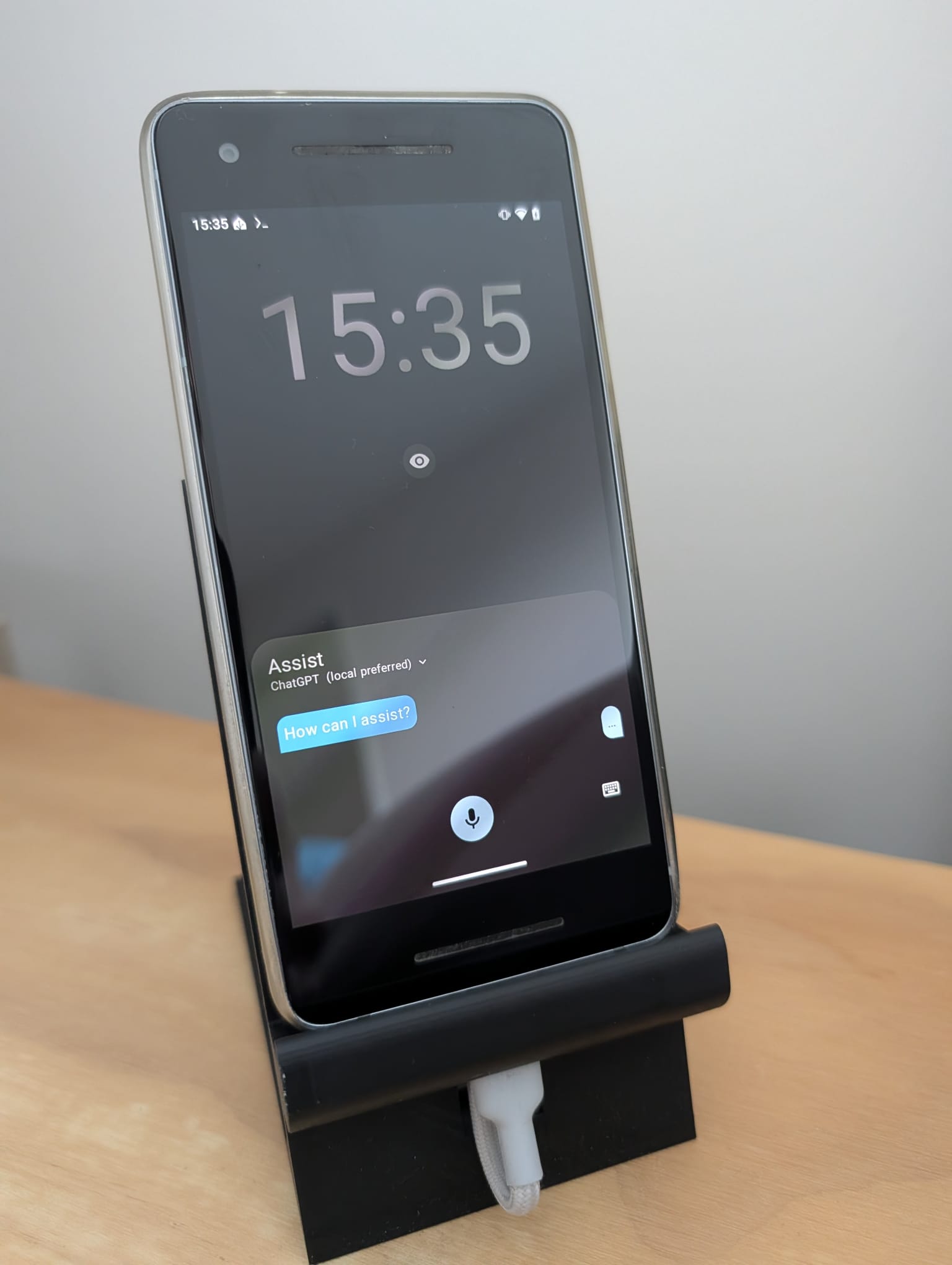
One caveat is that the voice commands aren’t area aware, and unfortunately you can’t use continues conversation, so if the response is a question, you need to press the microphone icon to speak.
YAML code
This is the full code of the dasbboard:
kiosk_mode:
non_admin_settings:
hide_header: true
hide_sidebar: false
hide_menubutton: true
views:
- title: Home
sections:
- type: grid
cards:
- type: markdown
content: ' '
grid_options:
columns: 12
rows: 2
visibility:
- condition: state
entity: binary_sensor.even_hours
state: 'on'
- type: custom:font-clock-card
font_name: Roboto
font_size: 120px
format: HH:mm
no_space_ampm: false
align: center
font_weight: '400'
color: grey
- type: tile
grid_options:
columns: 12
rows: 2
entity: input_boolean.show_card
name:
show_entity_picture: true
hide_state: true
vertical: true
tap_action:
action: toggle
features_position: bottom
visibility:
- condition: state
entity: input_boolean.show_card
state: 'off'
- type: grid
cards:
- type: heading
heading: Slaapkamer
heading_style: title
badges:
- type: entity
show_state: true
show_icon: true
entity: sensor.awair_slaapkamer_temperature
- type: entity
show_state: true
show_icon: true
entity: sensor.awair_slaapkamer_humidity
- type: tile
grid_options:
rows: 2
entity: light.slaapkamer_plafond_template
name: Lamp
color: amber
vertical: true
features_position: bottom
- type: tile
grid_options:
columns: 6
rows: 2
entity: light.bedside_lamp_template
color: amber
state_content: brightness
vertical: true
features_position: bottom
- type: tile
entity: cover.slaapkamer_zolder_template
color: purple
vertical: true
features_position: bottom
features:
- type: cover-open-close
- type: cover-position
grid_options:
columns: 6
rows: 4
- type: tile
grid_options:
columns: 6
rows: 2
entity: automation.luchtreiniger_slaapkamer
color: teal
vertical: true
features_position: bottom
- type: tile
grid_options:
columns: 6
rows: 2
entity: input_button.alles_uit
color: pink
hide_state: true
vertical: true
tap_action:
action: perform-action
perform_action: input_button.press
target:
entity_id: input_button.alles_uit
data: {}
icon_tap_action:
action: perform-action
perform_action: input_button.press
target:
entity_id: input_button.alles_uit
data: {}
features_position: bottom
- type: tile
grid_options:
columns: 12
rows: 2
entity: input_boolean.show_card
name:
icon: mdi:clock-time-two-outline
show_entity_picture: true
hide_state: true
vertical: true
tap_action:
action: toggle
features_position: bottom
- type: custom:mushroom-chips-card
chips:
- type: menu
visibility:
- condition: state
entity: input_boolean.show_card
state: 'on'
This is how it looks like in the GUI editor
What I did additionally
- Using the Android Developer settings I’ve disabled that the screen turns off while the phone is charging
- I’ve made the Home Assistant companion app the default launcher, so it always opens on the dashboard
- run adb commands to hide the microphone and location warnings in the notification bar
adb shell cmd device_config put privacy location_indicators_enabled false defaultto supress the location warningsadb shell cmd device_config put privacy camera_mic_icons_enabled false defaultto suppress the microphone warnings