 DIY Lock Status Sensor
(Kwikset + Aeotec + Home Assistant + HomeKit)
Goal
I wanted lock state visibility (locked/unlocked) in Home Assistant and Apple Home, without installing a true smart lock.
- Household preference:
 no remotely unlockable lock
 - Solution:
 read-only lock state using internal hardware
 Concept
Use:
- Existing mechanical limit switch inside the lock
- Feed it into a Z-Wave sensor with dry contact input
- Expose as a lock entity in Home Assistant → HomeKit
No motor control. No unlocking. Just state.
 Hardware Used
- Kwikset keypad deadbolt (existing)
- Aeotec Door/Window Sensor 7 Pro (ZWA012)
- Key feature: dry contact input terminals
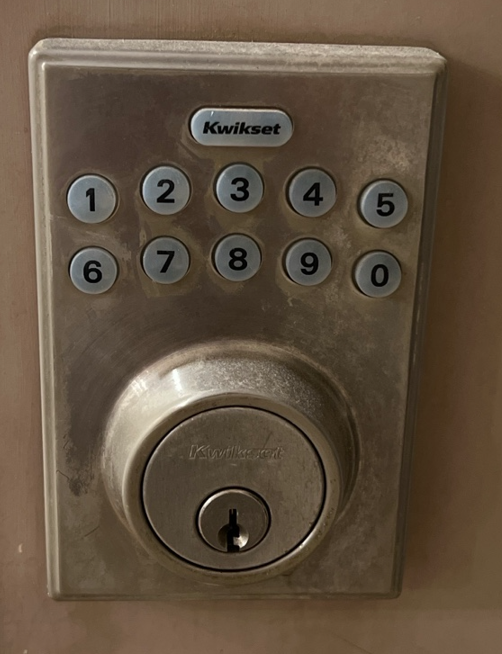
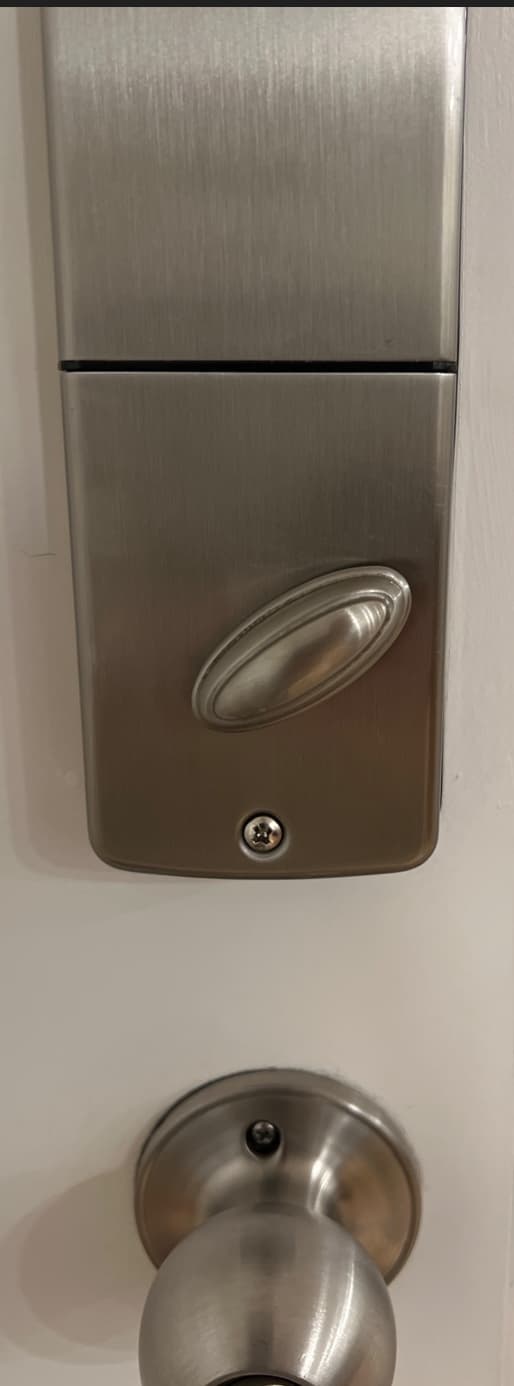
Original Lock
Exterior:
Interior:
 Step 1 — Gut the Lock
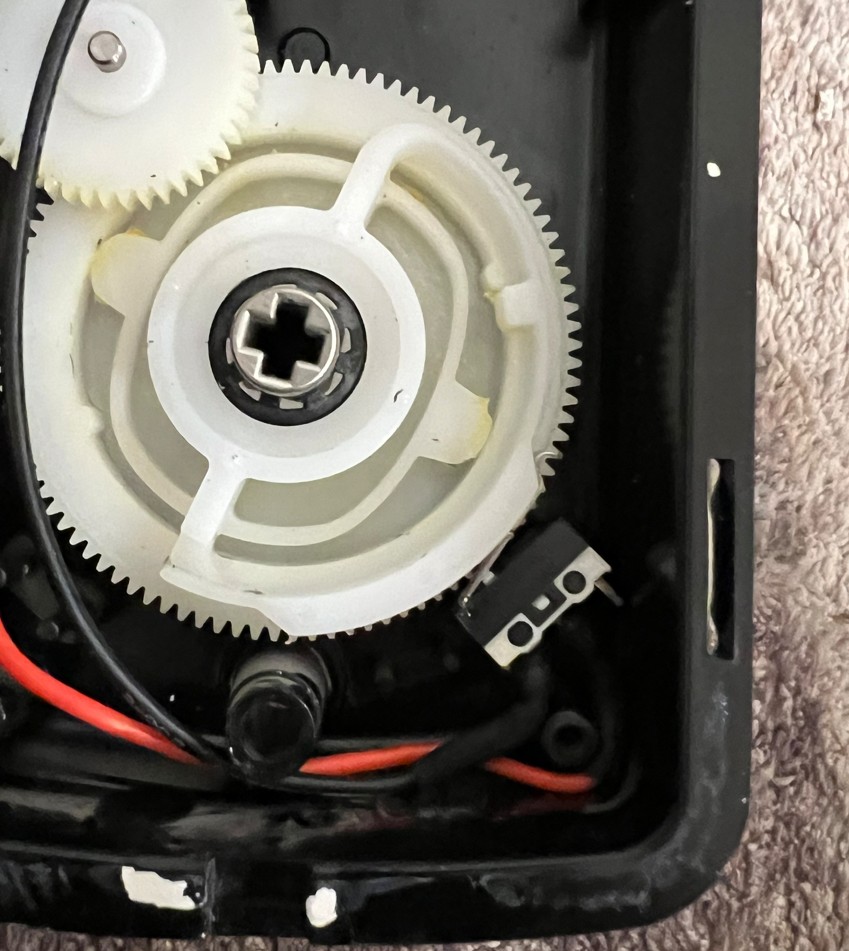
I opened the lock and exposed:
- Motor + gearbox
- Large plastic gear
- Built-in microswitch (limit switch)
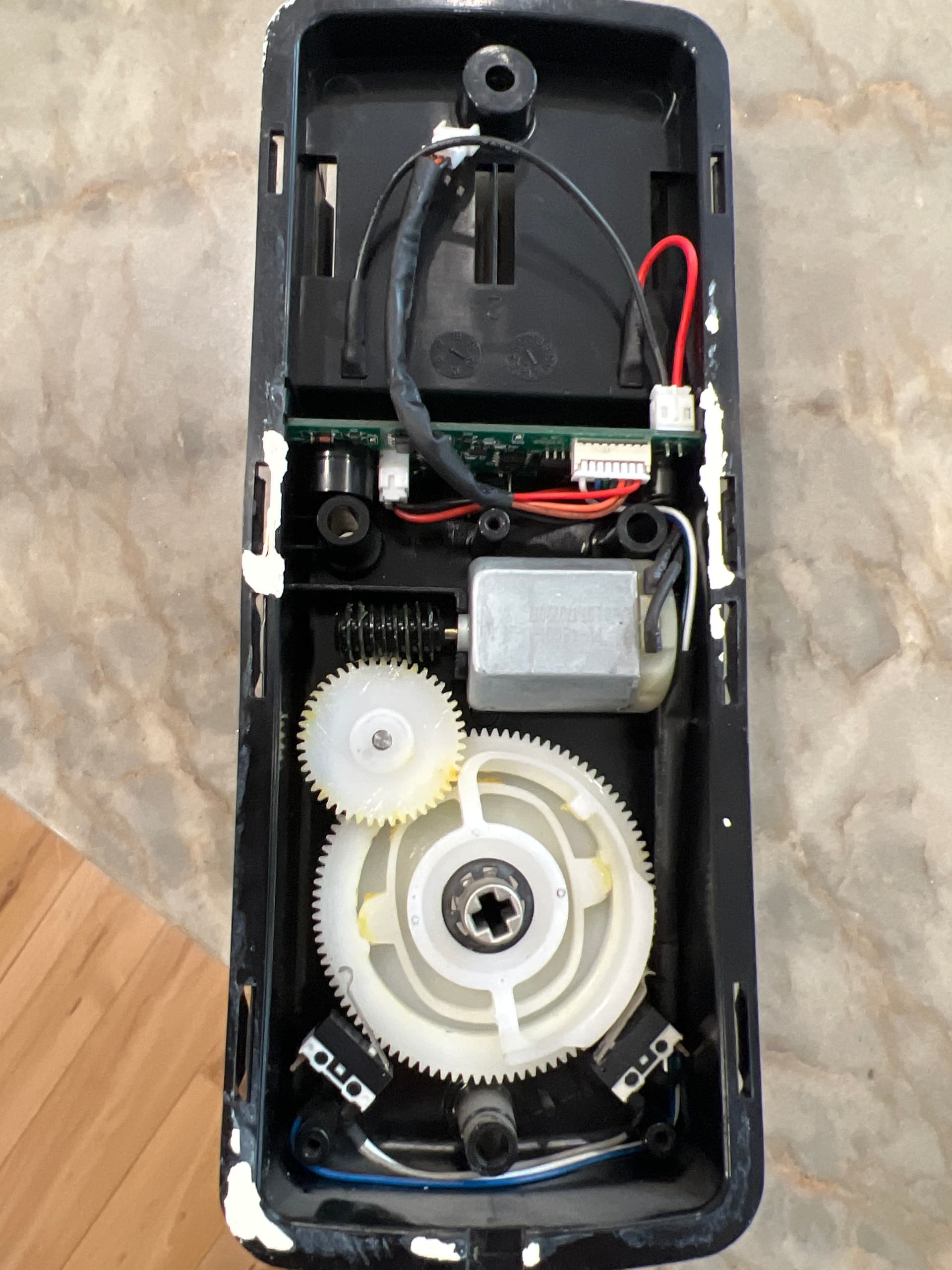
Key insight:
The gear already presses a microswitch when the lock is in the locked position.
No need to add a separate sensor.
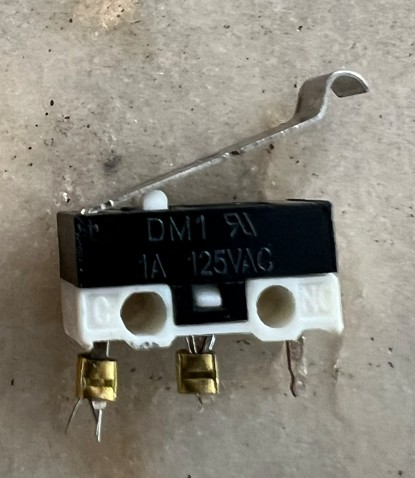
 Step 2 — Use the Existing Microswitch
The switch behaves like a dry contact:
- Closed when locked
- Open when unlocked
I verified this with a multimeter, then soldered wires to the switch terminals.
 Step 3 — Wire to Aeotec Sensor
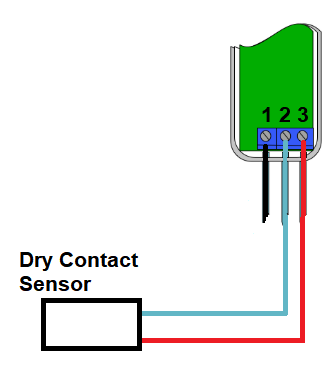
Wiring:
Microswitch → Aeotec Terminal 2 (Digital)
Microswitch → Aeotec Terminal 3 (VCC reference)
No connection to ground (Terminal 1) required.
 Step 4 — Configure Aeotec Sensor
In Home Assistant Z-Wave configuration:
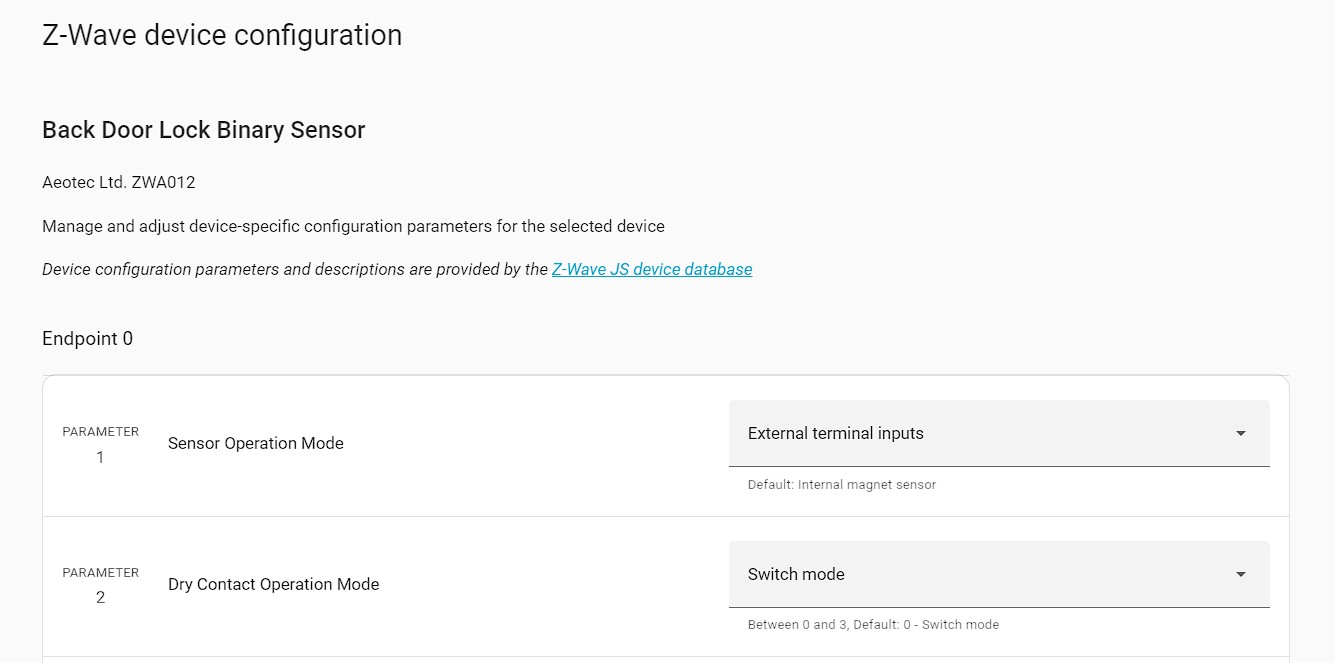
- Parameter 1: External terminal inputs
- Parameter 2: Switch mode
This disables the internal magnet sensor and uses your external switch.
 Step 5 — Power Decision
Initially considered reusing the lock’s 4×AA battery pack, but rejected due to:
- Voltage mismatch (6V vs ~3V required)
- Need for regulator
- Added complexity
Final choice: Use Aeotec’s native 1/2 AA battery.
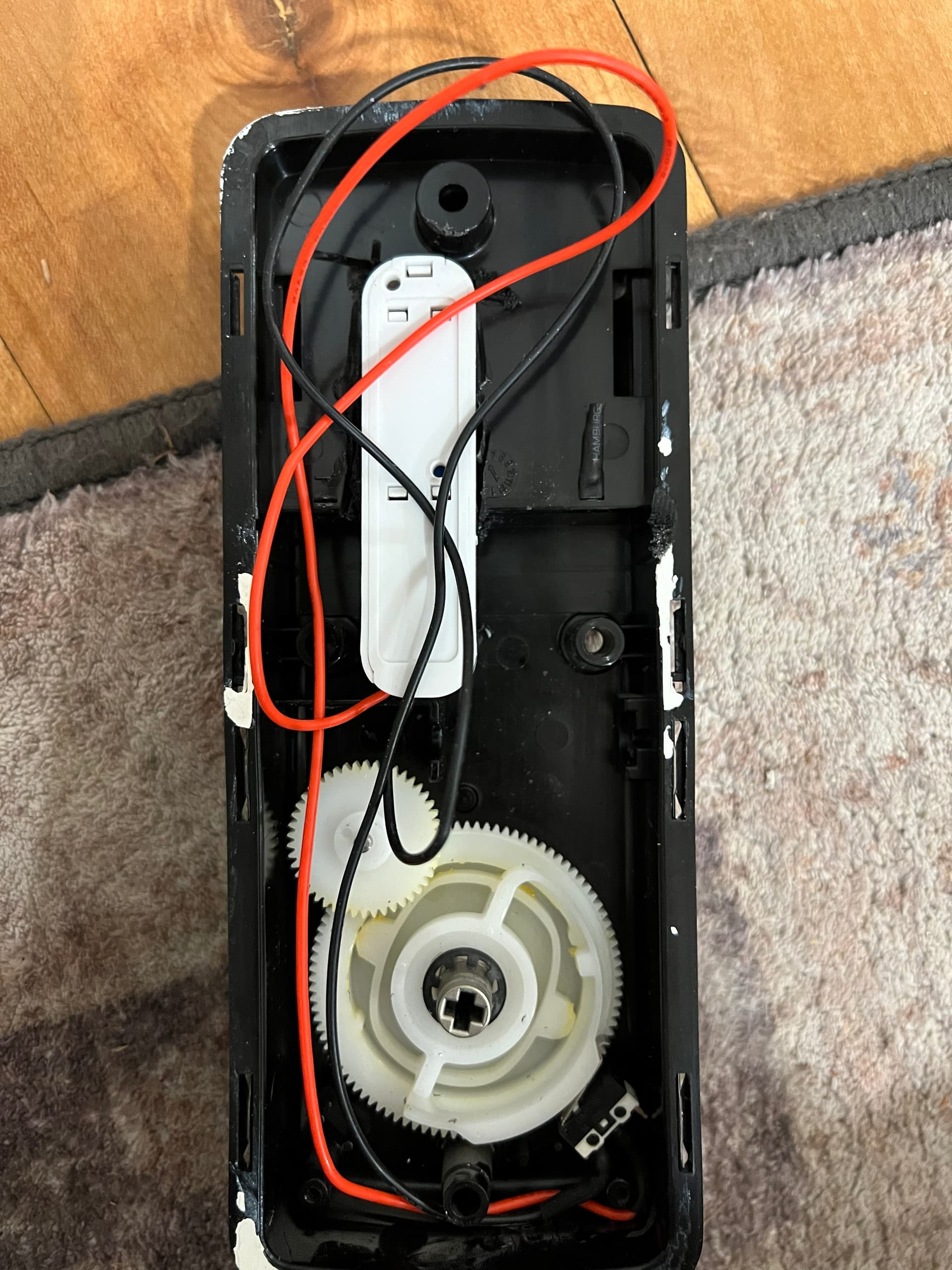
 Step 6 — Fit Everything Inside
- Removed original batteries
- Used a Dremel to cut battery compartment
- Mounted Aeotec sensor inside lock housing
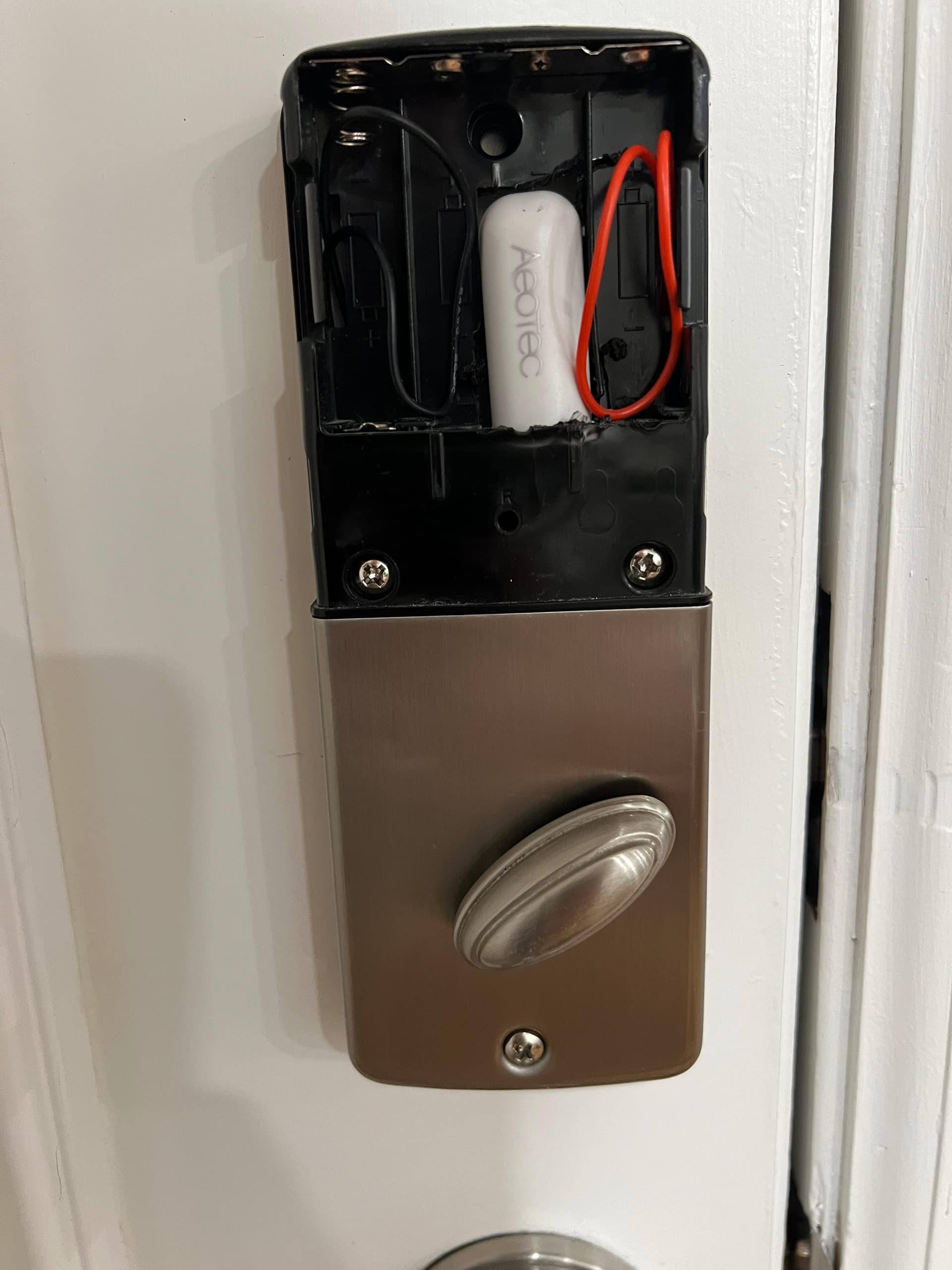
 Mechanical Tuning
Problem:
- Switch worked when disassembled
- Failed intermittently when fully assembled
Solution:
- Slightly bent the microswitch lever arm
Result: Reliable actuation in final installed state.
 Step 7 — Home Assistant Template Lock
lock:
  - platform: template
    name: "Back Door Lock"
    unique_id: back_door_lock
    value_template: >
      {{ is_state('binary_sensor.back_door_lock_binary_sensor', 'on') }}
 Step 8 — HomeKit Integration

- Mode: Accessory
- Include domain: lock
After adding, the lock appears in Apple Home.
 Final Result
- Lock shows Locked / Unlocked in Apple Home
 Cannot be unlocked remotely
 Fully local Z-Wave
- Long battery life