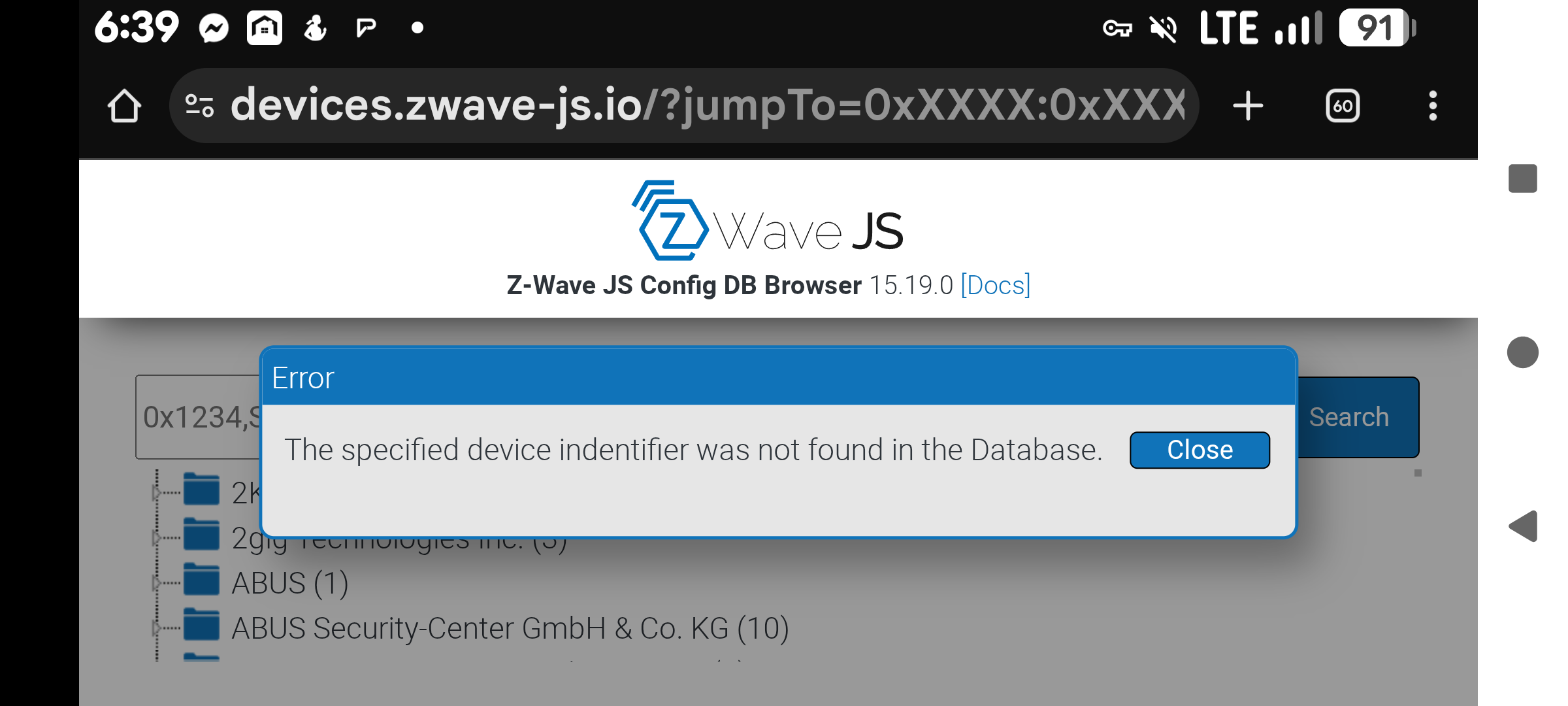
Good point, I think I found my reason for unknown. I clicked “see device config” on my unknown device and saw this.
Please create a new post for your support question.
Deleted my question and created a new topic. Thanks
1 Like
So now that the Z-Wave JS UI is now included in version 1.0.0 of Z-Wave JS - how do I migrate back from Z-Wave JS UI to just the Z-Wave JS app - and preserve all my settings.
I mistakenly updated the Z-Wave JS to version 1.0.0 and now there’s no communication from the Z-Wave JS UI to Home Assistant. I’ve tried restoring an earlier backup, but it’s still broken. Help!
OK, I’ve managed to get the system back up and running as it was, i.e. using the Z-Wave JS UI to feed into Home Assistant.
However, my original question still stands - at some point I think I will need to migrate to just Z-Wave JS and drop the separate Z-Wave JS UI add-on. And I really want to preserve all my network settings… Will there be a guide for this?
Yes there will be a guide, but not from me.
1 Like
Hmmm… I didn’t know about this. So does that mean the “Z-Wave JS UI” addon, which includes Z-Wave JS server, and the “Z-Wave JS” addon, which would include the UI after v1.0.0… will essentially become the same thing?
EDIT:
Never mind, I found your comment from a couple of hours ago:
Yep. I assume the Z-Wave JS UI app will become obsolete since it’s no longer needed.
I have a ZNET device with a sensor that is external and connected only by ethernet, so not directly discoverable (you assisted me much earlier in setting this up)…does that mean I can now just delete the ZWAve-JS-UI installation and I’ll be able to access the device just in ZWave?
Yes, because they are the same thing you can configure the apps in the same way. There’s an official migration guide now:
Presumably you are using a tcp://... socket address, so in step 4 you would choose option 1 then “Use socket” and input the tcp URL.
Well, my first attempt at this failed miserably…will try again today. Instructions in the migration guide might be useful for someone familiar with Linux, but for me I had to look up pretty much how to do each step…
Restoring worked fine though. 
Second attempt failed like the first…but this time the script ran fine. The original ZWave items reconnect OK, but the “remote” (ethernet) ones do not:
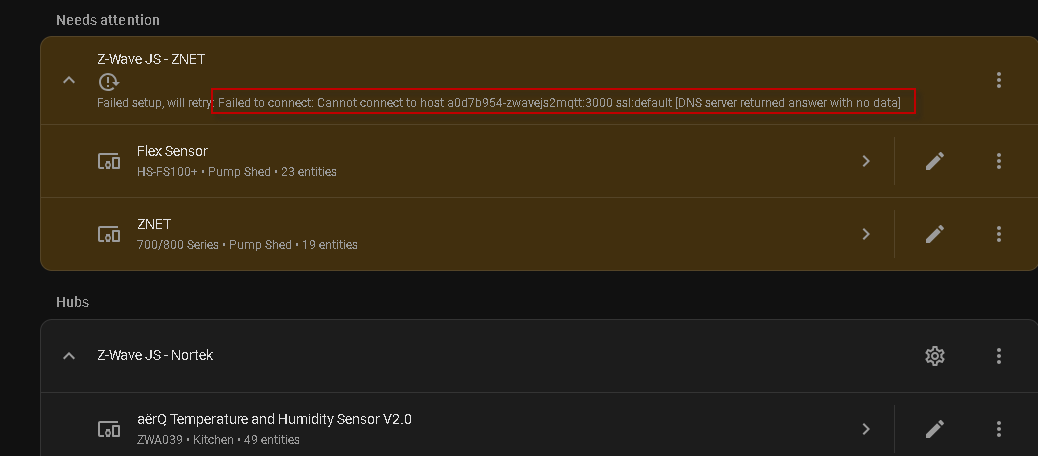
and
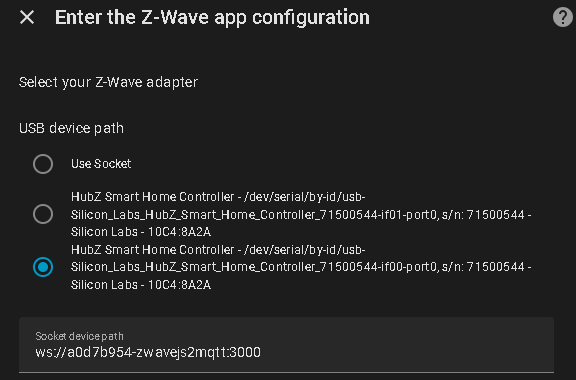
Using the core-zwave-js:3000 (which was originally on the working Nortek HubZsetup) socket doesn’t work; using the second version of the HubZ doesn’t work either…(although the ws://a0d7b954-zwavejs2mqtt:3000 socket did with ZUI).
I have no idea what you’re trying to do. That port 3000 is not a valid socket path, that’s the Z-Wave JS server port which would used as the Server URL for the Z-Wave integration. You’re better off making a new post in the Z-Wave category instead of in this thread, explaining what you are doing.
The error indicated in the red rectangle likely means the ZUI add-on is no longer installed or running.
Thanks…just trying to get rid of ZUI and transfer the second hub the Zwave-JS
You’ve gone off script then, there’s no step where you input the Z-Wave JS Server URL as a remote controller socket path.
BTW, you can only run one instance of the app. If your “Z-Wave JS - Nortek” network is already migrated to the Z-Wave JS app, then that’s it. You can’t migrate the other one.
Sorry to be so thick here…but my Nortek (original ZWave devices on my system) are connected to the hub (USB stick) on the HA Yellow.
I then added…with your assistance…and using ZUI a second hub (ZNET) which is remote, and connected via ethernet (IP) to the HA Yellow…this has worked fine until now.
What I’m now trying to do, given the deprecation of ZUI, is to combine the two sets of devices in ZWave-JS. Is what you’re saying that it is not possible to have the two hubs in ZWave-JS and I need to keep using ZUI?
The migration involves switching from the Z-Wave JS UI app. It does not relate to remote ZUI instances, as those are not “apps”. I’m not clear what your remote install is (sorry, can’t remember). If you are using TCP serial ports with the Z-Wave JS UI app, then you can’t migrate it since only one app is allowed and you already have the app running with the Nortek.
Ah - K, then I guess I’ll have to maintain both ZUI and ZWave-JS.
Our original convo is here: Can't connect ZWave-JS-UI (remote) on RPi to HA Yellow - #11 by pragdogforshins where you assisted me to get the remote portion (ethernet/ZNET) working.
Ok, based on that previous conversation, you are running ZUI standalone on a raspberry pi (?). In that case, yes, the migration to the Z-Wave JS app for that instance does not apply.
OK - thanks…I’ll maintain both. Maybe eventually I’ll find a remote light sensor that works for my well pump LED.