So I’m not new to HA but definitely to the entire Matter/Thread Border Router thing. What I’m running is a virtualized HAOS installation within proxmox, and SLZB-MR1 for my thread border router and and Eve Smart Outlet.
iOS version 18.6.2
In terms of my SLZB-MR1, here is my network settings.
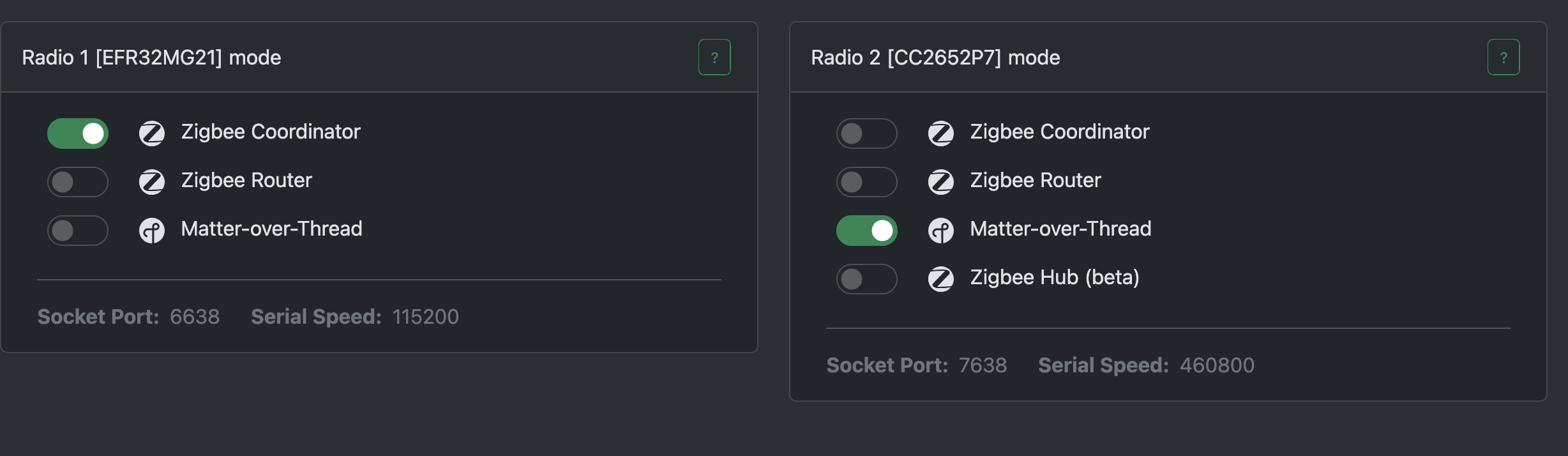
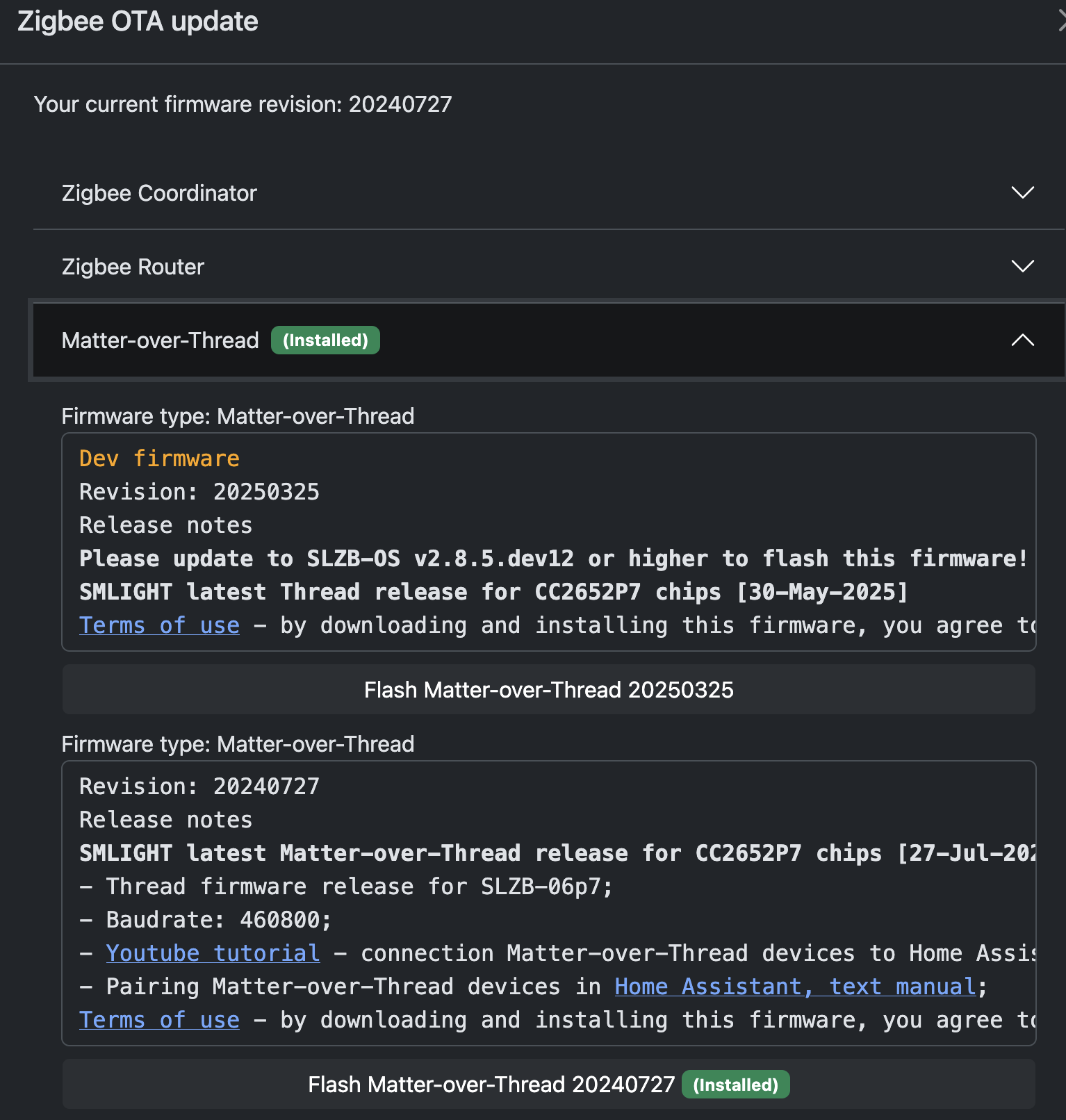
I’m running SLZB OS 2.9.8 and the CC2652P7 is flashed with 20240727.
In terms of Home assistant, I’m running the following:
- Installation method Home Assistant OS
- Core 2025.9.4
- Supervisor 2025.09.0
- Operating System 16.2
- Frontend 20250903.5
I have the Python Matter Server installed:
- Python Matter Server
FabricId: 2
Compressed FabricId: 3297496690525811000
SDK Wheels Version:2025.7.0
Schema Version: 11
Node count: 0
I have Matter, Thread and Open Thread Border Router Integrations.
I also have the Matter Server Add On and it’s configured as follows:
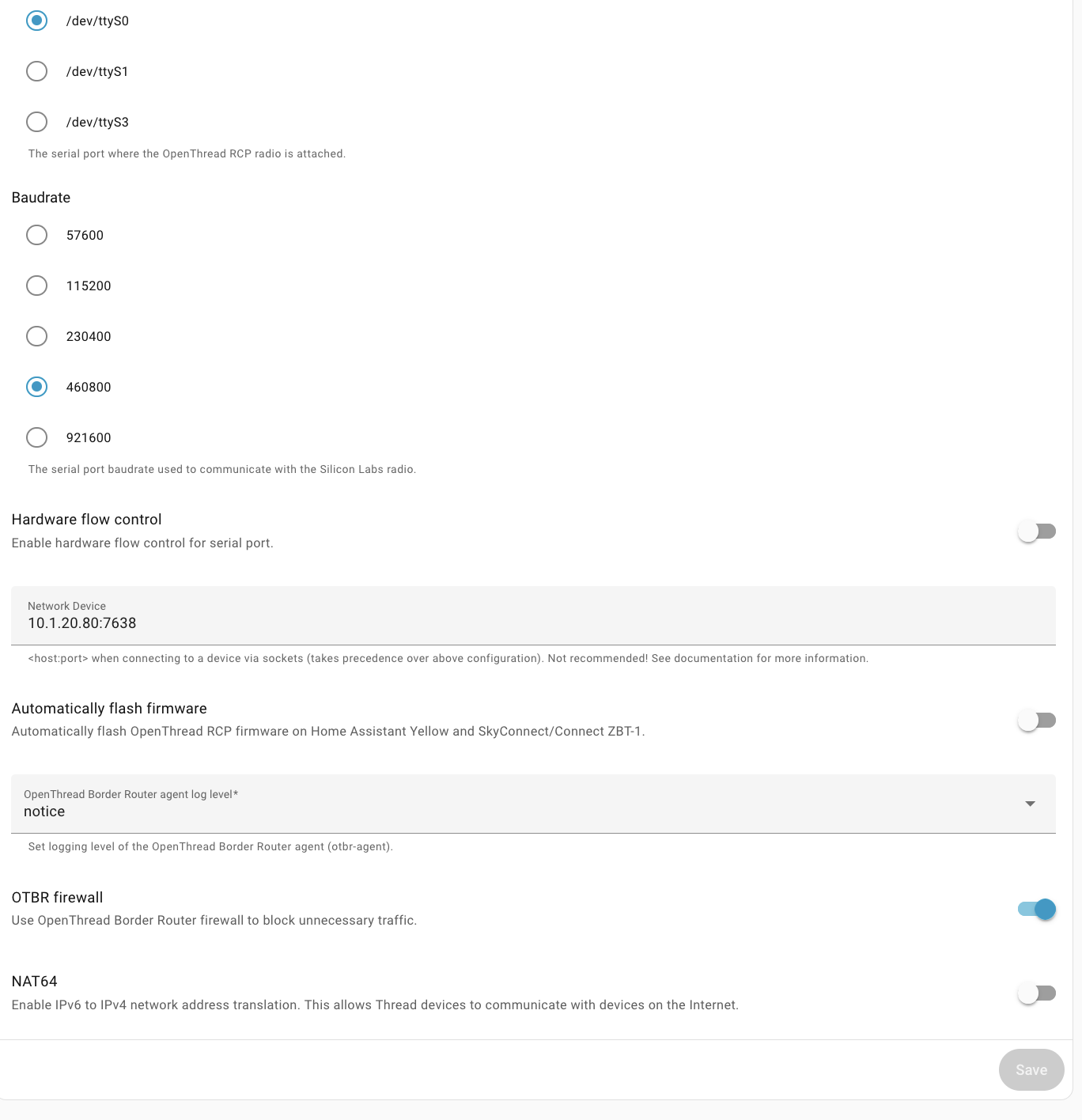
The Thread Integration shows the following:
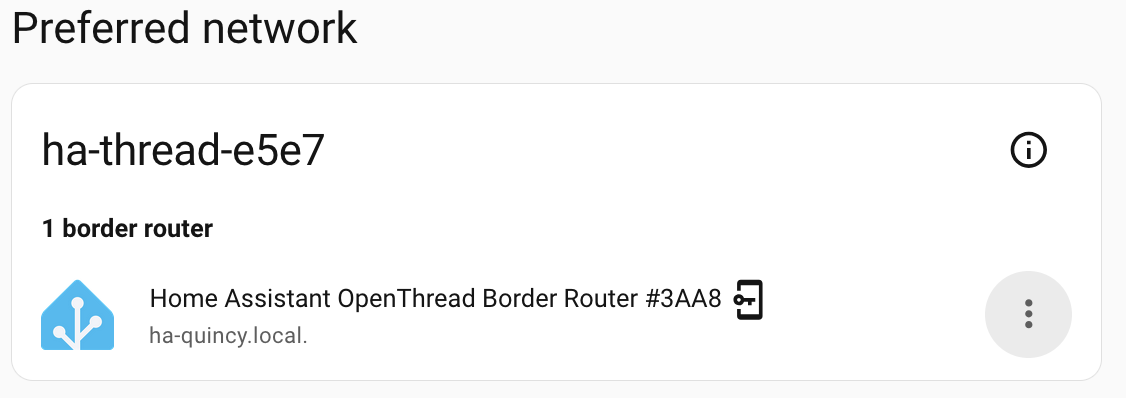
So that’s all the background.
So to attempt to add a device – I will strictly use the iphone or iOS.
Within Chrome browser on the phone, I will login to my home assistant instance and go to Settings->Devices and services->Thread. I’ll click on the the Configure Gear and I’m shown the following:
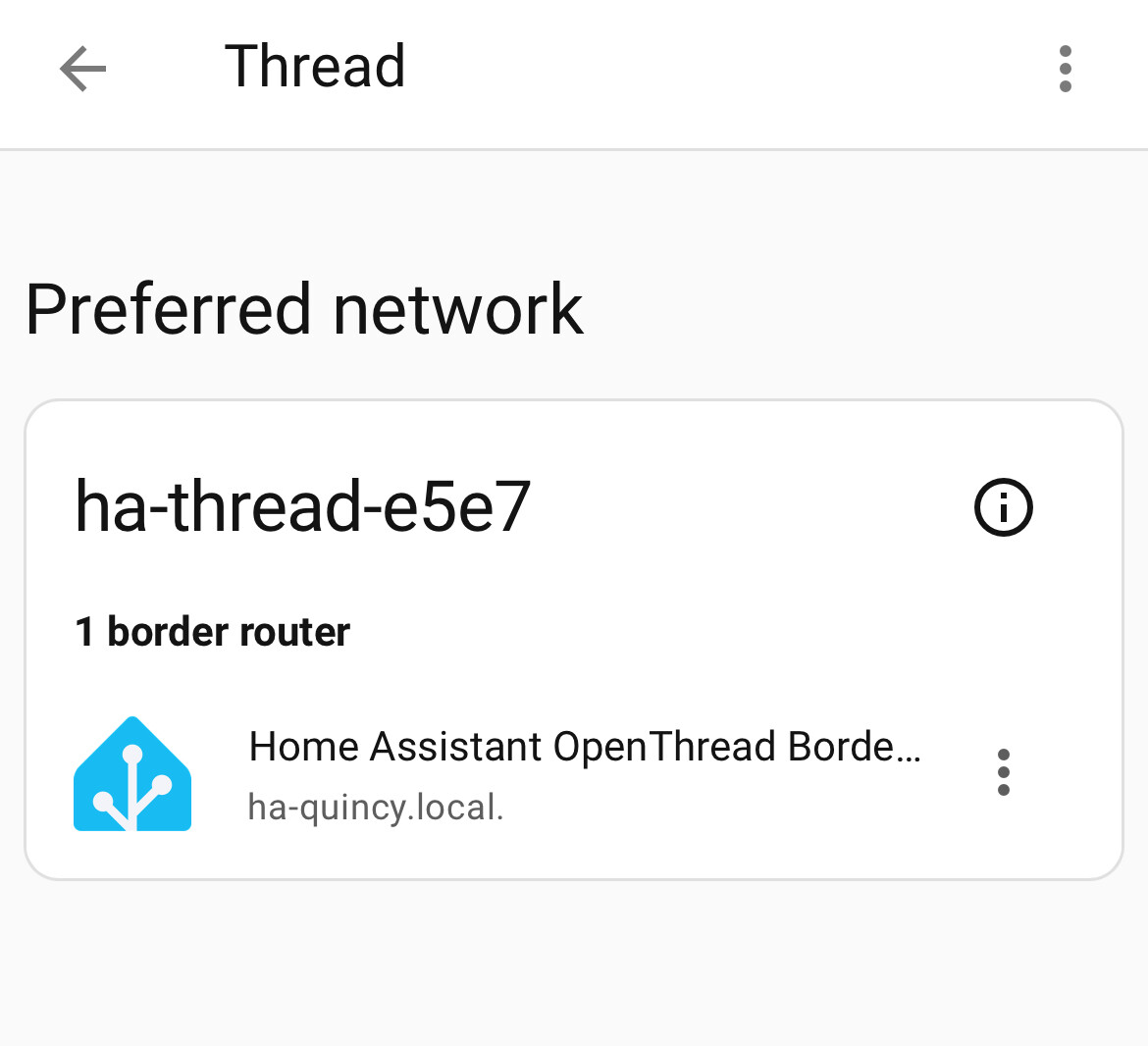
I’ll simply just press on the Icon Home Assistant Open Thread Border. That’s it. I’m not sure what to do other than just click on the “button” which doesn’t look like a button.
Anyway I have an Eve Energy Outlet. I’ve tried adding the device which is powered on with two green lights to both the Eve App and also tried adding to Apple Home Kit. I’ll get:

And this process just sits and spins for quite a long time, then finally I get:

I’m not too sure what to do at this point. It seems like I have a valid thread border router.
**So I reset the smart outlet by holding down right button for 5 seconds (I believe this is factory reset.) I rebooted home assistant as well.
For the logs specifically of the OpenThreadBorder Router I have the following:
System: Home Assistant OS 16.2 (amd64 / qemux86-64)

Home Assistant Core: 2025.9.4

Home Assistant Supervisor: 2025.09.0

-----------------------------------------------------------

Please, share the above information when looking for help

or support in, e.g., GitHub, forums or the Discord chat.

-----------------------------------------------------------

s6-rc: info: service banner successfully started

s6-rc: info: service universal-silabs-flasher: starting

[22:25:46] INFO: Flashing firmware is disabled

s6-rc: info: service universal-silabs-flasher successfully started

s6-rc: info: service otbr-agent: starting

[22:25:47] INFO: Setup OTBR firewall...

[22:25:47] INFO: Starting otbr-agent...

[NOTE]-AGENT---: Running 0.3.0-b067e5ac-dirty

[NOTE]-AGENT---: Thread version: 1.3.0

[NOTE]-AGENT---: Thread interface: wpan0

[NOTE]-AGENT---: Radio URL: spinel+hdlc+uart:///tmp/ttyOTBR?uart-baudrate=460800&uart-init-deassert

[NOTE]-AGENT---: Radio URL: trel://enp6s18

[NOTE]-ILS-----: Infra link selected: enp6s18

tiocmbic: Inappropriate ioctl for device

49d.17:03:16.378 [C] P-SpinelDrive-: Software reset co-processor successfully

00:00:00.170 [N] RoutingManager: BR ULA prefix: fd49:343:c5ce::/48 (loaded)

00:00:00.170 [N] RoutingManager: Local on-link prefix: fd7c:4bf6:a4aa:4a2::/64

s6-rc: info: service otbr-agent successfully started

s6-rc: info: service otbr-agent-configure: starting

00:00:00.207 [N] Mle-----------: Role disabled -> detached

00:00:00.215 [N] P-Netif-------: Changing interface state to up.

00:00:00.229 [W] P-Netif-------: Failed to process request#2: No such process

00:00:00.230 [W] P-Netif-------: Failed to process request#6: No such process

Done

s6-rc: info: service otbr-agent-configure successfully started

s6-rc: info: service otbr-agent-rest-discovery: starting

[22:25:48] INFO: Successfully sent discovery information to Home Assistant.

s6-rc: info: service otbr-agent-rest-discovery successfully started

s6-rc: info: service legacy-services: starting

s6-rc: info: service legacy-services successfully started

00:00:27.359 [N] Mle-----------: RLOC16 8800 -> fffe

00:00:27.946 [N] Mle-----------: Attach attempt 1, AnyPartition reattaching with Active Dataset

00:00:34.446 [N] RouterTable---: Allocate router id 34

00:00:34.446 [N] Mle-----------: RLOC16 fffe -> 8800

00:00:34.454 [N] Mle-----------: Role detached -> leader

00:00:34.456 [N] Mle-----------: Partition ID 0x55112ae7

Default: mDNSPlatformSendUDP got error 99 (Cannot assign requested address) sending packet to ff02::fb on interface fe80::1037:8bff:fe47:82b2/vethff9b6e0/13

Default: mDNSPlatformSendUDP got error 99 (Cannot assign requested address) sending packet to ff02::fb on interface fe80::1037:8bff:fe47:82b2/vethff9b6e0/13

[NOTE]-BBA-----: BackboneAgent: Backbone Router becomes Primary!

Default: mDNSPlatformSendUDP got error 99 (Cannot assign requested address) sending packet to ff02::fb on interface fe80::1037:8bff:fe47:82b2/vethff9b6e0/13

Default: mDNSPlatformSendUDP got error 99 (Cannot assign requested address) sending packet to ff02::fb on interface fe80::1037:8bff:fe47:82b2/vethff9b6e0/13

Default: mDNSPlatformSendUDP got error 99 (Cannot assign requested address) sending packet to ff02::fb on interface fe80::d4f5:c2ff:fecf:bce3/vethb396f5e/14

Default: mDNSPlatformSendUDP got error 99 (Cannot assign requested address) sending packet to ff02::fb on interface fe80::1037:8bff:fe47:82b2/vethff9b6e0/13

Default: mDNSPlatformSendUDP got error 99 (Cannot assign requested address) sending packet to ff02::fb on interface fe80::d4f5:c2ff:fecf:bce3/vethb396f5e/14

Default: mDNSPlatformSendUDP got error 99 (Cannot assign requested address) sending packet to ff02::fb on interface fe80::1037:8bff:fe47:82b2/vethff9b6e0/13

Default: mDNSPlatformSendUDP got error 99 (Cannot assign requested address) sending packet to ff02::fb on interface fe80::1037:8bff:fe47:82b2/vethff9b6e0/13

Default: mDNSPlatformSendUDP got error 99 (Cannot assign requested address) sending packet to ff02::fb on interface fe80::1037:8bff:fe47:82b2/vethff9b6e0/13

Default: mDNSPlatformSendUDP got error 99 (Cannot assign requested address) sending packet to ff02::fb on interface fe80::1037:8bff:fe47:82b2/vethff9b6e0/13

Default: mDNSPlatformSendUDP got error 99 (Cannot assign requested address) sending packet to ff02::fb on interface fe80::d4f5:c2ff:fecf:bce3/vethb396f5e/14

Default: mDNSPlatformSendUDP got error 99 (Cannot assign requested address) sending packet to ff02::fb on interface fe80::1037:8bff:fe47:82b2/vethff9b6e0/13

Default: mDNSPlatformSendUDP got error 99 (Cannot assign requested address) sending packet to ff02::fb on interface fe80::d4f5:c2ff:fecf:bce3/vethb396f5e/14

Default: mDNSPlatformSendUDP got error 99 (Cannot assign requested address) sending packet to ff02::fb on interface fe80::1037:8bff:fe47:82b2/vethff9b6e0/13

Default: mDNSPlatformSendUDP got error 99 (Cannot assign requested address) sending packet to ff02::fb on interface fe80::d4f5:c2ff:fecf:bce3/vethb396f5e/14

Default: mDNSPlatformSendUDP got error 99 (Cannot assign requested address) sending packet to ff02::fb on interface fe80::1037:8bff:fe47:82b2/vethff9b6e0/13

Default: mDNSPlatformSendUDP got error 99 (Cannot assign requested address) sending packet to ff02::fb on interface fe80::d4f5:c2ff:fecf:bce3/vethb396f5e/14

Default: mDNSPlatformSendUDP got error 99 (Cannot assign requested address) sending packet to ff02::fb on interface fe80::1037:8bff:fe47:82b2/vethff9b6e0/13

Default: mDNSPlatformSendUDP got error 99 (Cannot assign requested address) sending packet to ff02::fb on interface fe80::d4f5:c2ff:fecf:bce3/vethb396f5e/14

Default: mDNSPlatformSendUDP got error 99 (Cannot assign requested address) sending packet to ff02::fb on interface fe80::d4f5:c2ff:fecf:bce3/vethb396f5e/14

00:00:37.081 [W] DuaManager----: Failed to perform next registration: NotFound

Default: mDNSPlatformSendUDP got error 99 (Cannot assign requested address) sending packet to ff02::fb on interface fe80::d4f5:c2ff:fecf:bce3/vethb396f5e/14

00:00:37.081 [W] DuaManager----: Failed to perform next registration: NotFound
Anyway – still get accessory not found.
Matter – thought it was plug and play. Doesn’t seem to be the case.
** I did end installing home assistant app on IOS and was able to get button on Thread integration screen about send credentials to phone. I clicked on this and received green check.
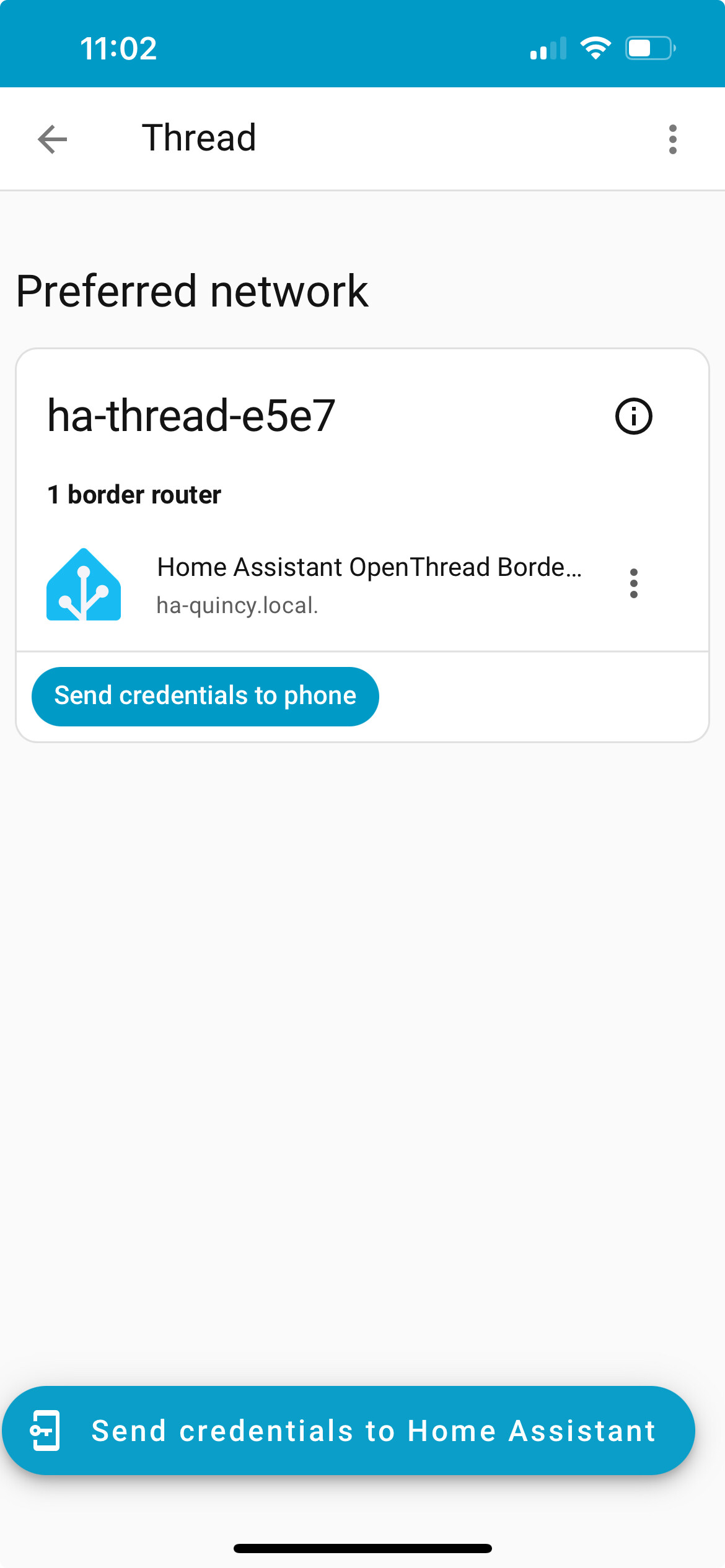
Accessory during pairing process still not found however.