There are three things going on here, each of which is a tad challenging, particularly when you go ‘off piste’ to use something non-standard to HA.
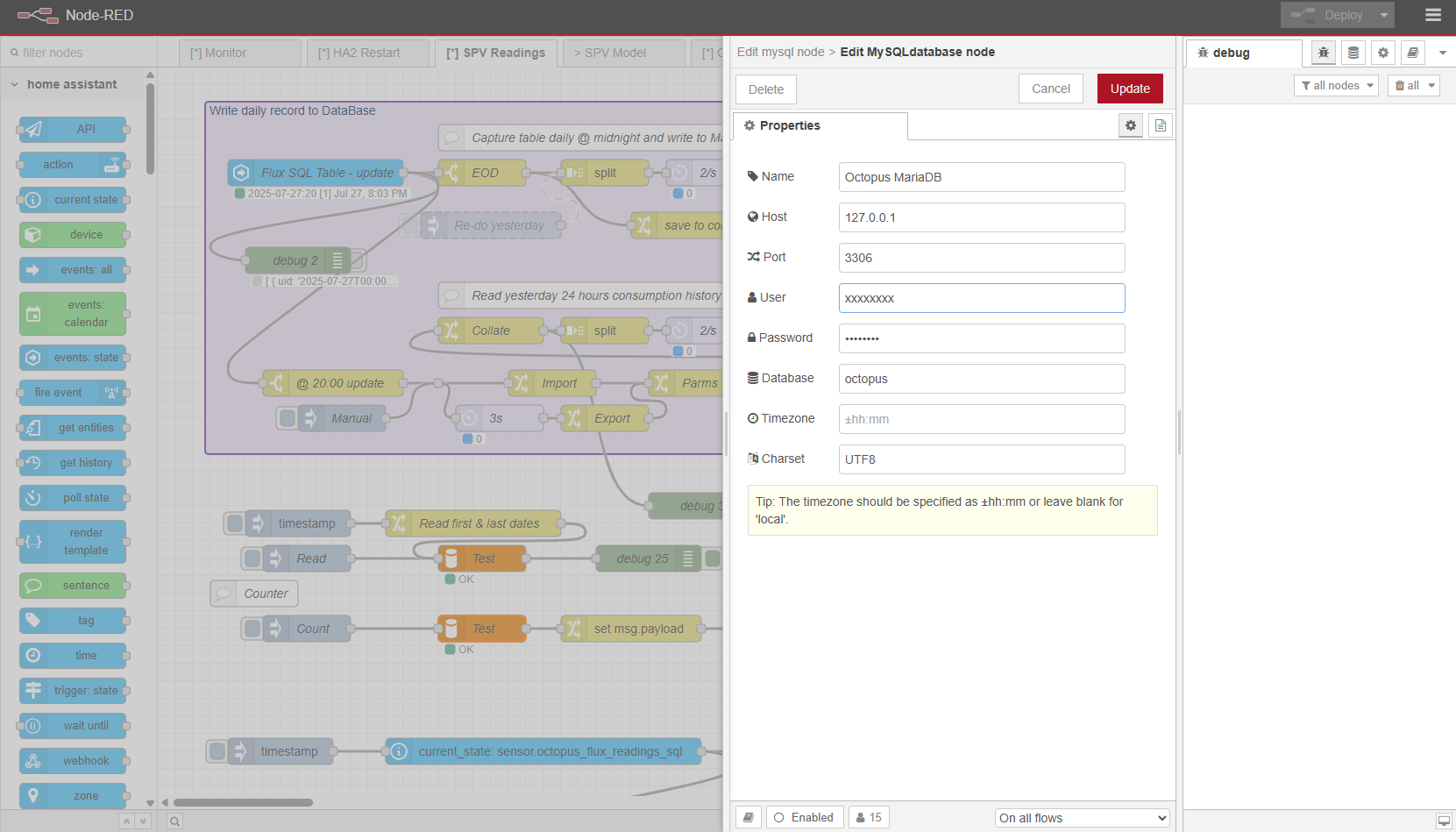
- Connection to a separate MariaDB
- Extraction of data to HA SQL sensor
- Display in flex-table-card
Taking each one step at a time is probably the only way to get this working.
Having a separate additional MariaDB alongside the usual HA SQLite is fine, but it helps to have phpMyAdmin installed (HA addon) to test SQL queries first. This addon is specifically designed to work with the HA MariaDB addon. Since MariaDB runs a server, you need to tell phpMyAdmin the DB URL etc to connect, especially if your DB is not the HA addon, or is on another computer on the network. You will probably need the IP address, the port, the user/password, and the database name.
Once connected you will be able to view your DB, tables, and test your SQL queries.
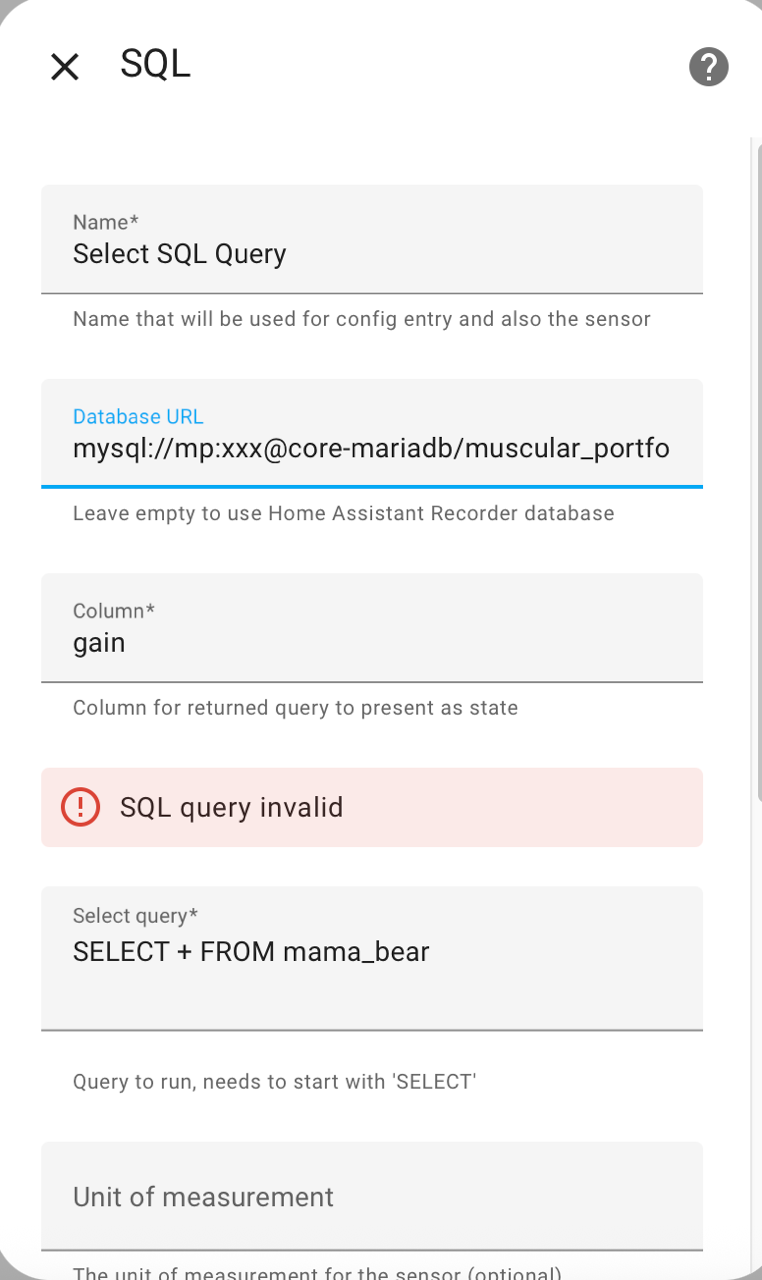
I am no expert in SQL, but your query is probably missing a FROM ‘table name’ at the very least.
SELECT ‘x’ FROM ‘y’ WHERE ‘z’ …?
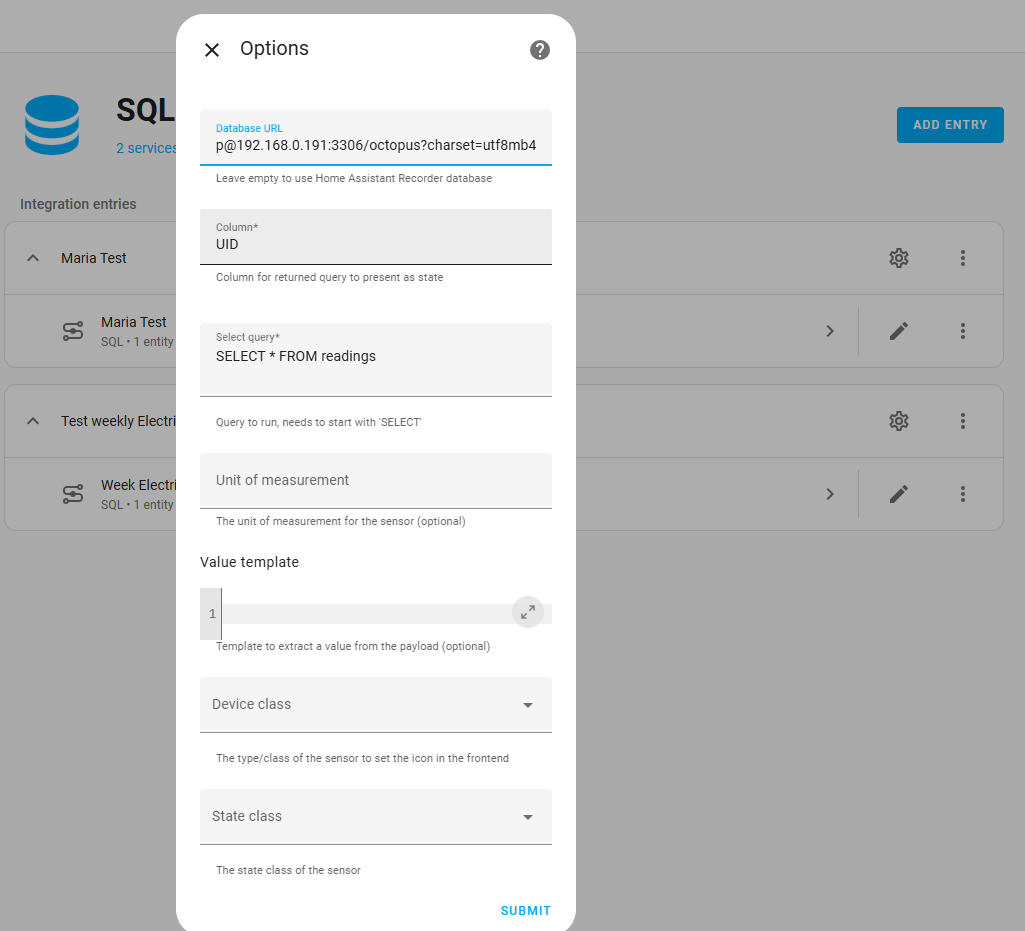
Once you have a working SQL query that returns a result table, then you can add an HA SQL sensor. Out of the box, the SQL sensor connects to the HA recorder tables in the standard HA (SQLite) DB, so you will again have to point the sensor to the right URL for the separate MariaDB. See the documentation for this. https://www.home-assistant.io/integrations/sql/. I know ‘documentation’ is boring, but it does have the information you need.
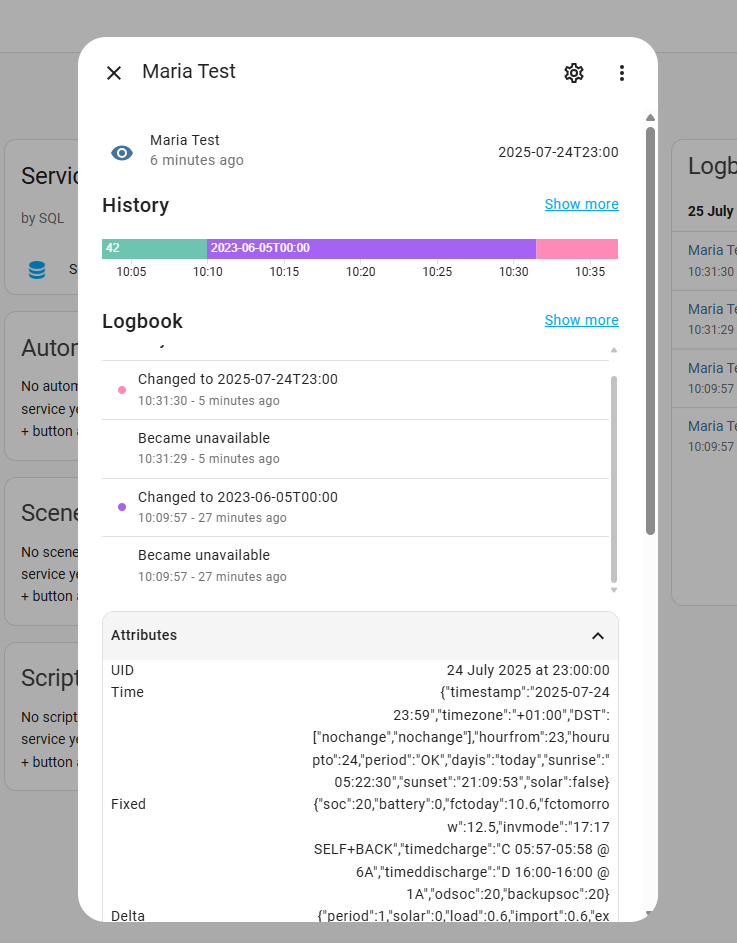
If your SQL is returning a table, with columns ‘foo’, ‘bar’, and ‘baz’, then the column parameter selects the one column for the sensor state value. All other columns are placed into attributes of the entity. However, the SQL sensor will only take the top row of the table, regardless of how many rows are returned by the SQL query.
At this point you should have a new sensor in HA that is updated every 30 seconds by executing a valid SQL query on your separate MariaDB.
The flex-table-card is powerful but again needs a bit of care to get it to work as required.
If you are feeding the card with several sensors, then each row is a different sensor. Each column in the table is defined as a given name and value, taken from either the sensor state or a specified attribute.
type: custom:flex-table-card
title: Input Number Entities
entities:
  include:
    - input_number.*
columns:
  - data: state
    name: State
  - data: name
    name: Name
  - data: step
    name: Step
This is a working flex-table-card config. The - input_number.* pulls in all entities of that name (ie all input_number entities on my system). There are three columns in the table, the state value (of the entity) called ‘State’, the name of the entity called ‘Name’, and the step value of the input number. Data state is always going to be the state value, the rest look for an attribute of that name and use that.
If you want several rows in the flex-table-card, then you need to start with several sensors. Using the wild card means naming the SQL sensors in the same fashion as in sensor.maria_
For myself, I have found it most useful to start with the end (flex-) table I want. A sketch is fine, so I can work backwards to get to the data I need. Also, I use Node-RED for this work. Node-RED can connect to my separate MariaDB, and unlike HA can pull in an entire table from an SQL query, not just the first row. This table I can reformat, and send to HA as an array of objects in a Node-RED generated sensor attribute. The flex-table-card has a second mode where, given one entity (sensor) you can display a table of results as items from an array of objects. Much easier.
Disclaimer.
None of this was written with the use of ChatGPT in any shape or form and was entirely generate by a real human of limited but not artificial intelligence.