Hi all 
I didnt like how small and fixed the Home Assistant’s sidebar and header are, especially on my touch wall panel, so I built Dockbar: It stays put on every dashboard, on the left, right, top or bottom of the screen. It’s in the HACS default store, so you can install it by searching for “Dockbar”.
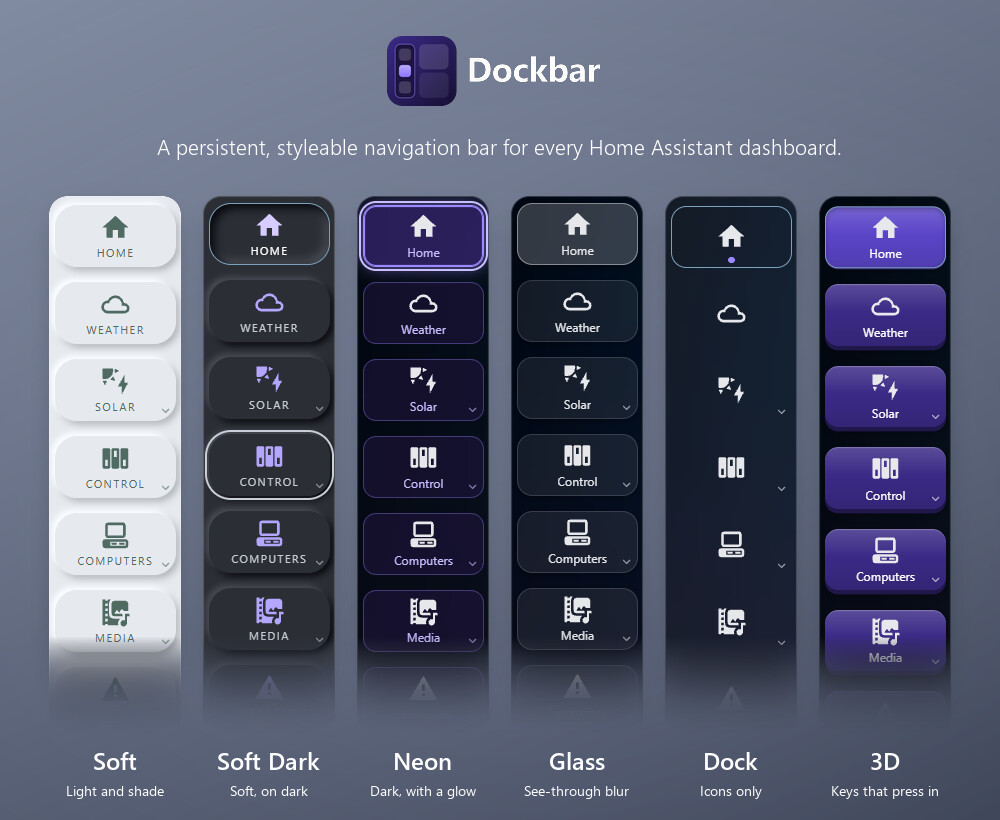
It isn’t a card, so you don’t add anything to individual dashboards. It loads once and works everywhere, and it can hide Home Assistant’s own sidebar and header.

What it does
- Looks. Eight presets (Glass, Flat, Neon, Material, Soft, Soft Dark, 3D and Dock), then adjust anything: how the current page is marked, hover effects, shadows, glass blur, per-button colours, your own CSS, and your own saved looks.
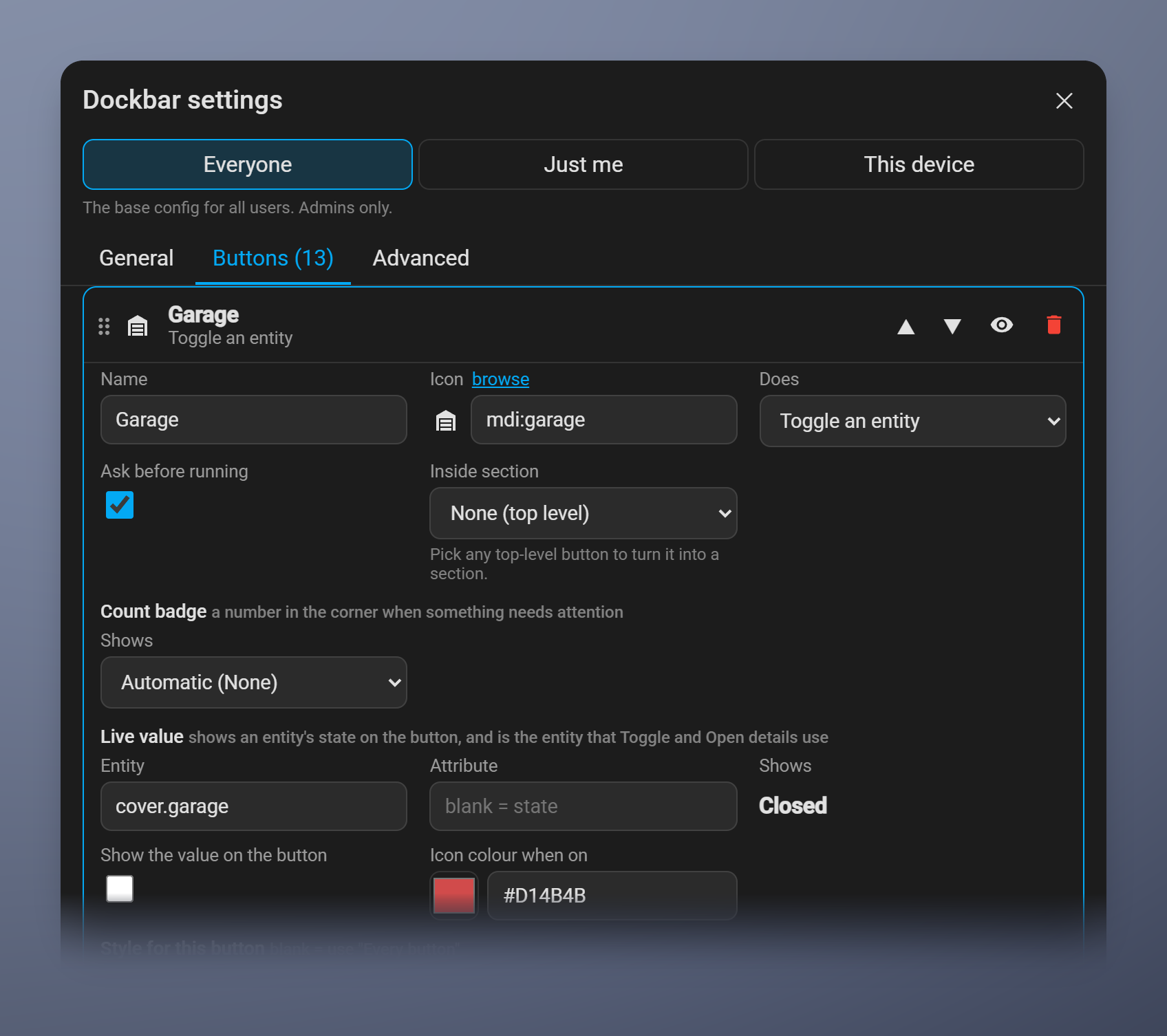
- Buttons that do things. Toggle a light, open the garage door, run a scene or any Home Assistant action, or open an entity’s details. The icon can change colour while the entity is on (yellow for a light, say), and a button can ask first, which is handy for a garage door. Actions run as the signed-in user, so Home Assistant’s own permissions apply.
- Live values and badges. Show a sensor’s state on a button, formatted the way HA shows it, and count badges for updates, repairs and notifications.
- Sections. Group buttons under one that opens in place, like folders.
- New dashboards show up by themselves. Turn on one setting and a button for each dashboard you create is added to the end of the bar.
- Three levels. Set it for everyone, just for you, or just for this device, so a wall tablet can have its own layout.
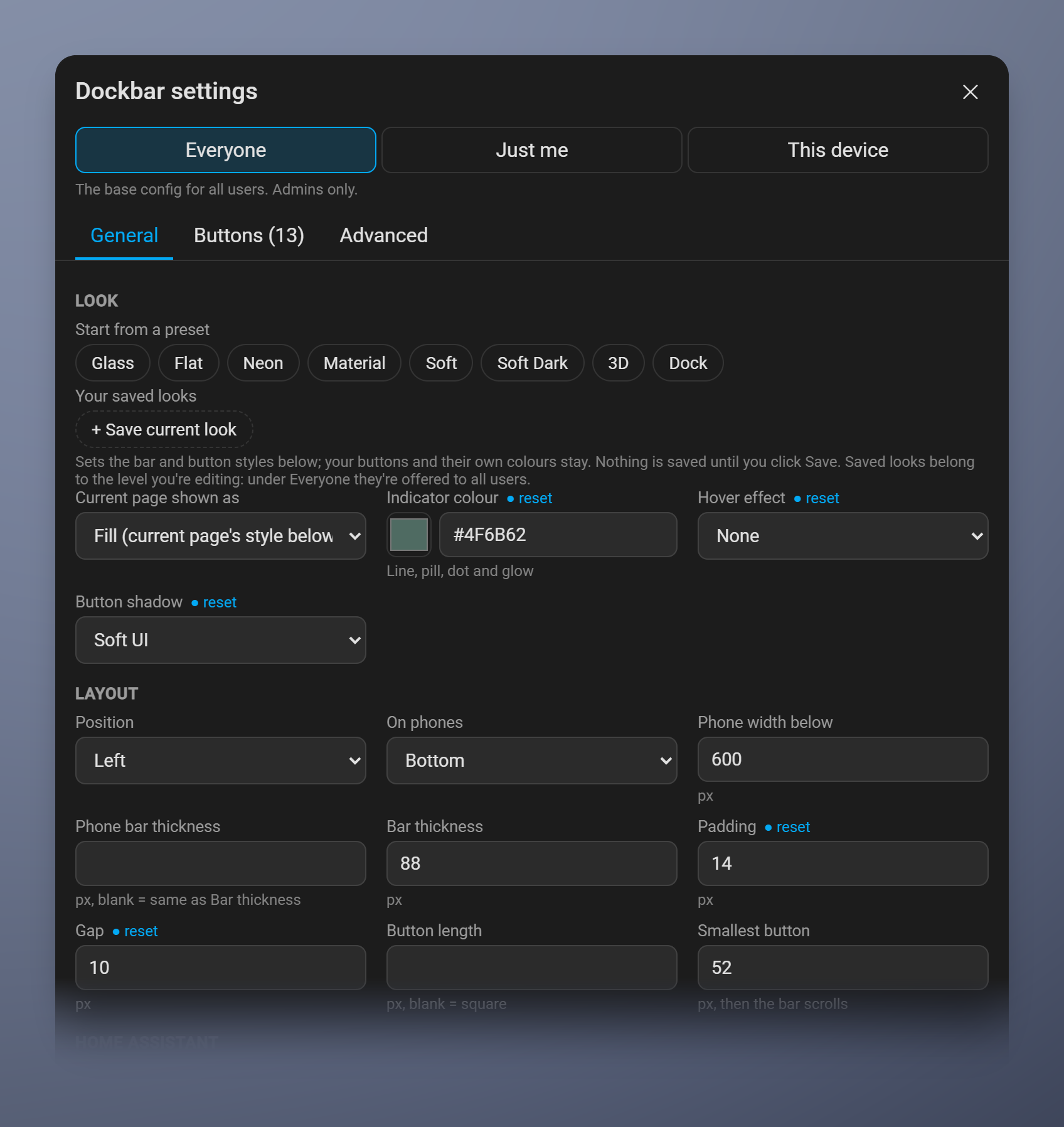
- Set up in a dialog, no YAML needed. There’s a live preview and searchable pickers for entities and actions. Every setting is also available as YAML if you prefer it.
On a phone
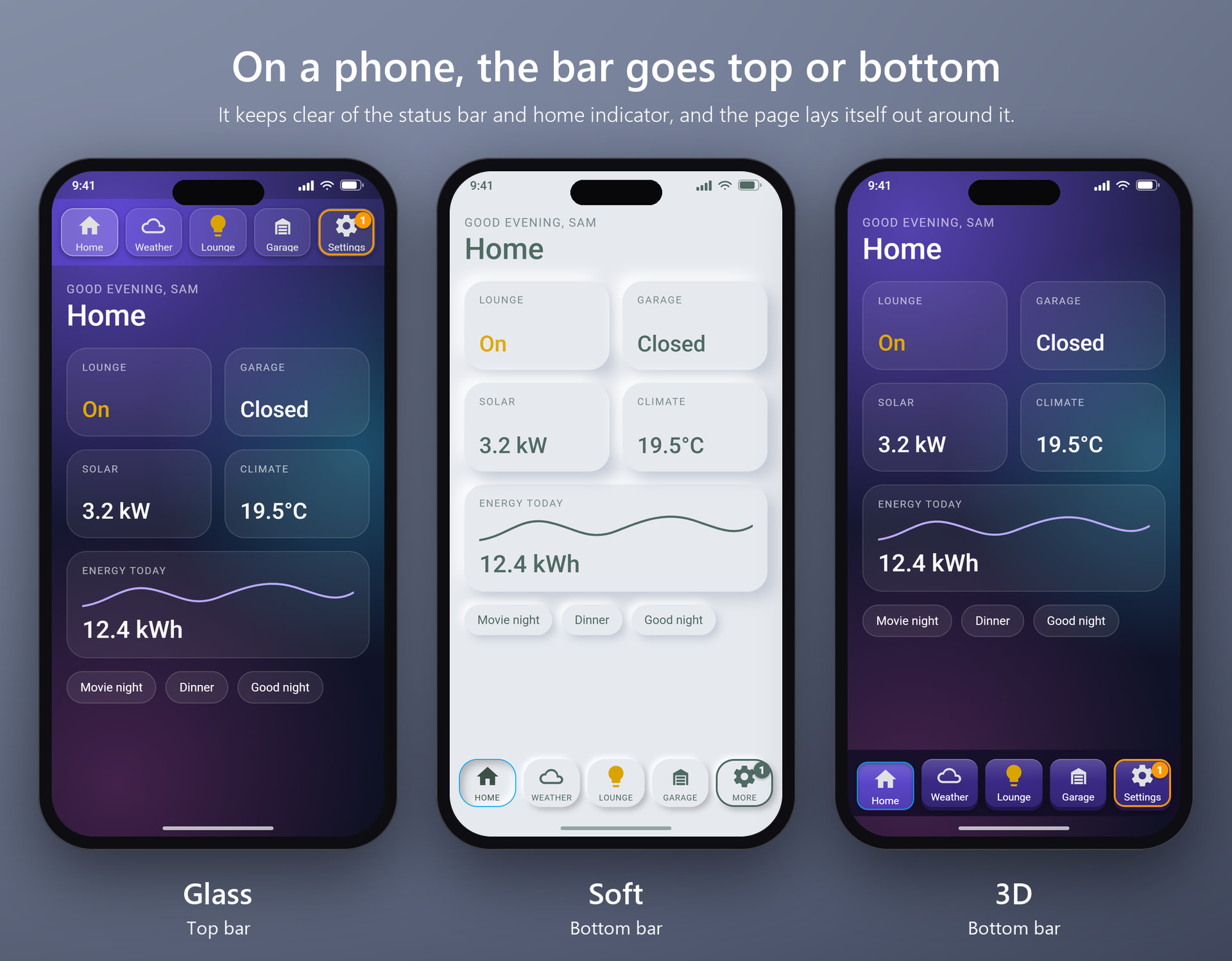
The bar can go at the top or bottom, with its own size, or hide so Home Assistant’s own menu comes back. It keeps clear of the status bar and home indicator, and the page lays itself out around it.
Setting it up
On first install the bar copies your HA sidebar, so it works straight away. After that it’s all in a settings dialog.
A toggle button, for example, takes a few clicks: choose the entity, pick the colour for when it’s on, and tick “Ask before running” if you want it.
Install
Search for Dockbar in HACS, download it, restart, then Settings → Devices & services → Add integration → Dockbar. If the bar doesn’t show up, add ?dockbar=on to any HA address and reload.
How it differs from what’s out there
There are good projects nearby, and they may suit you better:
- custom-sidebar edits HA’s own sidebar from a YAML file (reorder, hide, rename, add items, templates, click actions, rules by user or device). It’s the established answer if you like HA’s sidebar and want to extend it, and it can do things Dockbar can’t.
- kiosk-mode hides the header and/or sidebar. It does that one job.
- navbar-card is a Lovelace card with a bottom bar on mobile and a side bar on desktop.
Dockbar is a different shape: an integration that draws its own bar, with a settings dialog, any edge, and its own phone layout.
What it doesn’t do yet
- No templating, and taps only: no long-press or double-tap actions, and no JavaScript actions (on purpose).
- It reaches into HA’s frontend to hide the sidebar and header. I’ve tested it on 2026.10.0, 2026.10.1 and 2026.10.4, and it logs a warning in the browser console if a part of HA it relies on goes missing. Checking each new HA release automatically is next on my list.
- It’s new, so expect rough edges.
Feedback I’d really like
- Does it work on your setup (browser, companion app, wall tablet)?
- What’s the first thing you’d want to configure that you can’t?
- Any layout or phone problems.
Bug reports and ideas are welcome here or as GitHub issues. Thanks for looking!