It shows no entities at all and there’s no associated documentation, there’s also no option to remove it
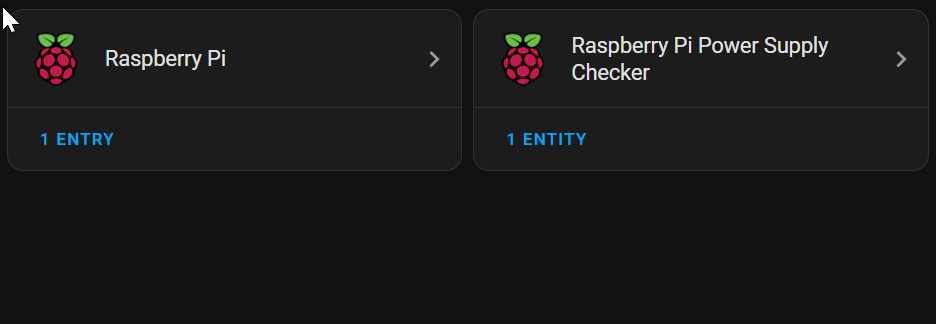
No, only have the ‘Raspberry Pi Power Supply Checker’
Seems you installed the other one, but I don’t know what it does

And no documentation

Yeah, this is a fresh installation too. I have no idea why It’s installed itself, I’ve never installed it previously. Any idea how to get rid of it?
Update: Just did another fresh install, It auto installed again.
1 Like
I no longer have my pi, so I cannot check. I used to have the integration, removed when I moved to. NUC. But I have various integrations that have no entities or visible services, but do known useful things. So if you have a pi, and it is for pi, why worry? If it cannot be removed, there likely is a good reason why you shouldn’t when running on a pi.
But do those integrations you speak of have documentation? This one doesn’t. It appears to do absolutely nothing and has never installed previously. The most information i can get from the entry is that it’s a legacy integration IE it’s so old that it doesn’t fit Home Assistants integration scheme so all signs point this being a bug.
1 Like
The words “If it ain’t broke, don’t fix it” come to mind. Especially if there’s no documentation and you have no clue why it is there, and it offers no option to remove it. If it is there in a fresh install, then no one has ever tested the system without it.
1 Like
1 Like
WOW! What an amazing reply in the linked issue. I quote:
In this case, you have a Raspberry Pi integration active (because you run on one) and the RPi Power Supply checker integration.
This is the expected behavior.
Awesome. Now we have an integration which has no apparent usage, the documentation link is broken as it points here: https://www.home-assistant.io/integrations/raspberry_pi and we’re told to suck it up.
And when we click on “add hardware” within this integration we get:
This integration cannot be added from the UI
You can add this integration by including it in your ‘configuration.yaml’. See the documentation for more information.
But remember, the documentation link is broken.
Anyway, thanks for digging up that issue, that spared me some googling.
1 Like