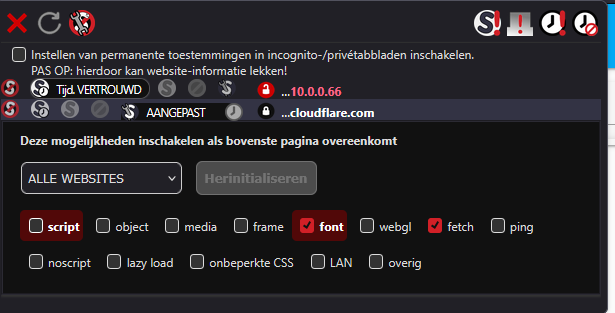
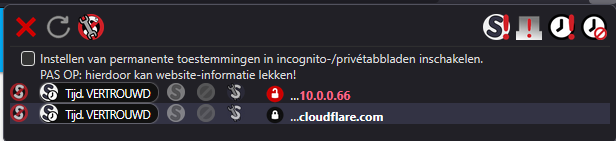
and the file contents are no longer displayed on the right side of the window.
Background: I’m using the NoScript extension for Firefox, and I think that for local access to HA, I only had, or needed to, access the HA host IP. Today I noticed that not all things are loaded (icons) or displayed (contents of open files) in the File Editor add-on. Only when I also allow access to Cloudflare.com does the File Editor add-on work normally again, and everything is displayed completely again.
I don’t want to rule out the possibility that I had already granted access to Cloudflare.com for local access to the HA host and then to the File Editor add-on, and that I may have accidentally deleted this permission yesterday. But as I said, I believe that access to Cloudflare.com wasn’t necessary until now and therefore didn’t occur. I also find no info in the documentation for the File Editor add-on that Cloudflare.com access must be permitted for this.
OK thanks. So the question is, why does my File Editor add-on (suddenly) require a Cloudflare connection? I haven’t changed anything in the add-on myself, and I’ve only installed the usual HA updates (OS, Core, Supervisor) recently.
At the moment, I have no idea what could be causing this.
Edit:
View a file (e.g. configuration.yaml) with allowed access to Cloudflare
Hmm - am I really the only user who encounters a Cloudflare connection with the File Editor add-on, and apparently needs to use it (now) for the File Editor add-on to function properly? I can’t imagine that.
I’m not sure he is using a CloudFlared tunnel. I have an active CF tunnel for HA and a personal domain. There has never been a need to adjust Filer Editor for the CF tunnel.
It’s not clear how CloudFlare vs CloudFlared is being used.
I’ve always used the NoScript extension in FF, and if I hadn’t used it, or a different browser, I wouldn’t have even noticed that the File Editor add-on (now) uses a Cloudflare connection.
I don’t use Cloudflare anywhere here, or a Cloudflare tunnel for anything. The only cloud connection I use here is Nabu Casa, and that has nothing to do with the File Editor add-on. The File Editor add-on (now) uses Cloudflare.com to apparently download things from there - for example the icons. As far as I can remember, that wasn’t the case before; it works perfectly without downloading anything from any cloud. So, in my opinion, something must have changed with the File Editor add-on recently, but I can’t find any information about that either.
The fact that the File Editor add-on (now) establishes a Cloudflare connection can, of course, only be seen if you have restricted internet access accordingly, or monitored background connections (e.g., with Wireshark), or used things like NoScript.
As I said, I’m not 100% sure that this was different before and that the File Editor add-on didn’t use a Cloudflare connection, but I’m about 90% sure.
Since I haven’t changed anything in HA or the File Editor add-on, except, of course, installing the HA updates in the last few months, I’m wondering what’s changed (for me) and how I can get rid of this “forced connection” to Cloudflare and still have the File Editor add-on function normally.
No, I haven’t tested the Studio Code Server yet because it’s actually too “powerful” for me, and the File Editor add-on has worked fine so far for years. The cloud connections the Studio Code Server might or might not use don’t really have anything to do with the File Editor add-on. So, such a test wouldn’t really bring me any closer to a solution.
In principle, it would be enough if there were some FF users here who also use the NoScript extension and then checked whether the File Editor add-on establishes a connection to Cloudflare for them as well. Then I still wouldn’t know why the File Editor add-on does that, but at least it’s not just me.
Yes, of course, I’ve already looked at the add-on issues, and I couldn’t find anything like that there either.
Thanks for your test! I can also call the file editor and, of course, use/access it if it can establish a connection to Cloudflare in the background. But the point is to find out whether it needs and uses a connection to Cloudflare, and of course, you can only determine that if you block/prevent access to Cloudflare.com - e.g., using the NoScript extension.
Thanks for trying to help me, but unfortunately I don’t fully understand your question.
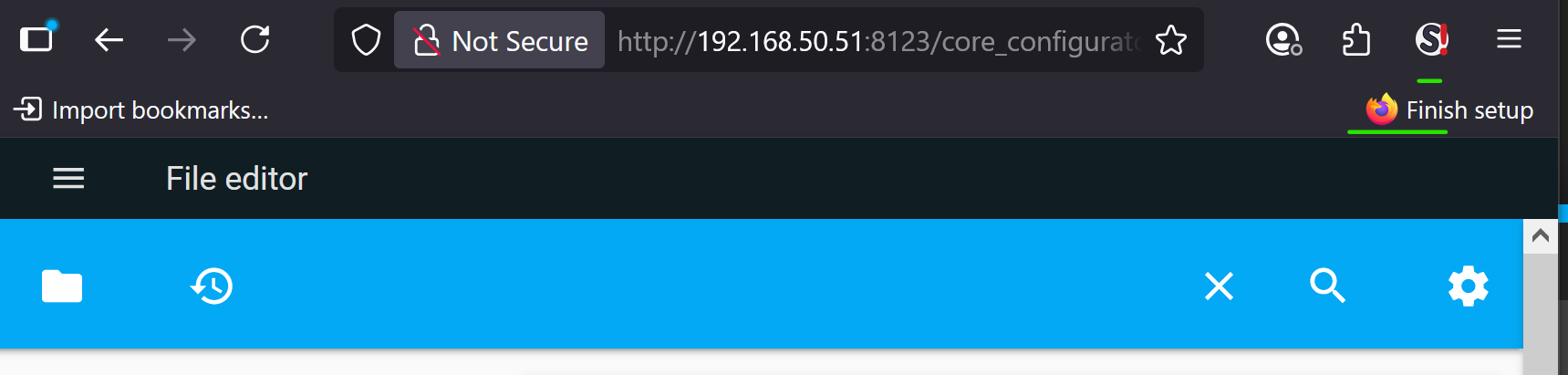
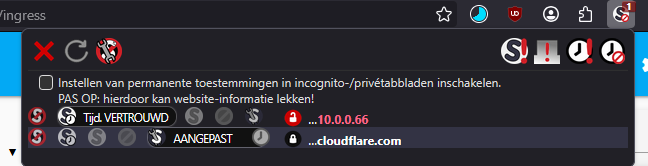
If I see it correctly from your screenshot, you (currently) have the NoScript extension running in FF and then opened the File Editor add-on. According to your screenshot,
the File Editor add-on is also establishing a connection to Cloudflare. Correct?
OK, you’ve since added an addendum and confirmed the behavior. So I can now assume that the File Editor add-on (now mandatory) requires and uses a Cloudflare connection.
As I said, I don’t think that was the case before.
As I said, I don’t use Cloudflare at all, and this is just about local access to my HA installation via IP. I also pay attention to whether anything from Home Assistant, or what I use under Home Assistant, is establishing a connection to a cloud in the background without my knowledge and/or whether it’s mentioned somewhere – e.g., in the documentation for the File Editor add-on.
Since I believe this was different in the past, and that the File Editor add-on didn’t establish a Cloudflare connection in the background, I’m a little surprised that this is happening now. I also don’t quite understand why the File Editor add-on needs this connection in the first place.
But thanks to your tests, I now at least know that this isn’t just happening to me, but that it seems to be normal (now).
Edit:
It wasn’t really about what the NoScript extension does exactly, whether the File Editor Addon works normally without the NoScript extension - which is of course the case - but rather that the File Editor Addon (now) needs and uses a Cloudflare connection in the background.
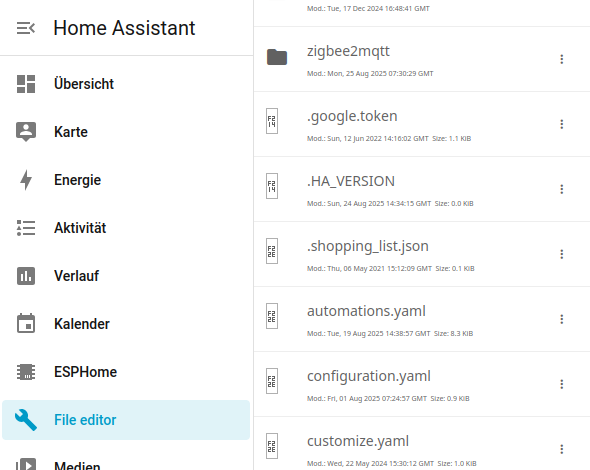

 I haven’t changed anything in the add-on myself, and I’ve only installed the usual HA updates (OS, Core, Supervisor) recently.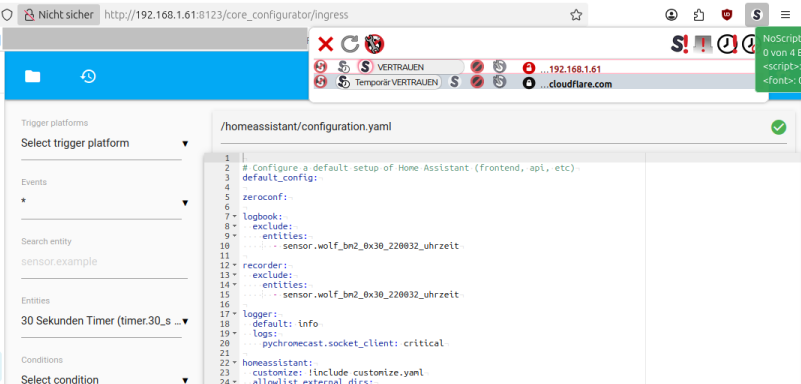
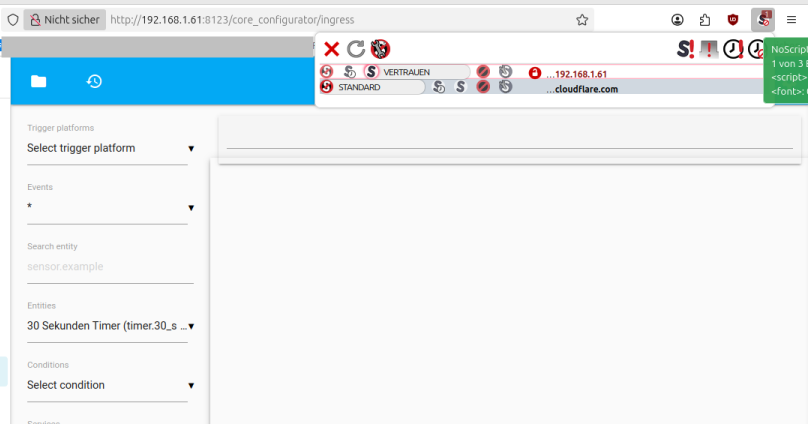
 I can’t imagine that.
 and still have the File Editor add-on function normally.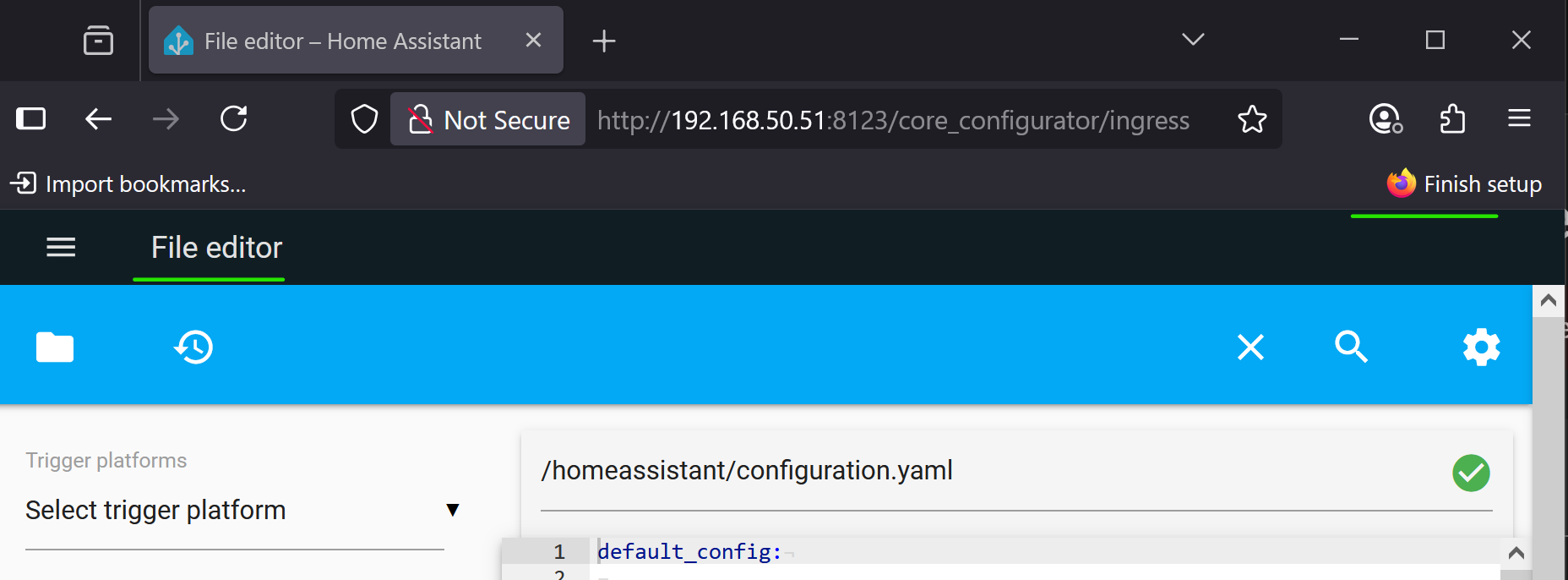
 I can also call the file editor and, of course, use/access it if it can establish a connection to Cloudflare in the background. But the point is to find out whether it needs and uses a connection to Cloudflare, and of course, you can only determine that if you block/prevent access to