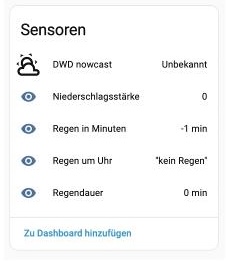
This integration provides a nowcast using DWD OpenData (Radarkomposit RV), which has a compatible response format to the get_minute_forecast action of the OpenWeatherMap integration.

The DWD provides only data for Germany.
DWD Nowcast
DWD nowcast is a Home Assistant custom integration that provides a minute-by-minute precipitation nowcast for a configured location based on Deutscher Wetterdienst (DWD) Open Data.
Follow this link for the license terms of the DWD:
https://opendata.dwd.de/README.txt
What is the difference between a forecast and a nowcast
Forecasts are model-based predictions that try to predict the weather over the next days. They use large weather models to calculate trends such as temperature changes, weather fronts, and development of storms.
Nowcasts focus on the next upcoming minutes (upo to an hour in the case of this integration) and are based on radar images showing the position (and movement over multiple images) of precipitation cells. This makes them more accurate for short-term rain prediction.
If you want to know it will start to rain close to NOW, nowcasts are more reliable.
About this integration
- Provides a 60-minute precipitation nowcast as a Home Assistant service
- Source: DWD Open Data radar nowcast (Radarkomposit RV)
- DWD Update interval: every 5 minutes
- Time resolution: 5 minutes, internally interpolated to per minute values by the integration
- DWD Forecast resolution: approximately 1 km grid
- Location mapping: Configured latitude/longitude is mapped to the nearest grid cell
This integration focuses on minute-by-minute precipitation ONLY. It does not
expose standard weather conditions, temperature, or long-term forecasts. For full
weather data from DWD, use this dedicated DWD weather integration:
HACS installation
- In HACS, go to Integrations.
- Open the menu (top right) and choose Custom repositories.
- Add this repository URL and select Integration as category.
- Install DWD nowcast.
- Restart Home Assistant.
- Add the integration via Settings > Devices & Services.
Manual installation
- Copy the
custom_components/dwd_nowcastdirectory into your Home Assistant
custom_componentsdirectory. - Restart Home Assistant.
- Add the DWD nowcast integration in Settings > Devices & Services.
How to use
The integration registers a get_minute_forecast service for its weather entity:
action:
  - service: dwd_nowcast.get_minute_forecast
    target:
      entity_id: weather.dwd_nowcast
    response_variable: minute_forecast
Besides the top level key with the service signature,
the service response is compatible with the OpenWeatherMap’s get_minute_forecast format:
weather.dwd_nowcast:
  forecast:
    - datetime: "2026-01-26T19:10:00+00:00"
      precipitation: 0
    - datetime: "2026-01-26T19:11:00+00:00"
      precipitation: 0
    - datetime: "2026-01-26T19:12:00+00:00"
      precipitation: 0
    ...
My weather card now also supports displaying nowcasts:
Data format
Attention: The returned precipitation values are converted to mm/h as strength of rain.
This has been done to be compatible to the OpenWeatherMap integration / action.
The DWD itself returns mm values for ammount of rain in the given time period.
Notes and limitations
- DWD nowcast data is updated every 5 minutes and typically appears a few
minutes after the timestamp in the filename. - DWD RV values represent 5-minute accumulations in mm and are converted to
mm/h to match the OpenWeatherMap-compatible response format. - If the location is outside the DWD RV grid, the forecast list is empty.
- Radar nowcasts can be inaccurate for very small or fast-changing precipitation.