Hi all,
TLDR
This is a new Home Assistant card which let’s you control the time program via MQTT and eBUSd. Similar to the vendor app of Vaillant, but fully locally without any cloud.
For sure you have to setup an eBUSd hardware controller (adapter.ebusd.eu) to read/write on the eBUS and tweak the ebusd-configuration to your needs. See 15.ctlv2.csv for heat times and set some the read intervals!
My etup and motivation
I own a Vaillant heat pump with a sensoCOMFORT VRC 720 plus sensoNET VR 921. Over time, I figured out for my setup the right settings on heatcurve and temperature in the display of VRC 720. Although the temperature is not a temperature, but actually a parallel movement of the heatcurve, see documentation. So it run pretty smoothly with heatcurve 0.3 and 26° of temperature (parallel displacement).
In the best case, the heat pump runs on cold days with maximum of one on/off cycle, which is in my case during outside temperature of around -1°C (30.2°F). But when it is warmer between 5°C and 12°C, the only thing I changed was the heat time program. Depending on the morning temperature at 5 o’clock, heating could start later. Or when it’s getting warmer during the day I wanted to stop the heating over lunch time. So my approach is to change the time program via Home Assistant Automations, back then when I was still using the fantastic mypyllant-component by signalkraft.
But it was still using the sensoNET device and everything was going via the cloud of Vaillant. That’s I wanted to change!
The game changer
The available ebus-configuration via CDN supports a lot of entities, which is simply too much for the ebus to read everything in time, to be up-to-date. Sometimes I had 20 minutes delay of what the heatpump actually did. I reduced the amount of entities to a minimum I really needed (e.g. Times, EnergyIntegral, flow temperatures,…) and added proper polling configuration (r1, r5, r9). Now the polling worked perfectly and I dared to add the write configurations as well. That was working quickly, but writing on the messages (like 0;2;06:00;08:00;21.0) to eBUSd via standard Home Assistant / MQTT tools is teadious. So I invented that dashboard card, which has a UI which follows the original vendor iOS app (sorry for being a copyCat  ).
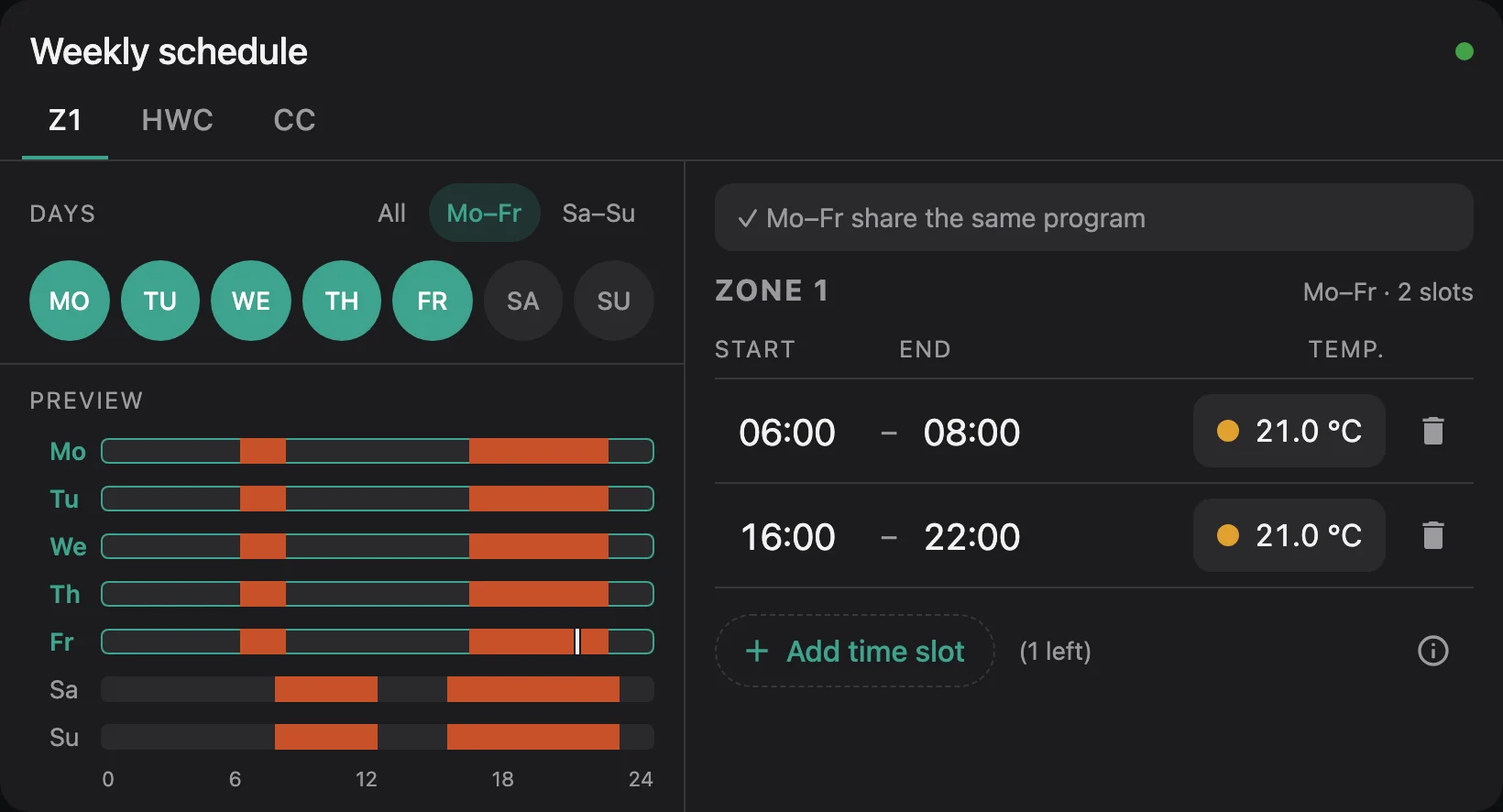
What it does
- Heating zones 1–3, hot water and circulation, each on its own tab
- Edit several days at once: pick Mo–Fr, Sa–Su or any days, change the slots once, apply
- Up to 3 slots per day on the controller’s 10-minute grid, with a temperature per slot
- Checks before writing: overlaps, end before start, temperatures out of range
- Verified writes: every day is read back from the controller and compared; if one doesn’t match, you can retry, continue or restore the previous program
- A read-only preview mode as a compact week overview, with a marker for the current time
- Shows the connection state: connected, waiting for values, ebusd offline, entities not found
- The card’s own dark design, or your Home Assistant theme
- 14 languages (machine-translated, corrections very welcome)
| Editing on a phone | Preview mode |
|---|---|
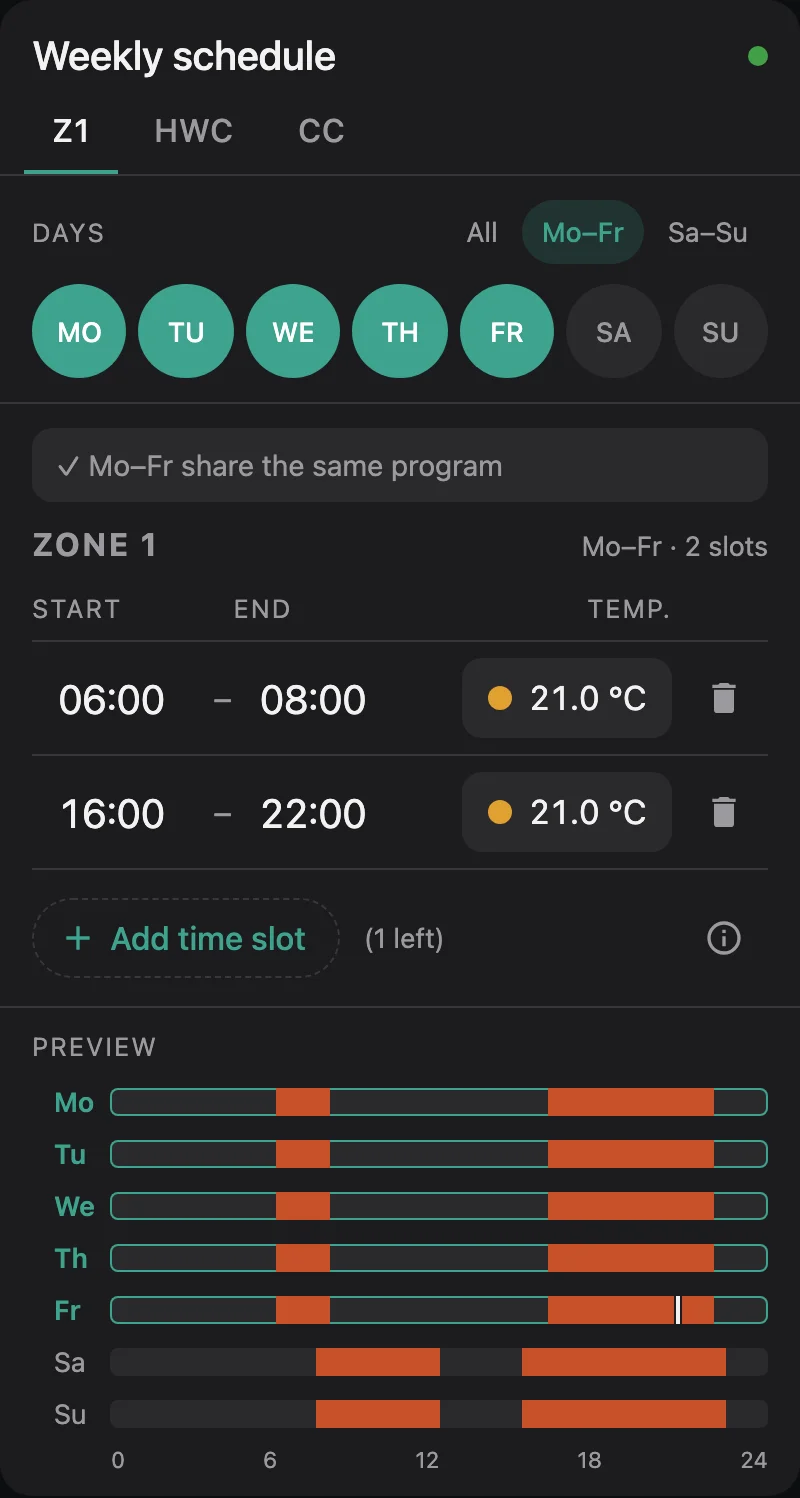 |
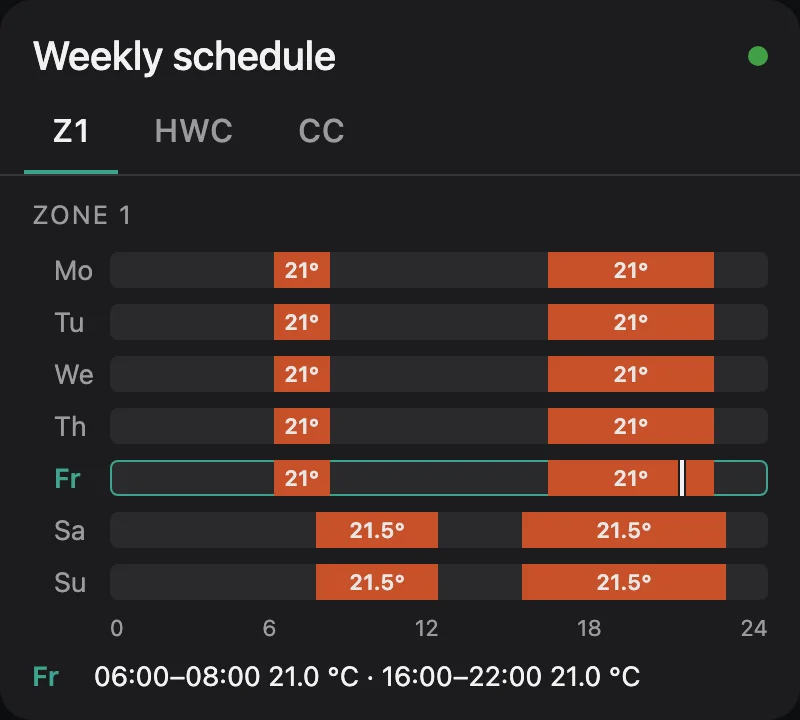 |
What you need
A working ebusd setup: an eBUS adapter, ebusd with the message definitions from ebusd-configuration, and MQTT with Home Assistant discovery. If you see sensors like sensor.ebusd_ctlv2_z1timer_monday0_htm, the card works without further configuration:
type: custom:ebusd-time-program-card
Tested with an aroTHERM plus 55/6, VR 71 and VRC 720 (zone 1, hot water, circulation). Zones 2 and 3 use the same messages but I don’t have these in my system. If you have a different setup, I’d love to hear whether it works!
Installation
The card is in the review queue for the default HACS catalog. Until then, on Home Assistant 2026.11: Settings >> Marketplace >> Add from link and enter https://github.com/citoki/ebusd-time-program. On older versions, add it as a custom repository in HACS (type Dashboard).
Links
Feedback, bug reports and translation fixes are very welcome, here or on GitHub.