But that wouldn’t be true, as I have to talk to the echo all the time as it performs absolutely outstanding.
I can now talk quietly and give long commands and it won’t stop listening.
Even gentle whispering works.
But that’s not all, this is simply the best HA Voice Assistant solution I’ve seen so far:
Wake work detection with the native echo “Alexa” model simply works perfectly as ever.
No problems with background noise.
No false wake word detections
No problems with higher voices like women or kids (a problem often reported with “Ok Nabu”).
The audio recording pipeline of the Echo with it’s four mics (where you use Amazons original beamforming / far-field services as far as I understood), before sending the audio to HA is also superior to other solutions so far.
Example: The voice PE won’t stop listen to me, when the kids in the same room are talking.
This works perfectly with the hacked Echo. I also tried it with Audiobooks playing in the background.
The Echo seem to be able to detect my voice based on direction (and whatever else) and will stop the recording as soon as I stop talking (and other continue).
And it also seems to filter my voice in some way with that info, as only the text I speak gets forwarded to the Assistant, not the text from my kids or the audio book.
Audio Quality is VERY good for TTS (for music I would always prefer something larger).
Also thank you for already adding sendspin, so it can play music through Music Assistant.
My family already did the move to the Voice PE without TOO much complaints, as they could see the benefits of the more smart and feature-rich agent.
But I guess they will love the switch to this solution.
All devices but the Echo Dot 3 have only one revision per generation and thus only one model number.
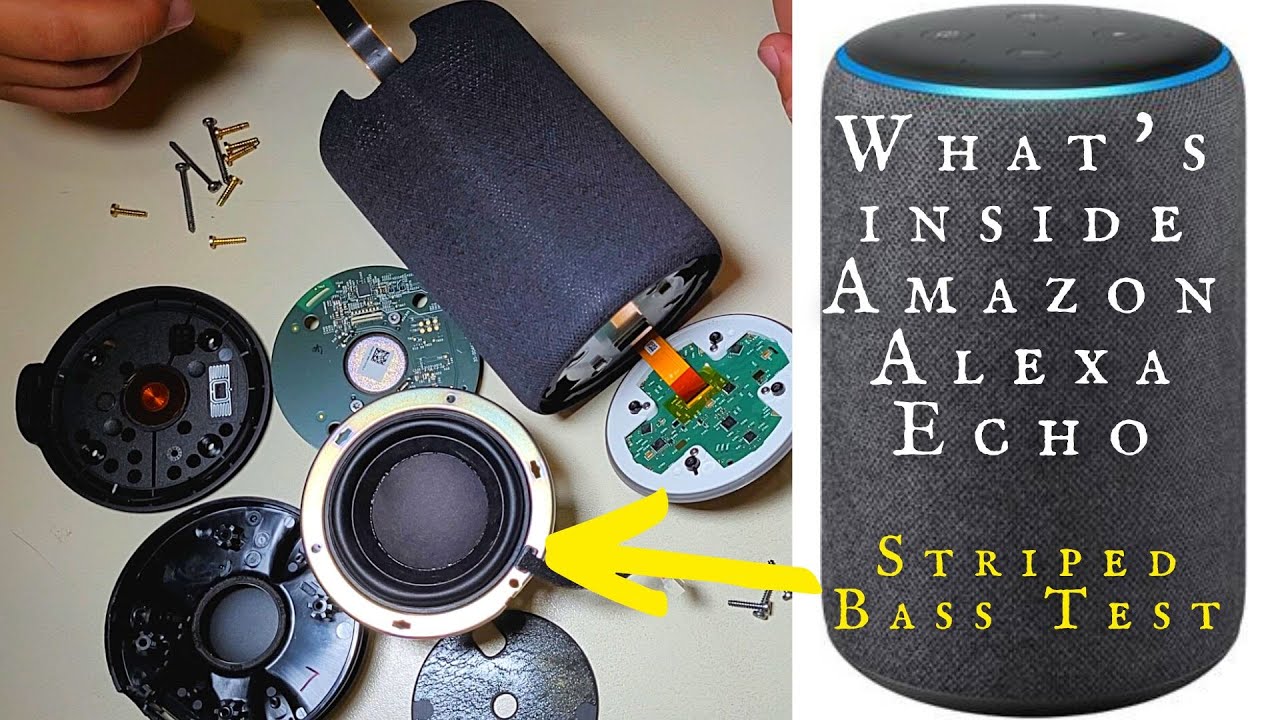
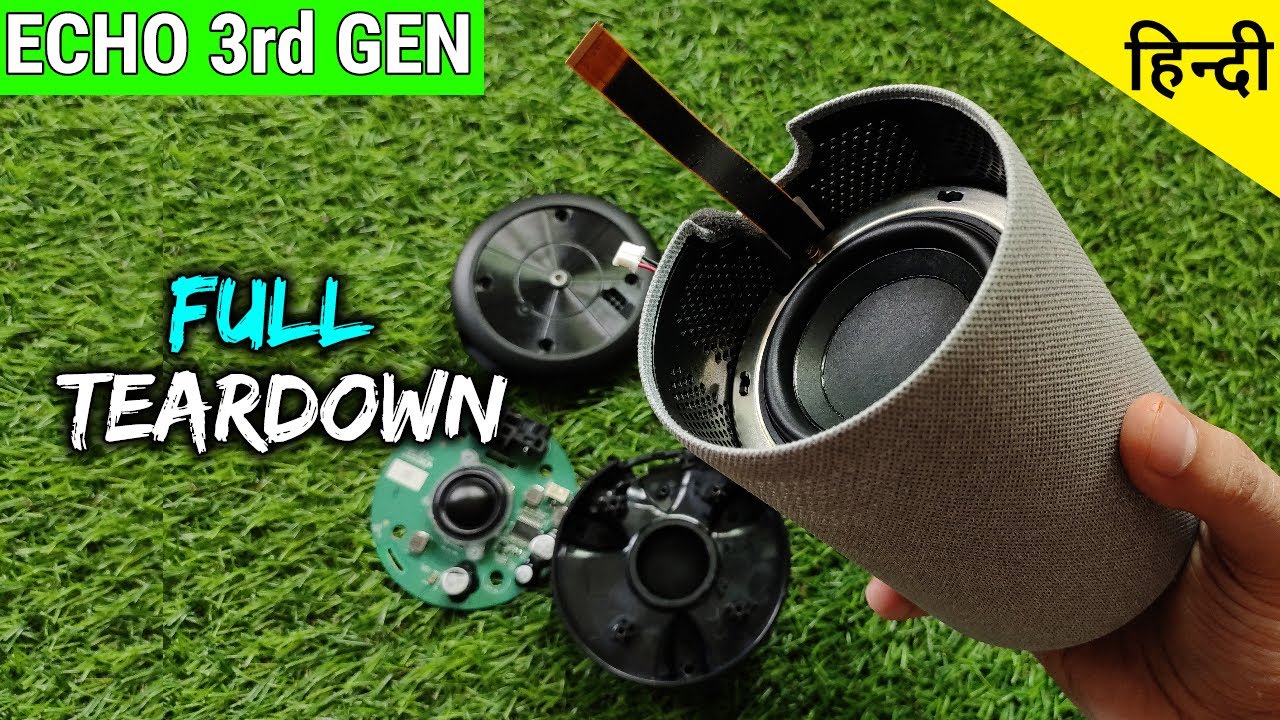
For the big Echo 2 you just need to hold the cloth sleeve and push the main device body up and out from the sleeve by the small centered circle on the bottom.
I still had an old Dot 2 lying in a drawer and in a matter of no time turned it into a voice assistant using this great software, and it’s now actually better than the HA Voice PE. That is fantastic!
THANK YOU !
I have one quick question: how are future updates applied?
Currently updates need to be applied using the ota script.
But I am looking into setting up a GitHub CI that automatically publishes a finished update package that the Echo could automatically pull updates from. This update package will be signed and such updates will be disabled by default, as it goes somewhat against my personal security principals. However, I do recognize that this form of convenience will be appreciated by quite a few people.
Once this is released another manual ota update is needed to setup the new optional online-update structure, but from then on out a simple click in HA should be enough.
I just pushed a new update system. It is disabled by default and to get it you need to do one more manual OTA update. From then on you can enable an update channel to receive updates directly from GitHub. HA will prompt you to install the update. They are built transparently in the GitHub CI and signed by a key pair embedded into the image, so only genuine updates can go through. You can still use the OTA script to push any update with your own key. The main branch is used for development and feeds the beta channel, while the release branch feeds the release channel.
Also there is a default disabled WiFi based motion detector on the beta (main) branch. I would love to get some feedback on this. But do not expect this to be too accurate since it is just based on fluctuations in the WiFi signal strength.
Sadly no.
Proper WiFi based presence detection needs channel state information to be accurate. From my debugging the firmware of the WiFi module does not provide this data (willingly).
Thus the detection has to only rely on momentary changes in WiFi signal strength (specifically RCPI). These changes only have a detectable signal to noise ratio when proper movement in the signal path happens. So sadly - for now - this can only roughly detect motion.
The initial idea was to implement ultrasound based presence detection, but unfortunately the DAC / AMP in all Echo devices I own seems to have a sharp cutoff at around 13.5 kHz which is far below the required signal at over 32 kHz.
I am however still looking into ways of making this more accurate and am open for suggestions.
I’m trying to install the update but fails with an error. Here is what I did:
git reset --hard
git pull

~/projekte/echo-dot-assist/scripts
❯ ./adb-wifi.sh 192.168.1.68
OK adb over Wi-Fi open for 30 min
already connected to 192.168.1.68:5555

~/projekte/echo-dot-assist/scripts
❯ ./ota-push.sh 192.168.1.68
missing /home/rob/projekte/echo-dot-assist/firmware/donut/rootfs/system/lib/libmixerAPI.so: unpack the donut firmware first (devices/donut/README.md), or build with STUBS=1
make: *** [Makefile:105: /home/rob/projekte/echo-dot-assist/firmware/donut/rootfs/system/lib/libmixerAPI.so] Fehler 1
The error indicates I’m using the Echo Dot 3 but in fact it’s the Echo Dot 2
I’m curious about the Echo (not Dot) Gen 3, released in 2019.
It’s of the same design style as the 3rd gen Dot, but seemingly released around the same time as the Crumpet models. It has a 7-mic array, and technical data outside of the processor doesn’t seem to be easy to find anywhere. Based on resales on various marketplaces, they don’t seem to have been made in large quantity or weren’t terribly popular, relative to previous base Echo models.
My assumption would be, this model was released to fulfil purchase agreements. This would allow them to release the (cheaper to make) Crumpet models, while using up remaining IC purchases for the Donut models. Win-win; make more money from the larger margins on the Echo, while releasing a lower-quality cost Dot.
Does anyone know the specs? I can find a few video teardown, but no one seems to have gone through the ram and storage capabilities.
Hey, sorry for the late reply.
The script assumes an Echo Dot 3 unless you tell it otherwise. For the Echo Dot 2, run:
cd ~/projekte/echo-dot-assist
DEVICE=biscuit scripts/ota-push.sh 192.168.1.68
Also, you don’t need adb-wifi.sh for this: the push uses its own port (28929).
This needs firmware/biscuit/rootfs from your install (git reset --hard doesn’t touch it; firmware/ isn’t in git). If that folder is gone, add STUBS=1 to build without it: DEVICE=biscuit STUBS=1 scripts/ota-push.sh 192.168.1.68.
One more thing, the secrets/ota.host is not needed. It is only used if you want to use the ota script without providing the IP address directly to it.
I have been playing around a bit with a crumpet. A static firmware analysis showed that all currently known exploits to root or even just boot your own firmware have been fixed. Furthermore, all possible input is properly validated, so it seems the only options to “unbrick” these newer devices requires either a side channel attack on the NAND flash in order to drop to BROM or JTAG (like shown to work on the Echo Plus / sonar).
TL;DR: Currently not possible, maybe in the future, will not be as easy as currently supported devices.
one thing I noticed, that is different to the VPE:
You cant stop the “thinking” phase of the assistant with the dot-button.
It only works after that, when the assistant replies (TTS).
This is sometimes a problem, when the assistant understood or interpreted your request in a wrong way.
You can already see, that it starts to run the wrong tool calls (like switching devices you didn’t want it to) and would REALLY like to cancel the currently running processing.
With a VPE, you simply press the center button and the assistant will be stopped.
Shit, you are right. I totally forgot about that, but I had noticed before. This should absolutely be possible. Both interrupting with wake word and the button should work. I am setting my clanker on this right now.