Hi
I have installed Alexa Media Player, but i can’t get it to work. In standby he doen’t react. When it’s on and i change the volume in the alexa app on my phone, I can see it in HA, but the i can’t control anything. Does some have the solution?
Hi,
what do yo want to execute? And which media card are you using?
Hi,
I want to use the Echo Dot as a speaker/intercom for TTS. My google home is working but i can’t get my echo dot to work. I only see my Echo dot when i use my phone app, but i can’t control volume or the on/off button. I use the mini mediaplayer card.
My Echo Dot:
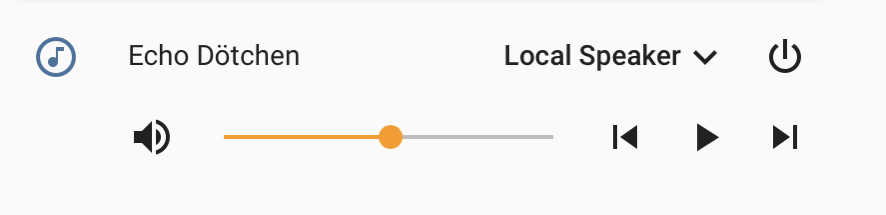
Code:
type: 'custom:mini-media-player'
name: Echo Dötchen
icon: 'mdi:music-circle-outline'
volume_stateless: false
toggle_power: false
group: true
info: scroll
max_volume: '100'
min_volume: '1'
volume_step: '2'
entity: media_player.echo_dotchen
source: full
sound_mode: full
artwork: full-cover
Alexa talking:
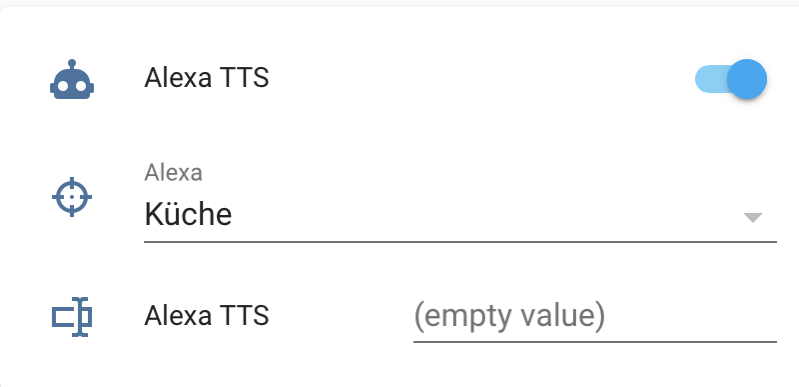
Code:
type: entities
entities:
  - entity: automation.alexa_tts
  - entity: input_select.alexa
  - entity: input_text.alexa_tts
alexa.yaml:
#####################
#
# Amazon Alexa
#
#####################

notify:
  - platform: alexa_media
    name: alexa_media
#
input_text:
  alexa_tts:
    name: Alexa TTS
    initial: …
#
input_select:
  alexa:
    name: Alexa
    options:
      - …
      - Küche
      - Schlafzimmer
    initial: …
    icon: mdi:target
#
automation:
  - id: alexa_tts
    alias: Alexa TTS
    trigger:
      platform: state
      entity_id: input_select.alexa
    action:
      - service: notify.alexa_media
        data_template:
          data:
            type: tts
          target: >
            {% if is_state('input_select.alexa', 'Küche') %}
              media_player.echo_dotchen
            {% elif is_state('input_select.alexa', 'Schlafzimmer') %}
              media_player.echo_show
            {% elif is_state('input_select.alexa', '…') %}
              false
            {% else %}
              false
            {% endif %}
          message: "{{states.input_text.alexa_tts.state }}"
      - delay: '00:00:01'
      - service: input_select.select_option
        data:
          entity_id: input_select.alexa
          option: None
#
Hi,
when you give in media_player in Developer Tools does your Echo Dot appear?
If not, have you defined your Echo Dot in configuration.yaml like shown there ?:
alexa_media:
  accounts:
  - email: your amazon email
    password: your amazon password
    url: amazon.com
    include_devices:
      - "Master Bedroom"
      - Stairs
Here’s a simple code for TTS to Alexa:
type: 'custom:mini-media-player'
sound_mode: full
name: Office
tts:
  platform: alexa
scale: '1'
entity: media_player.echo_office
thanks for the reply, but i do not know what wrong. But the echo is not responding when i use the slider. And when it’s in standby the card stays grey. When i use the phone app and slide the volume then it awakes in HA, but i can not control anything.
Please post your code so we are able to have a closer look at it.
1 Like
I asked you to use Developer Tools because first you wrote
than
So, does the device turn up in Developer Tools when you put in media_player there and is its name the same like it’s in the Alexa App?
As pedolsky asked, please post your codes (not only from the mini mediaplayer card)
I finally fix it in the configuration yaml. I only changes the url from amazon.com to amazon.co.uk
Now it’s working  Thanks for your reply’s i appreciate it!
You’re welcome. I thought it was something simple like this