Hi, Try to enable/disable flow “DI sv” from long press switch, but dont know how
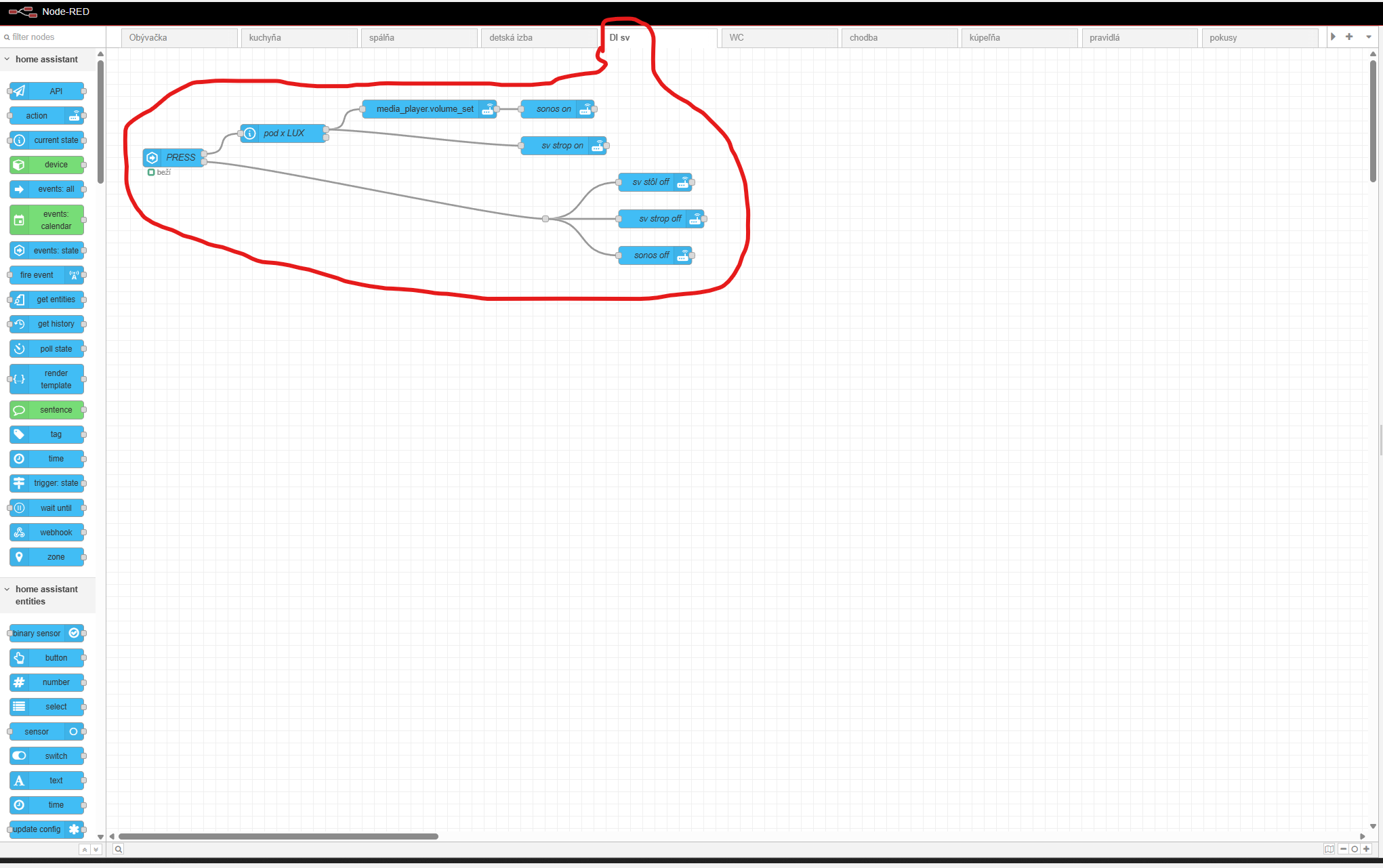
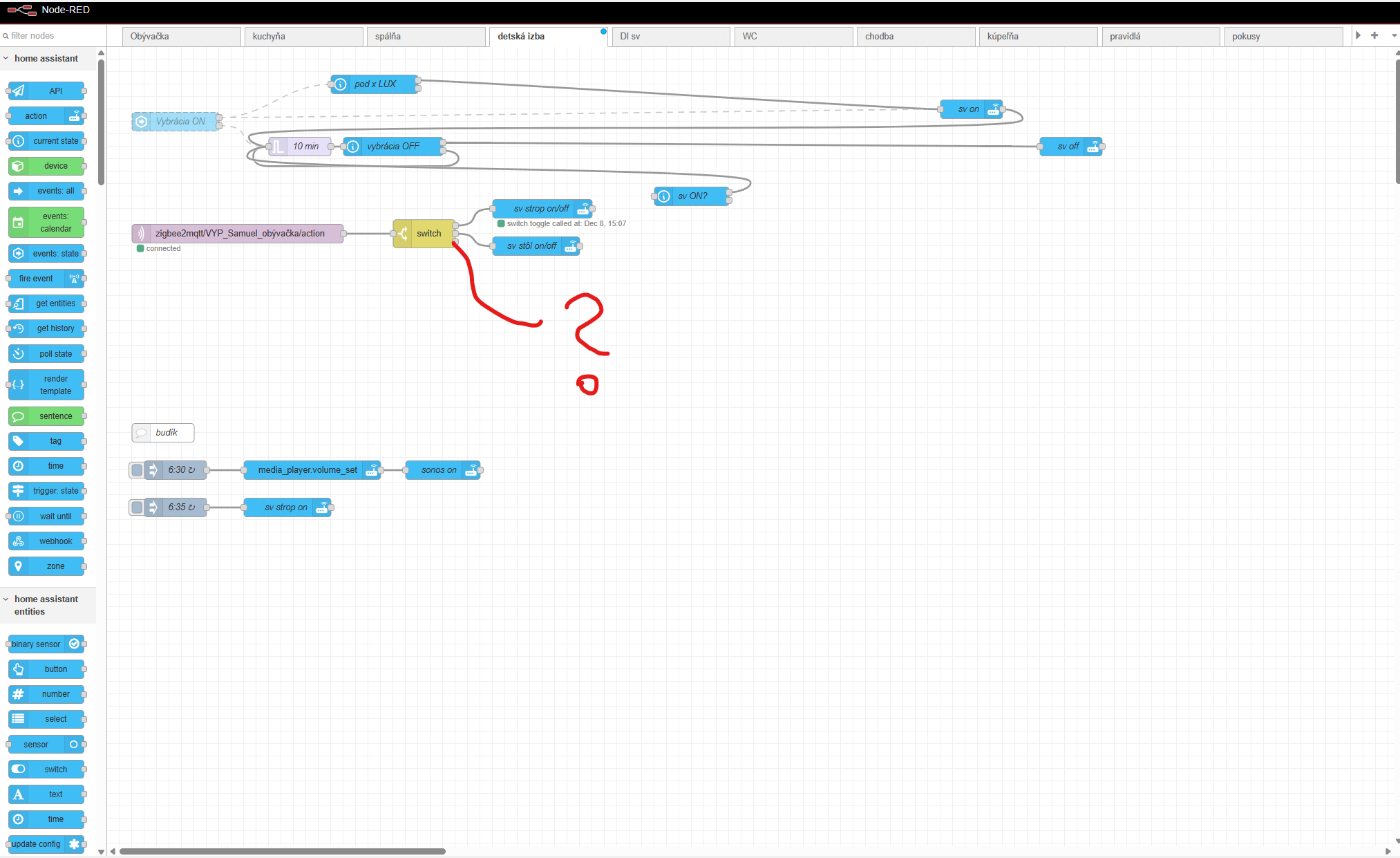
Unless a recent Node-RED release added this feature, there isn’t a simple way to disable an entire flow.
With your current setup starting from a Home Assistant node, you can work around it by exposing the node and creating a Home Assistant switch to enable or disable it. This requires the Node-RED Companion custom component in Home Assistant. Once the events: state node is exposed, you can use an action node to turn the created switch on or off, which will enable or disable that node.
or just disable presence sensor
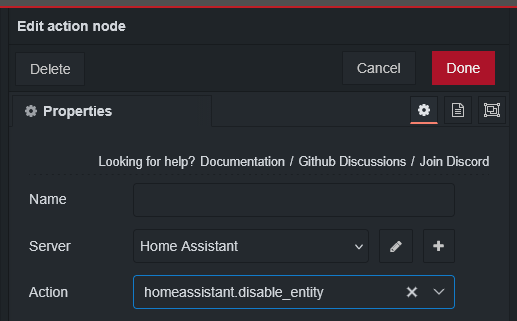
Spook adds an action to disable/enable an entity on the fly.
This flow will disable/enable an entire page in NR.
[{"id":"905c6ad5b27de485","type":"tab","label":"disable flows","disabled":true,"info":"","env":[]},{"id":"07caa3fb2b199341","type":"inject","z":"905c6ad5b27de485","name":"","props":[{"p":"payload"},{"p":"topic","vt":"str"}],"repeat":"","crontab":"","once":false,"onceDelay":0.1,"topic":"test","payload":"true","payloadType":"bool","x":160,"y":200,"wires":[["5a84d4cd3cc28153"]]},{"id":"9e8b6c073f268784","type":"http request","z":"905c6ad5b27de485","name":"Get single flow","method":"GET","ret":"obj","paytoqs":"ignore","url":"http://localhost:1880/flow/{{flowId}}","tls":"","persist":false,"proxy":"","insecureHTTPParser":false,"authType":"basic","senderr":false,"headers":[],"x":1000,"y":200,"wires":[["08c76851eb9cd03a"]]},{"id":"1a4a4522d17259ad","type":"debug","z":"905c6ad5b27de485","name":"","active":true,"tosidebar":true,"console":false,"tostatus":false,"complete":"false","x":1610,"y":200,"wires":[]},{"id":"08c76851eb9cd03a","type":"change","z":"905c6ad5b27de485","name":"","rules":[{"t":"set","p":"payload.disabled","pt":"msg","to":"flowStatus","tot":"msg"}],"action":"","property":"","from":"","to":"","reg":false,"x":1210,"y":200,"wires":[["314194f54ac35dd1"]]},{"id":"c89ab368791b131e","type":"inject","z":"905c6ad5b27de485","name":"","props":[{"p":"payload"},{"p":"topic","vt":"str"}],"repeat":"","crontab":"","once":false,"onceDelay":0.1,"topic":"test","payload":"false","payloadType":"bool","x":160,"y":320,"wires":[["5a84d4cd3cc28153"]]},{"id":"5a84d4cd3cc28153","type":"change","z":"905c6ad5b27de485","name":"","rules":[{"t":"set","p":"flowStatus","pt":"msg","to":"payload","tot":"msg"}],"action":"","property":"","from":"","to":"","reg":false,"x":390,"y":200,"wires":[["0703a740e82a588e"]]},{"id":"314194f54ac35dd1","type":"http request","z":"905c6ad5b27de485","name":"Update flow","method":"PUT","ret":"obj","paytoqs":"ignore","url":"http://localhost:1880/flow/{{payload.id}}","tls":"","persist":false,"proxy":"","insecureHTTPParser":false,"authType":"basic","senderr":false,"headers":[],"x":1430,"y":200,"wires":[["1a4a4522d17259ad"]]},{"id":"0703a740e82a588e","type":"http request","z":"905c6ad5b27de485","name":"Get flows","method":"GET","ret":"obj","paytoqs":"ignore","url":"http://localhost:1880/flows","tls":"","persist":false,"proxy":"","insecureHTTPParser":false,"authType":"basic","senderr":false,"headers":[],"x":580,"y":200,"wires":[["9285e9e69c27ca2d"]]},{"id":"9285e9e69c27ca2d","type":"change","z":"905c6ad5b27de485","name":"get flowId by name","rules":[{"t":"set","p":"flowId","pt":"msg","to":"*[type = 'tab' and label = $$.topic].id","tot":"jsonata"}],"action":"","property":"","from":"","to":"","reg":false,"x":790,"y":200,"wires":[["9e8b6c073f268784"]]},{"id":"dc97036ad8ae7218","type":"comment","z":"905c6ad5b27de485","name":"Enable flow","info":"","x":150,"y":280,"wires":[]},{"id":"8d4e409dab7c50c2","type":"comment","z":"905c6ad5b27de485","name":"Disable flow","info":"","x":150,"y":160,"wires":[]},{"id":"c81fd976b41d838f","type":"comment","z":"905c6ad5b27de485","name":"This will enable or disable a flow (tab) The topic should be the flow name.","info":"","x":340,"y":80,"wires":[]},{"id":"885a8eb8b98cbf6a","type":"inject","z":"905c6ad5b27de485","name":"","props":[{"p":"payload"},{"p":"topic","vt":"str"}],"repeat":"","crontab":"","once":false,"onceDelay":0.1,"topic":"My Flow","payload":"true","payloadType":"bool","x":170,"y":460,"wires":[["5a84d4cd3cc28153"]]},{"id":"4c8bfc4aa6d778e2","type":"inject","z":"905c6ad5b27de485","name":"","repeat":"","crontab":"","once":false,"onceDelay":0.1,"topic":"My Flow","payload":"false","payloadType":"bool","x":170,"y":580,"wires":[["5a84d4cd3cc28153"]]},{"id":"455b5cc9a157bd64","type":"comment","z":"905c6ad5b27de485","name":"Enable flow","info":"","x":150,"y":540,"wires":[]},{"id":"84605597a43627ce","type":"comment","z":"905c6ad5b27de485","name":"Disable flow","info":"","x":150,"y":420,"wires":[]}]

Yes add spook and restart home assistant then restart nodred. You will see the action in the action section.
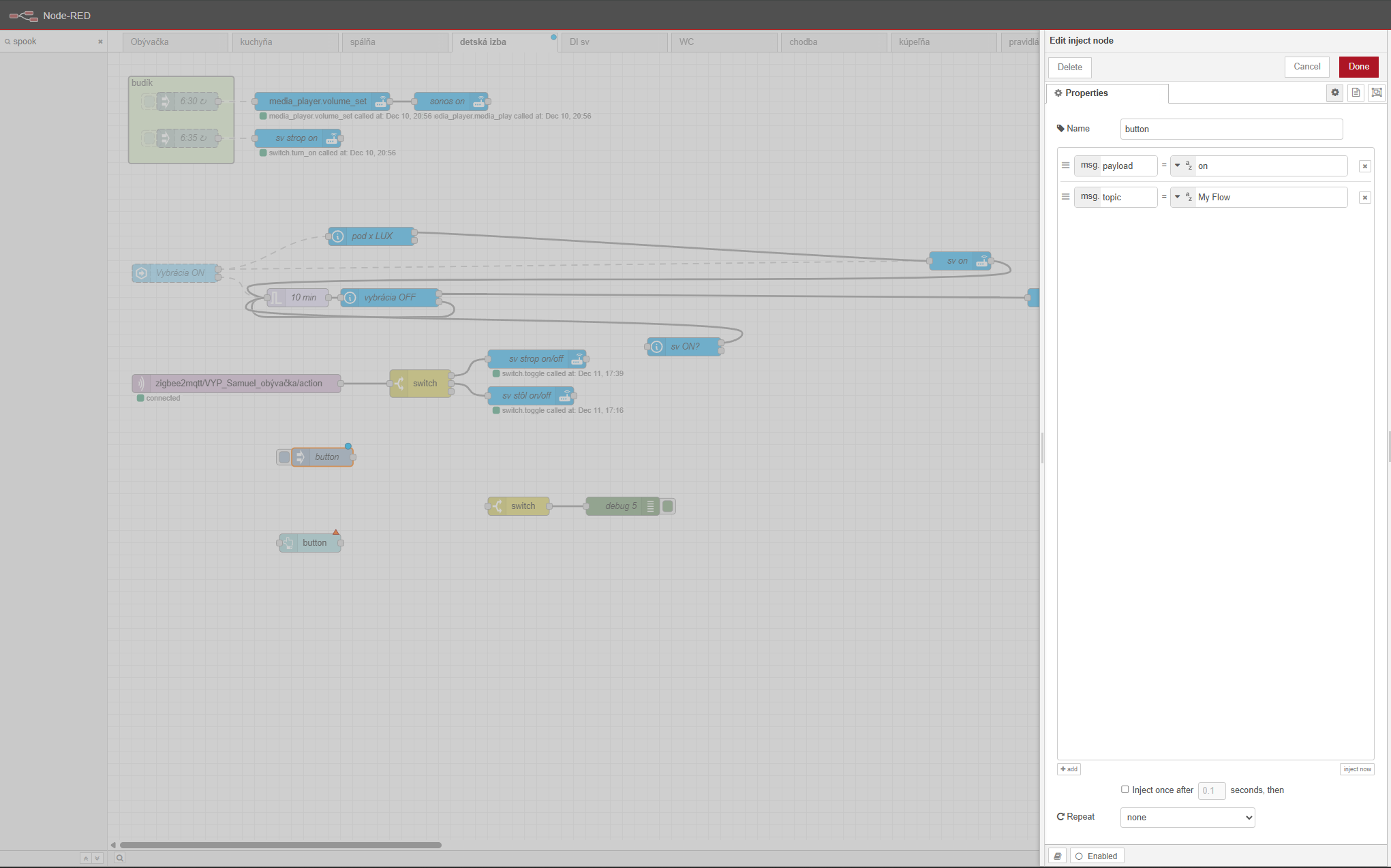
To use the flow add your home assistant user and password to Get flow, Get single flow, and Update flow nodes.
Use the name of the page in the topic of the inject node.

I think spook is the way for me, but dont know how to figure ir out
Trying to enabled/disable “sensor.pir_obyvacka_illuminance”
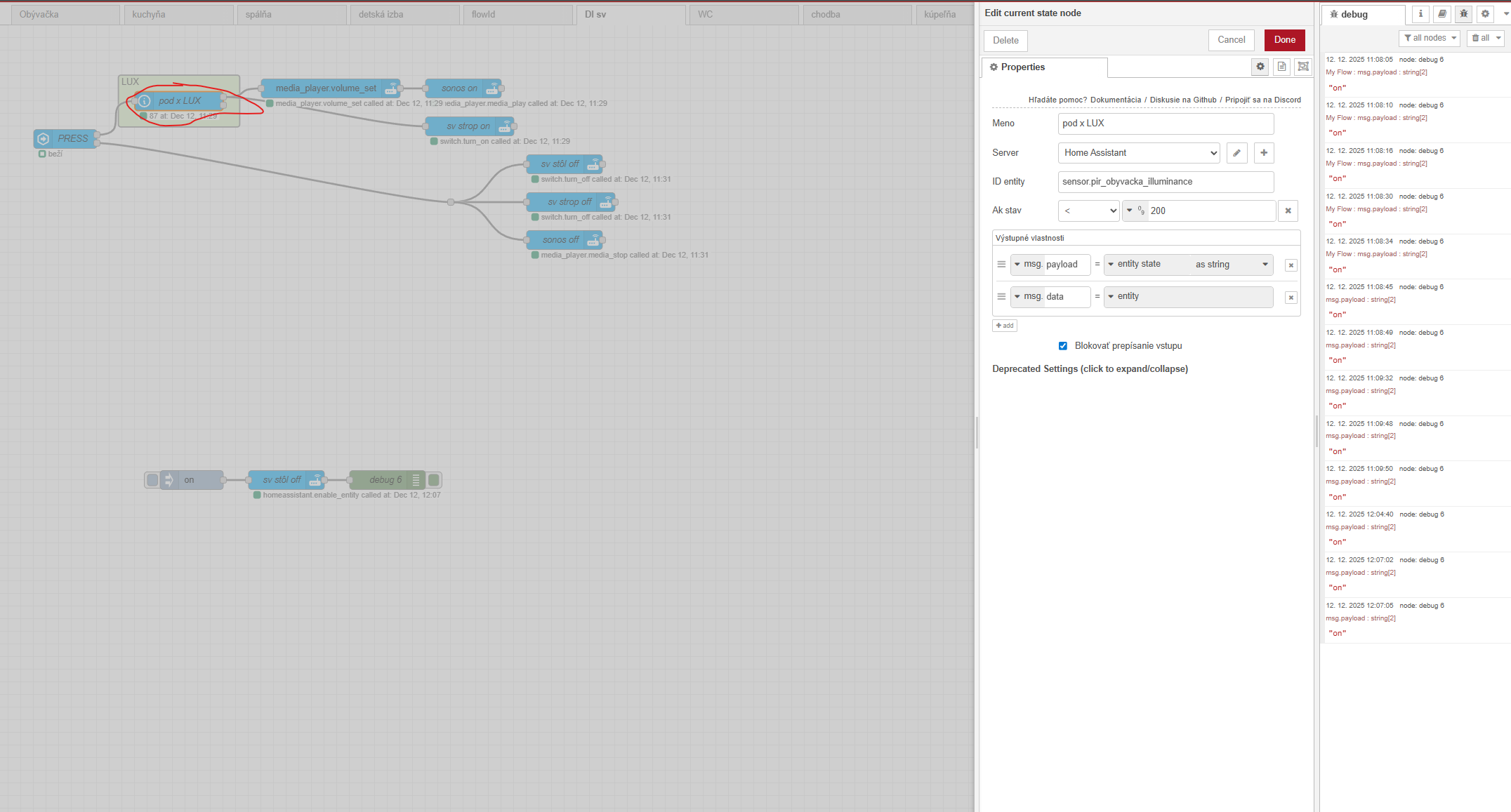
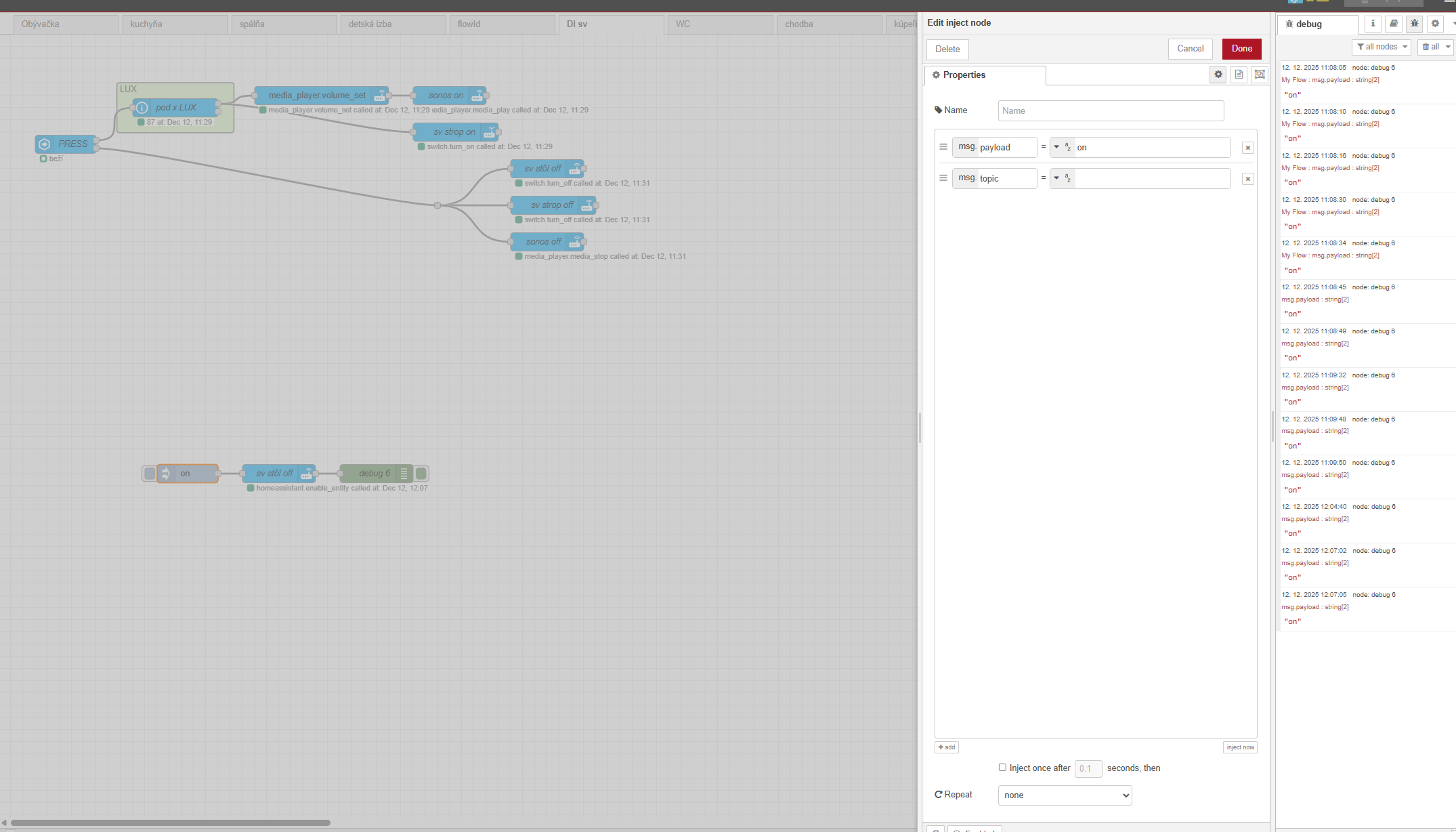
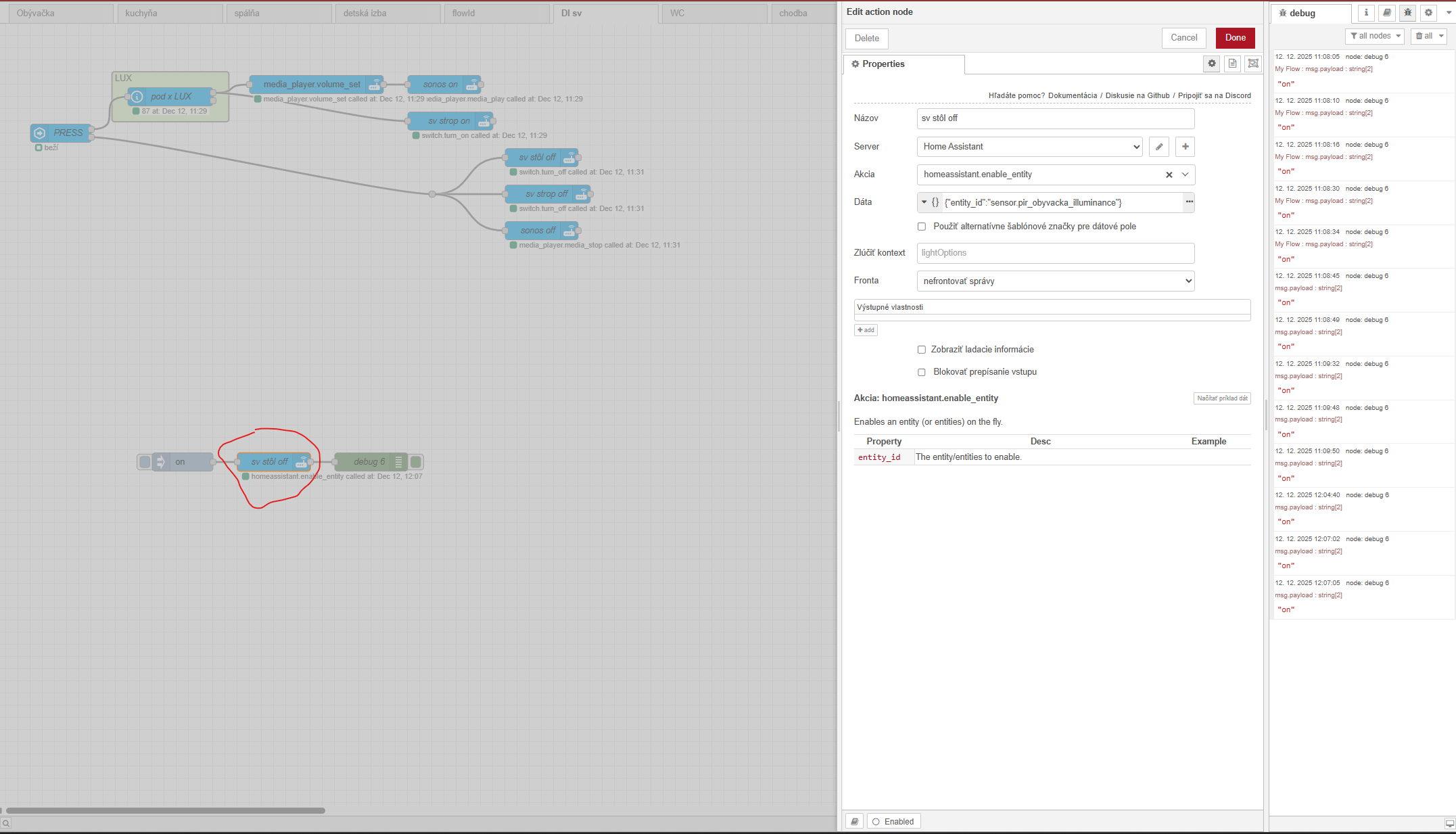
Try this
[{"id":"c640da496e4b6513","type":"api-call-service","z":"8e6ef4f6cbb13d83","name":"enable","server":"","version":7,"debugenabled":false,"action":"homeassistant.enable_entity","floorId":[],"areaId":[],"deviceId":[],"entityId":[],"labelId":[],"data":"{\"entity_id\":\"sensor.pir_obyvacka_illuminance\"}","dataType":"jsonata","mergeContext":"","mustacheAltTags":false,"outputProperties":[],"queue":"none","blockInputOverrides":true,"domain":"homeassistant","service":"enable_entity","x":410,"y":2290,"wires":[[]]},{"id":"3d62e094172ef8d2","type":"api-call-service","z":"8e6ef4f6cbb13d83","name":"disable","server":"","version":7,"debugenabled":false,"action":"homeassistant.disable_entity","floorId":[],"areaId":[],"deviceId":[],"entityId":[],"labelId":[],"data":"{\"entity_id\":\"sensor.pir_obyvacka_illuminance\"}","dataType":"jsonata","mergeContext":"","mustacheAltTags":false,"outputProperties":[],"queue":"none","blockInputOverrides":true,"domain":"homeassistant","service":"disable_entity","x":420,"y":2360,"wires":[[]]},{"id":"8541bf56ccc36929","type":"inject","z":"8e6ef4f6cbb13d83","name":"","props":[{"p":"payload"},{"p":"topic","vt":"str"}],"repeat":"","crontab":"","once":false,"onceDelay":0.1,"topic":"","payload":"","payloadType":"date","x":250,"y":2290,"wires":[["c640da496e4b6513"]]},{"id":"26b5ee584d48460e","type":"inject","z":"8e6ef4f6cbb13d83","name":"","props":[{"p":"payload"},{"p":"topic","vt":"str"}],"repeat":"","crontab":"","once":false,"onceDelay":0.1,"topic":"","payload":"","payloadType":"date","x":250,"y":2360,"wires":[["3d62e094172ef8d2"]]},{"id":"aa7b882d1b4c0b18","type":"global-config","env":[],"modules":{"node-red-contrib-home-assistant-websocket":"0.80.3"}}]
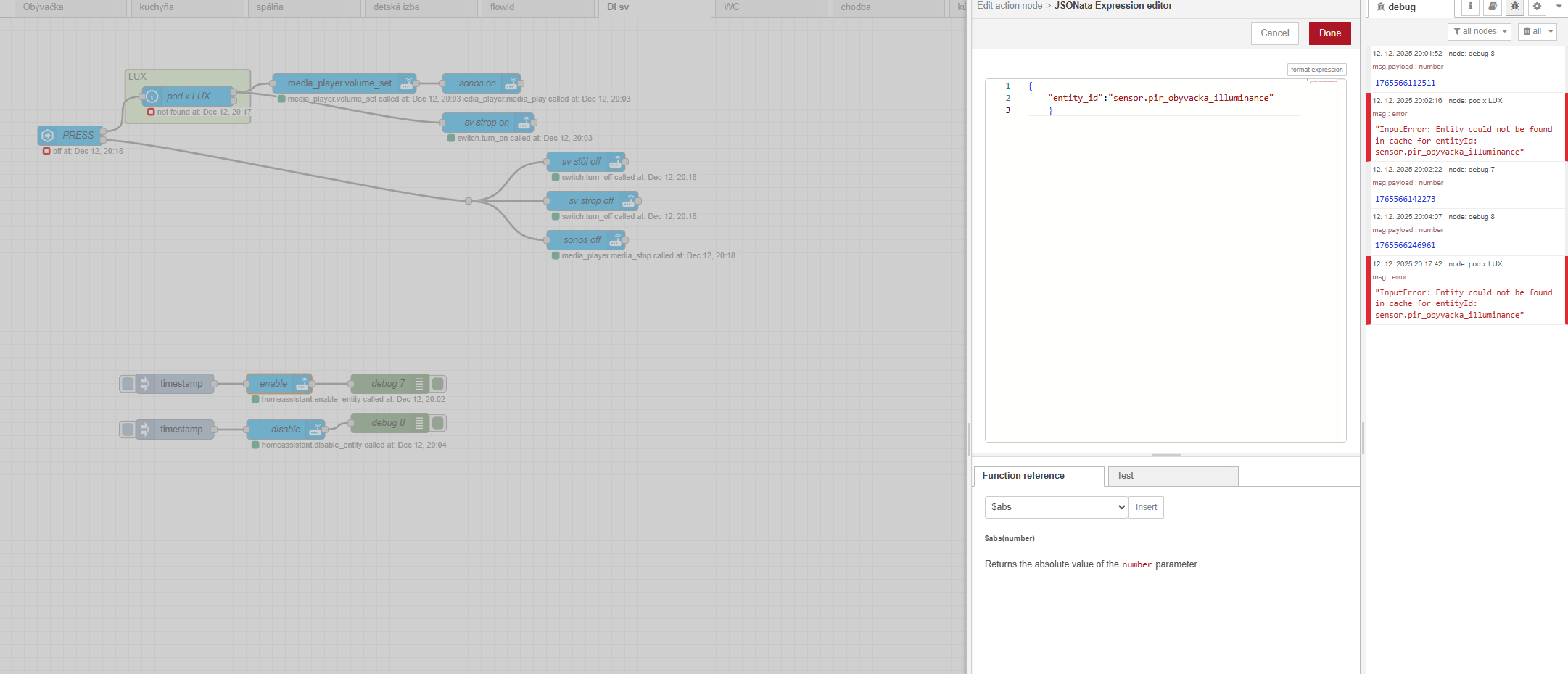
I has to write it like this
{
    "entity_id":"sensor.pir_obyvacka_illuminance"
    }
but some error for “debug 8” = disable
Or can i disable group? and entities inside?
Try
{
    "entity_id":"$entities('group.name').attributes.entity_id"
    }
Replace group.name with the group entity.
hope last question 
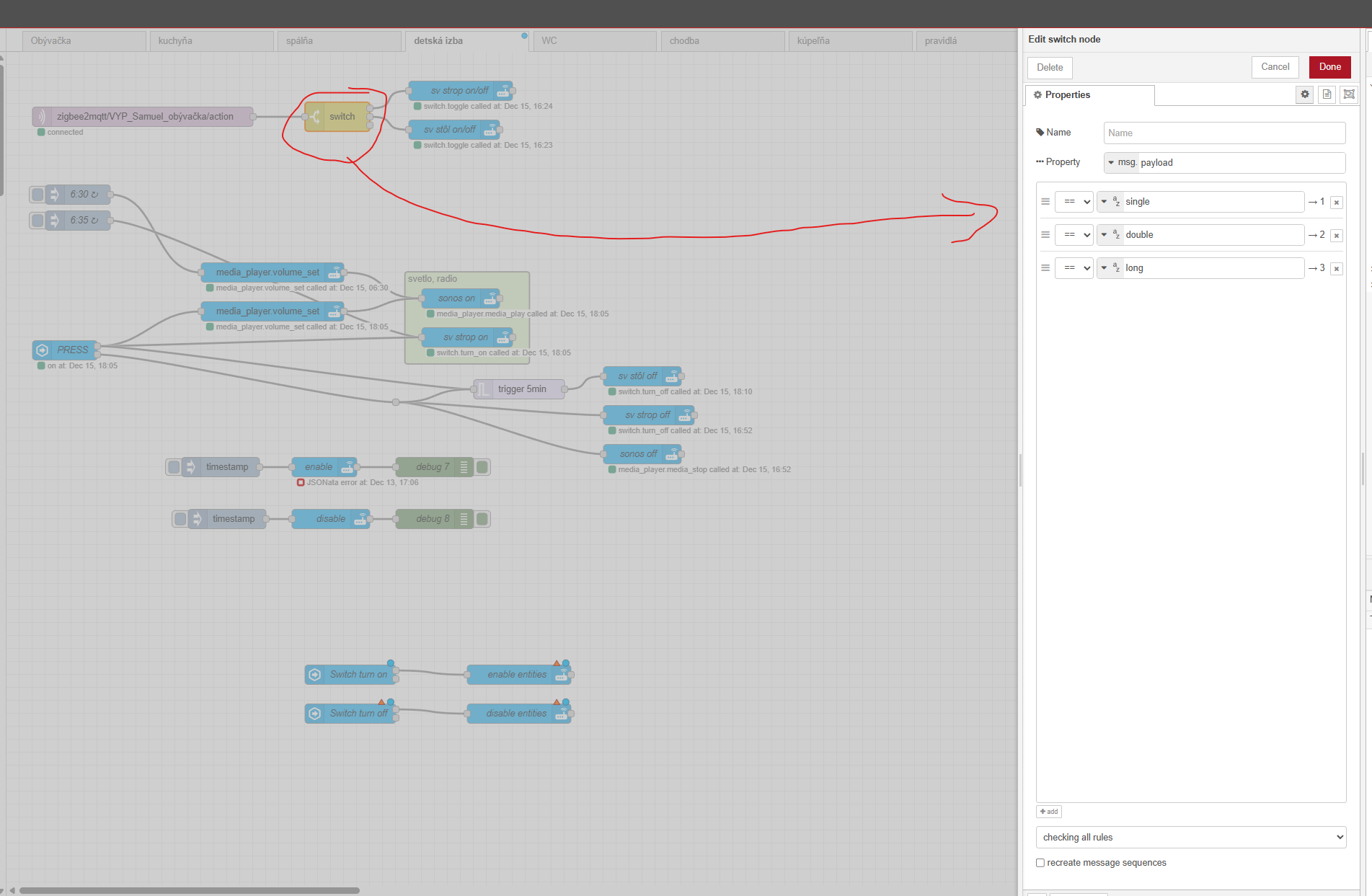
need add phisical swich to enable/disable entity or group how to do that
and, id of my group is “1fcd735d7ac1bdac” ?
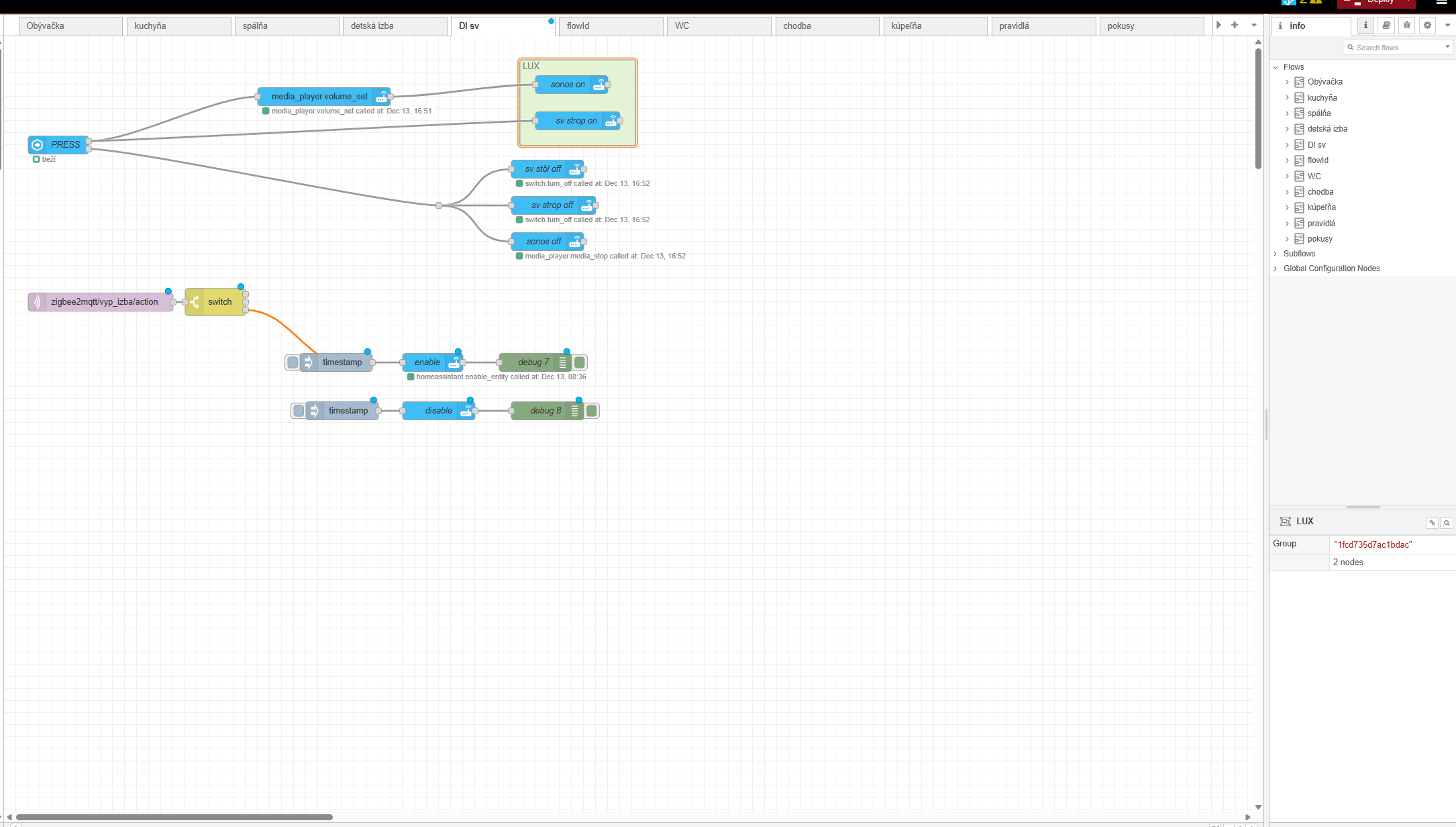
This looks like it is from the ha automation editor. For whatever reason it uses alpha numeric numbers instead of the name. Go to settings, devices and services, then the helper tab at the top.
Look for the group entity there to find the group name. On the bottom right there is an add helper button. There you could create a button or a toggle(switch) to trigger the flow.
Thank You
the group was made in node-red by choosing few nodes and right click, then Group/group selection
It is probably different type of group like in helpers
That is for organization only. You would need to create a group in ha for it to work.
ok
I made switch helper
how to use action node to connect it to physical switch and write a code for enable/disable
for these entities?? 
{
“entity_id”: [
“media_player.media_play”,
“switch.detska_izba_strop”
]
}
Place the switch in an event state node and connect that to the action node.
[{"id":"17cbbfe3003847e7","type":"server-state-changed","z":"8e6ef4f6cbb13d83","name":"Switch turn on","server":"","version":6,"outputs":2,"exposeAsEntityConfig":"","entities":{"entity":[],"substring":[],"regex":[]},"outputInitially":false,"stateType":"str","ifState":"on","ifStateType":"str","ifStateOperator":"is","outputOnlyOnStateChange":true,"for":"0","forType":"num","forUnits":"minutes","ignorePrevStateNull":false,"ignorePrevStateUnknown":false,"ignorePrevStateUnavailable":false,"ignoreCurrentStateUnknown":false,"ignoreCurrentStateUnavailable":false,"outputProperties":[{"property":"payload","propertyType":"msg","value":"string","valueType":"entityState"},{"property":"data","propertyType":"msg","value":"","valueType":"eventData"},{"property":"topic","propertyType":"msg","value":"","valueType":"triggerId"}],"x":470,"y":2110,"wires":[["34ed28076934b587"],[]]},{"id":"34ed28076934b587","type":"api-call-service","z":"8e6ef4f6cbb13d83","name":"enable entities","server":"","version":7,"debugenabled":false,"action":"homeassistant.enable_entity","floorId":[],"areaId":[],"deviceId":[],"entityId":[],"labelId":[],"data":"","dataType":"jsonata","mergeContext":"","mustacheAltTags":false,"outputProperties":[],"queue":"none","blockInputOverrides":true,"domain":"homeassistant","service":"enable_entity","x":730,"y":2110,"wires":[[]]},{"id":"171bcbed3637bcb6","type":"server-state-changed","z":"8e6ef4f6cbb13d83","name":"Switch turn off","server":"","version":6,"outputs":2,"exposeAsEntityConfig":"","entities":{"entity":[],"substring":[],"regex":[]},"outputInitially":false,"stateType":"str","ifState":"off","ifStateType":"str","ifStateOperator":"is","outputOnlyOnStateChange":true,"for":"0","forType":"num","forUnits":"minutes","ignorePrevStateNull":false,"ignorePrevStateUnknown":false,"ignorePrevStateUnavailable":false,"ignoreCurrentStateUnknown":false,"ignoreCurrentStateUnavailable":false,"outputProperties":[{"property":"payload","propertyType":"msg","value":"string","valueType":"entityState"},{"property":"data","propertyType":"msg","value":"","valueType":"eventData"},{"property":"topic","propertyType":"msg","value":"","valueType":"triggerId"}],"x":470,"y":2170,"wires":[["9d1034c978b2930e"],[]]},{"id":"9d1034c978b2930e","type":"api-call-service","z":"8e6ef4f6cbb13d83","name":"disable entities","server":"","version":7,"debugenabled":false,"action":"homeassistant.disable_entity","floorId":[],"areaId":[],"deviceId":[],"entityId":[],"labelId":[],"data":"","dataType":"jsonata","mergeContext":"","mustacheAltTags":false,"outputProperties":[],"queue":"none","blockInputOverrides":true,"domain":"homeassistant","service":"disable_entity","x":730,"y":2170,"wires":[[]]},{"id":"2d5d0ffb929c8547","type":"global-config","env":[],"modules":{"node-red-contrib-home-assistant-websocket":"0.80.3"}}]
So you want it to act like a toggle? Put the group entity in the current state node and add the data to the action node. Leave the acion node set as homeassistant.{{payload}}_entity
[{"id":"8fe308244367d5a8","type":"api-current-state","z":"8e6ef4f6cbb13d83","name":"","server":"","version":3,"outputs":1,"halt_if":"","halt_if_type":"str","halt_if_compare":"is","entity_id":"light.main","state_type":"str","blockInputOverrides":true,"outputProperties":[{"property":"payload","propertyType":"msg","value":"$entity().state = 'on' ? 'enable' : 'disable'","valueType":"jsonata"}],"for":"0","forType":"num","forUnits":"minutes","override_topic":false,"state_location":"payload","override_payload":"msg","entity_location":"data","override_data":"msg","x":560,"y":2340,"wires":[["dc5c5d409162b420","df6c414bb6cacec6"]]},{"id":"df6c414bb6cacec6","type":"api-call-service","z":"8e6ef4f6cbb13d83","name":"","server":"","version":7,"debugenabled":false,"action":"homeassistant.{{payload}}_entity","floorId":[],"areaId":[],"deviceId":[],"entityId":[],"labelId":[],"data":"","dataType":"jsonata","mergeContext":"","mustacheAltTags":false,"outputProperties":[],"queue":"none","blockInputOverrides":true,"domain":"homeassistant","service":"{{payload}}_entity","x":890,"y":2340,"wires":[[]]},{"id":"7ec5cc3e77e043ba","type":"global-config","env":[],"modules":{"node-red-contrib-home-assistant-websocket":"0.80.3"}}]
when I try made a group I cant find some “universal”. Just only for type (light, fan, lock…). I need add to group sonos and switch (220v)
“Universal” groups can only be achieved by using the old style groups. You will need to try it to see if it will work in this scenario. Otherwise you may just need to list the individual entities in the node.