Energy Dashboard - Derivative for gas flow rate not selectable?!

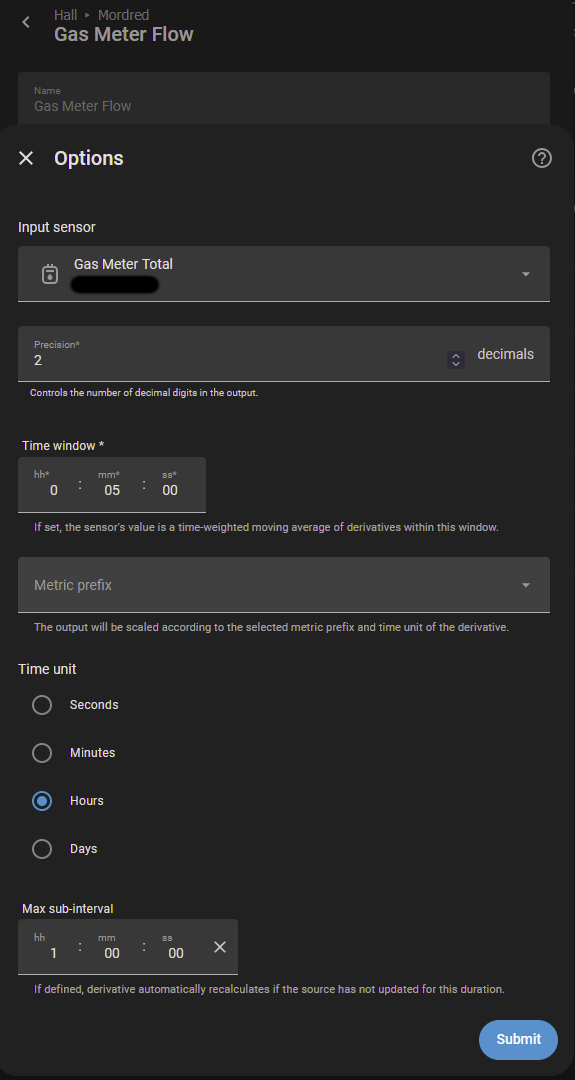
So, I got my analog gas meter read into HA (classic reed switch) & configured the dashboard accordingly:

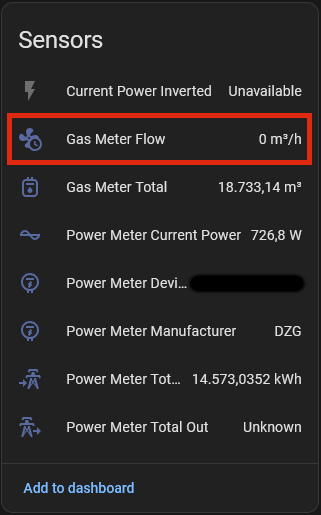
Also the Derivative shows up correctly on the device’s screen:

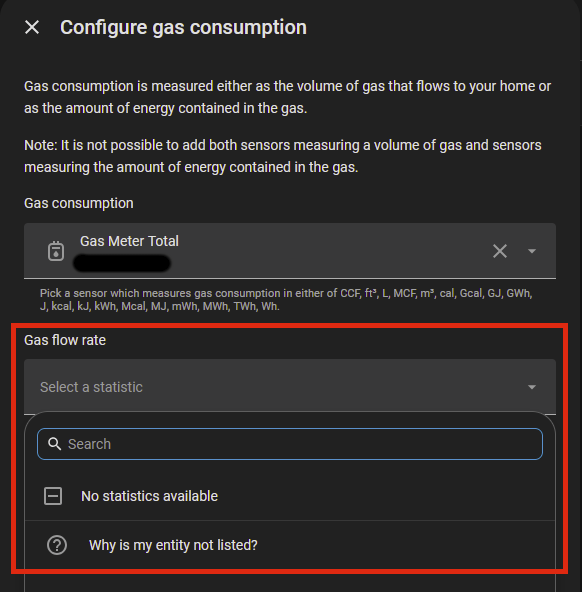
However, it’s not listed when trying to select the gas flow rate statistic:

I even tried to solve this by creating a utility meter, but that didn’t show up for selection within the gas consumption configuration screen either. :pensive:

What am I doing wrong & how to fix it?
Thanks in advance!

Derivative entities don’t currently generate statistics (they have no state class).

I have an open PR to add this but it’s been waiting a little while.

You can workaround by either creating a new template sensor from that derivative with a state class, or maybe using customize: will work, I am not certain.

Thanks for the suggestions, much appreciated!

Any further hint on customize:, e.g., where to find further information about its usage (I simply don’t know where to insert it as I can’t find an advanced menu in those screens… :sweat_smile:)?

Check this link it talks about it a bit.

1 Like

Ah, now I see. Ok, I’ll stick with another template sensor as a workaround then. :wink:

Found your PR, too. Tried to push a little, given it’s already 2 weeks after approval, but no reply from a CC’ed maintainer. :sweat_smile: