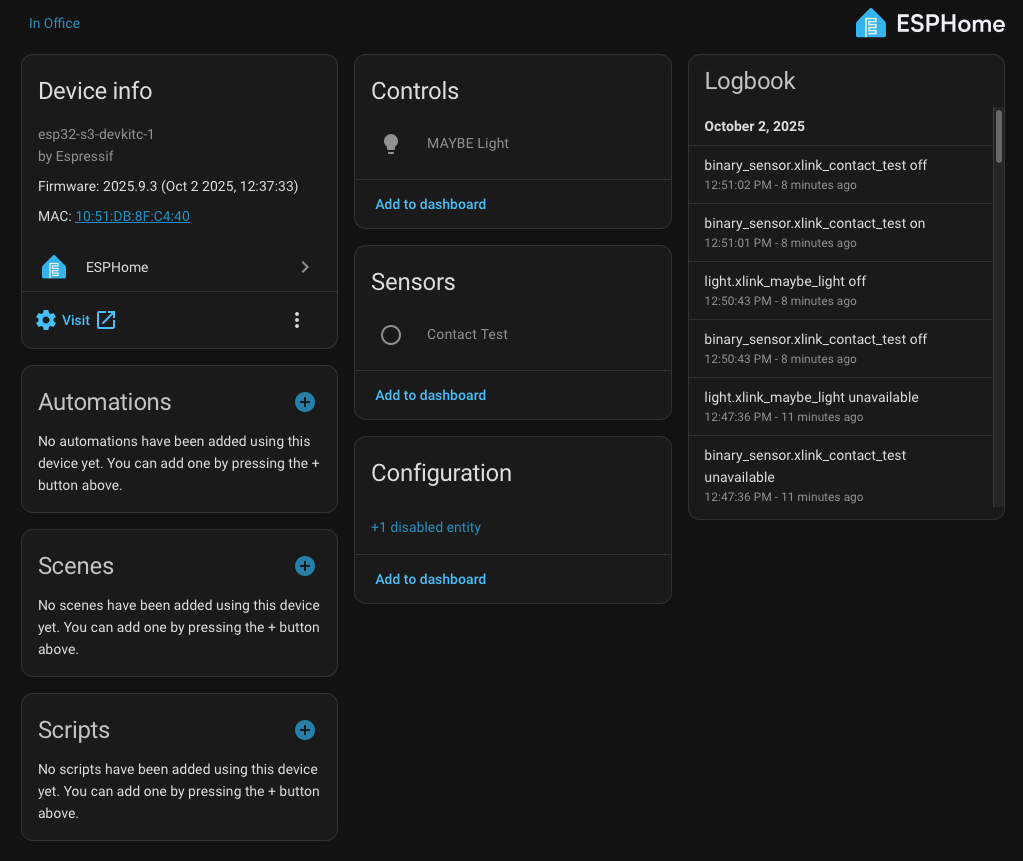
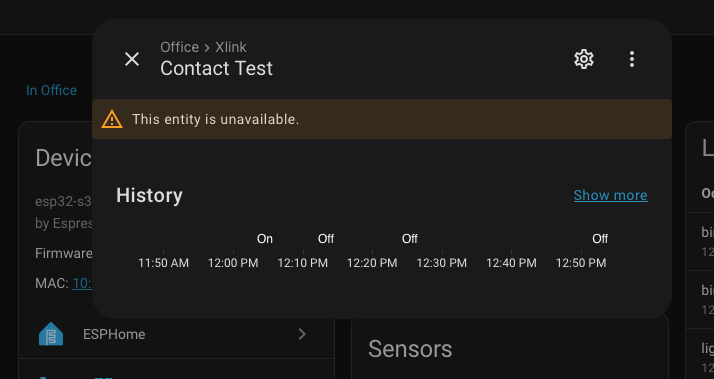
So I’ve been trying to get up and running with ESPHome. Generally seems to run really smoothly, No trouble flashing devices, no trouble adding them to HA. However, once added to HA, the entities are always ‘unavailable’.
I’ve basically been trying a super basic device. One LED set up as a light I can try to turn on or off and one binary sensor. When I go to the Device Info screen, I can see the light I set up and the sensor, but if I click on either one, the window just says, “This entity is unavailable.” That’s it. Nothing to click on or anything.
I’ve searched and have seen some people with this problem and the recommended solution seems to be “delete and re-add”. I have tried this several times (along with other iterations like, Delete Device, Restart HA, then Re-add). Same result every time. I have tried 3 different ESP32 boards, and one ESP8266. I’ve currently got it activated via a Waveshare ESP32-S3 with Ethernet port (Connected via ethernet). Both the light and the sensor are still unavailable, BUT, if I close the circuit on the sensor, the Logbook panel on the right side of the Device Info screen reports the sensor turning on or off. So HA definitely can communicate with this thing, but I just don’t know how to make these entities ‘available’.
Attaching yaml for the device and a couple of screenshots. Appreciate any help or insights anyone may have.
esphome:
  name: xlink
  friendly_name: Xlink

esp32:
  board: esp32-s3-devkitc-1
  framework:
    type: esp-idf

# Enable logging
logger:

# Enable Home Assistant API
api:
  encryption:
    key: "2shBA7E7mern0ep2fWxlhIJSundV9jrkQsqnXi4P0wc="

ota:
  - platform: esphome
    password: "23f88bbbff3be943caba1b6ffbce61b6"

#wifi:
#  ssid: !secret wifi_ssid
#  password: !secret wifi_password

  # Enable fallback hotspot (captive portal) in case wifi connection fails
#  ap:
#    ssid: "Xlink Fallback Hotspot"
#    password: "bIXp0VfyuJE1"

#captive_portal:

ethernet:
  type: W5500
  clk_pin: GPIO13
  mosi_pin: GPIO11
  miso_pin: GPIO12
  cs_pin: GPIO14
  interrupt_pin: GPIO10
  reset_pin: GPIO09
  manual_ip:
    static_ip: 10.0.13.105
    gateway: 10.0.13.1
    subnet: 255.255.255.0

output:
  - platform: ledc
    pin: GPIO17
    id: gpio_17

light:
  - platform: monochromatic
    output: gpio_17
    name: "MAYBE Light"

binary_sensor:
  - platform: gpio
    name: "Contact Test"
    pin:
      number: GPIO3
      inverted: true
      mode:
        input: true
        pullup: true
Try changing the Output channel. Theres a lot of internal components sharing things with esp32-etho like the pwm timer and same with using the esp32-cam. 2 things cant use the timers at the same time so, if ethernet needs it then you need to manually specify a separate channel.
Nope. No difference. Still ‘Unavailable’. Not sure if it’s even on the ESP32 side. My binary sensor is unavailable, though I can definitely turn it on and off and the ESP32 reports it in the logs.
are you able to visit the web page of the device?
is it showing up in esphomebuilder?
Turn it On/Off using what? Its being reported in the Esphome logs you mean?
Are you running Esphome as an an add-on from inside of Homeassistant? Like are you running HA as an OS or are you using another option like Docker or Virtual Environment??
Try commenting out the part of the config for your Ethernet and uncomment your wifi section then flash the esp board again.
Do things show up and work over wifi? Still the same? New problems now?
Try it like this and LMK.
Running on wifi didn’t help. The board I’m using now is actually the only one I have with Ethernet, all of the others were on wifi.
By saying the sensor worked, I basically have a jumper on the breadboard so I can ground pin 3 (like the most rudimentary kind of sensor - just trying to get a basic ESPHome device working). So I connect the jumper to ground, and the logs would show the sensor going ‘on’. Also in the Device Info window (top right of first screenshot), even though the entity was unavailable.
Regardless, I got fed up and had to run some errands with my wife. Checked HA from my phone while I was out… and the entities were available. I’m home now and sure enough, I can turn the light on the breadboard on and off from HA. I didn’t do anything to change this. It just seems to work now.
Say what?!?!
Bud, i hat to tell you this but it sounds like you might have a spirit or even poltergeist in your house if that’s what happened!!! You want me to swing by with my crucifixes and incense to rid you of this? Sorry, i know thats lame but, my buddy Winston has all the Proton packs so, gotta do it old school… ; )
Cool man, glad its working! It can be a steep learning curve in the beginning! Just try to be patient and just ask for help untill you understand things better!! You’ll get there, you just gotta stick with it.
Plot thickens. Happy that the ESP32 was now working in concept, I decided to move on with my project and start looking at the real implementation (device with serial communication). So I get the yaml all fixed up, load it to the ESP32… and the same thing happens. Entities are all ‘unavailable’. However, I can go to the web server and press buttons (which send commands) and things seem to be working fine. But again, I can’t do anything from the HA interface proper.
Eventually, I get frustrated again. Then decide to load it up on my phone again… and it works.
It is the browser session.
I go back to the computer, kill the tab with HA in it and load it up anew. And there it is. Working fine.
This was Safari on MacOS. Basically came to add this comment so I could mark it as the solution for anyone else struggling on this.