template:
  - sensor:
      - name: frontinsidedoor
        value_template: "{% if is_state('binary_sensor.insidedoorcontact1_sensor_state_any', 'on') %} closed {% else %} {% if is_state('binary_sensor.insidedoorcontact1_sensor_state_any', 'off' open) %} {% endif %}
I’m trying to make an open closed sensor report as open closed instead of on off. It’s kinda annoying. What did I do wrong here?
tom_l
August 16, 2024, 3:23am
2
You don’t need a template sensor to do this. Which integration did you use to add binary_sensor.insidedoorcontact1_sensor_state_any to your system?
And was it discovered or defined in YAML (if YAML please share it)?
finity
August 16, 2024, 5:44am
3
But to answer the question…
you are mixing up two different template sensor configurations.
there is the legacy format and modern format.
the legacy format is:
sensor:
  - plaform: template
    sensors:
      sensor_entity_id:
        friendly_name: "Sensor Friendly Name"
        value_template: "{{ some template }}"
        unit_of_measurement: "%"
        etc...
then there’s the modern format:
template:
  - sensor:
      - name: "The Sensor Name that Becomes the Entity ID"
        state: "{{ some template }}"
        unit_of_measurement: "%"
        etc...
the configuration options (state vs value_template) can’t be mixed & matched the way you have it.
tom_l
August 16, 2024, 5:51am
4
Thanks for the explanation Finity I was 1/2 way through editing my post to include that when I got called away.
But to make it perfectly clear @anon72506067 you should not need this extra template entity to do what you want. If you answer this we can help you change the original binary sensor:
1 Like
No it was just added by z wave and then I tried to use templating to fix it.
      - name: frontinsidedoor
        state: "{% if is_state('binary_sensor.insidedoorcontact1_sensor_state_any', 'on') %} closed {% else %} {% if is_state('binary_sensor.insidedoorcontact1_sensor_state_any', 'off' open) %} {% endif %}
tom_l
August 16, 2024, 6:13am
7
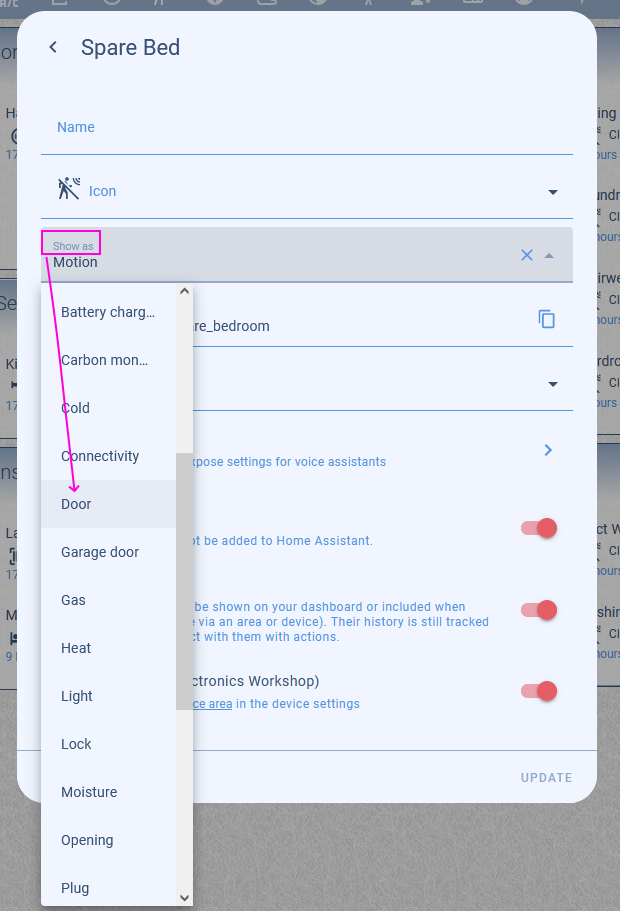
Click on the entity in your dashboard. Select the cog icon in the top corner of the pop-up card.
Then choose “Door” in the “Show As” section.
For future reference other options are shown here: https://www.home-assistant.io/integrations/binary_sensor/#device-class
No templates needed.
So that worked by in curious why the entity I tried to make in yaml isn’t working. Just in general. It didn’t make an entity.
123
August 16, 2024, 1:16pm
9
Because it used the wrong option name. It used value_template when it should have used state
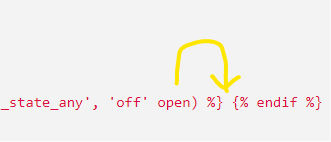
In addition, there’s an error in the template. The word open is in the wrong place.
1 Like
So where would I put open?
Ohh I see what I did now.