This is a blueprint for the ERS-10TZBVB-AA IP55 Waterproof Moes Smart Button for use with ZHA.
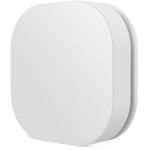
https://nl.aliexpress.com/item/1005009021369319.html
Blueprint Code

blueprint:
  name: ERS-10TZBVB-AA Moes Smart Button with Remote/Scenario Mode (TS004F_TZ3000_ja5osu5g)
  description: 'Handle single, double and long presses including Remote/Scenario modes from TS004F_TZ3000_ja5osu5g button using ZHA.'
  domain: automation
  source_url: https://gist.github.com/maikvitesse/61353a28aae4807f50a9c6b565eb09a1

  input:
    remote:
      name: Button
      description: Select the correct Button
      selector:
        device:
          integration: zha
          model: TS004F
          multiple: false

    # --- Actions in Remote Mode ---
    remote_short_press:
      name: Remote Mode - Short Press
      description: Action to run on a short press of the button in remote mode.
      default: []
      selector:
        action: {}
    remote_double_press:
      name: Remote Mode - Double Press
      description: Action to run on a double press of the button in remote mode.
      default: []
      selector:
        action: {}
    remote_long_press:
      name: Remote Mode - Long Press
      description: Action to run on a long press of the button in remote mode.
      default: []
      selector:
        action: {}

    # --- Actions in Scenario Mode ---
    scenario_short_press:
      name: Scenario Mode - Short Press (Level Up)
      description: Action to run on a short press in scenario mode.
      default: []
      selector:
        action: {}
    scenario_double_press:
      name: Scenario Mode - Double Press (Off)
      description: Action to run on a double press in scenario mode.
      default: []
      selector:
        action: {}
    scenario_long_press:
      name: Scenario Mode - Long Press (Stop)
      description: Action to run on a long press in scenario mode.
      default: []
      selector:
        action: {}

    # --- Actions for Mode Switch ---
    switched_to_remote_mode:
      name: Switched to Remote Mode
      description: Action to run when the switch changes to remote mode.
      default: []
      selector:
        action: {}
    switched_to_scenario_mode:
      name: Switched to Scenario Mode
      description: Action to run when the switch changes to scenario mode.
      default: []
      selector:
        action: {}

# This mode ensures that rapid consecutive actions are not cancelled.
mode: parallel
max_exceeded: silent

trigger:
  - platform: event
    event_type: zha_event
    event_data:
      device_id: !input remote

action:
  - choose:
      # --- Remote Mode Triggers ---
      - conditions:
          - condition: template
            value_template: "{{ trigger.event.data.command == 'remote_button_short_press' }}"
        sequence: !input remote_short_press
      - conditions:
          - condition: template
            value_template: "{{ trigger.event.data.command == 'remote_button_double_press' }}"
        sequence: !input remote_double_press
      - conditions:
          - condition: template
            value_template: "{{ trigger.event.data.command == 'remote_button_long_press' }}"
        sequence: !input remote_long_press

      # --- Scenario Mode Triggers ---
      - conditions:
          - condition: template
            value_template: "{{ trigger.event.data.command == 'move_to_level' }}"
        sequence: !input scenario_short_press
      - conditions:
          - condition: template
            value_template: "{{ trigger.event.data.command == 'off' and trigger.event.data.cluster_id == 6 }}"
        sequence: !input scenario_double_press
      - conditions:
          - condition: template
            value_template: "{{ trigger.event.data.command == 'stop' }}"
        sequence: !input scenario_long_press

      # --- Mode Switch Triggers ---
      - conditions: # Switch to remote mode
          - condition: template
            value_template: "{{ trigger.event.data.command == 'attribute_updated' and trigger.event.data.args.attribute_name == 'switch_mode' and trigger.event.data.args.attribute_value == 1 }}"
        sequence: !input switched_to_remote_mode
      - conditions: # Switch to scenario mode
          - condition: template
            value_template: "{{ trigger.event.data.command == 'attribute_updated' and trigger.event.data.args.attribute_name == 'switch_mode' and trigger.event.data.args.attribute_value == 0 }}"
        sequence: !input switched_to_scenario_mode