ESP 8266 and CC1101 Next/Beta

Most likely my knowledge is to basic, but would just like to confirm this before I give up.

I bought a ESP8266 and a CC1101 with the plan to build something better than the Sonoff RF Bridge 433… but I’m having a really hard time getting this to work.

So my question is could I use this code with the ESP8266 also if I just figure out the difference in pinout?

Hi

In theory yes though with 8266 you will have to use the Arduino framework and with @Rembihnutur original config it didn’t work though that may have been something else. If you already have the 8266 nothing lost in trying but if it was me I’d give up fairly quickly if it did work and move onto an ESP32 running esp-idf. The ESP32 S3 mini’s are cheap enough and added bonus you’ll be able to run a BLE proxy as well. I wouldn’t buy 8266 for a new project.

I found this thread back in December last year when I was trying to build a better 433 MHz setup with my CC1101 and a Wemos D1 Mini, so I gave ESPHome a shot.

After flashing the new ESPHome beta with CC1101 support, I actually got everything working — both receiving and transmitting Nexa 433.92 MHz codes , so technically it worked fine.

But I quickly ran into another problem:
I really didn’t like having to hard-code every single RF device directly in the ESPHome YAML. Every time I wanted to add a new outlet or remote, I had to edit the config, recompile, and reflash the ESP.

After about five minutes of Googling without finding a solution I liked, I fell down the rabbit hole and ended up building my own :smile:

So I created a small custom Home Assistant integration that:

• Learns RF codes
• Lets you add/remove devices directly from the UI
• Creates proper devices in Home Assistant
• Shows relays as normal switches
• Handles multiple transmitters per device to keep them synced with reality
• Receives button presses/events from my old Nexa remotes
• Can also transmit to my old Nexa relays

Now I don’t need to touch the ESPHome config when adding new devices, everything is managed directly from Home Assistant instead.

It simply uses:

  • an ESPHome service for sending codes
  • an event for receiving codes
  • the CC1101 for both TX and RX

this is not perfect but might inspire someone that knows how to do it :smiley:

atm the esphome config i use only listen to nexa rf protocol, as it’s all that i have to test with.

1 Like

For anyone wanting to use a CC1101 with an ESP8266 I can confirm it works, here is my config. I used a Wemos D1 mini clone for this with ESP 2026.1.2 note I always use GPIO numbers but have included the D pin numbers in the comments, I’d check the pin numbering on the CC1101 module as there are different ones about.

esphome:
  name: cc1101test
  friendly_name: CC1101Test

esp8266:
  board: esp01_1m

# Enable logging
logger:

# Enable Home Assistant API
api:
  encryption:
    key: "removed"

ota:
  - platform: esphome
    password: "removed"

wifi:
  ssid: !secret wifi_ssid
  password: !secret wifi_password
  min_auth_mode: WPA2 # Newish setting recommended to specify a minimum encryption of WPA2

# These are pinouts for a specific CC1101 module and D1 mini ESP8266 clone, check yours are the same 
# 1:GND : G
# 2:Vcc : 3.3v
# 3:GD00 : GPIO4 : D2
# 4:CS  : GPIO15 : D8
# 5:SCK : GPIO14 : D5
# 6:MOSI  : GPIO13 : D7
# 7:MISO/GD01  : GPIO12 : D6
# 8:GD02  : GPIO5 : D1

spi:
  clk_pin: GPIO14
  mosi_pin: GPIO13
  miso_pin: GPIO12

cc1101:
  cs_pin: GPIO15
  frequency: 433.92MHz

remote_transmitter:
  pin: GPIO4  # Must match GDO0
  carrier_duty_percent: 100%
  on_transmit:
    then:
      - cc1101.begin_tx
  on_complete:
    then:
      - cc1101.begin_rx

remote_receiver:
  pin: GPIO5  # Must match GDO2
  dump: raw # Change to 'all' to dump RC codes
  tolerance: 50%
  idle: 5ms # Remote control codes are often repeated multiple times, change to be slightly less than the gap between codes

binary_sensor:
  - platform: remote_receiver
    name: "Test Button Receive"
    id: test1_sensor
    internal: True
    raw:
      code: [-2452,1602,-350,
            325,-676,325,-700,326,-675,676,-325,350,-676,675,-326,675,-325,676,-350,
            325,-676,676,-350,650,-351,650,-375,326,-675,651,-350,676,-350,650,-351,
            675,-325,351,-675,325,-676,325,-701,625,-376,325,-675,676,-325,350,-676,
            675,-326,350,-676,325,-675,326,-675,350,-676,325,-676,325,-700,326,-675,
            676,-325,350,-676,325,-676,675,-350,651,-350,326,-675,676,-350,650,-351]

    on_state:
      then:
        - logger.log: "Test Button Received"

button:
  - platform: template
    name: "Test Button"
    id: test1_button
    on_press:
      - remote_transmitter.transmit_raw:
          code: [4885,-2452,1602,-350,
                325,-676,325,-700,326,-675,676,-325,350,-676,675,-326,675,-325,676,-350,
                325,-676,676,-350,650,-351,650,-375,326,-675,651,-350,676,-350,650,-351,
                675,-325,351,-675,325,-676,325,-701,625,-376,325,-675,676,-325,350,-676,
                675,-326,350,-676,325,-675,326,-675,350,-676,325,-676,325,-700,326,-675,
                676,-325,350,-676,325,-676,675,-350,651,-350,326,-675,676,-350,650,-351]
          repeat:
            times: 6
            wait_time: 90us
      - logger.log: "Test Button Pressed"

sensor:
  - platform: uptime
    name: Uptime Sensor

  - platform: wifi_signal
    name: "WiFi Signal dB"
    id: wifi_signal_db
    update_interval: 60s
    entity_category: "diagnostic"

  - platform: copy
    source_id: wifi_signal_db
    name: "WiFi Signal Percent"
    filters:
      - lambda: return min(max(2 * (x + 100.0), 0.0), 100.0);
    unit_of_measurement: "Signal %"
    entity_category: "diagnostic"
    device_class: ""
    
3 Likes

Thank you! I’ve got it working now as well with an ESP8266 and the CC1101. I’ll use the second ESP for some devices that are a bit too far away for the one I’ve been using so far.

Since yesterday, I’ve been using IKEA BILRESA remotes and now control the 433 MHz power outlets exclusively with those. That way, I no longer have to rely on detecting signals from the original remotes.

I love this setup. Thank you all so much for your help!

I’ve spent nearly two days trying to get this to work!
I’ve copied your latest ESP8266, board: esp01_1m, code that you said was working, changing the wifi and IP address details etc to mine. The Esphome logs window, and the devices webpage, show it receiving codes when I press a button on my remote. Home Assistant discovered it and added it to the Esphome list of devices, but trying to add a button to Home Assistant using the RF Connect integration fails as it doesn’t receive any of the codes! So I’m pretty sure I must be doing something wrong.
I’ve given it a device name of “device_name: esphomerf” with a friendly name of friendly_name: esphomeRF. And I’ve also tried other names.
When I try to add it to the RF Connect integration that suggest a default name of esphome.esphomeRF. Using it doesn’t work as no codes are received when following the RF Connect Setup prompts.
I’ve tried changing the suggested default name to just esphomeRF but that also doesn’t work.

I’ve also tried using the example code you provided earlier, that had ESP32 GPIO references in it, by changing the GPIO’s to the D1 Mini ones but that didn’t receive any codes at all, even in the Esphome log window, so I gave up with it.

In your Esphome code you named yours “name: cc1101test” and “friendly_name: CC1101Test”.
Can you remember what name you entered in the RF Connect Setup or did you use the default name “esphome.esphomeRF” it provided?
Any other suggestions of what I’m doing wrong are gratefully received!

EDIT
In case it helps I’m using Esphome 2026-1-0 and Home Assistant Core 2026.1.3

Sorry @ianq not really sure what you mean by “RF Connect Setup”. How are you installing the first time?

Have you deployed other ESPHome devices before? Make sure you have the Wi-Fi details in your secrets, or add them directly to the config. If you are using ESPHome web flasher and the prepare for first use option, you don’t need this step just go straight to install.

Post your YAML and the logs when it tries to connect.

I think you should reply to the author of that “rf connect” integration.

My mistake. I thought you were also using the RF Connect integration in Home Assistant which is mentioned in post 23 above. But I now assume you are entering the codes directly into the Esphome code.

I have 30+ Esphome devices which I’ve flashed so I’m fairly familiar with using Esphome, and sorting out issues with it! All the wifi settings are correct as it’s connected to my wifi, Home Assistant has discovered it and added it and it’s web page loads and show the logs, which show it receiving the code when I press the button on the remote. So it all appears to be working.
The problem I have is getting the RF Connect integration to see the codes in Home Assistant. If you’re not using the Rf Connect integration then you wouldn’t have had the same problem as I’m having.
I’ll have to reply to @hubb3 to see if he can help, but as he hasn’t made any other posts in this thread I’m not sure how active he is. And his github page has no had no issues or pull requests so far so I assume no one else has had this problem. Or no one else has used it!

1 Like

@EBME2 Your code works perfectly.
I was setting up the Esp and CC1101 and then immediately trying to get the RF Connect integration to work, as I wanted to get it all finished. Instead of testing it by entering a remote control code into the Esp code to prove it was working before trying to use the RF Connect integration in Home Assistant to add codes.

I should have realised that the Esp code and CC1101 were all working correctly, as I could see the remote control codes in the log Esp log. But I had tunnel vision, it was late and getting later and I just assumed it was the Esp code that wasn’t correct! :rage:

It would be nice to get the RF Connect integration to work as it would make it much quicker and easier to add remote control codes, but as I only have about 8 codes to enter adding them to the Esp code isn’t really a problem.

If you are using RAW to transmit it looks like there is a new experimental RF proxy. I haven’t used but might be worth a look.

Good you got it sorted though.

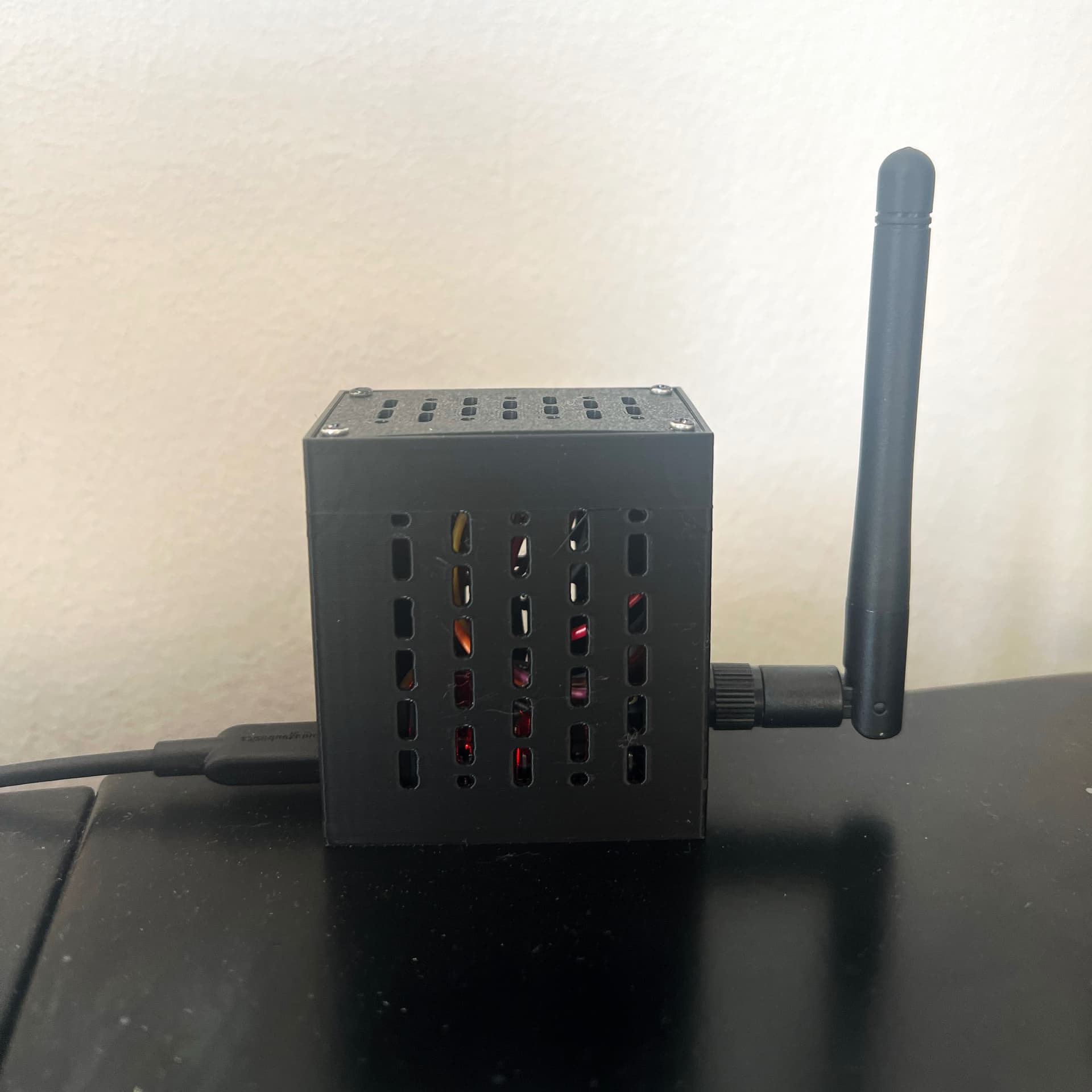
Created and printed a small case for my ESP32 & 8266 with the CC1101 Modul

If anyone is interested, I published the case on MakerWorld:

https://makerworld.com/en/models/2499947-esp32-cc1101-rf-module-case#profileId-2748098