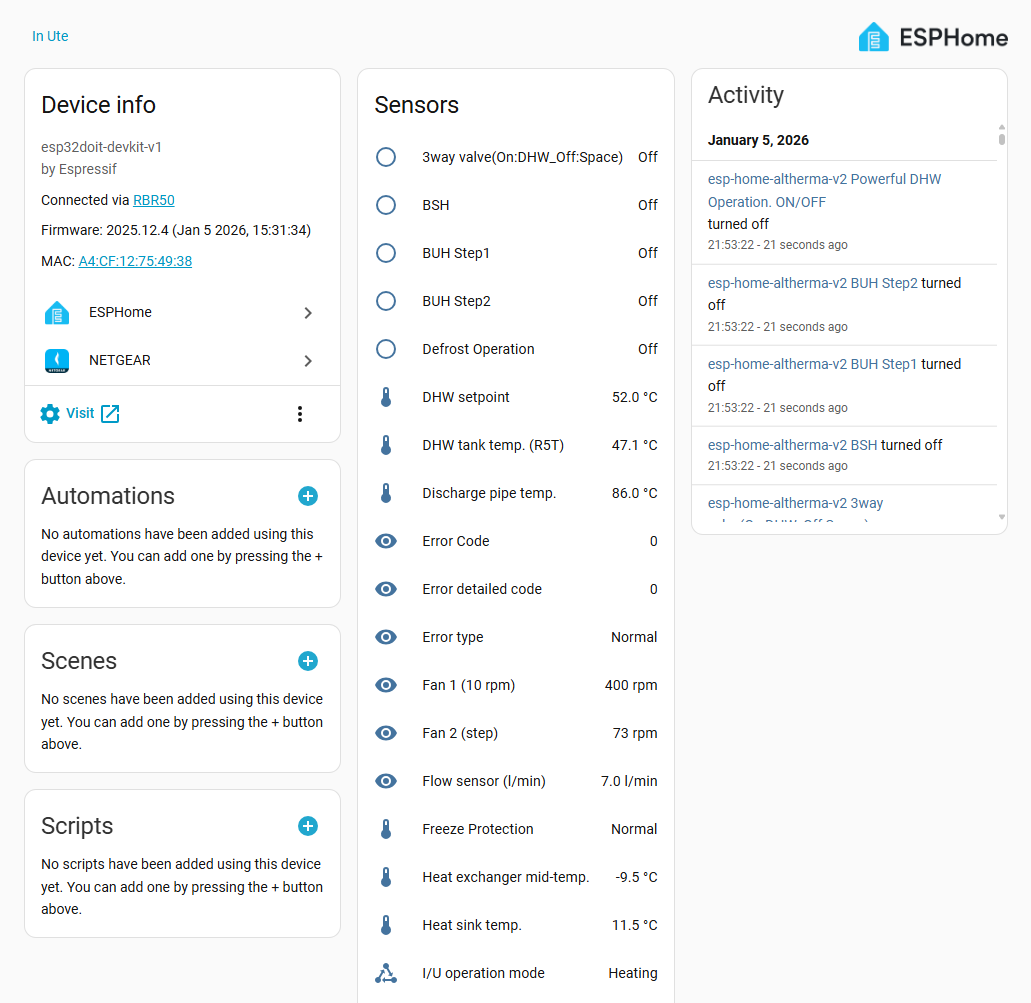
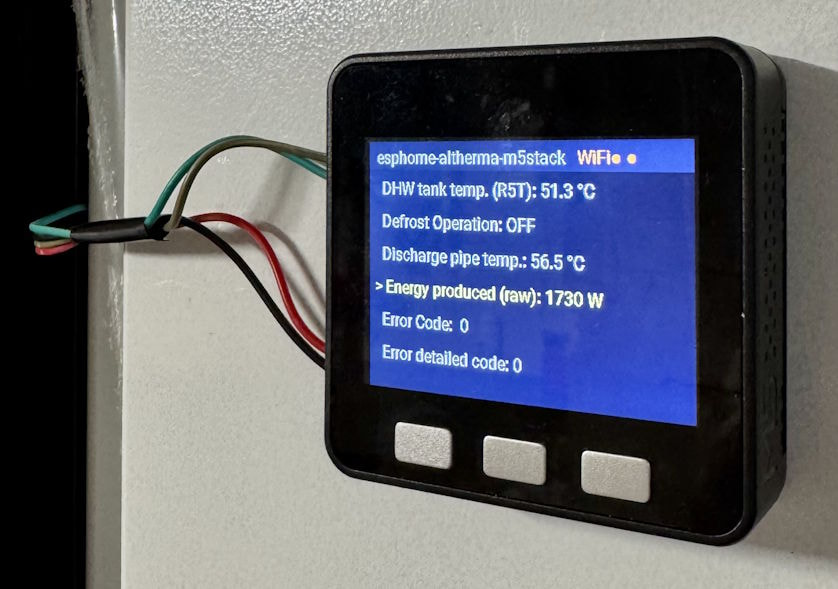
Sharing my ESPHome custom component for monitoring Daikin Altherma 3 heat pumps via the X10A connector. Inspired by ESPAltherma, but built as a native ESPHome component, so it integrates directly with Home Assistant.
Quick follow-up, even though my original post did not generate much discussion
The project has moved forward quite a bit, and ESPHome Altherma is now in active use by multiple users across more Daikin models and several ESP32 board variants.
Experimental Register Discovery
You can now use the Home Assistant action query_register to test registers directly and discover model-specific data points.
Previous releases also added OTA updates and better stability by replacing the blocking UART polling loop with a non-blocking state machine. In practice, this makes the component more robust under load, especially in setups with extra sensors or less stable UART timing.
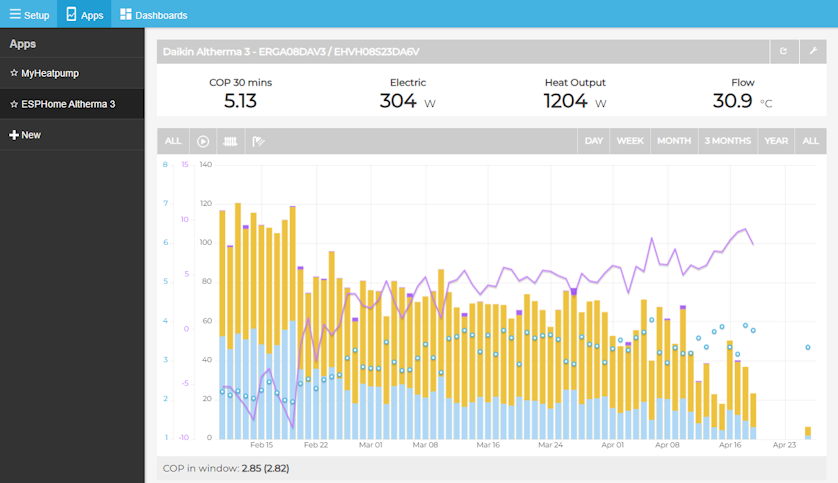
The MyHeatpump app gives you a practical way to track your heat pump’s performance over time, including COP, heat output, electricity use, and temperature trends.
Small maintenance update: v1.1.1 is now available.
This release contains:
Fix for the flow rate sensor unit/name formatting after ESPHome started warning about / in entity names.
ESPHome version bump from 2026.4.3 to 2026.5.3 .
If Home Assistant shows a statistics repair warning for the flow sensor, choose update the unit of the historic statistic values . The numeric values are unchanged, so there should be no need to delete history.
Great project! Was very easy to setup, and really nice to have it in ESPHome with all my other ESPs. I’m wondering though how to interpret some values, and how I can add them in the Energy dashboard for example. I see a voltage sensor and two Inverter currents. Can I combine these to generate a power sensor for example?
Edit: I now see your EmonCMS Setup Guide which has all the fields explained and how I could create some templates in HA, thanks!
Edit 2: The voltage reading from the inverter seems to be incorrect though. When the inverter was running, it started out at 50V, and ended at 290V, which is of course impossible for something connected to 230V. It seems this Voltage represents some other metric? I have an ERGA EHBX08EA6V and use the default erga_eh_da_04_08.yaml config as that seems to match best. But I guess I would need to investigate other configs?
Hey Stefan, glad the setup went smoothly and that the EmonCMS guide filled in the gaps!
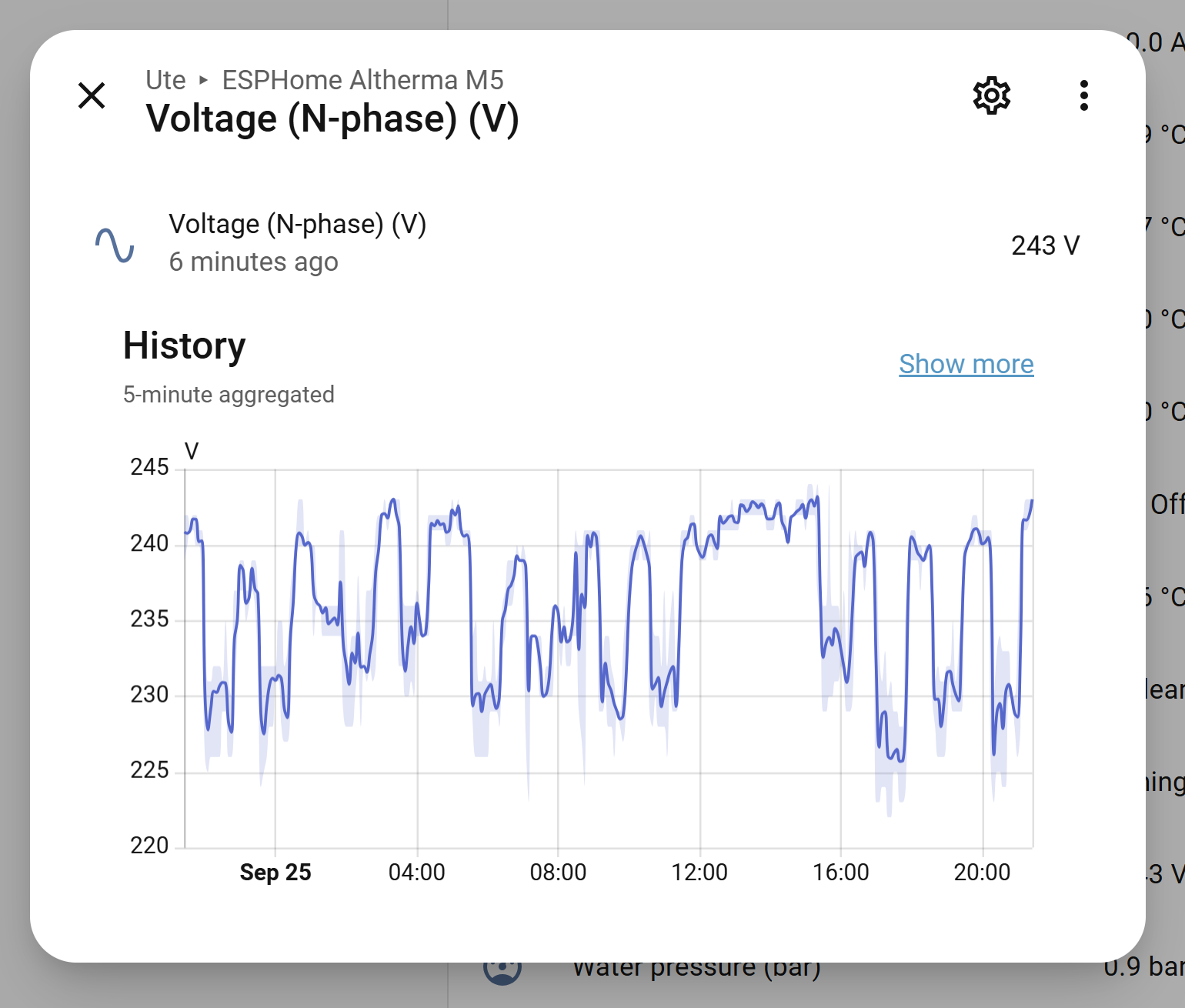
On the voltage reading, that pattern (starting around 50V and climbing to ~290V while the inverter is running) is a strong signal that this register isn’t the incoming 230V mains voltage, but might be the inverter’s DC bus voltage.
Here is a graph from my voltage for comparison(ERGA 08DAV3 / EHVH08S23DA6V):
Could you open an issue on the GitHub repo with this? Include your phase setup (single/three-phase) in the issue as well, since that could be part of what’s throwing the value off.
If you’re up for it you could allso use the query_register action to probe a few nearby registers and see if one of them reports a more sensible ~230V.
Hi, does anyone have this working with a Daikin Altherma 3 GEO unit (ground-source/brine-to-water), specifically model EGSAX10DA9W2? I don’t see GEO models in the confirmed-working list (ERGA/EHV/EHB/ERLQ series), only air-source ones.
My understanding is the GEO indoor hydraulic module may share the same controller PCB as the air-source Altherma 3 hydroboxes, just paired with a brine loop instead of an outdoor unit — so the X10A port and protocol might be identical. Has anyone confirmed this either way, or tried it and gotten garbage/no data? Want to know before I open up the unit and wire in an ESP32.
I had a look at this, and it actually looks quite promising.
ESPAltherma, which this project is based from, has a dedicated definition for the Altherma 3 GEO series (EGSAH-X / EGSAX-D 6-10kW), and I also found someone using ESPAltherma with an EGSAX10DA9W, so the same family as your EGSAX10DA9W2.
I compared the GEO definition with the default definition currently used in esphome-altherma.
Most of the indoor-side registers (0x60-0x62) are basically identical. The main differences are on the refrigeration/source side, where some of the same registers represent things like entering/leaving brine temperature and brine pump feedback instead of outdoor-unit values.
So I would expect the X10A communication itself to work. The current esphome-altherma default config would probably give you quite a lot of valid data already, but a few sensors would be incorrectly labelled and some GEO-specific values would be missing.
The following should work out of the box:
Based on the register comparison, these should work correctly out of the box with your current default config on the GEO3 unit:
Outdoor air temperature
Discharge pipe temperature
INV primary current
INV secondary current
INV frequency
DHW setpoint
Leaving water setpoint
Leaving water temp before BUH
Leaving water temp after BUH
Refrigerant liquid-side temperature
Inlet water temperature
DHW tank temperature
Indoor ambient temperature
Flow sensor
Water pressure
Water pump signal
Defrost operation
Thermostat ON/OFF
Freeze protection
Silent mode
3-way valve DHW/space
BSH
BUH Step 1
BUH Step 2
Powerful DHW operation
Indoor unit operation mode
Error code
Error detailed code
Error type
I haven’t added a GEO config yet simply because nobody has confirmed one against esphome-altherma so far.
If you are willing to test it, I can add a GEO3 configuration based on the ESPAltherma definition. That would also let us add the EGSAX10DA9W2 to the confirmed-working list if everything looks