We’re using quite a few Innr plugs throughout our house, mostly for energy monitoring of electrical devices.
For a while now these plugs report weird, extreme high values in the energy dashboard.
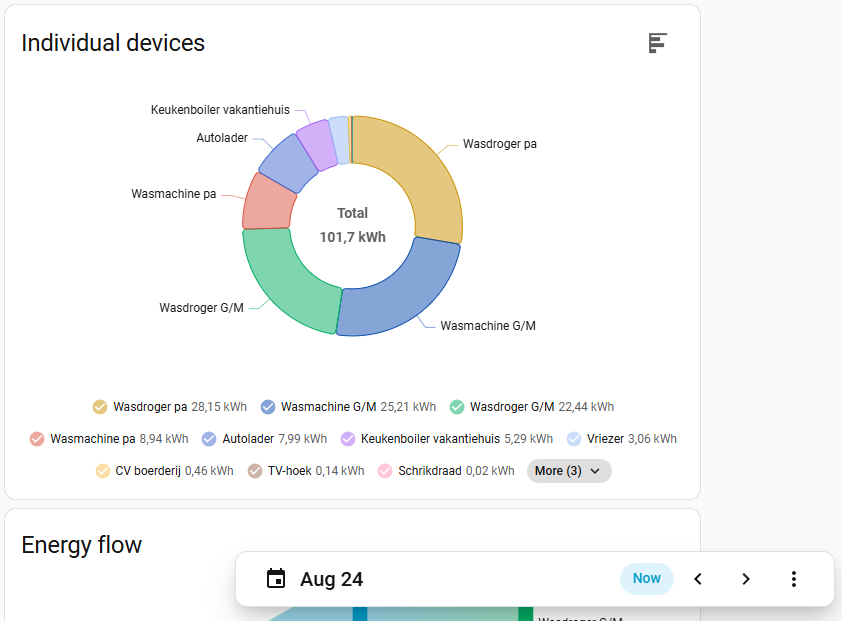
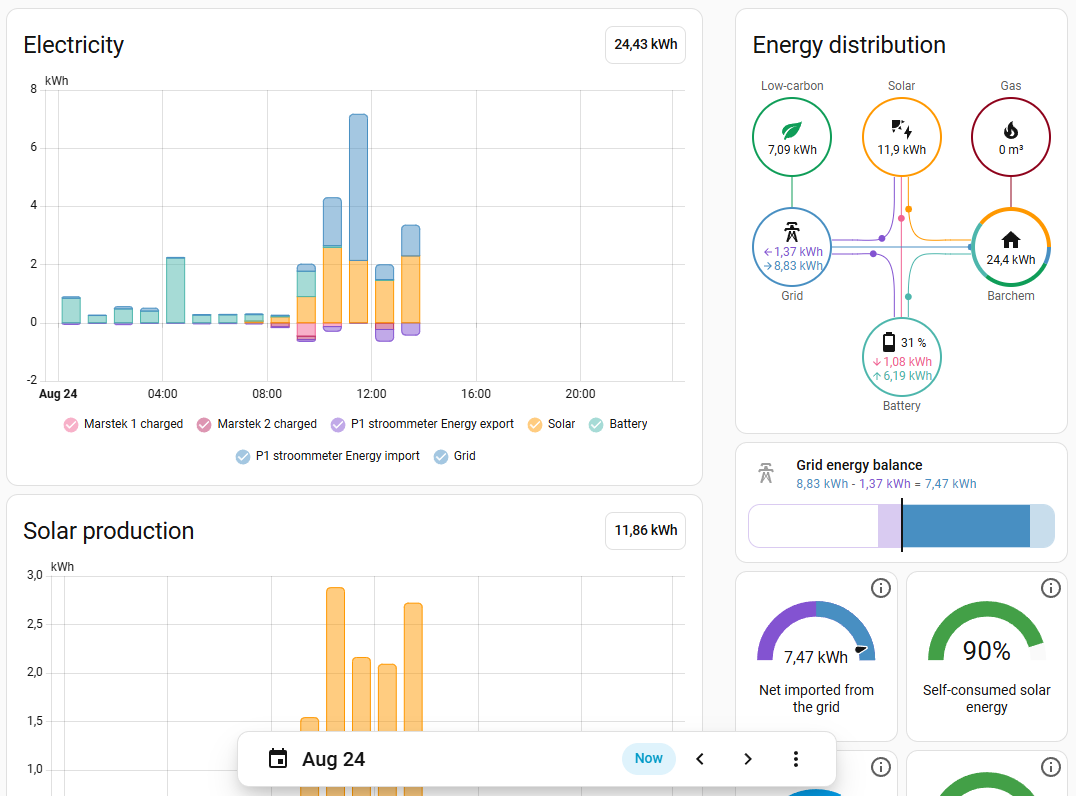
As you can see in the screenshots below, together these plugs report that they have used over 100 kWh today.
While in fact the real usage of the entire house is just over 24 kWh.
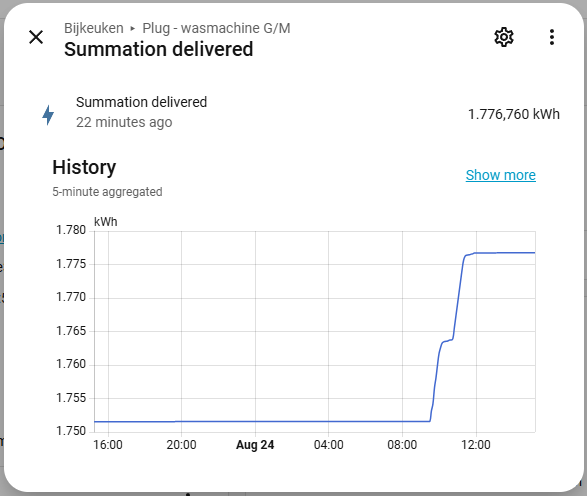
Of course the energys dashboard just displays changes in the Summation Delivered property for each plug.
And that property is not updated correctly when the plugs are used.
Your dashboard is working well, displaying the data that has been recorded.
In your summary, I spot the comma and decimal point are swapped. Could this be the cause of the misunderstanding, one in native language, and the other in Engrish?
Narrow down which devices have outlandish figure and go back and see if the integration/app that collects the data is internationally aware.
You may find not all of your devices have the problem, making it even harder to narrow down.
Later, when you have fixed the problem, if interested in preserving historic data that has the wrong values recorded, consider exporting the values from your database in csv format, modifying them using a spreadsheet program and then re-importing them. There are tools that have been written to make this less complicated. The other option is to go to system/tools, select the incorrect entity in statistics with the adjust sum option (at the far right), and then using the outliers option to find each entry and modify it directly. This can get a bit repetitive if you have a few entries to do, so the database export/modify/import may look more attractive.
Comma and decimal point are not swapped. They are consistently in my local format throughout the system.
The Summation Delivered properties of all Innr plugs are weird, thus causing the strange results in the energy dashboard.
This wasn’t the case until I think the start of July. Then this started happening.
Yes.
Let’s not guess but dig deeper. Easy to find where the problem is.
Go to System/Tools/States, and examine the raw Plug/Power sensor values being obtained that are being shown in the filter state. You can set the filter entities to show “Power” and then the column showing the state will show a table for each device that collects power statistics, making it obvious when you compare them as to which are the rogue sensors collecting invalid data compared to what you know should be reasonably valid values, or if the problem is elsewhere.
The decimal point is displayed but no thousands separator in that screen. Is the decimal point a full stop or a comma for you?
Do the values displayed represent the correct values, or are they out by a factor of 10, or are the decimal points and commas being incorrectly recorded or misinterpreted?
You will have the name of the rogue sensors right there, and can click on the info symbol (i) at the left, and then the three dots on the screen that pops up, and then select the device info to identify which integration is involved to supply those values.
Once we have these items clarified, the source of the problem should be very clear.