I am fairly new to HA. Am running it on a dedicated, headless, Win10 machine using
VMWare. I have it set up so that when the machine boots up, it autostarts VMWare and
HA. It's attached to the network with a Ethernet cable directly to the router. For the
most part, it is running well. I am pretty up-to-date with the HA software. Currently
running HA OS 8.4.

Since I don't have a monitor on that machine, if I need to make any changes to the
machine, I have to disconnect it and attach it to my regular desktop monitor so that I
can see what I am doing. At that time, I have to insert a Wi-Fi dongle, USB mouse and
keyboard. When I boot the machine up, it takes forever to start and when I log into HA,
it shows that it takes device tracker 5 minutes to start and then it times out,
iCloud3 tracker takes for ever, sometimes 15 minutes. I get notifications that various
parts are failing to start, like proximity, sometimes recorder, etc.

When I disable the autostart of the VM machine and bring it up manually, I can see the
HA start up in the log of the VM machine and see a message "A start job is running for
Wait Until Kernel Time Synchronized (mm:ss/1min 27sec). It just sits there until it
times out at 1 min 27 secs and then I get the "Failed to start Wait Until Kernel Time
Synchronized" message. When I reset everything, enable the auto start and plug the
machine back into Ethernet, I can no longer see the log, but the external factors are
still there where HA isn't starting properly the first time I start it. When I reboot
the Win 10 machine, it seems to come up fine and all is well again, until next time I
need to move it.

Any ideas why this is happening, what can I do to get more info? When the VMWare
machine is autostarting, I don't know where the log goes so I can't see if I am
getting the Wait Until Kernel Time messages.

Any tips on where to look for additional info would be appreciated.

Thank you, David
What I did was take the last good backup and restore…
Also check your internet connection…
Thanks John. Since there were no changes to the HA set up so I’d be restoring the same image that
I am running with. Also, all seems well after the 2nd reboot when reconnected where it normally resides.
Do you know where I can see the logs of the start up of the HA system?
You could just check the logs in the Settings section. Not really sure where else to check.
I’m still learning too but I have run into your problem. Mine ended up being…ready for this…the lan cable had come loose from the router 
BUT I didn’t figure that out until after I did a restore…
Thanks for the response. I have seen this error as well when I forgot to plug the Ethernet cable back in, however, it happens occasionally when everything is plugged in correctly and almost always when on Wifi. It also usually happens the first time I plug the Ethernet cable back in. I am wondering what changing from Ethernet connection to Wifi connection does to the HA start up. I use a Wifi dongle. The IP address of the HA instance is static.
1 Like
You know I’m not sure. I didn’t trust the wifi signal so I went direct to the router I am happier with that.
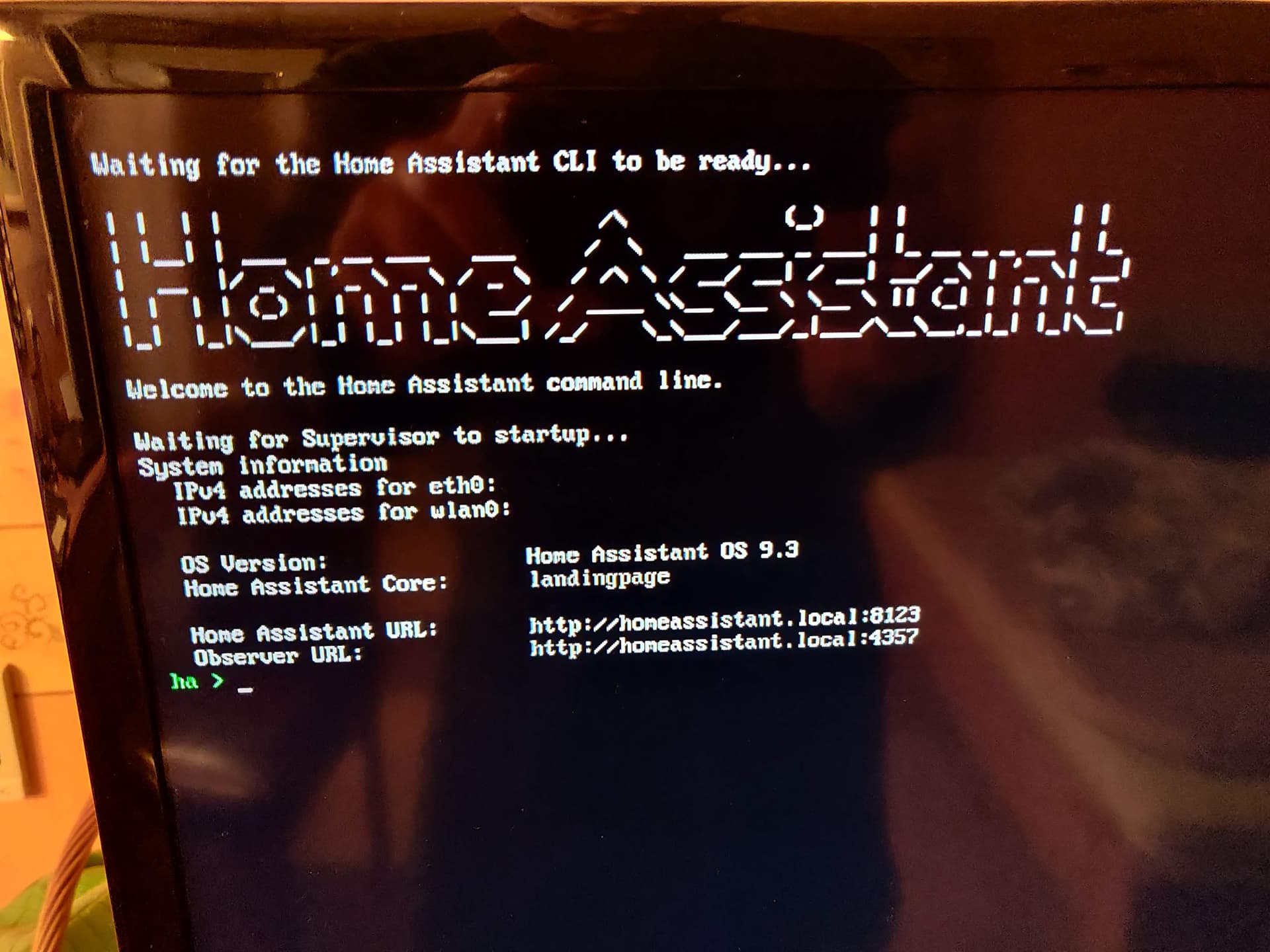
Hello, I am newbe here, but
I have same problem when installing HA to Raspberri pi400 64, 8gb: failed to start Wait Until Kernel Time Syncronised.
I used SD A2 card ScanDisc Extreme.
I tried several times from complete zero.
I tried to use Rasperri PI imager and balena ethcher, same result. Can anybody help?
IMG_20221205_130418|666x500

I currently have this exact same issue, I tried at least 4 different Micro SD cards, but none of them worked. Later I tried one again and now it works, but when I restarted it stopped working again.
When I plugged in a HDMI port it showed me that “Wait Until Kernel Time Synchronized” failed to start. I cannot figure this out, sometimes it works, sometimes it doesn’t. Running on a RPI 3b+
Hello,
I´am figured it out no problem with SD card. If I connect my raspberry by cable with router, all problems is going away.
If anyone knows why it doesn’t work through wifi, please let me know.
Hi, thanks for your response, unfortunately I am connected to the router. Maybe there’s a problem there. Thanks, if you have any other solution I’d gladly hear it
Has anyone found a solution yet? Im having the same Problem, the only difference for me is: If i us a Mobilephone hotspot it works just fine. As soon as i try it with the ethernet cable alone its failing again…
Same here, brand new installation on the same SSD where HA was running for over a year. First boot up goes fine, create a user etc. But when I reboot, I got the Same Wait message and no IP address.
This really sucks… how to fix this?