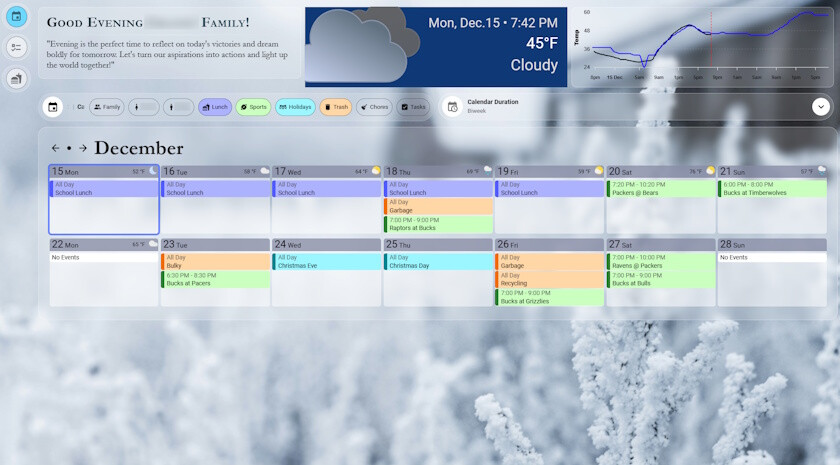
Thanks for the big update
Nice to see some long requested features coming to the software 
Again, Thanks.
Thanks for the big update
Nice to see some long requested features coming to the software
Again, Thanks.
Does anyone have a card mod that will put a small 1px border around the entire day?
I use the below code:
  /* Today highlight */
  .day.today {
    outline: 4px solid #2f52ffa8 !important;
    outline-offset: 0px !important;
    border-radius: 4px !important;
  }
That makes a border that looks like below:
@FamousWolf Thanks for this. Can your card be used to show ONLY weekend events? I would like to display events for example the next 4 upcoming weekends. I can see in your options “Hide Weekends”, but I want to “Show Only Weekends”… is it possible with this?
I use this:
card_mod:
  style: |
    .day {
      border: 1px solid black;
      border-width: 1px !important;
      border-color: black !important;
      background-color: white;
      border-radius: 10px !important;
      filter: drop-shadow(3px 5px 2px rgb(0 0 0 / 0.4));
    }
I think this could work, this should only show saturday & sunday.
days: 2
startingDay: saturday
startingDayOffset: 0
showWeekDayText: true
hideWeekend: false
Thank you so much, this is exactly what I've been looking for. Is there a trick to figuring out what elements can be modified (ie day-border, day.today-border, etc), and how to call them? I've tried searching the documentation, but I'm not really sure what to look for. Still very new to this level of customization.
Really enjoying the Family calendar! Many thanks.
There is one thing I am trying to solve, sometimes the calendar overflows as there are to many items on a certain day.
I solved this by switching to compact mode and that works great. However, in compact mode all item texts are a bit to small.
Is there a way, e.g. with cardmod, to have a “in between” size for the item texts?