Hi everyone  ,
,
I’m excited to share my Home Assistant Add-on/App for the FilaMan System — a local filament management solution you can run alongside Home Assistant.
 GitHub Repository: https://github.com/netscout2001/ha-filaman-system
 Based on the FilaMan Filament Management System — an open-source 3D printing filament inventory & NFC/weight management tool.
 Previews
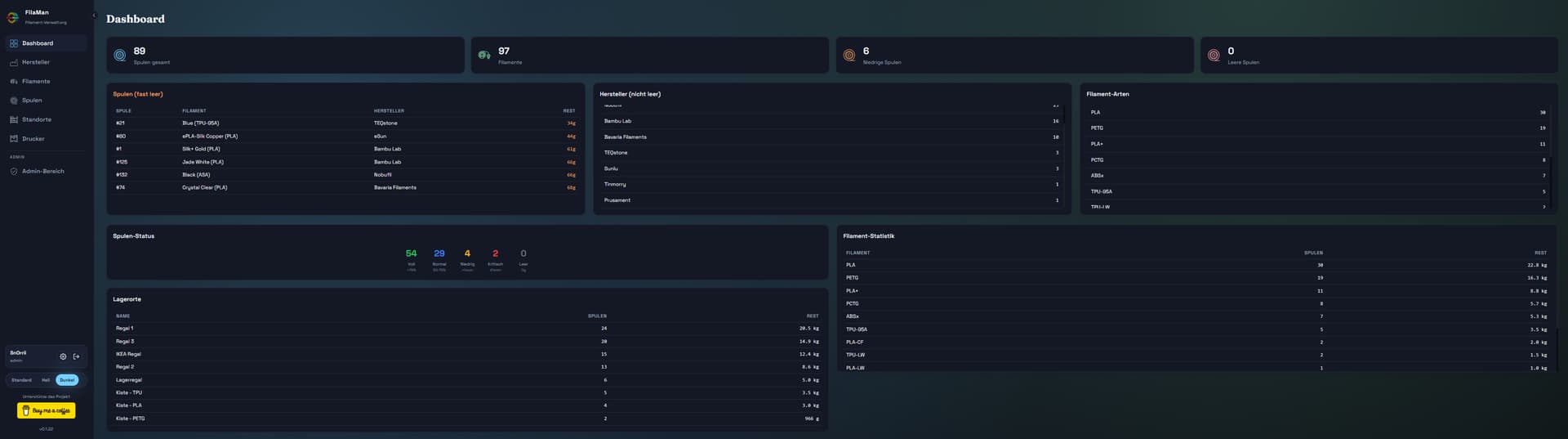
Below are screenshots of the FilaMan Web UI and device views (from the main FilaMan project site):
Web UI Screenshots / Interface Previews
Real-time updates, intuitive filament lists, weight and NFC interactions:
Hardware / Device View Examples
FilaMan weight & NFC devices used with the system:
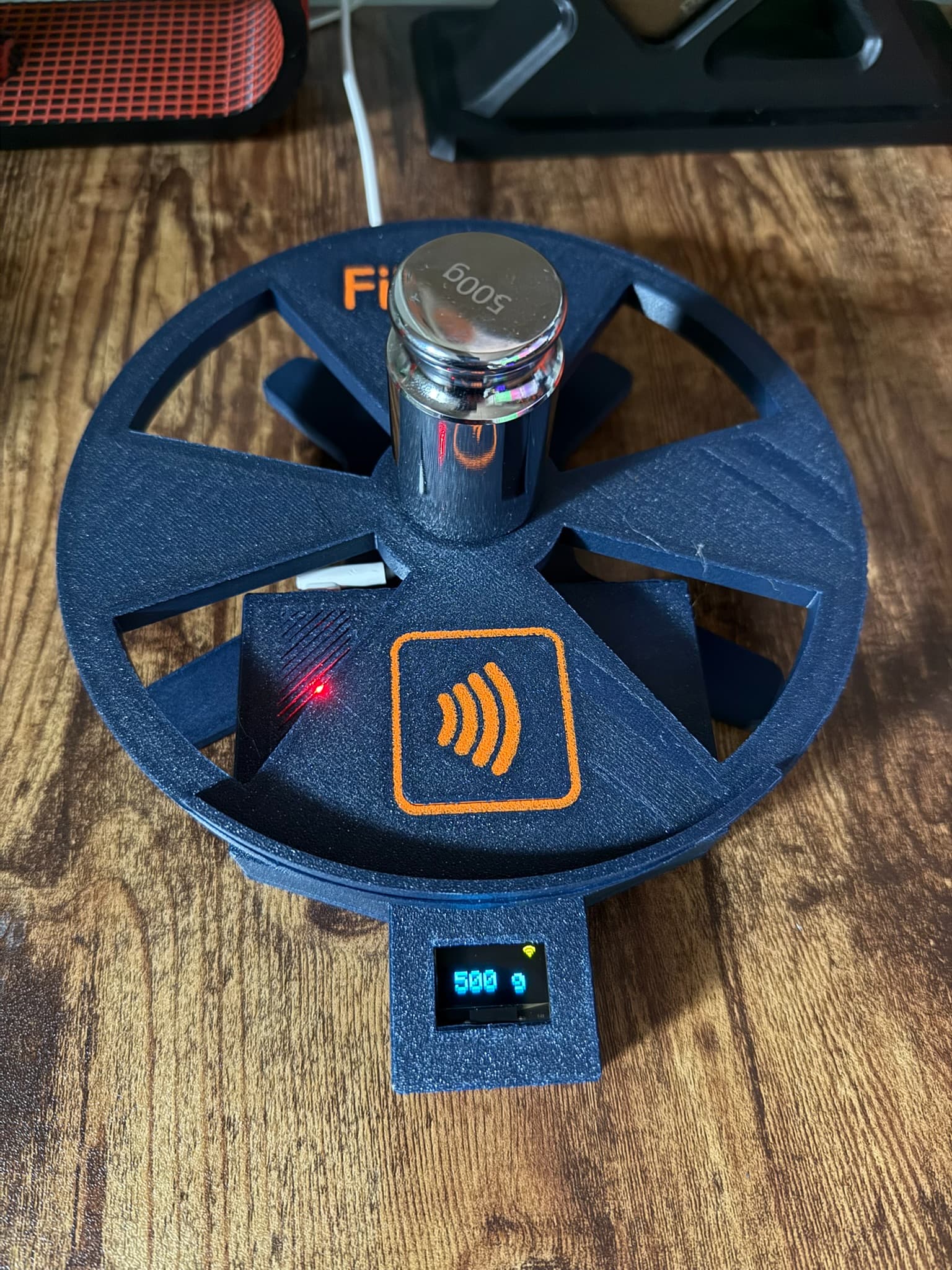
(These images represent the upstream FilaMan system UI & hardware — the add-on runs this service inside Home Assistant.)
 What it Does
This add-on runs the FilaMan Web UI server inside a Home Assistant Supervisor add-on, giving you:
 Filament spool tracking
AMS (Automatic Material System) support for compatible 3D printers
Multi-user web interface for managing filament inventory
NFC tag writing & weight based inventory workflows
Local, no cloud requirement
SpoolmanAPI support
All that directly accessible from your HA host.
 Installation
- Open Supervisor → Add-on Store
- Add the repository URL:
- Install the FilaMan System addon
- Start the addon
- Access the WebUI at:
http://<HOME_ASSISTANT_HOST>:<PORT:8000> - Login:
Default Email: [email protected]
Default Password: admin123
Notes
Default web UI port is 8000 — changeable via add-on options.
If the add-on fails to start, check the logs for port conflicts.
 The add-on currently doesn’t expose native HA sensors — it runs the upstream FilaMan server. For HA entity exposure you can link with Spoolman or other REST/JSON sensors if desired.
 Support / Feedback
If you encounter issues or want features added, please open an issue on the GitHub repo with logs and details.