Hi all,
It would be nice if we can filter the Logbook by a keyword instead of using a specific entity.
ty
Hi all,
It would be nice if we can filter the Logbook by a keyword instead of using a specific entity.
ty
grep Joe /config/home-assistant.log
True, but that is not in the logbook UI. If the search is available in the actual logbook it is much easier to find things.
TY
Logbook panel, in the sidebar.
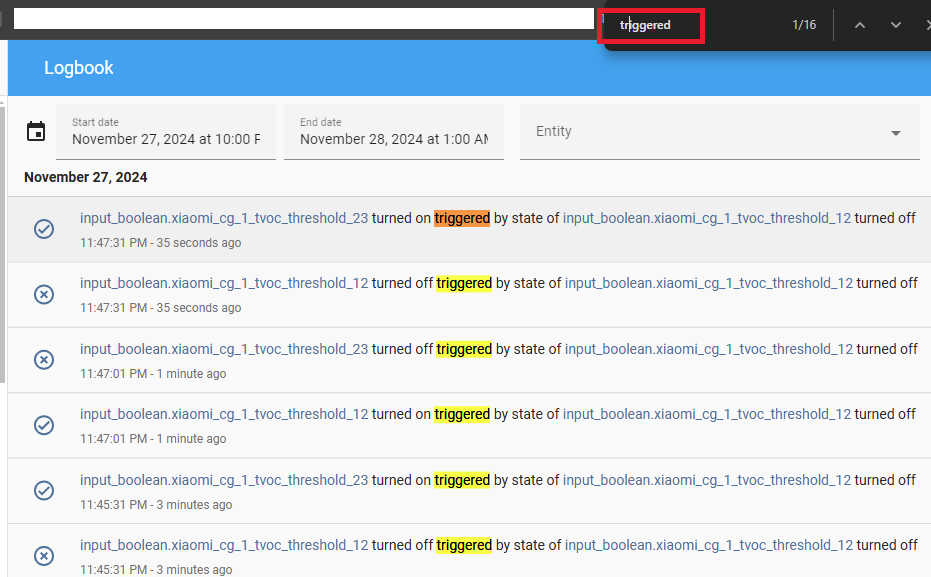
Keyword search on the Logbook… I’m not sure where you have that search bar from… looks like Firefox page search or something.
Think of it like you have a Notepad or Word document where you can search by keyword. Today in the Logbook (as far as I know) I have to search for a specific entity, automation, device etc in order to see those specific logs, and what I’m talking about is searching for let’s say the word “error”, I would like to see all the log entries that have the word error in them regardless of which entity/automation/device it was.
Hope this makes it clear
thx
And you expect this “error” word in Logbook? Are you sure you are not confusing Logbook with Log?
I don’t understanding why is it so difficult to understand my ask. The word error was an example.
Let me try again… In the screenshot below 4 entities in the log have something in common - the word “turned off”.
What I’m asking for is a search/filter option where I can type “turned off” and the Logbook will show only the ones where the keyword “turned off” applies. This can apply to anything in the log. So in this case instead of all these log entries, I would only see
The LG smart TV - turned off
07:41:31 - 9 hours ago
LG TV Mute - turned off
07:41:31 - 9 hours ago
Phone device Locked - turned off
07:41:;00 - 9 hours ago
Caseta wireless in-wall dimmer - turned off
07:40:13 - 9 hours ago
so it is a search/filter of the Logbook by a keyword.
I hope this makes sense
thx
Perhaps a detailed explanation with mockup pictures in the 1st post would have avoided confusions.
The title & the 1st post contain a “search” word - and here you described a “filtering”.
“Search” may be done by Ctrl-F in a browser.
“Filtering” - is what you described only now.
Suggest you to reflect this “filtering” in the title & in the 1st post.
I see now where my error in describing the ask is… apologies.
Did not know that I can search by using the browser search option. Filter is the new title word
Thank you