Because of you i just bought one in LeroyMerlin and can pick it up in Tarragona next week…
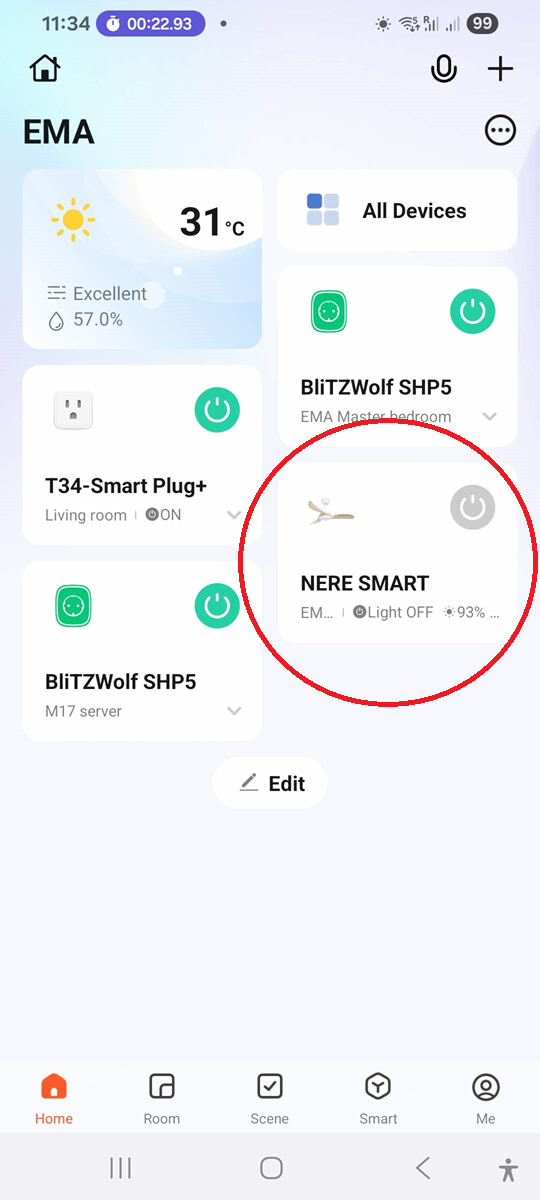
picked it up, installed it and now i am not able to connect it to Tuya App.
when i press 8h for a longer time (over 20 secs) it just beeps once at 4 sec and then no more. it shows up in tuya but then it says it cant connect.
What did you do to make it go @Viking ?
EDIT:
It felt the pain after i wrote here and then it worked.
Now it appears in HA and sometimes it even works. Lets see if it will be more stable in a while.
I have a traditional 2 in-wall switch/wire setup (fan power, light power (3-way)) and wanted to make use of both switches for a new fan / light combo, as the old Hunter unit was purely remote control and that’s what failed - 22’ ceiling made it difficult to troubleshoot.
I went with a TroposAir Tornado 72" (dumb fan, manually set to High with the pull chain) and the “164 Low Profile Vented Light Fixture” light kit from Dan’s Fan City. I decided on the D24SF Decora Smart Fan Speed Controller, Wi-Fi 2nd Gen linked in Home Assistant with this hack: Ceiling fan speed control switch - #4 by ahuffman
So far so good!
Thanks for the inputs @Viking . May I ask if it has same limitations as described here? velzend/create_ikohs_fan: Create (IKOHS) Windcalm DC convert white ceiling fan (with remote and wireless)
In particular, the bidirectional sync and the beeping (turns me crazy!)
I have the feeling it’s all same rebranded fans so I was wondering if tney have same problems
Thanks!
Hi, I have no problems with state updates. Keep in mind that I’m not using Tuya_local (or Local_Tuya) but the Tuya Cloud solution. I don’t know if that has any relevanse.
Light temperature is a very subjective point and not universally relevant in my opinion. The soft beep is so soft I actually never noticed it until now mentioned.
I do not recognize any of the color cycling issues reported. I’m using the Tuya App.
I don’t understand why one would need several concurrent connection sessions to the lamp. makes no sense to me.
Try viewing this. It worked for me with my LUCCI ABYSS 9 speed DC RF433 Ceiling fan
That’s a great option if you have load control for both light and fan available at the switch which i’m sure a lot of people in older houses do not have. there are smart fan modules that help with this limitation, but I’m not sure how many exist for non-us markets, The other limitation then becomes the fans usually have to use AC motors instead of DC motors that offer more fan speed options/efficiency.
yea for a DC fan sadly this is the best solution short of a proprietary fan module that has smart capabilities included with the specific fan like Modern Forms. Frustrating that DC fans are supposed to be the better option, but offer the worse control option.
I just found a ceiling fan that I think I can control in Home Assistant. But I can’t believe how much trouble I had to go through to get here. And forgive me but I think I’ll be reiterating every point that everyone else has already made.
- Just buy a smart switch: Hard to do because we don’t know if the fan will have wires for both the fan and the light.
- Just buy a smart fan controller: Same as #1, but on top of that these things only seem to support AC motors when it seems like everything out there uses a DC motor now.
- Just buy a 2ch relay: Again the same as #1. No way to know unless you just buy it and find out it seems.
- Just buy a WiFi fan: I had no problem with this, even if it depended on the cloud. But this was for the dining room with a low ceiling. We didn’t want a big ass fan right above us. And the design of those fans also didn’t match what my wife wanted in the dining room.
- Just buy a smart RF blaster: Probably the best solution, but it seems like the majority of fans I see online now has a remote that uses 2.4ghz.
So what did I do, I saw something I liked on Amazon and then messaged every company asking them what they’re remote frequency was. 3 of the 5 said 2.4 GHz, 1 did not respond, but 1 did respond and said theirs is 433MHz. Oh thank freaking goodness someone came through lol.
The house I bought already came with 3 ceiling fans. 2 of which has their own switch for control. The other one is in a bedroom and we only use the switch relay for fan control. But it also has a scene button to control a lamp. But my wife wanted a ceiling fan/light where the light would be used. So it was a pain in the ass to find something that we would both be happy with lol.
Not all of my rooms have them. I still use a smart switch to turn on / off the whole thing (for the fan control), and then i have smart bulbs so that I can control the lights individually. I do live in a place where the fan running all year round is pretty much a requirement, so it makes things a bit easier with automations.
I just picked up a Globe smart ceiling fan (52" Dayton model) from Lowe's. It uses the Tuya platform.
I added it through Smart Life, and it was painless to set up with Home Assistant.
It created two entities:
fanentity with 6 speeds and software-controlled reverse.lightentity with RGB, tunable white (2000–6500 K), and brightness control.
So far it's been a pleasant surprise. It's quiet, moves a lot of air, and integrated cleanly with Home Assistant.
Sample size of one, of course, but if you're looking for a reasonably priced smart ceiling fan that's available in the US, this is at least one model that's worked well for me.
Hi, I am considering buying such a fan with Wifi isntead of the RF remote. What is not clear to me, after onboarding to HA do you still eed the Tuya app and/or internet access in order to control the fan?
Yes and no.
There are solutions available that allows you to integrate Tuya devices without cloud dependencies, but they require some knowledge to master. Using the Tuya app makes it very easy to integrate such devices into Home Assistant and once set up you’ll never have to use the app again. But you remain dependent of the Tuya cloud forever, and the mercy of whatever they might decide to do. We’ve seen it before and we’ll most certainly see it again: Cloud providers may certainly change their offering, close down or begin to charge you for using it.
Currently the Tuya cloud has a free tier that don’t even require an account. And it does have one major advantage over any local-only solution: It will continue to work even when/if your Home Assistant instance breaks down and dies 
I’m going to give this solution a shot , especially because I’m trying to control a fireplace using the 303Mhz frequency and the RM4 Pro is only 433Mhz. It also has the custom MQTT for it to show up in HA with the correct state without any helpers and allows you to choose multiple fan speeds granted I just need on and off and I already have a C1101 module to try and set it up. Pretty sure they are using rolling codes which makes it more fun but still doable. Direct link to the GitHub project
Thank you for the detailed info. Just to clarify. Say my internet dies can I still control the fan with HA?
No, you can’t. Cloud dependency means you must have a working internet connection for it to function.