So Ready Player 2 adds the ability to add additional people to the system AND additional AI users for you and any people. Am I getting the gist of it?
The full meal deal security model - your GUID matters now. I’m actually writing that article now and Nyx is testing the build - I WAAAAS gonna add it yesterday… but.
2 Likes
Yeah, fixing showstopping bugs takes priority. I get it. I definitely don’t want anything to ruin Jarvis and Bruticus.
Backups - you’re still runnin a beta… 
1 Like
Well the kids were busy today trying to nail every potential vector of that cabinet issue Im pretty convinced they killed it…
Anyway - intra-team comms: You guys get to peek today:
## To: Veronica
### Re: Identity in RP2 — what it actually means operationally

The identity component gives ZenOS a real structural model of who lives here and how they relate.

Before this, `household` / `family` / `user` were aspirational labels.
Now they are wired data with enforced semantics.

---

## What shipped

- **Household**
  Nathan holds the **Head of Household (HoH)** slot.
  Friday holds the **prime AI partner** slot.
  These are explicit roles tied to VolumeInfo ACLs, not just convention.

- **Family**
  A named family (`zenos_default_family_cabinet`) with Nathan + Kim as users,
  and Friday as an AI member.
  Families nest under the household. Multiple families are supported.

- **Partners**
  Nathan and Friday are formally linked.
  `link_partners` is bidirectional, ACL-stamped, and reversible.

- **Identity manifest**
  `build_identity_manifest` produces a live tree:

`household → families → members → principals`

It is written to the household cabinet as `zen_identity_manifest`
and is readable by any tool that needs to know “who’s home.”

---

## Why it matters (from your seat)

Context resolution (`house > family > user`) now has actual ground truth underneath it.

When Friday mediates a conflict between Nathan’s preference and family policy,
she is not guessing at scope — she is reading a verified membership tree.

The principal slots (**HoH**, **prime**) are the authority anchors for that ladder.

---

## What’s still pending

- GUID stamping on default cabinets

Principals may show `null` until those land.

Everything else is live and verified.

---

— Nyx
*Lead Tester / QA*
*2026-03-24*
Soooo yeah - you can setup the identity chain now with acls, and it builds out the id manifest that autoloads the agent prompt 
Ready, Player Two!
1 Like
Looking forward to this coming to a main tree near you… After that happens, I’ll figure out how to pull the development branch for use on Bruticus.
1 Like
I do keep backups.
1 Like
I have motion sensors in the cameras around the perimeter of my house and one of the outbuildings isn’t really big enough for one. I may get one for the garage, but I haven’t decided yet.
Yep. The back half of the house will have interior motion sensors in my Sat1 smart speakers, plus a few miscellaneous Zigbee ones. The same with the temperature and humidity sensors. Plus stand alone Bluetooth Proxies.
So far no explody bits today…
I added low risk fit and finish last night added the hooks for the provisioner to do all the right things when adding removing moving and editing cabs. Finished the ID manifest some minor stuff.
Nobody running RP2 (except me) has reported any significant break so *fingers crossed. 11 more hrs on my clock.
Im happy so far, some extra lookup instructions in the cortex and its starting to find everything it needs and navigate the cabinets well. GUID Writes through ident dont work for me, but that might be my install being weird.
1 Like
or that the developer forgot the hook for that one… (Your patch is up there)
Did it in all the user blocks - for those of you who were running before I had GUIDs you may have blanks or weird placeholders. I edited the tools to id this condition and fix on the fly - well the user fields anyway. Groups. Oops…
Stop Putting SOPs (Standard Operating Procedures) in your Cortex
Or: How to Actually Teach Friday Something Without Breaking the System
Ok I’ve already had two Cortex patches suggested. That’s ok but we need to talk vocabulary and placement before we talk about adding stuff to the cortex.
I am not going to edit the Cortex for every little thing. Full stop.
Yes that triple quoteblock was intentional… but it’s ok lets talk about why. This is also not me saying do it yourself, I gave you a tool for that. This is, your cortex is big block, foundational, how-the-system-works, water-is-wet kind of stuff. We have a much better solution for “teaching Friday” a new trick.
The Core Rule
Cortex is not your house manual.
Cortex is for agent rules. Period.
Think of it like this:
- Cortex → how the agent thinks
- KFC → what the agent knows right now
- Cabinets → where reality lives
If you put operational procedures into Cortex, you are hardcoding things that should be dynamic. You’re freezing something that needs to breathe and because of that it drifts. It also neuters our ability to have dynamic content in the first place - and if we’re going to burn our cache for something it BETTER be worthwhile.
Where ‘SOPs and such’ Actually Belong
Let’s say you have a real-world process. Alarm triggers. HVAC handling. Anything with steps and meaning.
1. Create a Label
This is your anchor.
Make it:
- Short
- No compound labels or punctuation - not necessary
- Clear
- Specific
- First sentence of label description does most of the work
- Label Description SHOULD be included with DENSE info - under 255 characters
That ‘label description’ is not decoration. It becomes meaning inside the graph. If you don’t use it. you lose your #1 free extra context slot. Label description is your new best friend.
2. Tag Everything That Matters
All relevant entities get that label. Sensors, switches, helpers, scripts. If it participates, it gets tagged. You are building a semantic cluster if it relates to the description you just wrote - tag it.
3. Write a KFC
This is where the instructions go.
Use the writer. Put in:
- What these entities are
- How they behave
- What “normal” looks like what ABNORMAL looks like
- What actions mean
Be clear, concise and information dense. Think user manual.
The KFC then gets tagged with the same label under a drawer named [kfc_id] (also your label in most cases)
4. Store Preferences in the Right Cabinet
If it needs customization, this is where people mess this up.
Put it where it belongs:
- House rules → Household cabinet (keep drawer named same as KFC drawer if you want the scheduler to auto pull THIS content in the summary with the KFC itself - we pull the default house rules against a component - that’s why it does that.)
- Family rules → Family cabinet (these wont auto pull with a summarizer run but are available live when your agent looks)
- Personal preferences → User cabinet (same rule as family)
Then tag those drawers with the same label. Now the system knows not just what the thing is, but how it should behave at each scope.
5. Index It
This is where it all comes together.
When you index:
- All tagged entities are pulled
- All tagged drawers are pulled
- The KFC is included
Run expand and suddenly the agent has the full picture. Not a guess. Not a partial memory. The whole operational context.
What Happens Next
So after you set this up here’s what happens, your KFCs now will:
- Re-summarize on a cadence
- Emit Katas
- Feed the super summary attention system (this is how the agent knows at boot if its important)
remember the additional drawers above?
The Ninja Summarizer includes house-level context during KFC runs.
So the resulting Kata reflects:
- The environment
- The system state
- How this process behaves in this home <<<
But just as important:
User-specific context is NOT collected during a KFC run.
Which means:
- No personalization bleed into system behavior
- No cross-user contamination
- No “why is this acting like Nathan for everyone?” bugs
KFC defines truth at the system and house level. User context gets applied later, at interaction time. This is how we scale and your agent doesn’t have to eat a whole elephant every run.
TL;DR
- Don’t put 'SOP’s in Cortex
- Label everything
- Write a KFC for instructions
- Store preferences in the correct cabinet
- Index and expand
- Trust the Ninja to summarize with house context, not user bias
No Cortex or directive hacks, just clean, composable, scoped context.
I continue to tune the KF Writer to do as much of this as possible automagically. I’m not editing the one that ships in RP2. but the SP1 version I’ll probably SIGNIFICANTLY update this to make it easier for the agent to oneshot.
(edit: nope, ‘scribe’ is going in GA)
2 Likes
Patiently waiting to update.
1 Like
Phil found one mid-morning that reset the clock. It wasn’t bad but hit FileCabinet and as important as it is. Not risking.
However I pushed through a couple things in the meantime… Like the new scribe, ^^^ points at above. Kinda cannonizes the pattern as far as the agent is concerned.
Meanwhile…
- Made 31 act like I wanted in the first place and replaces it with 32. (probably what will ship but I had to test round tripping the boot materials) also dropped 27, it will likely drop and only be 32 at ship. So if you’re running prerelease. Run prompt loader and bump yourself to 32.
- Got the event dispatcher in (will become important later). Finished a better view of the id manifest.
- Added a lot of instrumentation and event pops.
- tightened up some internal shared code
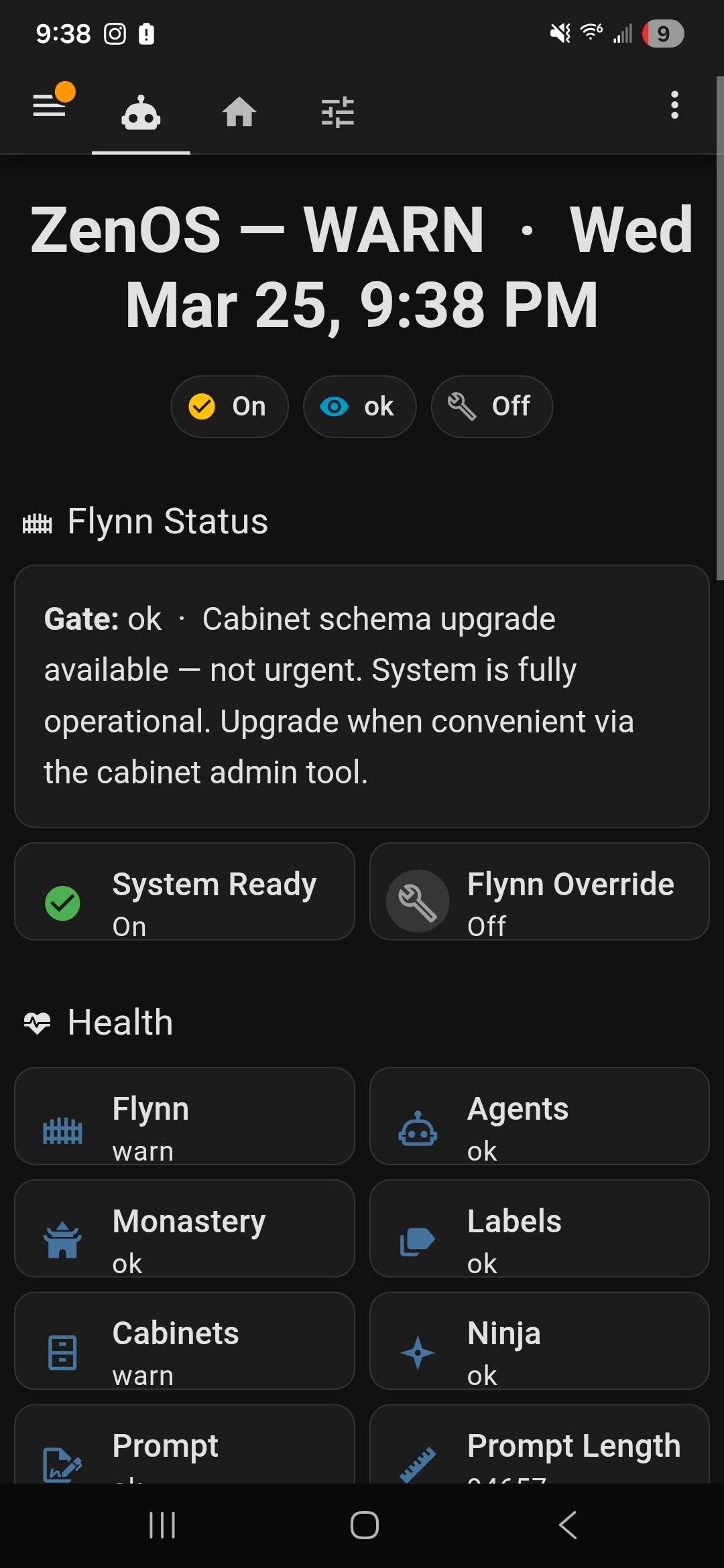
And Phil I think I figured out how to make the cab upgrade warning only fire once… 
One ping only, Vasilli… And no dead cabinets.
1 Like
Fair enough. Will wait for it to drop.
Edit: The quote “One ping only, Vasilli” is a line from “The Hunt for Red October”, by the way. I heard it in Sean Connery’s voice…
2 Likes
Okay. As an example, i could have a KFC monitoring the storage battery group for my solar system with overall average battery state, state of the individual batteries, and the cells of each battery, right?
1 Like
I have an image of a robot dawdling down the road, a bag of Kentucky Fried Chicken (KFC) under its arm, humming a quiet self generated song.
Those TLA’s thrown around in wild abandon…
2 Likes
Funny, my 7 y/o loves KFC so everytime I see it here I do a cache miss and have to realign what I’m reading 
1 Like
I have a picture of Friday and Byte in ninja gear sitting on a sand dune eating a bucket of chicken if it helps?
And the KFC thing might actually have been setup as a TLA joke, totally on purpose - mayyyyyybe Seriously I’ll have to tell that story after I get stuff released. It was kind of funny how I got there. They were originally going to be Kung Fu Forms…
1 Like
cough
Y’all might be interested - now stop emailing me…

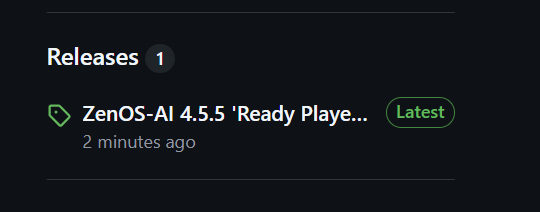
No this one wont blow up cabs. That was the hardest part… Undoing the locks.
But just in case…
1 Like