Full-duplex two-way audio for the Amcrest AD410 — without breaking the doorbell button
If you have an Amcrest AD410 (or similar Dahua-based doorbell) you’ve probably hit this wall:
- Enable go2rtc’s RTSP backchannel (
#backchannel=1) and two-way talk works… but the doorbell button stops firing while anything is connected to that stream. This is documented by the go2rtc maintainer and has been open for years with no fix (go2rtc #1156, frigate #9085, frigate-hass-card #1235 — links to all of these are in the project README). - Disable the backchannel (
#backchannel=0) and the button works… but there’s no talk.
Meanwhile the Amcrest phone app happily does full-duplex, so the hardware clearly can. After a lot of instrumented testing I found a combination that works locally, and packaged it as a Home Assistant add-on + dashboard card:
The finding that matters (save yourself the weeks)
The doorbell’s native postAudio CGI (/cgi-bin/audio.cgi?action=postAudio — what Scrypted’s “Amcrest” two-way mode uses) is a dead end on current AD410 firmware (tested on 1.000.00AC002). The device accepts the audio stream in every codec and rate combination — G.711A, AAC, exact request-for-request parity with Scrypted, fresh after reboot, Record Audio disabled — reads it forever, and plays none of it. The speaker never makes a sound.
The RTSP backchannel is the only local path that actually plays audio through the speaker. So the trick is to make each direction use the path that doesn’t hurt:
HEAR  (always on)                    TALK  (only while the button is held)
─────────────────                    ─────────────────────────────────────
doorbell getAudio HTTP endpoint      browser mic ──WebSocket──► add-on
  (native CGI — no RTSP,               └─► live mic stream, pulled by
   button keeps working)                   go2rtc's publish API
      │ ffmpeg → PCM                           │
      ▼                                        ▼
  WebSocket ──► browser              RTSP #backchannel=1 ──► doorbell speaker
                                     (button pauses while open — identical
                                      to the vendor app — resumes on release)
Result: you hear the visitor continuously, hold a button to talk (full-duplex — you keep hearing them while you speak), and the doorbell button only pauses during the seconds you’re actually talking. That’s the same trade-off the Amcrest app makes, so it’s as good as this hardware allows.
Frigate stays completely untouched — the add-on opens zero RTSP connections to the camera, so recording is unaffected.
What you get
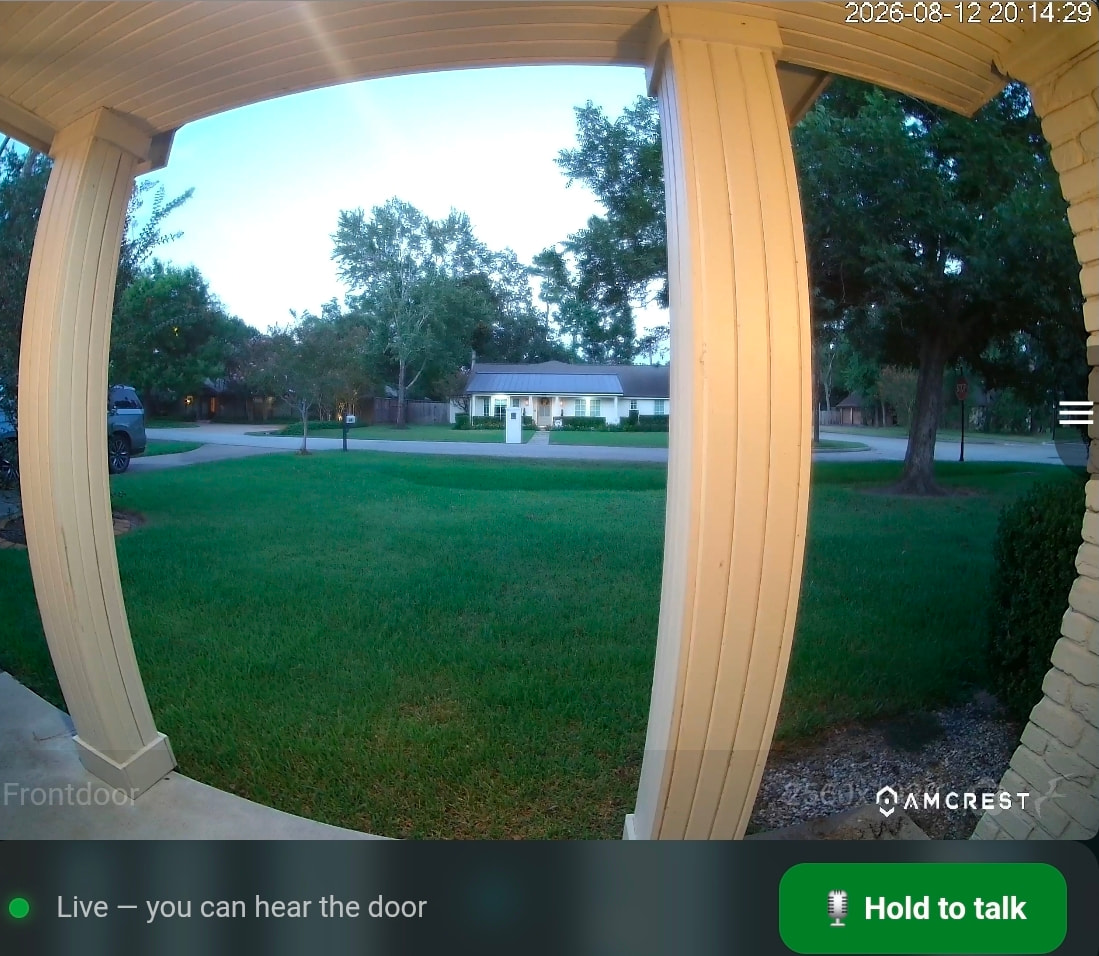
- A Supervisor add-on that does the audio bridging (ingress test page included)
- An example Lovelace card (
custom:amcrest-intercom-card): always-on doorbell audio + hold-to-talk, drops in nicely under any live camera card - Hear-audio codec is auto-detected (AAC / G.711a / G.711u), so it should work beyond the AD410 — reports welcome
Requirements
- Home Assistant OS / Supervised (it’s an add-on, not a HACS integration)
- go2rtc with API access (standalone or Frigate’s) and a doorbell stream with
#backchannel=1— config snippet in the README - The doorbell’s local device credentials (not your Amcrest cloud login)
Install: add the repo URL in Settings → Add-ons → Add-on Store → Repositories, install “Amcrest Intercom”, follow the README.
Honest limitations
- The button pausing during talk is device firmware — the vendor app behaves the same. It resumes within a second or two of releasing.
- No SIP on the AD410 (consumer firmware, not Dahua VTO firmware), so SIP/Asterisk approaches don’t apply here.
- Works-for-me quality: tested on one AD410 (fw 1.000.00AC002), standalone go2rtc 1.9.10 + Frigate 0.17, HAOS on a Pi 4. Issues and PRs welcome, support is best-effort.