I would love to see an option to change the values font size, sometimes a value is huge on text… same idea as the titles sizes for values and such would be great. Love this card, use it a lot!
2 Likes
Great you love it! For now, I deliberately didn’t implement the font-size config for the value_texts as they automatically scale depending on the content. This makes we wonder why you would want to change it. The texts shouldn’t outgrow into the gauges (although I’ve noticed the secondary text to be to wide, so this will be fixed in an upcoming release).
Do you feel the texts can be too large compared to other cards in your dashboard perhaps? Would love to find out!
Yep, i noticed that, too. I’m glad you’ll fix it…
Regarding font size: as long as there’s discussion…i agree that if information is very short (like 15W, 35%…) number shown can be pretty big and “doesn’t quite fit” into dashboard’s aesthetics, if other fonts are way smaller. Perhaps alt+0160 (non-breaking space) on the left and on the right would help in this case…
But, to prevent user to set too big font…one of options is to implement percentage - say default is 100%, but user could make it smaller, but not bigger (over 100%)…
But i’m talking out of my head, not from a programmers view…sorry…
I’m actually trying to make my card easy to use from a user perspective, not a programmer perspective 
I’ve just release v1.1.0 which includes an experimental feature to reduce the font-size. Let me know what you think of it!
(wow, that was fast…)
Excellent! Works like a charm. What’s good about this is if you have more of these gauges (like me) it’s possible to “unify” them so all of them have same font size and it looks nicer that way.
I’ll be “a bit naughty” now… but is it possible to do the same with value_text ? Now that i unified my titles values stand out with different sizes…
titles already have a (templatable) font-size attribute.
Not titles, but “value_text” part… i wrote a bit confusing - wrongly (sorry)
with this:
Now that i unified my titles values stand out with different sizes…
i meant: by unifying “title” font size now my “value_text” part stands out with different fonts (left temp is now bigger than right RAM value):

Sorry for perhaps not understanding, but that’s the whole point of the attribute introduced in v1.1.0 right  ?
Something else: are you aware of the on_main mode for the inner gauge? Of course it’s all personal preference
Ahh… now i’m feeling stupid…
I totally mixed up things and overlooked primary_font_size_reduction … i don’t know why i constantly thought on titles… but they already do have font size setting… i’m extremely sorry! Yep, with this new setting on all gauges things are looking nice and even!
No, i didn’t come to that yet… but it’s a great function, way nicer than (unnecesarry in my case) dual color gauge. Thanks!

1 Like
well some sensor names are long and the output same, then it fits, but the values " touch " the gauges … so if font size of value text could be edited, great, as this works perfect for titles. thanks!
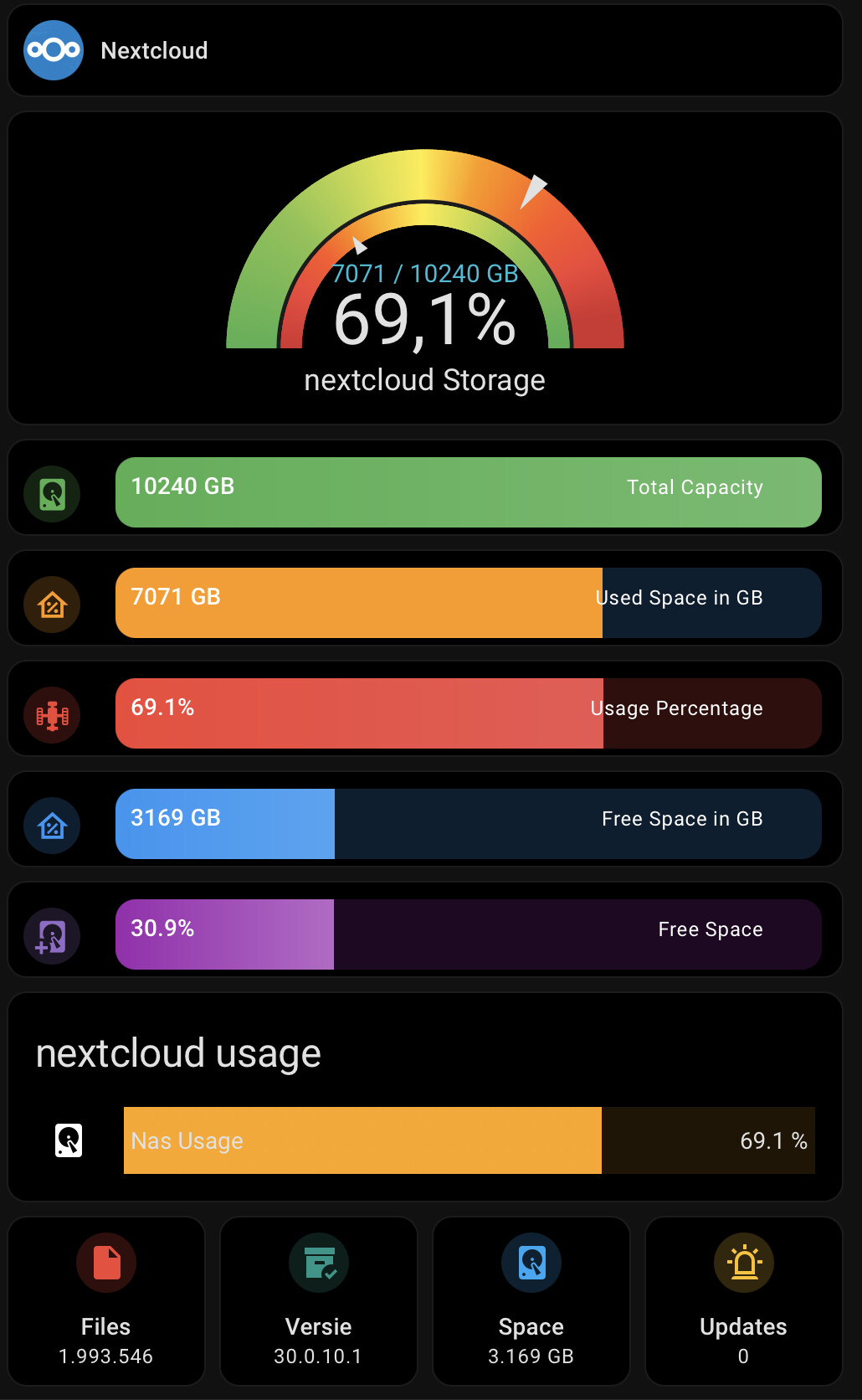
here is an example. you see 7071 / 10240 GB in blue, with a little small font it looks smoother  And then I would not mind the 69,1% is smaller. Yes, I could calculate the 10240GB to 10TB

1 Like
Is this with v1.0.0 or v1.1.0?
Just got 1.1.0 installed, so the card should be updated. I updated the card and changed some to save space in text.

okay update, edit some and uses the value as title as this give me more options to size and model the layout.
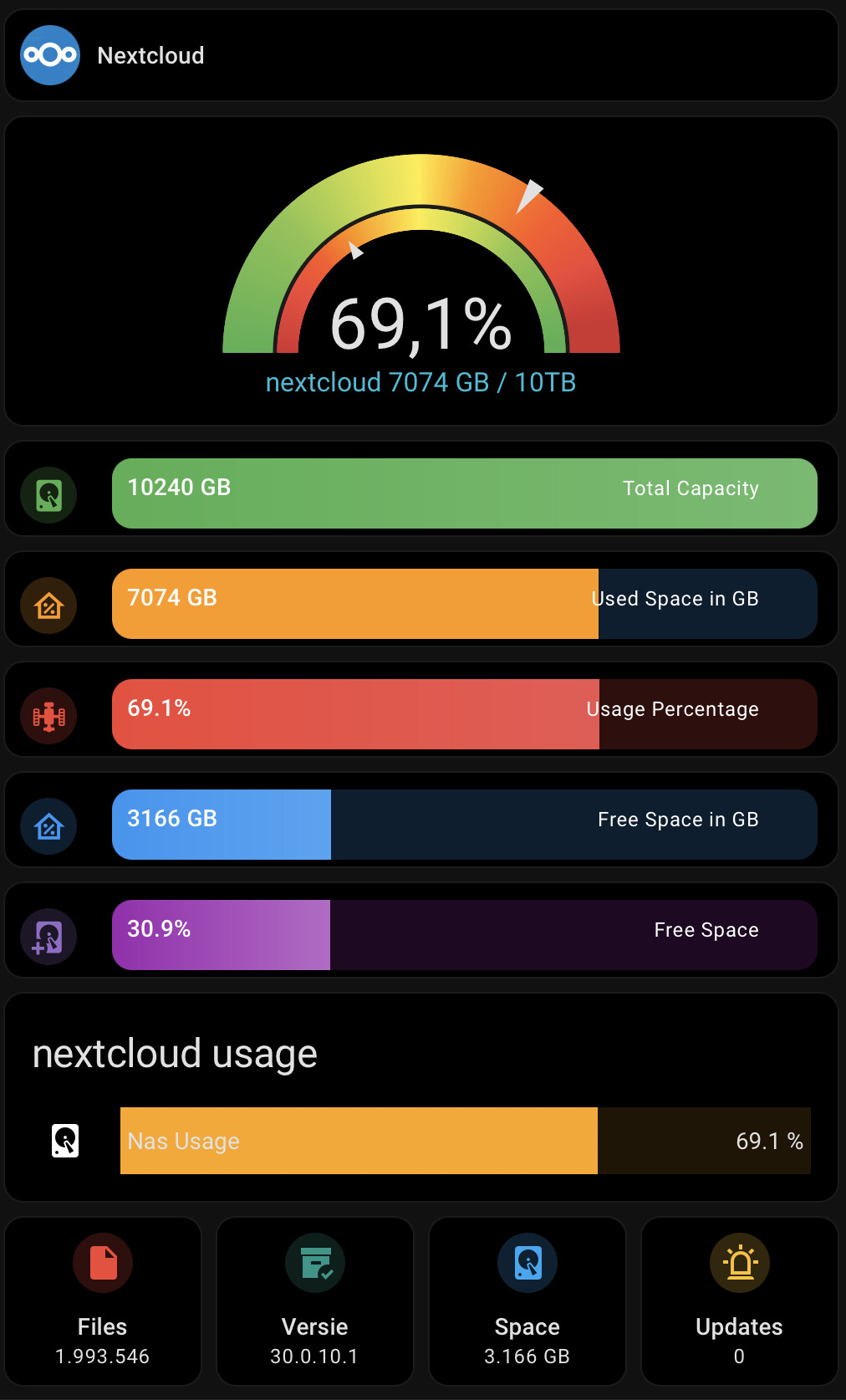
happy now
2 Likes
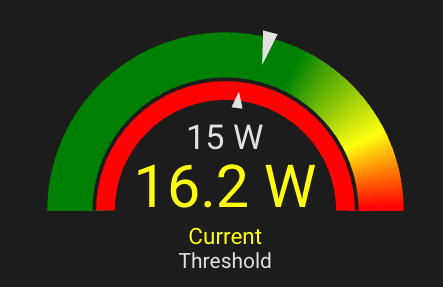
Just sharing how I’ve been using the add on and also wanted to say thank you.
I made some automations to stop my devices from charging based on the wattage. I’m able to use the inner guage to show a variable threshold. I’d actually like to use the setpoint needle, but it doesn’t yet support an entity, does it?
Anyway, thanks for making things look great!
Very cool to see it used, thanks for sharing!
The value property of setpoint allows templates. So you can definitely use something like "{{ states('sensor.threshold') }}"
When I asked my AI, it said ‘you can’t’. They are so authoritative when they answer questions! Thanks for that.
2 Likes
Forget AI…it’s written by humans, so it can never be as clever as we are…
1 Like
I was able to dynamically update min and max from sensor data, but need to also set segment thresholds dynamically calculated from sensor capacity. My container capacites change (passed in data), so I would like the gradient to be accurate. Any chance of making them JS templateable? I am using config-template-card. Not sure if I am missing something. New to HA.
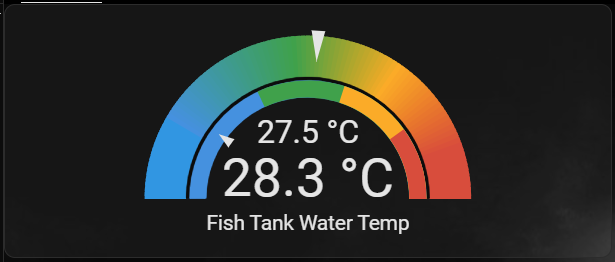
Comparison of two water temperature sensors in my aquarium.
Original Cards
Original Gauge Card Code
          - type: conditional
            conditions:
              - condition: screen
                media_query: '(min-height: 800px)'
            card:
              type: custom:layout-card
              layout_type: custom:grid-layout
              cards:
                - type: gauge
                  entity: sensor.seney_temperature
                  needle: true
                  min: 27
                  max: 29.5
                  severity:
                    green: 27.9
                    yellow: 28.5
                    red: 29


Gauge Card Pro
Gauge Card Pro Code
          - type: grid
            square: false
            cards:
              - type: custom:gauge-card-pro
                entity: sensor.fish_tank_water_temp
                min: 27
                max: 29.5
                segments:
                  - from: 27
                    color: '#3196e2'
                  - from: 27.9
                    color: '#43a047'
                  - from: 28.5
                    color: '#ffa600'
                  - from: 29
                    color: '#db4437'
                needle: true
                gradient: false
                titles:
                  primary: '{{ state_attr(entity, ''friendly_name'') }}'
                entity2: sensor.seney_temperature
                inner:
                  min: 27
                  max: 29.5
                  segments:
                    - from: 27
                      color: '#3196e2'
                    - from: 27.9
                      color: '#43a047'
                    - from: 28.5
                      color: '#ffa600'
                    - from: 29
                      color: '#db4437'
                  mode: needle
                  gradient: false
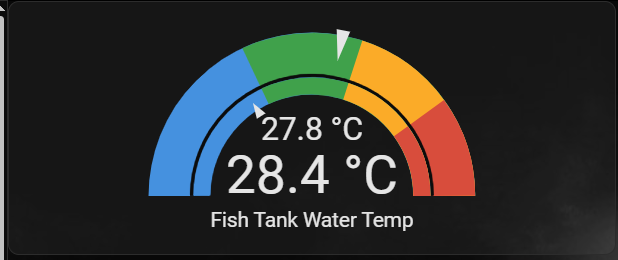
Gradient Colours not lining up with Solid Colours
When changing this to a gradient with the same segments, what should be a green colour is shown as a yellow.
The gradient seems like it is calculated on the mid point between the two values you want.

Value Adjustment
Value adjustment to make Solid Colours match Gradient Colours using the mid point value for Gradient Colours
Adjusted Code to make Gradient Colours match Solid Colours**
          - type: grid
            square: false
            cards:
              - type: custom:gauge-card-pro
                entity: sensor.fish_tank_water_temp
                min: 27
                max: 29.5
                segments:
                  - from: 27.45
                    color: '#3196e2'
                  - from: 28.2
                    color: '#43a047'
                  - from: 28.75
                    color: '#ffa600'
                  - from: 29.25
                    color: '#db4437'
                needle: true
                gradient: true
                titles:
                  primary: '{{ state_attr(entity, ''friendly_name'') }}'
                entity2: sensor.seney_temperature
                inner:
                  min: 27
                  max: 29.5
                  segments:
                    - from: 27
                      color: '#3196e2'
                    - from: 27.9
                      color: '#43a047'
                    - from: 28.5
                      color: '#ffa600'
                    - from: 29
                      color: '#db4437'
                  mode: needle
                  gradient: false
1 Like
min, max and segments for both main and inner-gauge are already jinja-templatable. Is there any reason you specifically need JS?