Disclaimer: I don’t use Generic Thermostat & coffee still hasn’t fully kicked in, but I did some digging for you.
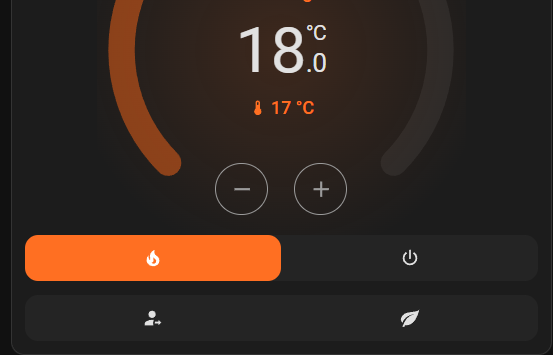
Looks like the none preset simply means that you set the temperature manually yourself & overrode the existing preset.
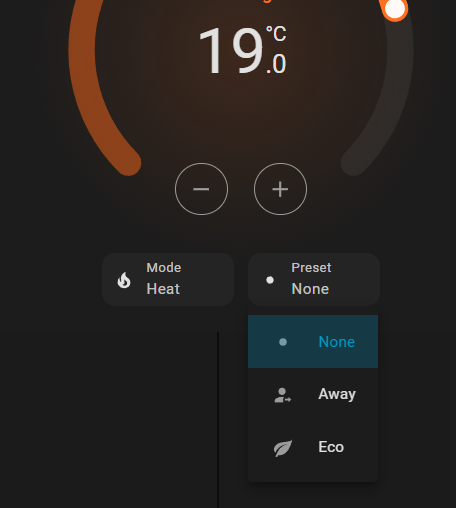
I don’t think it’s manually selectable and its existence is there just to show you that your current temp setpoint does not match any of the other presets.
Should be pretty simple enough to test if this is the case. Add back that -"none" as a preset option, set your preset to eco, then manually change the target temp. The preset should automatically switch to None.
I’ve done some experimenting and not only can you not choose to have no preset set but if you set the temperature to a temperature that is the same as one of the presets it instantly decides you really meant to set that preset.
I have been using the generic thermostat for years. A couple of days ago it started ‘playing up’ and I couldn’t work out why.
I have a self written schedule for my heating and I had changed the ‘eco’ preset temperature to be the same as the last temperature that schedule sets at night.
I couldn’t work out why my heating was set to eco every morning and therefore did not respect my schedule.
Surely this is not what you would expect? If I set a temperature manually (or as in this case by an automation) then I just want that temperature set. I don’t want the whole of my heating system to be controlled by some arbitrary decision of the thermostat code.
It’s feels very wrong to me that ‘None’ cannot be set manually, or to put it another way that the presets can not be deselected, but to my mind worse still, it is completely and absolutely wrong and against any sensible thinking about leaving users in control that presets are selected simply by virtue of choosing a particular temperature that matches that of the preset.
Every preset effectively prohibits a temperature to be set manually without affecting the entire operation of the heating system!
But… I’m preaching on deaf ears as you don’t use it
Which is why I am all the more grateful for your reply which pushed me to get to the root of my issue!