Dear all,
I use the Neolink add-on to create a RTSP server for a battery Reolink cam. Now the server seems to work well: I receive a stream on VLC using the URL
rtsp://192.168.178.30:8554/Kamera_Kellerausgang/main
As the Neolink add-on is running on the HAOS machine, I tried this URL and also localhost
rtsp://localhost:8554/Kamera_Kellerausgang/main
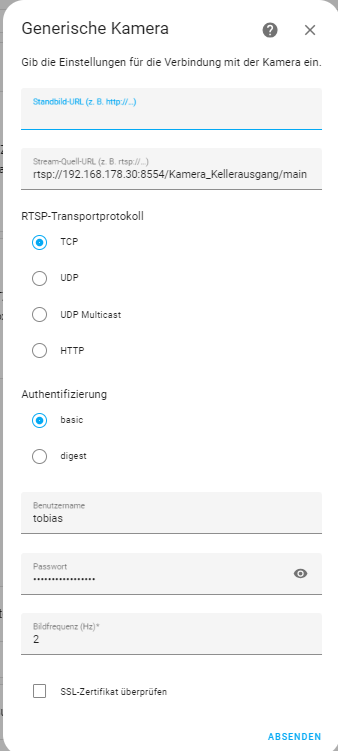
to access the RTSP server via the Generic Camera integration:
For some reason, I don’t receive the stream here, while some connection seems to be established:
Am I doing something wrong?
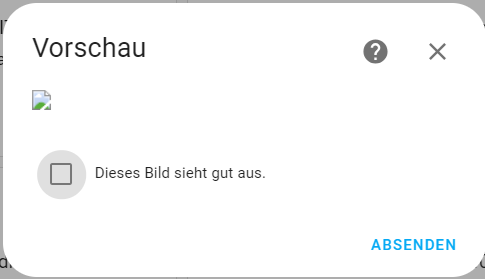
Just “mark/click” the checkbox(dieses bild sieht gut aus.), and click “absenden” “ok” , then close “configuration” and click the CAM, wait for it to load
EDIT: Some Cams also only supports 1 stream, so make sure to close/remove the stream everywhere else, i.e in VLS
btw… if you see delays then also have a look at the webrtc integration, esp. interesting if you have multiple end-use for the camera stream ( I have e.g. 3: NAS+HA+tabler) and they seemed to collide
Yeah, i’ve been staring at that a few times, until i figured it out… And then again few years after, until my “old memory” caught up 
Not sure why it’s like that, could be because one don’t provide a Picture-url
Hi all
I tried exactly the same but somehow it does not work.
Neolink logs are saying that the RTSP server started successfully at 192.168.178.1:8554. Path is /Kinderzimmer/main
If I want to connect exactly like @Tobster77 a timeout is displayed.
Any idea what I‘m doing wrong? I googled for so many hours and nothing seems to work 
Thanks in advance!
Hi All
Does anybody has an idea?
Many thanks!!
@bobthebuilder1987 please try getting your stream to load in VLC first if you are having issues.
Once you are sure the URL you are using is valid, try it in HA.