I have automations that need the current weather forecast high and low temps from an entity. This was working great as a template in the past but stopped working many months ago due to changes in HA. Does anyone have a working path to getting these values into a entity? Despite trying many weather integrations I cannot seem to find a working way to get a high or low value into its own entity. I’ve tried to work through several AI solutions, but they all seem to fail even after they finally understand this must work on the 2026 HA versions and all the changes to weather apis, etc. Its very frustrating that most of the “solutions” seem to jump through a huge number of hoops to get a simple value that is already there. Its just seems like I’m missing something basic here.
My weather.home entity provided by openmeteo seems to have the forecast when I create a card for it, how can I get the high and low into distinct entities?
Or, you can search these forums for the weather.get_forecasts action… there are dozens of threads covering this topic from nearly every possible angle. Then, if you get stuck, post what you tried and we’ll help sort it out.
Thanks for the reply! I’ve been trying to get this to work for a very long time now and guess I’m just lost on how this works. Examples in the forums that seem similar to what I want use older techniques that may be no longer supported.
Here is what I’ve done today:
I removed everything I’ve tried and re-setup openweathermap with my 3.0 api key and it is getting data, the entity is: weather.openweathermap
I then setup an automation to run the weather.get_forecasts action on that entity and store it in “daily” from the way I understand it so far:
Is there a way to see all the data that may be getting stored into “daily”?
I’m not sure this example is good or even the format, but it seemed to work late last year for the person that posted it, so seems like it should work for me. I’m a novice at all this and probably need to better understand whats actually happening.
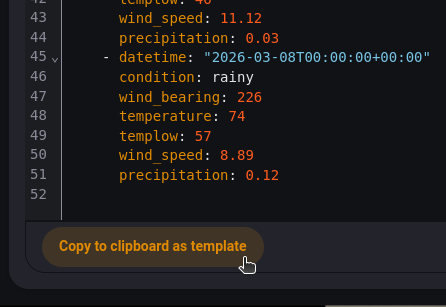
The Template Editor has no connection to your automation… if you want to test in the Template Editor, you need to provide it the response data manually using a set statement. The best way to do this is to use the Action tool. After you run the action, the response will be available, and there is button at the bottom to copy it in the required format to paste it into the Template editor
Oh, great! Now I know how to test that the call returns forecast least! I get the following data from the action (hopefully the automation above is getting the same):
That worked, thanks SO MUCH for your help! I added another trigger for homeassistant start and that fixed it. I wonder how many times I dismissed a good config due to that!