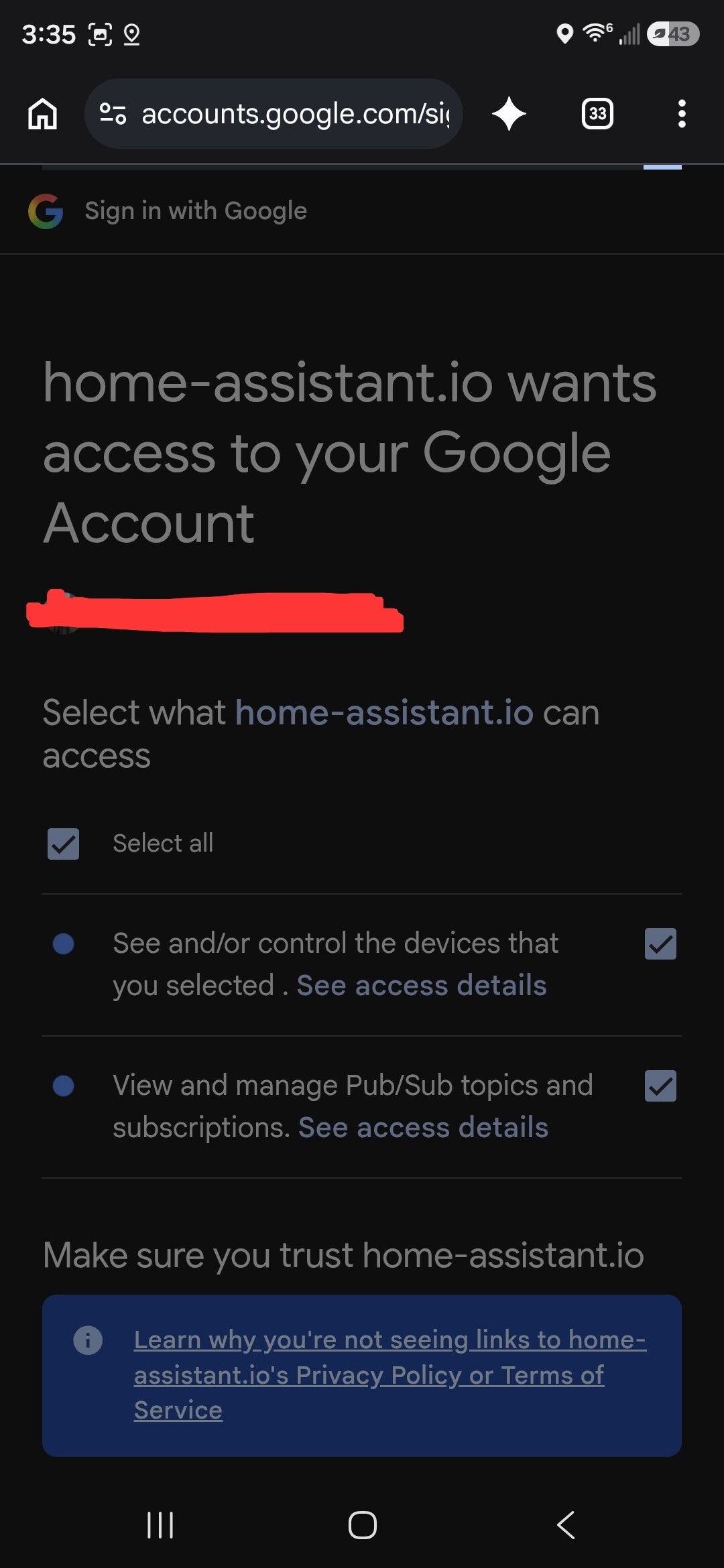
I have tried everything i have seen on the web to fix this issue.
The Nest initigration gets to the very end and hangs giving me a 400 bad request. I have deleted and set up the OAth twice but it stil hangs. Ip6 is off.
I am super new to Home Assistant so any explination on the issue will have to be like you are talking to a 6year old. Please be kind.
See the pic for the screen it hangs on
Could you list these places on the web you have visited to find a fix ?
Or just verify whether you have followed the official installation procedure, and at whic point it goes BAD
Also go to /Settings/System/Logs and click the 3 dots to the right of the log-overview ( There you find RAW-Logs ( Click that and see if there is any errors there which could be of help
I have lloked at the topics here for the issue and none helped. I thought it might be a proxy time out issue but i dont know where to chnage that.
Here is the last log entry in home sssistant.
2026-09-04 13:44:06.359 WARNING (ImportExecutor_0) [py.warnings] /usr/local/lib/python3.14/site-packages/google/auth/transport/grpc.py:44: FutureWarning: grpcio < 1.83.0 does not support Post-Quantum Cryptography (PQC). Support for non-PQC environments is deprecated. In October 2026, google-auth will raise its minimum requirements to enforce grpcio >= 1.83.0. For more details on Google Cloud’s post-quantum security migration, visit: Post-quantum cryptography (PQC) | Google Cloud
warnings.warn(
2026-09-04 13:44:32.622 WARNING (ImportExecutor_0) [py.warnings] /usr/local/lib/python3.14/site-packages/authlib/integrations/httpx_client/assertion_client.py:5: AuthlibDeprecationWarning: The httpx module is deprecated; please use httpx2 instead.
from ._compat import httpx2
Yes i Followed that exact doc. Everything sets up ok and goes thru the motions to the very end. The only thing i didnt do was put the client into production mode as it wont let me for some reason. I even deleted the application credentials in Home Assistan and started over only to have it hang in the same spot.
I suggest you try yo use a Browser from a local PC/laptop, to exclude your phone as the culprit
Also a browser is a better choice to avoid alot “issues” beside it give better error-troubleshooting opions
Also did you read this ? , and even tried to restart HA
Yes I also followed that doc and i did restart many times in between trying the integratuon. I will try from a laptop to see if that helps.
I also see no 400 errors in the logs anywhere when searching.