Group Notification multiple phones/devices

Hi there

Im reading the documentation to try create a Notify group… and no success
[Notifications - Home Assistant](https://Link 1)
[Introduction | Home Assistant Companion Docs](https://Link 2)

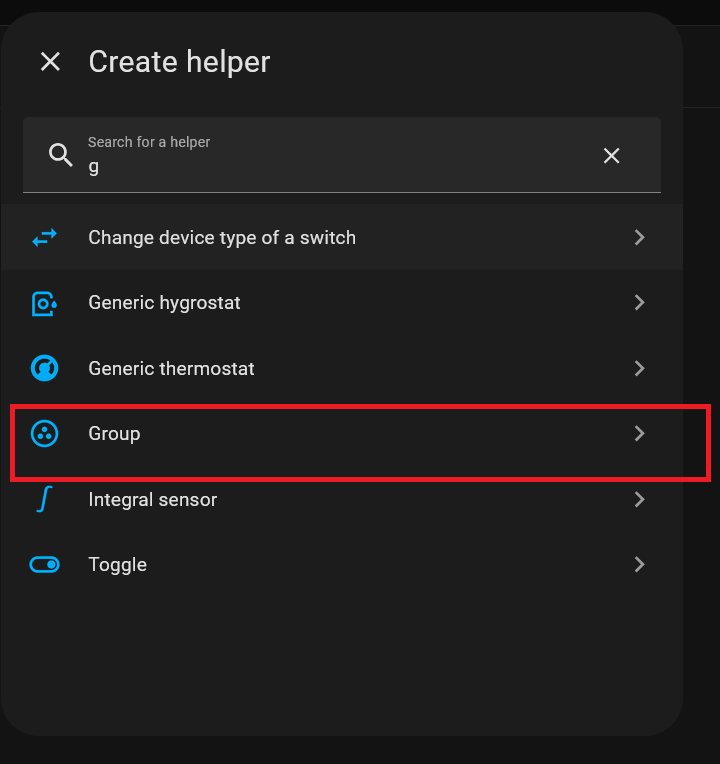
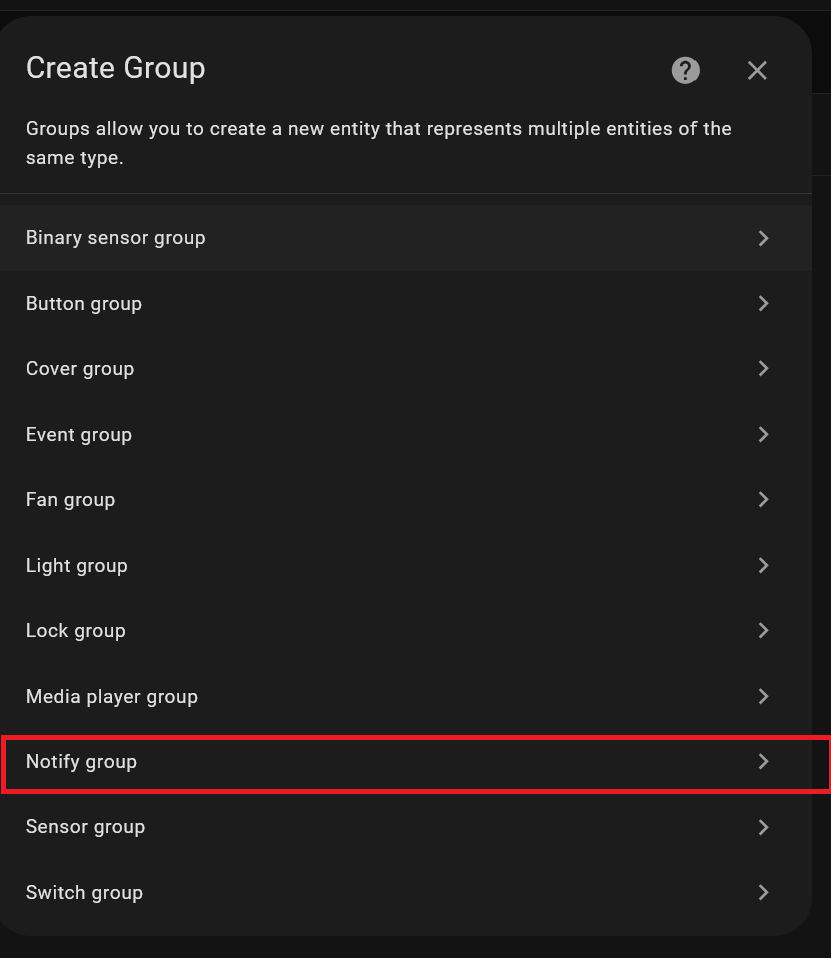
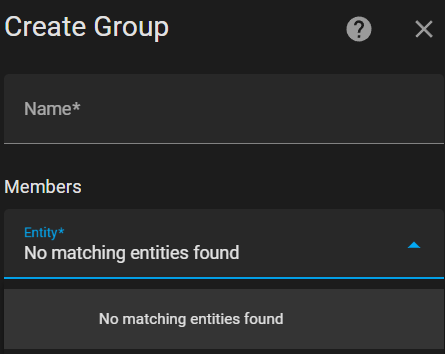
Check the image.

The ideia is create a way to have just one user, and add many devices I need and just notify the user/person, as I attach also

Seems not possible reading the documentation, so we need to modify the configuration.yml
Its strange we cannot create this using UI

Per the docs:

Notify groups

This group is a special case of groups currently only available via YAML configuration.

Also, your syntax is incorrect. Also per the docs:

action string Required

The name part of an entity ID, e.g., if you use notify.html5 normally, just put html5.

So you need to drop the “notify.” at the beginning of each.

First information yea it’s true I read that

Second information about the “notify” I read somewhere to put. And on documentation to remove like you said

Both won’t work.

Will try again later

Have you reloaded your config file/restarted HA after adding it?

1 Like

Reload and also restart for double check

Tomorrow I will try again

Thanks

seems Im lost in some place.

Probably not understanding the documentation correctly.

So Ive created on configuration.yml
Reaload, and reboot…

Already drop the notify thing like image show…

But well main thing…

where I call the “function” to test?

In a automation, what should put ?

Seems im missing some reading… but can’t understand where…

Still not working

It seems you haven’t read this: https://www.home-assistant.io/integrations/group

And please, don’t use images to post YAML code, that will most likely not benefit your request.

Already read that guide.

But will check again. Maybe miss something

Or my English not enough to complete understand the guide

About images. Ok.

Start by creating a notifier group helper and remove that YAML group code from your config file.

From the documentation as of today:

Notify groups

This group is a special case of groups currently only available via YAML configuration.

When you say

Start by creating a notifier group helper and remove that YAML group code from your config file.

it does not quite gel. How does one create a notifier helper group in the YAML configuration without adding it to the YAML configuration?

1 Like

Open your Home Assistant instance and show your helper entities.

Up to that point in your screen shots it looks indeed like this is the correct way to go about it, but the problem, and what the OP asked about, is that the targets do not show up in the drop-down. I have working notify groups with several devices in them that run the companion app, but …


The take-away: you have to define notify groups in your configuration.yaml and not in the UI, at least as of the latest versions of HA.

7 Likes

Nothing completely useful to add here, but I’ve had mobile groups in my config for the longest time, I got excited when i saw notify groups as a helper to eliminate code, but I also don’t see my devices in this group…or any entities for that matter. A bug maybe?

To the op, This is how I’ve had my working yaml for the longest time.

in my configuration.yaml I have…

notify: !include notify.yaml

Then create a seperate “notify.yaml” file (It just makes things a bit cleaner)

Then have…

#This file is used to send notifications to devices, without this file, entities will not appear in the notifications option
#All Kodi Instances
- platform: group
  name: all_kodi
  services:
    - service: kodi_1
    - service: kodi_2
    - service: kodi_3
    - service: kodi_4
    - service: kodi_5

#All Mobile Phones
- platform: group
  name: all_mobile_phones
  services:
    - service: mobile_app_1
    - service: mobile_app_2

Then, if you search in your automations actions, your entities should show up.

THEY WILL NOT DISPLAY IN THE STATES LIST.

4 Likes

What/how are you using your all_kodi group ?..

I don’t use this much, because I don’t have an actual need for it, but I did use it in an automation to notify when it’s trash day (at a previous house, I’m in process of rebuilding my setup), here’s an example automation of what i did.
This displays a notification banner across the top of the screen on kodi and a notification message to you’re phones

alias: House - Trash Day
description: >-
  This automation will send a notification to All Kodi devices that it is trash
  day.
mode: single
triggers:
  - at: "19:00:00"
    trigger: time
conditions:
  - condition: time
    weekday:
      - tue
actions:
  - metadata: {}
    data:
      title: Bubba Says...
      message: Mew! It's trash night! Mew! Mew!
    action: notify.all_kodi
  - metadata: {}
    data:
      title: "Bubba Says... "
      message: Mew! It's trash night! Mew! Mew!
    action: notify.all_mobile_phones

1 Like

No, that is broken.