Was trying to change my Growatt configuration from using Uname/Pasw to API token. I managed to retrieve my API token from the ShinePhone App, but I cannot find where to enter that API token ?
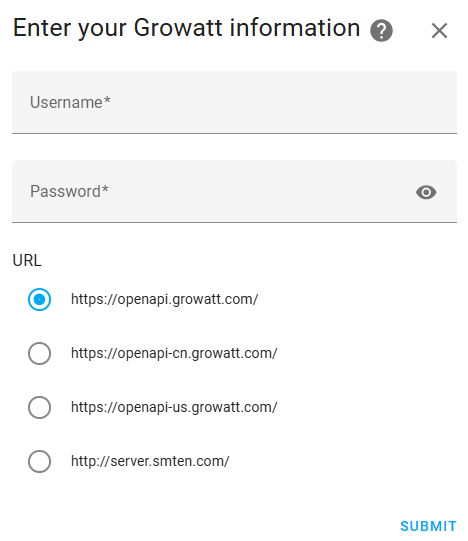
The documentation says :
During setup, you’ll be asked to provide the following parameters:
Server
Select the server region that matches your Growatt account location. See the Server regions section below for available options.
Username
Your Growatt account username (typically your email address). Required when using username and password authentication.
Password
Your Growatt account password. Required when using username and password authentication.
API token
Your Growatt API token used for authentication. Required when using API token authentication.
Plant
Select which plant to integrate if you have multiple plants registered in your Growatt account.
But I don’t see API token (nor Plant for that matter)
After this screen the configuration is finished, so no way to enter the API token.
I am running on:
- Core 2024.7.1
- Supervisor 2026.03.2
- Operating System 17.1
- Frontend 20240705.0