 Overview
TendrilGrow is a fully‑featured Home Assistant integration that turns any indoor grow‑tent into a data‑driven, automated horticulture system. It monitors every stage of the plant life‑cycle, predicts upcoming tasks, and now lets you add custom todo items directly from the HA UI.
Key Benefits
- Stage‑aware scheduling – water, nutrients, lighting & ventilation are recommended automatically based on the current growth stage.
- Dynamic “Grow Tasks” todo list – auto‑generated tasks appear in a native HA Todo card.
- User‑created tasks – you can add, edit, or delete your own checklist items (e.g., “Check for pests”, “Rotate plants”).
- Beautiful UI – glass‑morphism card with live task counter, quick‑add field, and stage selector.
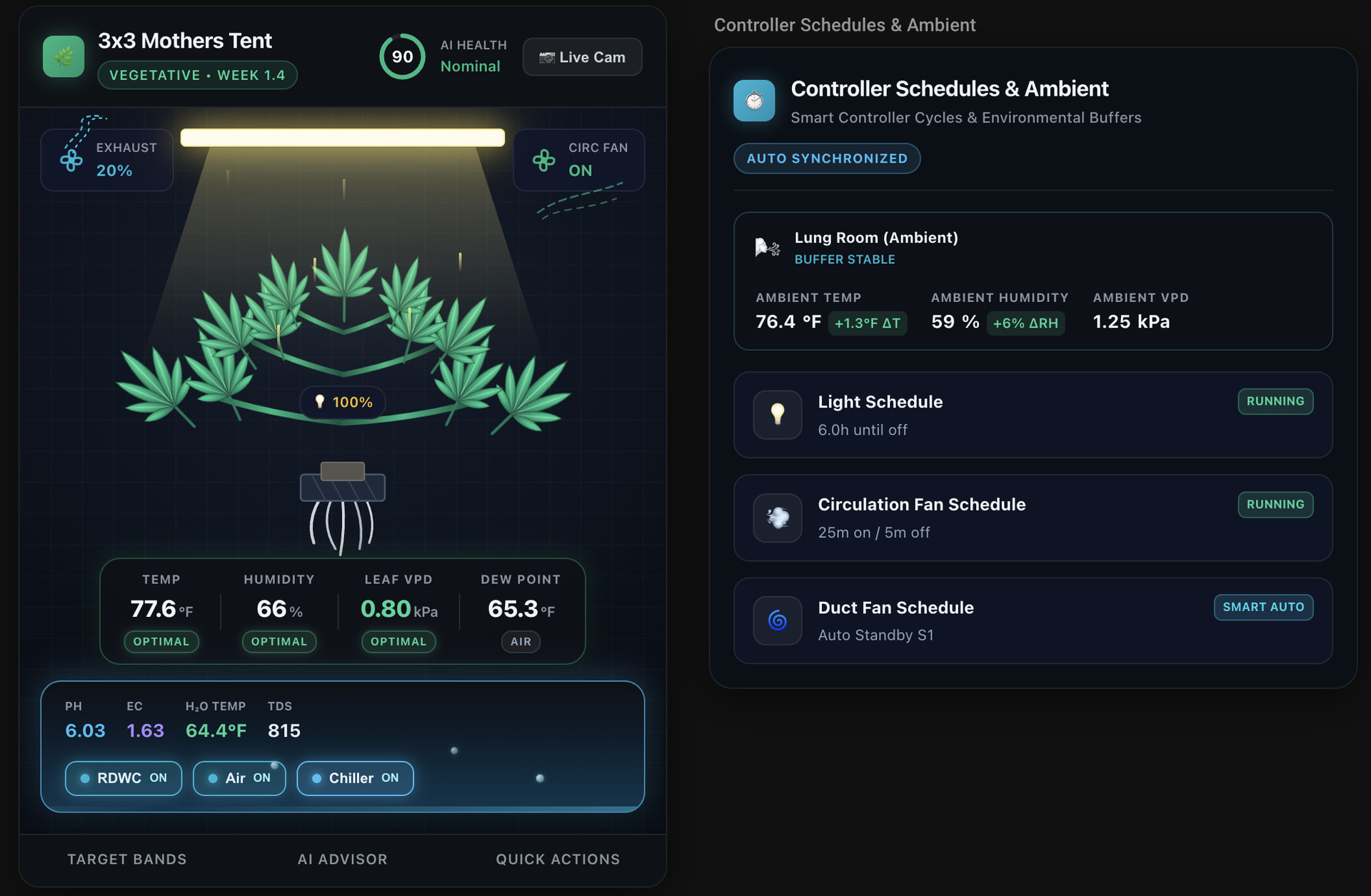


 New Feature: Custom Todo Items
The recent release adds full support for the Home Assistant todo.add_item, todo.update_item and todo.delete_items services.
- Create – type a task in the “Quick add” field on the card.
- Update – click a task, edit the summary or due date, and hit Enter.
- Delete – swipe a task (mobile) or use the three‑dot menu → Delete.
All custom items are stored per‑tent in HA’s data registry, merged with the auto‑generated grow tasks, and persist across restarts.
 Installation
Via HACS (recommended) Coming Soon!
1. Open HACS → Integrations → + Explore & Download Repositories.
2. Search for TendrilGrow and click Download.
3. Restart Home Assistant.
Manual
# From your HA configuration directory
cd custom_components
git clone https://github.com/Trec-TorConsulting/TendrilGrow.git tendrilgrow
Then restart HA.
 Configuration
- Add Integration – Go to Settings → Devices & Services → Add Integration → TendrilGrow.
- Select Tent Size – Choose from the pre‑defined presets (
3x3,4x4_full_cycle,clone, …) or enter a custom slug. - Optional Entities – Enable optional sensors (temperature, humidity, CO₂) and the Stage selector dropdown.
# Example configuration.yaml (optional)
tendrilgrow:
  - name: "Main Tent"
    slug: "3x3_mothers_tent"
    stage_entity: select.main_tent_stage
    todo_entity: todo.3x3_mothers_tent_grow_tasks
 How to Use
- Dashboard Card – Add the
tendrilgrow-cardfrom the UI editor. - Task List – The card shows a live counter of pending tasks (auto + custom).
- Quick Add – Type a task name → press Enter → the task appears instantly.
- Stage Selector – Change the current growth stage; the predictive tasks recalculate automatically.
 Changelog
| Version | Highlights |
|---|---|
| 1.4.0 (2026‑10‑01) | Added TodoListEntityFeature.CREATE/UPDATE/DELETE; custom task storage; UI quick‑add field. |
| 1.3.2 | Fixed AI health alert handling, improved due‑date calculations. |
| 1.2.0 | Introduced stage‑based projection engine and dynamic task generation. |
| … | See the full CHANGELOG.md in the repository. |
 Acknowledgments
- Home Assistant core team – for the robust Todo platform.
- Back‑off library – handling retry logic for external API calls.
- Community contributors – bug reports, UI tweaks and documentation edits.
 Get Involved
- Report Issues / Feature Requests – open a GitHub issue.
- Pull Requests – we welcome improvements (especially UI/UX polish).
- Donate / Sponsor – consider supporting the project via GitHub Sponsors if you find it useful.
Add the integration, and watch your grow‑tent become a smart greenhouse.
Happy growing! 
TendrilGrow – because every plant deserves a little tech love.