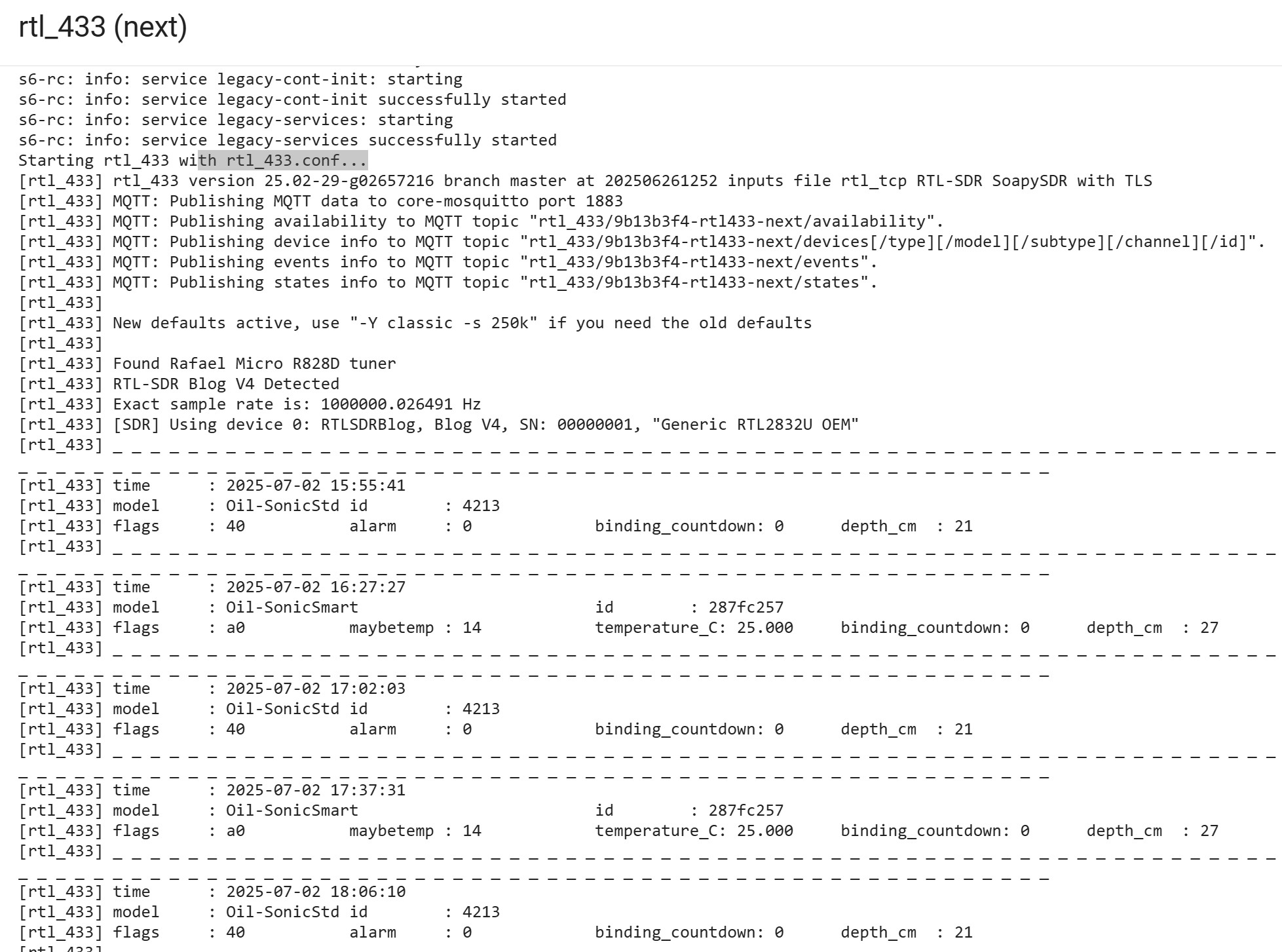
GUIDE (?) - setting up SDR-RTL with rtl_433 +autodiscover +MQTT some basic help needed. coffeee anyone?

I have spent the last 2 weeks testing bits found in this forum and elsewhere without success.

I have an SDR-RTL dongle (blog V4) attached to my NUC running Home Assistant HAOS.

In its most basic form, I can pick up one device on 433mhz (my oil level sensor).

I did this simply by installing the following add-ons:
rtl_433 (next) and rtl_433 (autodiscovery)
and the MQTT integration.

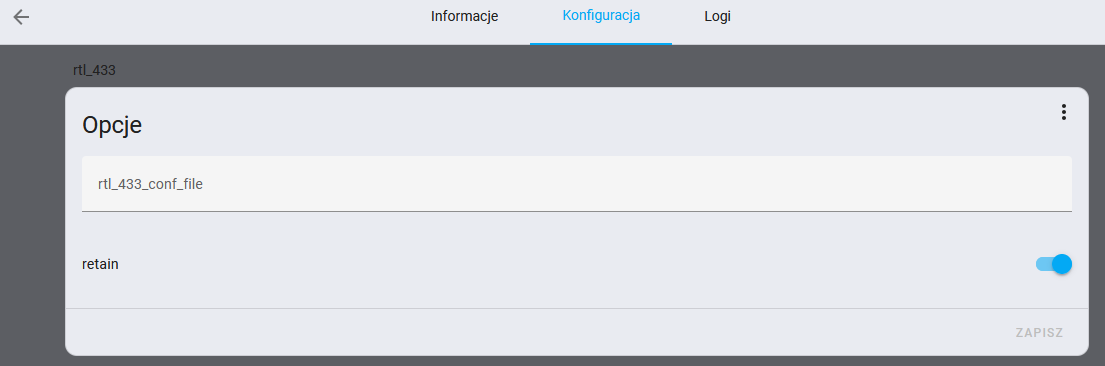
Other than entering the basic setup details in the rtl_433 autodiscover configuration tab (host ip, port, mqtt user, mqtt password), I have made no other config. I have not even added an rtl_433.conf file. that part just worked.

Then, after installing MQTT explorer, I can see devices being discovered and have succesfully intergrated these in home assistant.

NOW, i would like to go a bit further and also have it scan other frequencies. I have tried adding a rtl_433.config i the RTL_433 folder without any noticable effect.

A file that does reside in that location is rtl_433.conf.template but it does not seem to do much and perhaps for info only.
It looks like this: (only 71 lines)

# This is an empty template for configuring rtl_433. mqtt information will be
# automatically added. Create multiple files ending in '.conf.template' to
# manage multiple rtl_433 radios, being sure to set the 'device' setting. The
# device must be set before mqtt output lines.
# https://github.com/merbanan/rtl_433/blob/da289d37eba7378726fcde502d38a466f9128b22/conf/rtl_433.example.conf

output mqtt://${host}:${port},user=${username},pass=${password},retain=${retain}
report_meta time:iso:usec:tz

# To keep the same topics when switching between the normal and edge versions,
# use this output line instead.
# output mqtt://${host}:${port},user=${username},pass=${password},retain=${retain},devices=rtl_433/9b13b3f4-rtl433/devices[/type][/model][/subtype][/channel][/id],events=rtl_433/9b13b3f4-rtl433/events,states=rtl_433/9b13b3f4-rtl433/states

# Uncomment the following line to also enable the default "table" output to the
# addon logs.
# output kv

# Disable TPMS sensors by default. These can cause an overwhelming number of
# devices and entities to show up in Home Assistant.
# This list is generated by running:
# rtl_433 -R help 2>&1 | grep -i tpms | sd '.*\[(\d+)\].*' 'protocol -/run.sh'
#    [59]  Steelmate TPMS
#    [60]  Schrader TPMS
#    [82]  Citroen TPMS
#    [88]  Toyota TPMS
#    [89]  Ford TPMS
#    [90]  Renault TPMS
#    [95]  Schrader TPMS EG53MA4, PA66GF35
#    [110]  PMV-107J (Toyota) TPMS
#    [123]* Jansite TPMS Model TY02S
#    [140]  Elantra2012 TPMS
#    [156]  Abarth 124 Spider TPMS
#    [168]  Schrader TPMS SMD3MA4 (Subaru)
#    [180]  Jansite TPMS Model Solar
#    [186]  Hyundai TPMS (VDO)
#    [201]  Unbranded SolarTPMS for trucks
#    [203]  Porsche Boxster/Cayman TPMS
#    protocol 208 # AVE TPMS
#       protocol 212 # Renault 0435R TPMS
#       protocol 225 # TyreGuard 400 TPMS
#     protocol 226 # Kia TPMS (-s 1000k)
#     protocol 241 # EezTire E618, Carchet TPMS, TST-507 TPMS
#     protocol 248 # Nissan TPMS
#     protocol 252 # BMW Gen4-Gen5 TPMS and Audi TPMS Pressure Alert, multi-brand HUF/Beru, Continental, Schrader/Sensata, Audi
#protocol 257 # BMW Gen3 TPMS
#protocol 275 # GM-Aftermarket TPMS
protocol -59
protocol -60
protocol -82
protocol -88
protocol -89
protocol -90
protocol -95
protocol -110
protocol -123
protocol -140
protocol -156
protocol -168
protocol -180
protocol -186
protocol -201
protocol -203
protocol -208
protocol -212
protocol -225
protocol -226
protocol -241
protocol -248
protocol -252
protocol -257
protocol -275

I have seen the following example conf file: rtl_433 example

*What I am really looking for is a basic tutorial, for my setup, with instructions what to setup (whether tl_433 or (next versions etc and corresponding autodiscovery add-on) and where to save a config file. (pretty sure the RTL_433 folder is correct) with some basic instructions to enable me to:

  • hop between 2 or more frequencies (perhaps with varying sample rates?)
  • show activity in the add on log
  • specify which protocols should be ignored (like tyre pressure sensors) and/or which should be processed.

Is anyone up for the challenge to create a small guide for beginners please? (or prive some links to a useful resource? Any tips much appreciated. happy to fund coffee. :coffee:

1 Like

All I can say, every time I tried frequency hopping, I lost important 433 Mhz messages, so I abandoned it. It is no fun if you lose a doorbell ring because the SDR-RTL is just scanning another frequency at that moment.

well, I would like to understand a proper setup and see what I can do and cannot. Amy tips appreciated. many thanks

Hi @TheRagingFury

I’m trying to find my gas meter, which per my research runs on 900 mhz.

I’ve spent most of today trying to figure out similar and I’m hitting a dead end.

I’m using the add-ons:
-rtl_433 (next)
-rtl_433 MQTT Auto Discovery (next)
-Mosquitto broker

I have the MQTT integrated, but I’m only picking up 2 SimpliSafe devices:

Seeing similar in the MQTT Explorer:

I also have the RTL_433 folder with seemingly the same RTL_433.conf.template file.

I’m also not sure where to go from here to try and pick up more devices, specifically my gas meter reporting at a 900 mhz frequency.

Any help would be greatly appreciated!

Thanks
Scott

1 Like

you seem to be having the exact same issue as myself (albeit a different frequency), i hope some one will come to our rescue. IF I make progress, I will post an update to the thread. fingers crossed and good luck!

1 Like

Thanks @TheRagingFury !

have several threads open on this topic but still looking.

here is one: https://community.home-assistant.io/t/issues-with-setting-up-rtl-433-next-and-rtl-433-auto-discovery-next/857926/3

Sadly, the referred to readme and the other link form there to triq.org don’t help me. I have tried adding arguments to the config.template file and wheneevr I add anything, it stips rtl_433 running saying command no good.

If only we had a single example of an entry in the rtl_433.conf.template which included several frequencies and a hop, then we could adapt from there.
(or whatever other file should be created). I cannot find one anywhere whcih is relevant to our setup in HA.

2 Likes

well, 3 months on and i finally found out were i can make changes to y rtl433 config file.
I runs HA OS on a NUC so yours may be different.
I run the rtl_433 (next) and rtl_433 AutoDiscovery (next) add ons.

Turns out, I only go into the configuration of the Auto discover, click on the 3 dots and click edit in yaml.
Any entries here are added to the rtl config (or removed)

As an example I have the following:

master: true
mqtt_host: ""
mqtt_port: 1883
mqtt_user: mqtt_secret
mqtt_password: secret
mqtt_retain: true
rtl_topic: rtl_433/+/events
device_topic_suffix: ""
discovery_prefix: homeassistant
discovery_interval: 600
force_update: false
log_level: debug
frequencies:
  - 433.92M
  - 868.3M
hop_interval: 60
protocols:
  - -82
  - -88
  - -89

(i set up a HA user specifically for MQTT)

I am certain I have not come accross this anywhere and my (many!) questions on this forum never came with this. CoPilot to the rescue! (after ignoring its errors)>

NOTE all working but have not seen if the hopping and scanning 868 works yet)
Hope this helps someone!

can confirm hop does not work when added there so not sure if this is actually being passed on. (no tpms sensors so far)

Have tried editing the rtl_433.conf.template but get log message this is depreciated.
Cannot find any other config file on my system. i did try to create a new rtl_433.conf but that failed miserably.

Shame not more people use this and then someone with a clue could write a step by step for dummies.

If you do these lines in the /config/rtl_433/rtl_443.conf.template, it should work - adjust the hop to your preferences, go low time to ensure it works, then boost it up. watch the log in the rtl_433 add-on area

device 0
verbose 5
frequency 315M
frequency 345M
frequency 401
frequency 433.92M
frequency 434.79
frequency 868M
frequency 915M
hop_interval 300

Many thanks, I am not sure where that goes in my generic rtl433.conf.template but mine already has :

frequency 433.92M
frequency 868.3M
hop_interval 60
output kv

at the end of it (maybe from an earlier attempt of mine) and I have no evidence of any hopping or any frequencies other than the standard 433.

I don’t think any settings in that tempate file are being taken into consideration.

My complete conf.template is as follows:

# automatically added. Create multiple files ending in '.conf.template' to
# manage multiple rtl_433 radios, being sure to set the 'device' setting. The
# device must be set before mqtt output lines.
# https://github.com/merbanan/rtl_433/blob/275b070584ba05da6ea8e1bea25f0785e3837f2f/conf/rtl_433.example.conf

output mqtt://${host}:${port},user=${username},pass=${password},retain=${retain}


# To keep the same topics when switching between the normal and edge versions,
# use this output line instead.
# output mqtt://${host}:${port},user=${username},pass=${password},retain=${retain},devices=rtl_433/9b13b3f4-rtl433/devices[/type][/model][/subtype][/channel][/id],events=rtl_433/9b13b3f4-rtl433/events,states=rtl_433/9b13b3f4-rtl433/states

# Uncomment the following line to also enable the default "table" output to the
# addon logs.
# output kv

# Disable TPMS sensors by default. These can cause an overwhelming number of
# devices and entities to show up in Home Assistant.
# This list is generated by running:
# rtl_433 -R help 2>&1 | grep -i tpms | sd '.*\[(\d+)\].*' 'protocol -/run.sh'
#    [59]  Steelmate TPMS
#    [60]  Schrader TPMS
#    [82]  Citroen TPMS
#    [88]  Toyota TPMS
#    [89]  Ford TPMS
#    [90]  Renault TPMS
#    [95]  Schrader TPMS EG53MA4, PA66GF35
#    [110]  PMV-107J (Toyota) TPMS
#    [123]* Jansite TPMS Model TY02S
#    [140]  Elantra2012 TPMS
#    [156]  Abarth 124 Spider TPMS
#    [168]  Schrader TPMS SMD3MA4 (Subaru)
#    [180]  Jansite TPMS Model Solar
#    [186]  Hyundai TPMS (VDO)
#    [201]  Unbranded SolarTPMS for trucks
#    [203]  Porsche Boxster/Cayman TPMS
#    protocol 208 # AVE TPMS
#       protocol 212 # Renault 0435R TPMS
#       protocol 225 # TyreGuard 400 TPMS
#     protocol 226 # Kia TPMS (-s 1000k)
#     protocol 241 # EezTire E618, Carchet TPMS, TST-507 TPMS
#     protocol 248 # Nissan TPMS
#     protocol 252 # BMW Gen4-Gen5 TPMS and Audi TPMS Pressure Alert, multi-brand HUF/Beru, Continental, Schrader/Sensata, Audi
#protocol 257 # BMW Gen3 TPMS
#protocol 275 # GM-Aftermarket TPMS
protocol -59
protocol -60
protocol -82
protocol -88
protocol -89
protocol -90
protocol -95
protocol -110
protocol -123
protocol -140
protocol -156
protocol -168
protocol -180
protocol -186
protocol -201
protocol -203
protocol -208
protocol -212
protocol -225
protocol -226
protocol -241
protocol -248
# protocol -252
# protocol -257
# protocol -275
frequency 433.92M
frequency 868.3M
hop_interval 60
output kv

type or paste code here

The options/configuration in teh rtl__433 Auto discovery (next) addon are:

'master: true
mqtt_host: ""
mqtt_port: 1883
mqtt_user: dedicateduser
mqtt_password: dedictateduserpassword
mqtt_retain: true
rtl_topic: rtl_433/+/events
device_topic_suffix: ""
discovery_prefix: homeassistant
discovery_interval: 600
force_update: false
log_level: debug
protocols:
  - -82
  - -88
  - -89
  - -90
  - -95
  - -110
  - -123
  - -140
  - -156
  - -168
  - -180
  - -186
  - -201
  - -203
  - -208
  - -212
  - -225
  - -226
  - -241
  - -248
  - -252
  - -257
  - -275
'

The logs of the rtl_433 (next) show:

Whereas I used to pick up a whole bunch of devices, including the main 2 oil sensors, I , since setting up fresh yesterday, I only pickup these two but nothing else. (so far)

I used a similar setup, but my requirements were a bit different. The RTL would scan the 433MHz frequency for most of the day and only switch to 868MHz once a day for a maximum of half an hour to read the water meter. I currently have a separate dongle for water readings, but if anyone is interested, I can share my previous setup (it worked very well but is not suitable for frequent frequency changes).

that would be very useful. other than picking up my oil sensors, i am not getting far.
I am (at the momment since reinstalaling not picking up Tire sensors, not sure why that is, it seems the exceptions i added in the rtl433 auto dosscovery (next) MAY have writen the exclusions somehwere (but i cannot find where, if taht is really the case. Have my doubts ass my hopping command does not work.

It looks like you rtl_433 file is filtering out the TPMS with line like protocol -95. You do not need to specifiy what you want to pick up, it looks for everything. You use entries like your protocol -95 to filter out what you do not care to see, like in this case, the Schrader TPMS

Also, does your mqtt work? I have the following, note hard coded server, user, and pass (names changed for posting)

output mqtt://mqttserver.home.arpa:1883,user=mqttuser,pass=simplepass,retain=0,events=rtl_433/rtl_433_device0/events/[model]

My MQTT Auto Discovery page, I have

rtl_topic: rtl_433/+/events/+

My method works like this:

  1. There are 2 separate configuration files for RTL-SDR (one for 433MHz and the other for 868MHz); they are located in the directory /config/rtl_433_configs/
Details

Both files go to /config/rtl_433_configs/.
File name: 433.conf.template. This file is for reading messages on 433MHz, customize protocols to your needs, etc.

output mqtt://core-mosquitto:1883,user=addons,pass=secret_pass,retain=true

output kv

protocol -*
protocol 30
convert si
output json

verbose 6

File name: 868.conf.template. This file is for reading messages on 868MHz

output mqtt://core-mosquitto:1883,user=addons,pass=secret_pass,retain=false,events=rtl_433[/model][/id]

output kv

protocol -*
protocol 104
convert si
output json
frequency     868.90M
verbose 6
  1. There are 2 shell commands to copy each of these files to /config/rtl_433/ (and replace current config for the RTL-SDR addon - there must always be only 1 file in this directory!)
set_rtl_to_433: "/bin/cp -f /config/rtl_433_configs/433.conf.template /config/rtl_433/rtl_433.conf.template"
set_rtl_to_868: "/bin/cp -f /config/rtl_433_configs/868.conf.template /config/rtl_433/rtl_433.conf.template"
  1. Finally, there’s an automation. At a specific time(s), it replaces the add-on’s configuration file, and then restarts the RTL-SDR addon. Then at some other time(s), it resets the addon back to the previous configuration.
Details

In the automation, there are 3 disabled triggers. There are to show you how you can add more periods (just add time trigger and set its ID to either switch_to_868 or switch_to_433 (triggers can share the same ID). The other trigger (and corresponding if-action, also disabled) is to show how you can read mqtt data directly in the automation.

alias: RTL-SDR
description: ""
triggers:
  - alias: Switch to 868MHz at 20:00
    trigger: time
    at: "20:00:00"
    id: switch_to_868
  - alias: Switch to 433MHz at 21:00
    trigger: time
    at: "21:00:00"
    id: switch_to_433
  - alias: Switch to 868MHz at 6:00
    trigger: time
    at: "06:00:00"
    id: switch_to_868
    enabled: false
  - alias: Switch to 433MHz at 6:30
    trigger: time
    at: "06:30:00"
    id: switch_to_433
    enabled: false
  - trigger: mqtt
    topic: rtl_433/Wireless-MBus/6543210
    id: mqtt_on_868
    enabled: false
conditions: []
actions:
  - if:
      - condition: trigger
        id:
          - switch_to_868
    then:
      - action: shell_command.set_rtl_to_868
        metadata: {}
        data: {}
      - action: hassio.addon_restart
        metadata: {}
        data:
          addon: 17069798_rtl433
    alias: If switch to 868MHz
  - if:
      - condition: trigger
        id:
          - switch_to_433
    then:
      - action: shell_command.set_rtl_to_433
        metadata: {}
        data: {}
      - action: hassio.addon_restart
        metadata: {}
        data:
          addon: 17069798_rtl433
    alias: If switch to 434MHz
  - alias: If water meter data on 868MHz
    if:
      - condition: trigger
        id:
          - mqtt_on_868
    then:
      - variables:
          packet: "{{ trigger.payload|from_json }}"
          data_len: "{{ packet.get('data_length',-1) }}"
          meter_data: "{{ packet.get('data') }}"
        alias: Extract data from mqtt packet
      - if:
          - condition: template
            value_template: "{{ data_len == 63 and meter_data is not none }}"
        then: []
        alias: >-
          If data seems ok, process it further e.g. run action to decode with
          wmbusmeters. For me 1 packet was enough, so I would then switch back to 433MHZ.
    enabled: false
mode: single

That is super inetresting, thank you for making all that effort.

I actually also have a second sdr dongle but would ratehr stick to 1 using the menthod you outline.

Up to know I struggled to find the rtl_433.conf file, i only ever found the rtl_433.conf.template, which did not reflect any settings I added to the rtl433 Auto DSiscover (next) addon.
The settings in Homeassistant root in this rtl_433.conf, do mamtch the settings exactly (however hop does not react so, still need to figure out where those settings actually go and get listened to.
If i find nothing else, I will try the locations and files you suggest. Will need a bit of time to understand your setup. Thank you!

I suggest you don’t use the auto-discovery add-on at first (I don’t have it and have never used it, so it’s definitely not necessary).

For the standard RTL-SDR addon, mine reads its config file from /config/rtl_433/, which should be default behaviour because I didn’t change anything in addon’s GUI configurator. Also, I think that /homeassistant/rtl_433/ = /config/rtl_433/ (the same dir).


If you have 1 dongle, there must always be only 1 file in this directory, and its name must end with .conf.template. Good luck! :slight_smile:

1 Like

Agree about the autodiscover. I have left it off for ages but now, since reinstall , left it on in the hope of seeing some new sensors appaer. it has worked well in the past.

Your comment regarding the directory would make sense, the rtl_433.conf.template reisdes in the HA/rtl_433 directory and I cannot see a ā€œconfigā€ directory.

I just would really like to verify that this is the file that is actually used.

My log shows no hopping, even though the file contains this. I will have to figure out what I can add there to see a corresponding feedback in the log.
At the moment this file contains:

# This is an empty template for configuring rtl_433. mqtt information will be
# automatically added. Create multiple files ending in '.conf.template' to
# manage multiple rtl_433 radios, being sure to set the 'device' setting. The
# device must be set before mqtt output lines.
# https://github.com/merbanan/rtl_433/blob/c38597093f21099fdb0818fb5bc7df544de3384e/conf/rtl_433.example.conf

output mqtt://${host}:${port},user=${username},pass=${password},retain=${retain}


# To keep the same topics when switching between the normal and edge versions,
# use this output line instead.
# output mqtt://${host}:${port},user=${username},pass=${password},retain=${retain},devices=rtl_433/9b13b3f4-rtl433/devices[/type][/model][/subtype][/channel][/id],events=rtl_433/9b13b3f4-rtl433/events,states=rtl_433/9b13b3f4-rtl433/states

# Uncomment the following line to also enable the default "table" output to the
# addon logs.
# output kv

# Disable TPMS sensors by default. These can cause an overwhelming number of
# devices and entities to show up in Home Assistant.
# This list is generated by running:
# rtl_433 -R help 2>&1 | grep -i tpms | sd '.*\[(\d+)\].*' 'protocol -/run.sh'
#    [59]  Steelmate TPMS
#    [60]  Schrader TPMS
#    [82]  Citroen TPMS
#    [88]  Toyota TPMS
#    [89]  Ford TPMS
#    [90]  Renault TPMS
#    [95]  Schrader TPMS EG53MA4, PA66GF35
#    [110]  PMV-107J (Toyota) TPMS
#    [123]* Jansite TPMS Model TY02S
#    [140]  Elantra2012 TPMS
#    [156]  Abarth 124 Spider TPMS
#    [168]  Schrader TPMS SMD3MA4 (Subaru)
#    [180]  Jansite TPMS Model Solar
#    [186]  Hyundai TPMS (VDO)
#    [201]  Unbranded SolarTPMS for trucks
#    [203]  Porsche Boxster/Cayman TPMS
#    protocol 208 # AVE TPMS
#       protocol 212 # Renault 0435R TPMS
#       protocol 225 # TyreGuard 400 TPMS
#     protocol 226 # Kia TPMS (-s 1000k)
#     protocol 241 # EezTire E618, Carchet TPMS, TST-507 TPMS
#     protocol 248 # Nissan TPMS
#     protocol 252 # BMW Gen4-Gen5 TPMS and Audi TPMS Pressure Alert, multi-brand HUF/Beru, Continental, Schrader/Sensata, Audi
#protocol 257 # BMW Gen3 TPMS
#protocol 275 # GM-Aftermarket TPMS
protocol -59
protocol -60
protocol -82
protocol -88
protocol -89
protocol -90
protocol -95
protocol -110
protocol -123
protocol -140
protocol -156
protocol -168
protocol -180
protocol -186
protocol -201
protocol -203
protocol -208
protocol -212
protocol -225
protocol -226
protocol -241
protocol -248
# protocol -252
# protocol -257
# protocol -275
frequency 433.92M
frequency 868.3M
hop_interval 60
output kv

which is the generic one, with just the hop appended at the end.

Just to add, my MQTT password and user where added via the auto dicover addon, and they were accepted, so that is writing somewhere succesfully

Hope this helps someone avoid the 8+ hour rabbit hole I just climbed out of! Adjacently related to this thread, which had some key insights that helped guide me out of all the mixed info out there.

I recently integrated some battery-free kinetic switches with HA using RTL-SDR and wanted to share a complete walkthrough. While these switches are awesome in theory, getting them working reliably with the rtl_433 add-on has some hidden gotchas that aren’t well documented.

What I was trying to achieve: Reliable detection of kinetic switches to toggle light groups via MQTT, moving away from expensive/unreliable Zigbee switches to something more robust.

Hardware Used:
• Standard RTL-SDR USB dongle (NooElec NESDR R820T)
• 433MHz kinetic switches (POE Texas ~$10 USD each)
• Home Assistant on RPi4

Key Insight That Would Have Saved Me Hours:
The rtl_433 add-on’s YAML configuration is unreliable for custom decoders. Skip it entirely and use the template file instead.

Step 1: Find Your Signal (Command Line First)

Before touching HA, verify your SDR can see the switches. Install rtl_433 on any computer in a terminal and run:

rtl_433 -f 433920000 -R 0 -A

This listens at 433.920 MHz, disables all built-in decoders (-R 0), and enables analysis mode (-A) to show raw pulse timing. In my situation this was the frequency I found, but there’s a whole challenge in finding what frequency your niche/unknown decide is broadcasting. That’s a whole other post.

Step 2: Home Assistant Setup - The Critical Part

Install the ā€œrtl_433 Home Assistant Add-on (next)ā€ version.

Ignore the add-on’s YAML config completely. Instead, create/modify:
/homeassistant/rtl_433/rtl_433.conf.template

The add-on loads this file automatically, giving you full control.

Step 3: Find Real Timings with Analysis Mode

Put this in your template file temporarily: (it’s an example, you need to tweak!)

# --- Master Template for rtl_433 - ANALYSIS MODE ---

# Core SDR settings
frequency       433920000
sample_rate     250k

# Disable all decoders to prevent interference with analysis
protocol        0

# --- Outputs ---
# We need log output to see the analysis
output          log

# --- Analysis Mode ---
# Enable the pulse analyzer to see raw signal data
analyze_pulses  true

Step 4: Final Configuration

Replace your template file content with your custom decoder settings. As an example, here’s what mine looks like

# --- Master Template for rtl_433 ---

# Core SDR settings
frequency       433920000
sample_rate     250k

# Let rtl_433 use automatic gain control
# gain            40

# Disable all default protocols and use our flex decoder
protocol        0
decoder         n=KineticSwitch,m=OOK_PWM,s=52,l=188,g=1000,r=5000,bits>=14,bits<=24,unique

# --- Outputs ---
# Output in JSON format to the add-on log
output          json

# Also send data to MQTT
output          mqtt://HOSTNAME:1883,user=USER,pass=MQTTPASS,retain=1

# Add UTC timestamp
report_meta     time:utc

Step 5: Home Assistant Integration

  1. Create Input Boolean helpers for each switch
  2. Build automations to toggle these helpers based on MQTT data
  3. Filter by unique payload data, for example {{ trigger.payload_json.data == ā€˜e198’ }} where e198 is the unique payload for the switch I have.

Bottom Line: Use rtl_433 (next) add-on version, skip the YAML config from the UI options, edit the template file instead, and use Analysis Mode to get real signal timings as needed viewable in the addon logs (I needed small tweaks from what my initial signal sleuthing in terminal provided, milage varies here you could probably just go right to this two)

Hope this helps someone else, man what a slog. Happy with the unlock here though – there’s some really cool potential and use cases. Also: don’t be shy using AI to help you read the logs and test/iterate the custom decoder for your unique setup. That was an essential step for me as I have no RF custom decoder skills, nor frankly interest. Godspeed!

2 Likes

I tried @Slimac route with the kind help of CoPilot and other AI as the automation route was a clever solution to the issue hopping. Spent (way) too much time and sort of had it running but in the end went back to my old setup. Completely agree, use the template. As I have been fiddling remotely, things are not too easy but I have a second dongle, so will connect that (I have changed its device id so it does not clash) and hopefully i can dedicate that one for 868 (and leave the current for 433.

A weird thing is, originally I picked up all sorts of sensors, after adding some exclusions to avoid tire sensors, this stoppped. Now I have gone to a minimal config template, i would have expected the sensor to appear again, they don’t. just the two I had originally.

All cool if it works but having an addon that takes so much work and self discovery is a pain, had I known, I would never have taken this route. Given I am now invested, I will make the most of it. (I still have 2 iBoost solar units taht I would like to pick up on 868 and then, hopefully, I can just leave it and forget.)

To anyone thinking about using rtl_433, unless someone writes a beginners guide - don’t bother!