H3-15.0-Smart inverter Home Assistant with LAN port

I am attempting to integrate my FoxESS H3 inverter with Home Assistant and would like to confirm the supported connection options.

Specifically, I would like to know whether it is possible to use the inverter’s LAN port via a VONETS WLAN Bridge (VONETS WLAN Bridge 2.4 GHz Signal Repeater/WiFi Hotspot Extender/Wireless Ethernet Bridge/Signal Booster/RJ45 to WiFi Convert for DVR, Monitoring, IP Printer, Network Device VAP11G-300 : Amazon.com.au: Computers) to establish communication with Home Assistant. The integration I am attempting to use is foxess_modbus:
GitHub - nathanmarlor/foxess_modbus: FoxESS inverter integration. Connect directly to your FoxESS inverter (no cloud!) for real-time status and control.

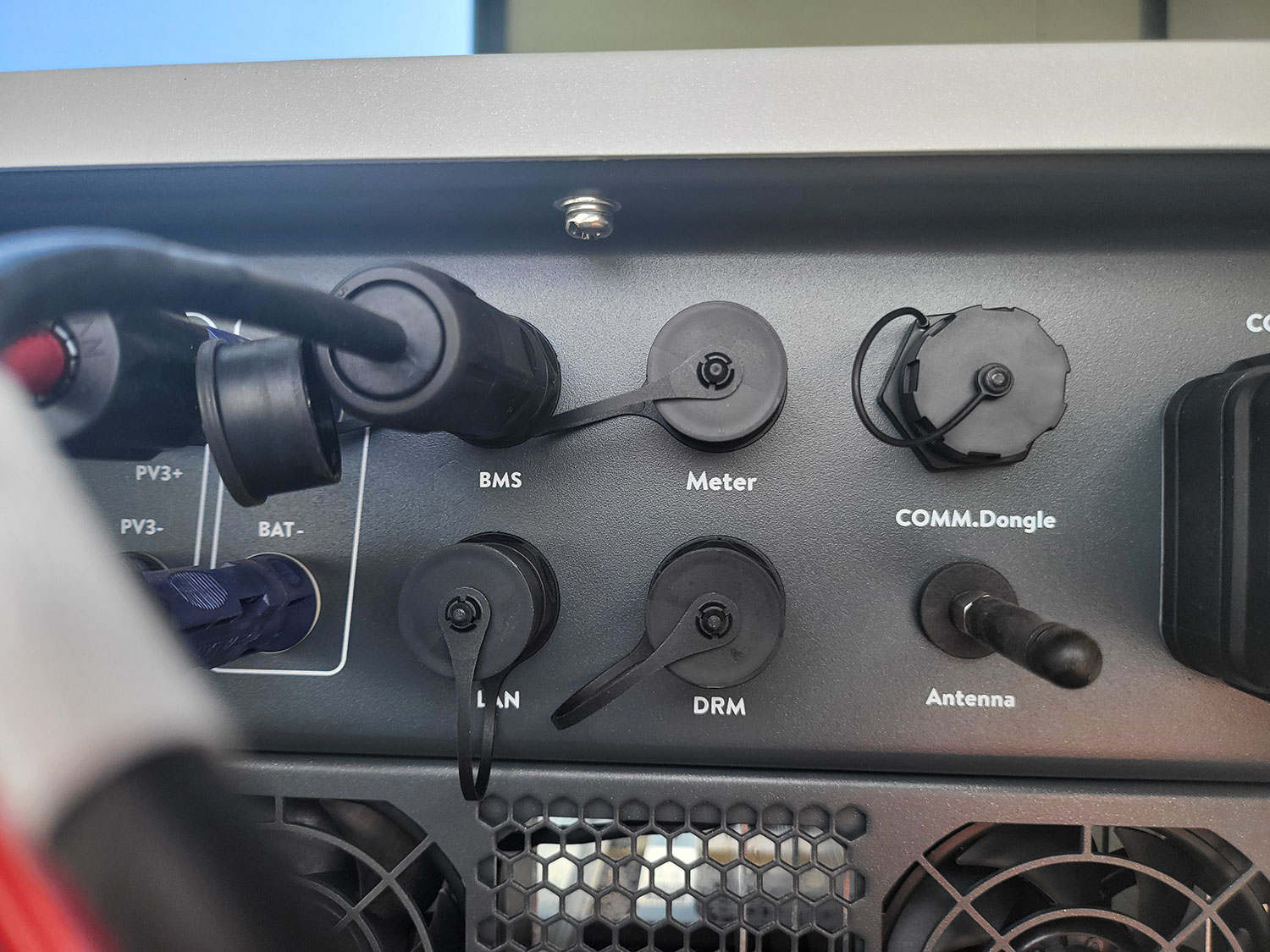
Additionally, regarding the RS485 interface on my inverter, I am unable to see or identify any exposed RS485 ports. I would appreciate clarification on whether RS485 communication is supported on this model, and if so, where the port is located or how it should be accessed.

Any guidance on the supported communication methods or recommended configuration for Home Assistant integration would be greatly appreciated.
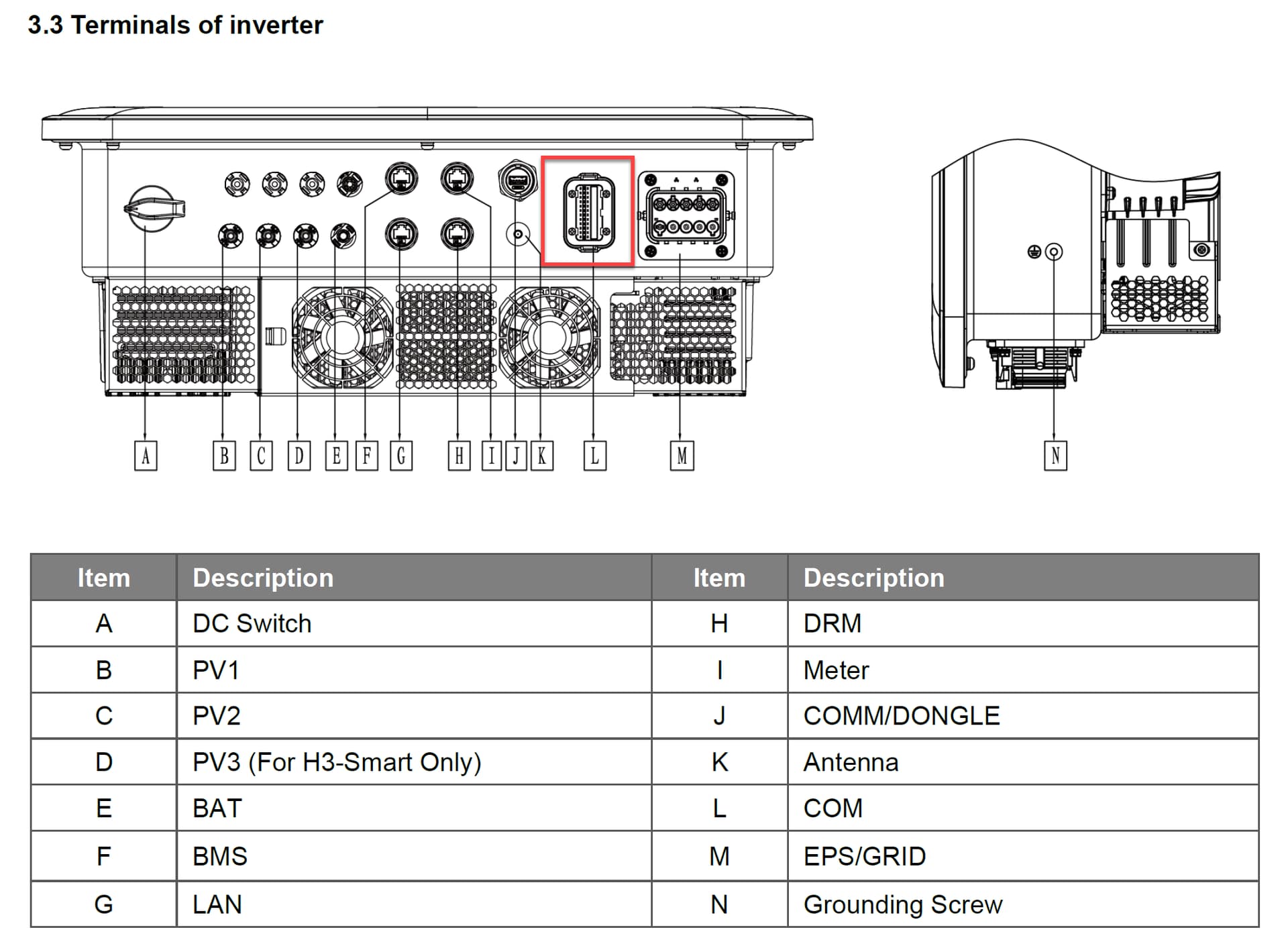
I also have a H3-15.0-Smart inverter. I can share my success with using VONETS to get IP connectivity for Modbus TCP. But I wasn’t successful with HomeAssistant.

I didn’t opt for RS485, but used Modbus over TCP. First I configured the VONETS device. Then under the inverter, I connected the VONETS device to G (LAN) and the USB port. I could then ping the inverter and connect to TCP port 502 (modbus). BUT unfortunately home assistant with the FoxESS inverter integration failed to read data. I tried some standalone Modbus tools to read the data, unfortunately they failed too.

1 Like

Have the exact same issue. I used the Wi-Fi IP, not via LAN.
Let me know if you find a solution.

Has anyone found an answer.
I just had mine installed but it's 2-3 weeks away from being inspected so I can't turn it on and test anything yet. I asked AI and I got an answer that said we should use the "meter" port but with a RS485 adapter i.e. cut an ethernet cable, plug the RJ45 end into the "meter" port and the other end

  • pin 4 (blue) to RS485 adapter A(D+) and
  • pin 5 (blue/white) to RS485 adapter B(D-)

I also found ENH3SmartP3SManualV1.3.pdf and when I put this into AI I got

Or option 2 (which is a different answer to what I got above)