Hi all,
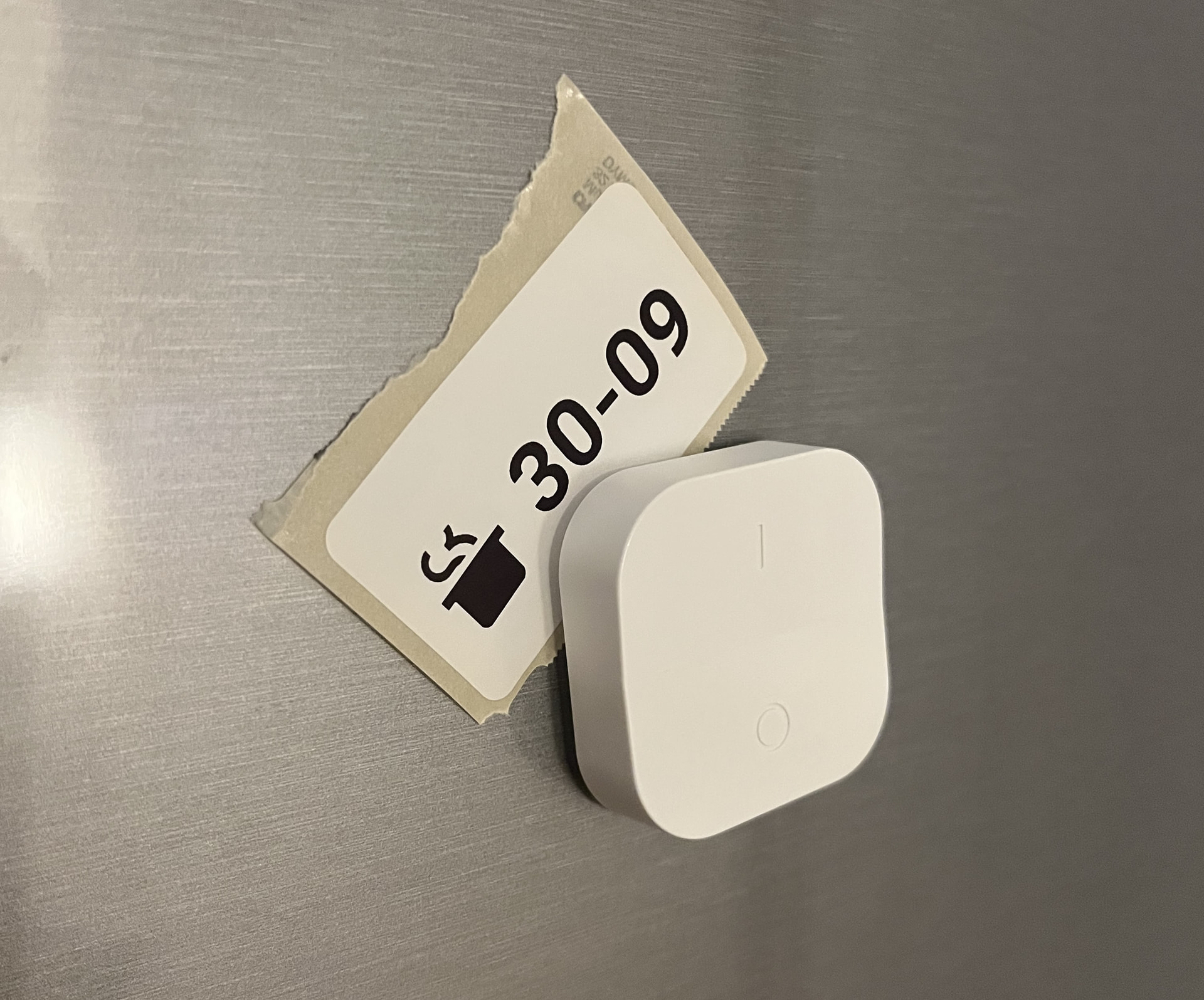
I wanted to print “cooked on” labels for things in the fridge without walking to my computer, so I built Label Studio: a Home Assistant app for USB DYMO LabelWriter printers. Now an IKEA button on the fridge prints a label with today’s date.
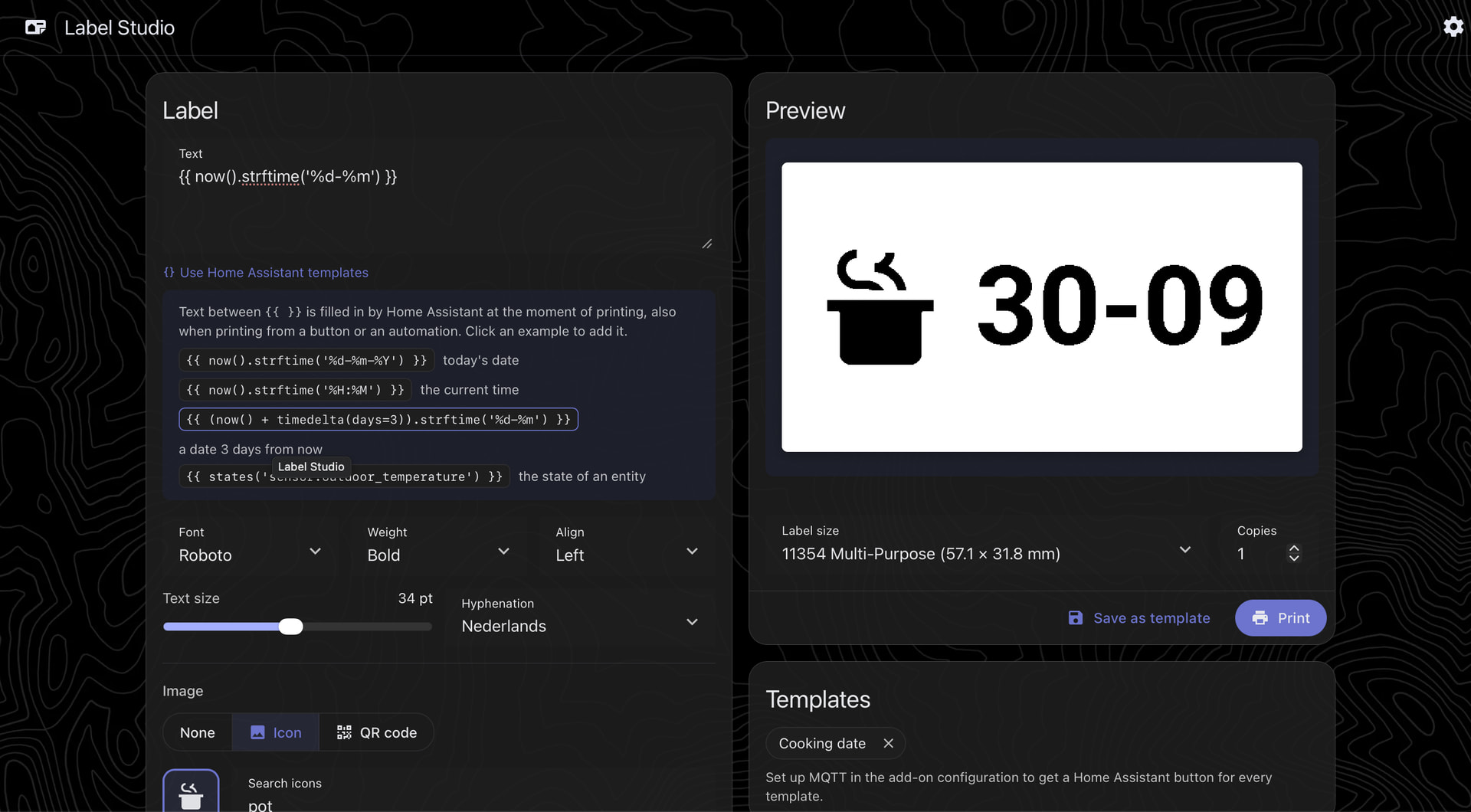
What it does
- Label designer in the sidebar, with a live preview. Five fonts, text that wraps, hyphenates and resizes to fit, and your Home Assistant theme (including dark mode and custom themes).
- Icons, emoji or QR codes: search all Material Design Icons, and put the image left, right, above or below the text.
- Dynamic labels: dates are filled in when printing, and text and QR codes accept Home Assistant templates, like
{{ now().strftime('%d-%m %H:%M') }}or{{ states('sensor.freezer_temperature') }}. - A print button for every template: saved templates show up as
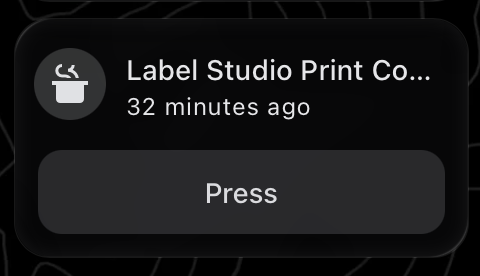
buttonentities (through MQTT discovery), ready for dashboards, automations and physical switches. Automations can also print any label by publishing to an MQTT topic. - Every LabelWriter 400/450 label size, with favourites and a print correction per label type, for printers that print slightly off-centre.
- Optional network printer: share the LabelWriter with your computers and phones over Bonjour/AirPrint (off by default).
Requirements
- Home Assistant OS or Supervised, on amd64 or aarch64 (such as a Raspberry Pi 4/5).
- A DYMO LabelWriter 400 or 450 series, connected by USB. The 4XL and 550 series aren’t supported.
- For the print buttons: an MQTT broker (the Mosquitto broker app is picked up automatically).
Install

Or add https://github.com/madeby0203/ha-label-studio as a repository in the app store, install Label Studio and open it from the sidebar. The app’s Documentation tab covers setup, templates, automations and the network printer.
Status
This is the first release. I’ve tested it with my own LabelWriter 400 and 57 × 32 mm labels; other models and label sizes should work, but I’d love to hear how it goes (reminder, you can make adjustments per label type). The network printer is the newest part, so reports from macOS, Windows and iOS are especially welcome.
Built with help from AI (Claude); I’ve tested and use everything myself. Not affiliated with DYMO or Home Assistant.
Issues and ideas: Issues · madeby0203/ha-label-studio · GitHub
