HA Recipe Manager Integration & Card
Share your Projects! Share your Projects! > Dashboards & Frontend
Recipe Manager Integration Github Link
Recipe Manager Card Github Link
WARNING: This was created 100% by Vibe Coding
First and only Rule: If you don’t like vibe coding, I don’t care, don’t voice your opinion in here.
NOTE: This is my first time so go easy but I welcome constructive criticism and help to enhance.
Now, I wanted to create something where i didn’t have to link into multiple apps and integrations to connect to.
This is all in HA, it does not rely on external sources, except OpenFoodSource and Shopping List Manager.
I created this specifically for my needs as I couldn’t get what I wanted elsewhere.
There will be bugs but my wife loves it and is actually using it which I have never been able to get her to do the past, it is either pitty use or she likes it.
There are 2 integrations I created with Dashboards, hopefully they compliment each other.
HACS Recipe Manager Integration
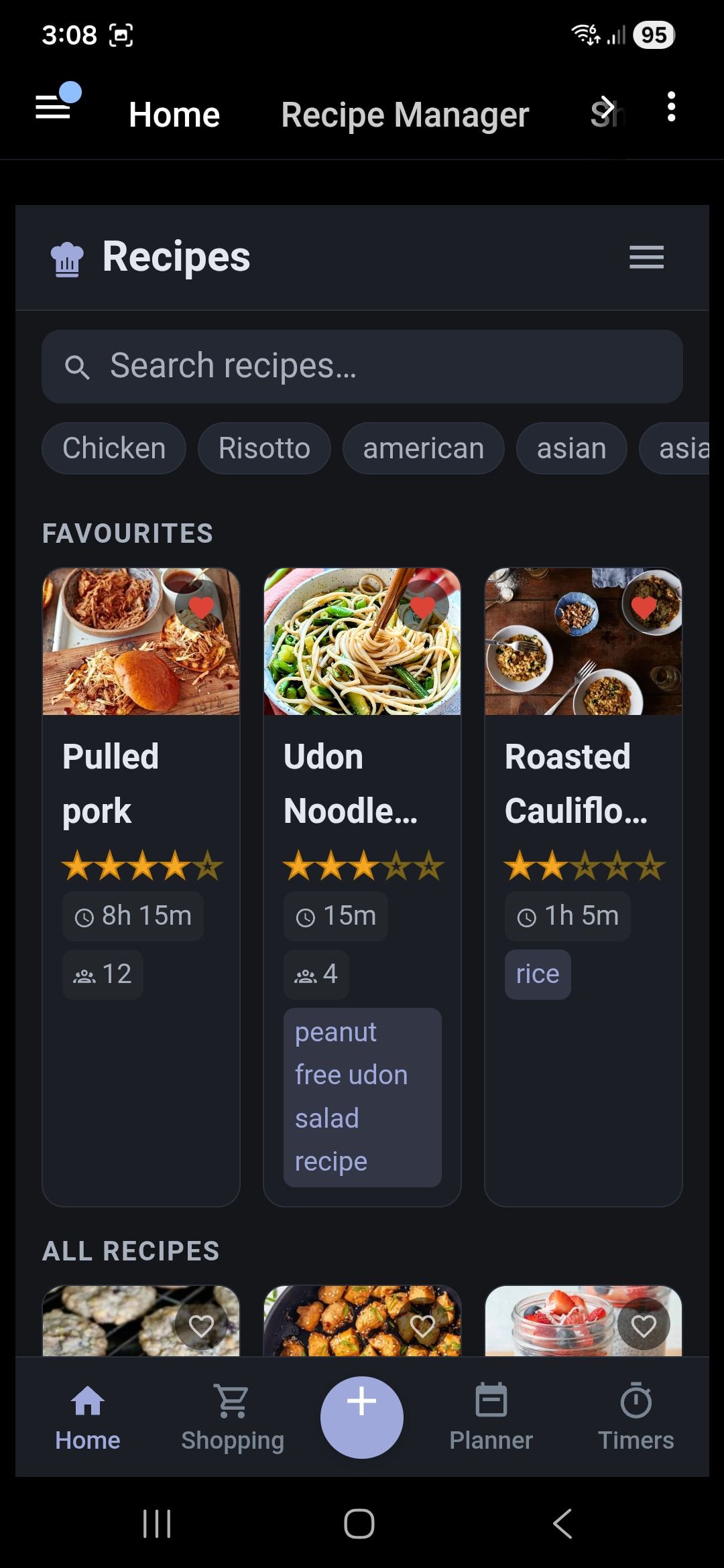
A Lovelace card that brings a full-featured recipe management UI to your Home Assistant dashboard — browse, search, cook, plan meals, manage shopping lists and track timers, all from one card.
Features
Recipe Library
- Grid view with live search and filter by tags, courses, categories and collections
- Responsive layout — compact phone view and wide tablet/desktop view
- Sort by rating, filter favourites or recently viewed
Recipe Detail
- Full ingredients list with optional metric unit conversion (oz/lb/cups → g/ml/kg)
- Serving scaler — tap +/− to multiply all ingredient quantities
- Step-by-step directions with in-line cook timers (tap any time mention to start a timer)
- Nutrition panel with macro ring (carbs / fat / protein)
- Photo gallery with slideshow — swipe or auto-advance
- Favourite, Plan and Edit quick-action buttons
Recipe Editing
- Edit all recipe fields: name, description, ingredients, directions, nutrition, tags, courses, categories, collections, notes
- Drag-and-drop ingredient and step reordering
- Upload a photo from your device or paste an image URL
- Star rating picker
Adding Recipes
- Scrape from URL — paste any recipe website link and import automatically
- Manual entry — fill in the form yourself
- Recipe Keeper import — bulk-import from a Recipe Keeper HTML export
Meal Planner
- Weekly calendar with breakfast, lunch, dinner and snack slots
- Navigate between weeks, assign recipes to any slot
- Back-to-recipe shortcut when opening the planner from a recipe detail
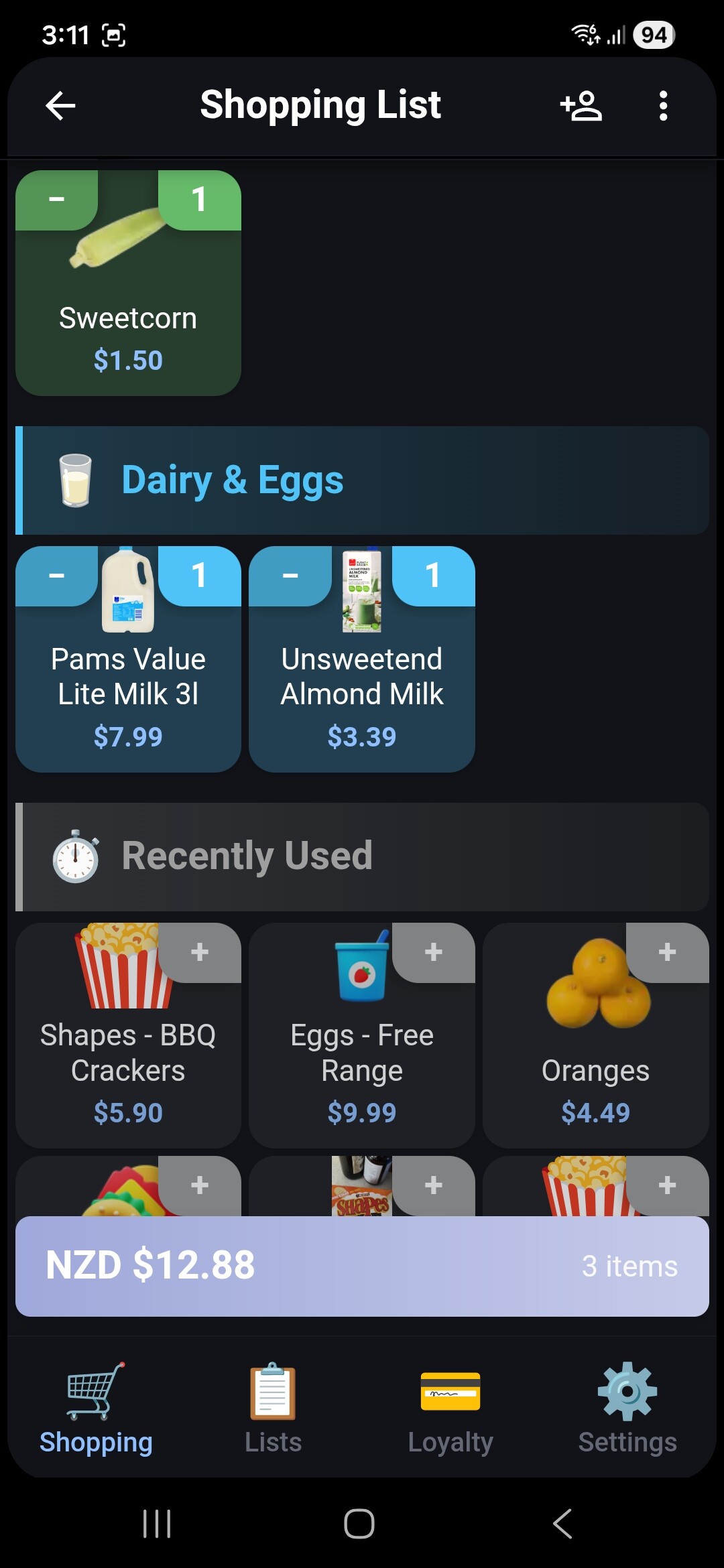
Shopping List
- Add recipe ingredients to a shopping list directly from the recipe
- Integrates with Shopping List Manager Card
Timers
- Start timers by tapping time mentions in directions (“bake for 25 minutes”)
- Save timer presets for your most-used times
- Multiple timers run simultaneously with audio alerts
- Wake lock keeps your screen on while cooking
Customisation (Settings)
- Light / dark theme with auto system-theme detection
- Adjustable recipe grid columns (2–10)
- Metric unit conversion toggle
- Image slideshow interval (3 s / 5 s / 10 s / 15 s / off)
- Timer sound selection and wake lock duration
Requirements
- Home Assistant 2024.8.0 or newer
- Recipe Manager integration installed and running
- HACS installed (hacs.xyz)
Installation
Step 1 — Install the Backend Integration First
If you haven’t already, install the Recipe Manager integration first using the button below, then restart Home Assistant. The card will not work without it.


Step 2 — Add the Card via HACS
Click the button below to add this card to HACS:
Manual HACS steps
- Open HACS in your Home Assistant sidebar
- Click Frontend
- Click the three-dot menu (top right) → Custom repositories
- Paste
https://github.com/thekiwismarthome/Recipe-Manager-Cardand select category Dashboard - Click Add, then search for Recipe Manager Card and click Download
Step 3 — Add to Your Dashboard
- Go to any dashboard and enter Edit mode
- Click Add Card → search for Custom: Recipe Manager Card
- Add it and save
Tip: The card works best when given its own full-width dashboard tab so it has plenty of space.
Related
- Recipe Manager — the required backend integration
- Shopping List Manager Card — optional shopping list integration