I got my one and my conclusion:
- top hardware
- really nice concept but only if you own Android TV or Apple TV
- is not a universal remote in traditional sense, it cannot replace a “dump” IR remote
I got my one and my conclusion:
There’s a lot of discussion and development work going on in the area of TV/Media Player. See here:  Experimental ideas & development feedback - Astrion / Astrion - Development & Advanced - Sanytron
The next software version should enable more options how to use it.
btw, you should change the packaging, the frame holding the remote presses directly the “on” button, so the remote arrives with empty batteries
thanks for the help @starob .
Yes I downloaded the rod card before receiving the remote. And created some. then I can’t find where one of them is hiding.
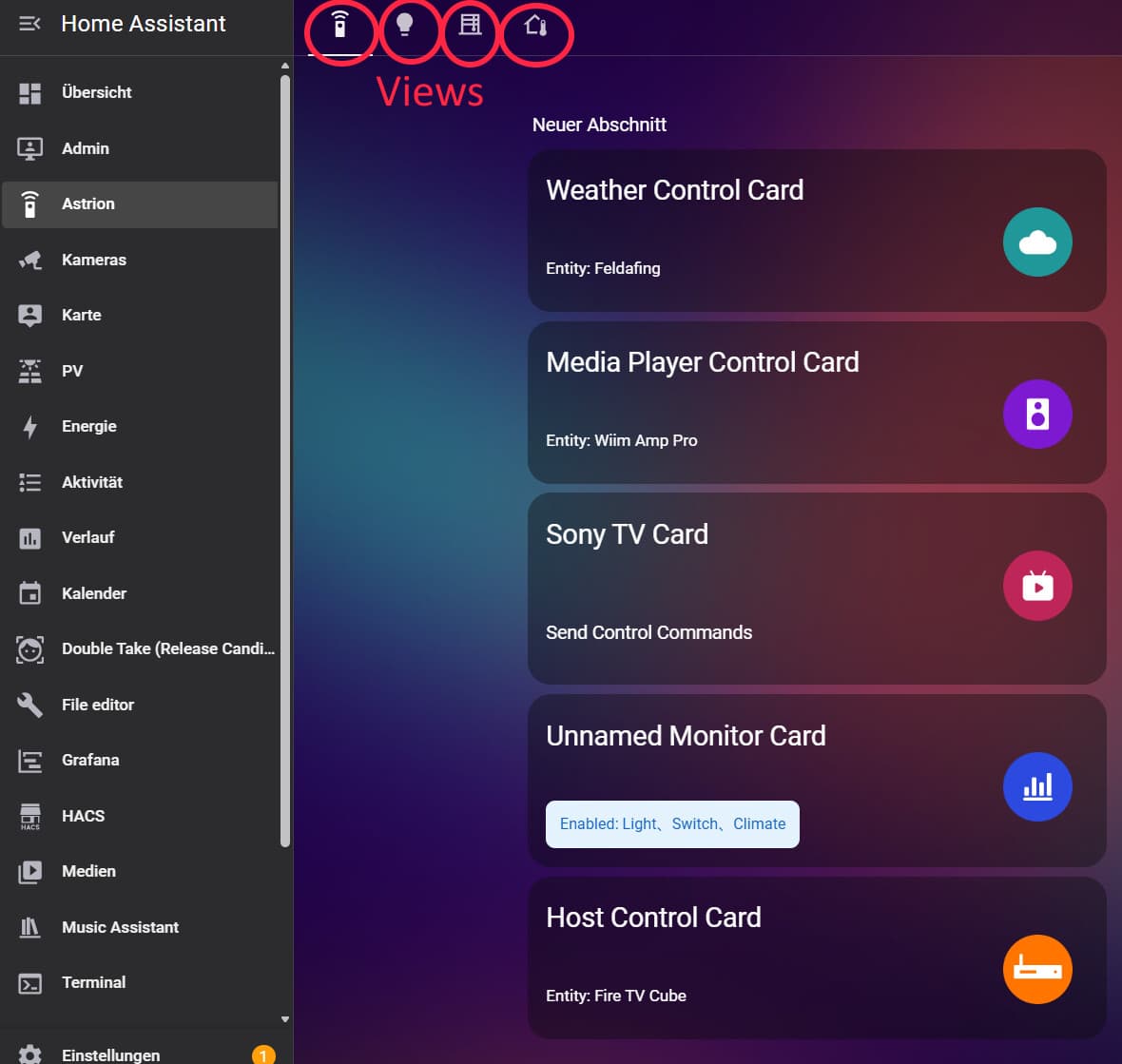
By view You mean a separate screen? as I see above you have 4 swappable screens correct?
aha I now understand
I don’t understand that. You should see them in one of your dashboards/views. Views are tabs inside a dashboard.
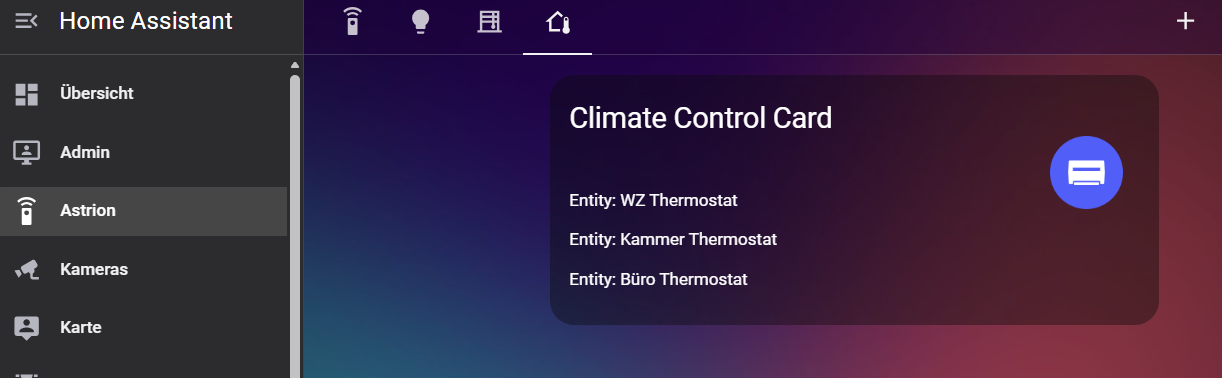
Here is my Astrion-Climate view for example:
thanks. as I wrote there was a Aros card somewhere in my 10s of test dash. I found it.
I have now the same approach as you. one clean dash just for the remote cards.
Do you happen to know if it is possible to swipe across screens horizontally? I can change with the dropdown menu but it would be more intuitive swiping Hlly
ok found it.
Enable independent display (available only in text editor of row card).
How to get apple keys displayed on the screen?
I understand I have to put remote-id somewhere . where???
There is no option to swipe right now. You can suggest that here: Sanytron - Committed to exploring and enhancing human-object interaction.
Hi,
Thanks for your suggestion,we will do it
Hi Sebastiaan,
Home button can be used normally, and your mapping is also correct. Please check if other settings.
Regarding volume control, it is controlled by HA. We only send addition and subtraction commands, and I have already provided feedback to the R&D team. The next step is to find a way to achieve+/-1.
I have provided feedback to the R&D team regarding the functionality of calling the control center for optimization
Thank you for your feedback. We will update the version promptly to resolve these issues
I just order mine looking forward to using it. Hopefully it the main remote in the theater.
Just wondering if anyone in the USA received theirs yet, and if so which carrier it was and if there was any notification from the carrier? I last received the email from Sones on Jan 22nd asking for my phone number. Thanks!
Edit: I know Sanytron are on holiday still, just wondering if from the second batch anyone in the USA had received from the batch they dropped with the carriers on Feb 5th.
Hi Sones,
The strange thing was that after some days, both the home button and the volume control started working normally. After initial setup volume went up by 6, 3 days later it goes up by 1. Same thing with the home button the unassigned error just went away without me changing anything
If you haven’t seen it yet, a new version of the software has been announced. 📍 Astrion Remote Roadmap & Development Status - Astrion – Official Announcements - Sanytron
Thanks - hadn’t noticed that yet.
Hi,
Some orders sent to the United States were delayed due to customs inspection. Now all have been released and it is expected that you will receive them by next week at the latest. Thank you for your patience. We are establishing an overseas warehouse in the United States, and the delivery time will be much faster in the future
FYI: software v 1.1.1 has been released. The scene and TV cards now support scripts. Unfortunately no support for script parameters as far as I can tell.
No - doesn’t look like it, and it’s a bit of a pain. To limit the number of scripts I needed for my satellite box, I created a template select entity
template:
  - select:
      - name: 'Sky Q Den Controls'
        unique_id: sky_q_den_controls
        icon: mdi:remote-tv

        options: >
          {{ [
            'sky', 'power', 'backup', 'tvguide', 'home', 'boxoffice', 'search', 'sidebar',
            'up', 'down', 'left', 'right', 'select', 'channelup', 'channeldown', 'i', 'dismiss', 'text', 'help',
            'play', 'pause', 'rewind', 'fastforward', 'stop', 'record',
            'red', 'green', 'yellow', 'blue',
            '0', '1', '2', '3', '4', '5', '6', '7', '8', '9'
          ] }}
        state: "{{ 'Ready' }}"
        select_option:
          - choose:
              - conditions: "{{ option == 'power' }}"
                sequence:
                  - service: media_player.play_media
                    target:
                      entity_id: media_player.sky_q_den
                    data:
                      media_content_type: skyq
                      media_content_id: >
                        {% if states('media_player.sky_q_den') in ['off', 'standby', 'unavailable'] %}
                          home, dismiss
                        {% else %}
                          power
                        {% endif %}
            default:
              - service: media_player.play_media
                target:
                  entity_id: media_player.sky_q_den
                data:
                  media_content_type: skyq
                  media_content_id: '{{ option }}'
which then lets me just choose the option I need for the TV card. One odd thing is that the Key_A, B, C at the end of the setup list don’t accept select entities - just script and remote.
BTW - I have a firmware update notification to update to V2026020210, but clicking the update button doesn’t do anything - anyone else see this?