I run Docker Compose stacks across four servers managed by my fork of Dockge (based on louislam/dockge) with a REST API and update management, and I wanted visibility into all of them from Home Assistant — container status, available image updates, and the ability to trigger updates without leaving HA.
So I built an integration and a companion dashboard card for it. I used Claude Code extensively throughout development — the implementation, iteration, and debugging were all done collaboratively with it. I’m being upfront about that because I think it’s worth being honest about how tools like this are being used in practice.
What it does
- Container monitoring — per-container sensors with state, image, health, and update availability
- Multi-server support — works across multiple Dockge agents with per-server summary sensors and a global summary aggregating everything
- Auto-update control — per-stack switches to toggle auto-updates
- Update actions — buttons to update individual stacks, check for updates, or trigger a scheduled run
- Scheduler visibility — sensors for auto-update scheduler state, next run times, and update history
- Resilient polling — preserves data from temporarily disconnected agents instead of showing entities as unavailable
- Dashboard card — a custom Lovelace card that auto-discovers all servers and stacks, with real-time status, popup actions (start/stop/restart/update), and a processing indicator that pulses blue while operations are in progress
Each Dockge server gets its own device with child devices per stack, so everything is cleanly organized in the HA device registry.
Screenshot
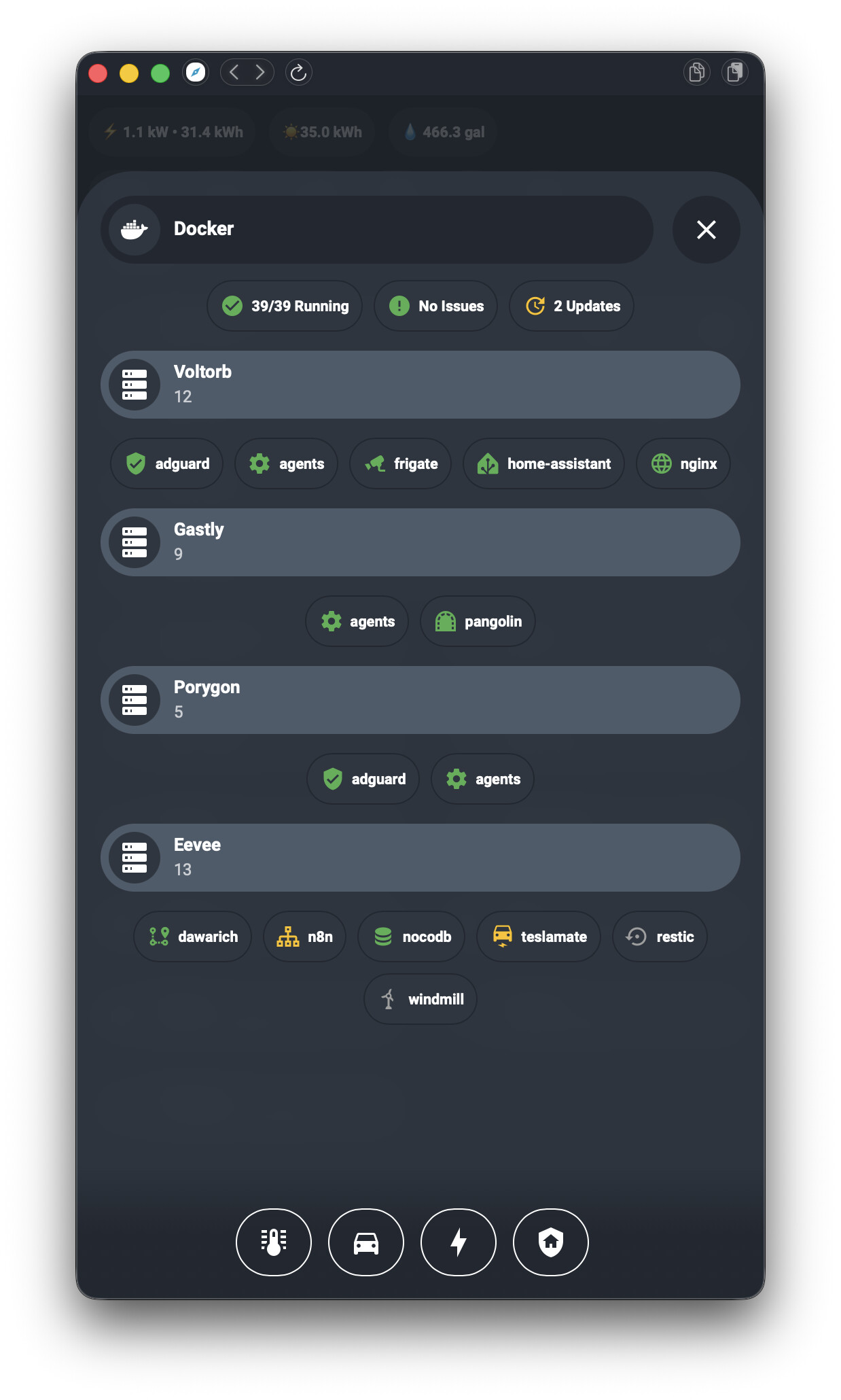

Requirements
This integration requires a fork of Dockge that adds a REST API, auto-update scheduling, and image update detection. It won’t work with upstream Dockge (which only has a socket.io interface and no REST API).
Installation
HACS (custom repository for now, default submission pending)
- Open HACS → three dots → Custom repositories
- Add
https://github.com/finder39/ha-dockgewith category Integration - Download and restart Home Assistant
- Go to Settings → Devices & Services → Add Integration → search Dockge
- Enter your Dockge URL and API key
Or use this button:

Dashboard Card (optional)
- Open HACS → three dots → Custom repositories
- Add
https://github.com/finder39/dockge-cardwith category Dashboard - Download, then add
custom:dockge-cardto any dashboard
Links
- HA Integration: GitHub - finder39/ha-dockge: Home Assistant integration for managing Docker container updates via Dockge · GitHub
- Dashboard Card: GitHub - finder39/dockge-card: Custom Lovelace card for the Dockge Home Assistant integration · GitHub
- Dockge fork: GitHub - finder39/dockge: A fancy, easy-to-use and reactive self-hosted docker compose.yaml stack-oriented manager · GitHub
Feedback and contributions welcome. Happy to answer questions about the integration, the card, or the Dockge fork.
