Hi all, I’ve recently purchased a Home Assistant Voice PE with the hope to replace all Google mini’s in time, but I require some help with coding the correct conversation agent, STT and TTS.
My system is not currently fast enough to run a good STT and conversation agent locally, but Piper seems fine for TTS.
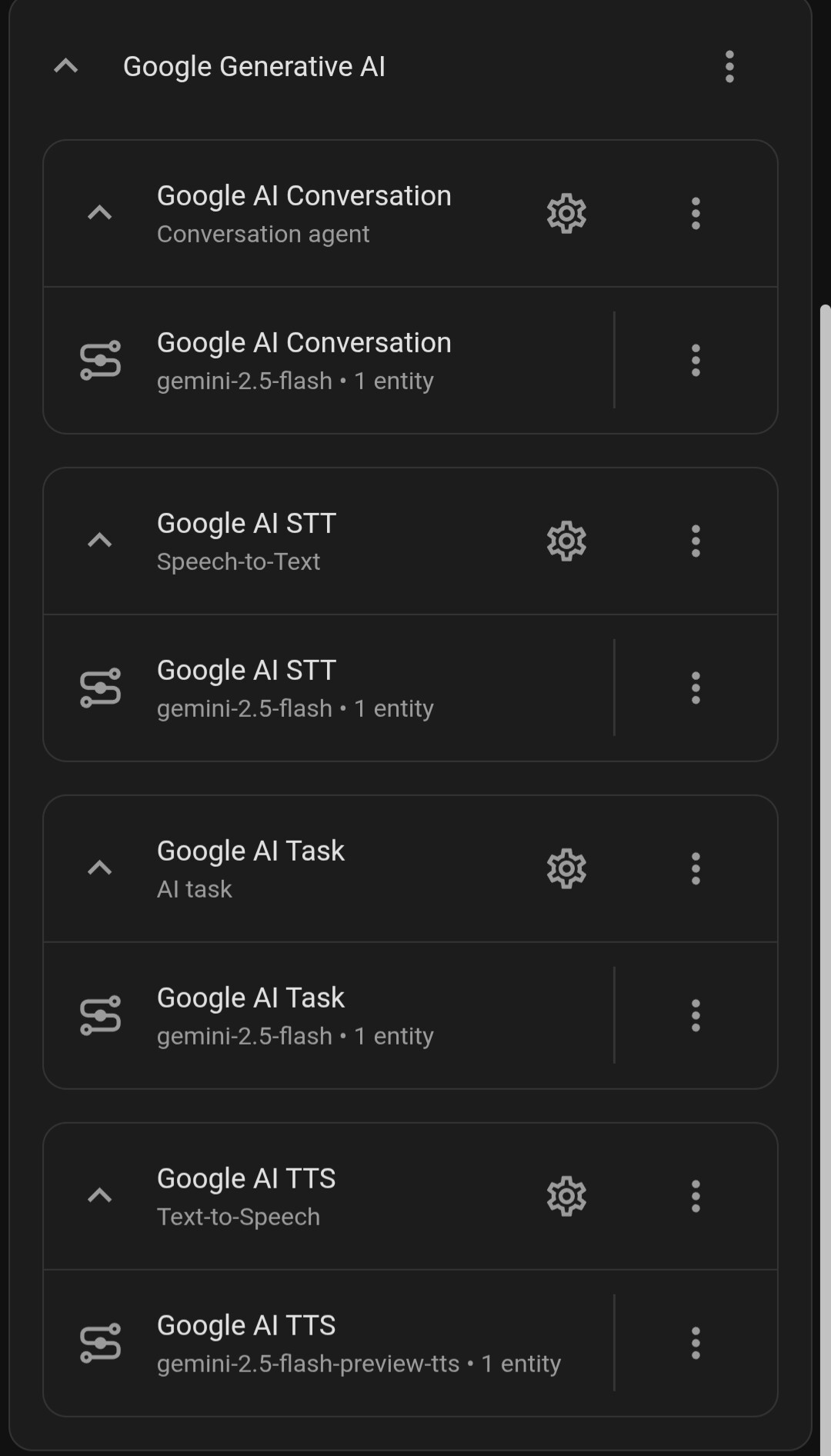
I currently have the Gemini integration with Gemini-2.5-flash (see screenshot) but despite a good internet connection replies for simple local tasks seem slow and question it needs to look on the internet for are very slow. My Google Nest Mini replies very quick so there is either an issue with the Gemini integration or I’ve got it set up wrong.
Hi, thanks for the quick reply, I tried faster-whisper locally for STT but it was very slow as I think my hardware limited it, I will take a look at your suggestions.
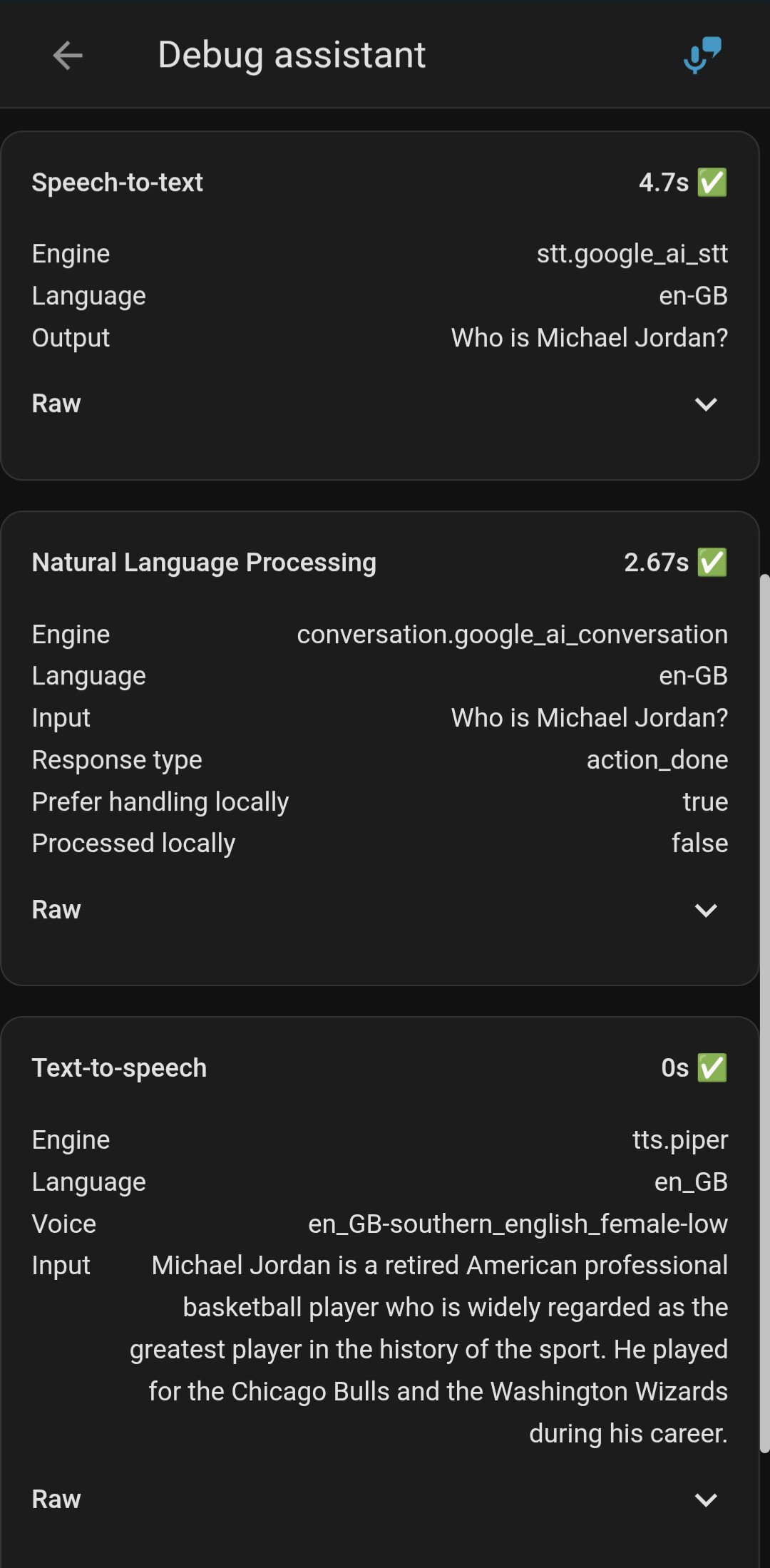
The TTS Piper entity seems to be working ok as it seems fast when I look at the debug. It’s the conversation agent and STT that is slow. I can’t see your suggested ‘streamimng’ option in the Whyoming Protocol integration the Piper is within.
Is the Google integration globally thought of as not a good option then, I assumed the Gemini integration would be good and have a more natural conversation. Just seems very slow in home assistant but fast on my Google nest mini.
Go to the Piper add-on Configuration page and find the streaming switch. It should be enabled. If you don’t see it, check that you have version 1.6+ installed.
Judging by your logs, recognition via Gemini took almost 5 seconds, which is very slow. A good result is one second or less.
To start with, I recommend Groq if you are unsure about your hardware and don’t want a local option. Azure also provides free limits for STT.
Thanks I’ll look at all these suggestions. Love to get it all local one day but for now my home assistant is running on an 8 year old qnap with 6gb ram assigned to it in the VM. Runs great generally but certainly not likely to be enough for local ai.
Hi, I’ve now tried this with OpenAI gpt 4o mini as the vibration agent and it’s is just as slow as the Gemini integration, I tested my connection and my internet is over 600Mbps upload and download so it’s not that causing an issue. Any other suggestions as to what’s causing the long delay on simple questions like weather tomorrow or general knowledge questions.
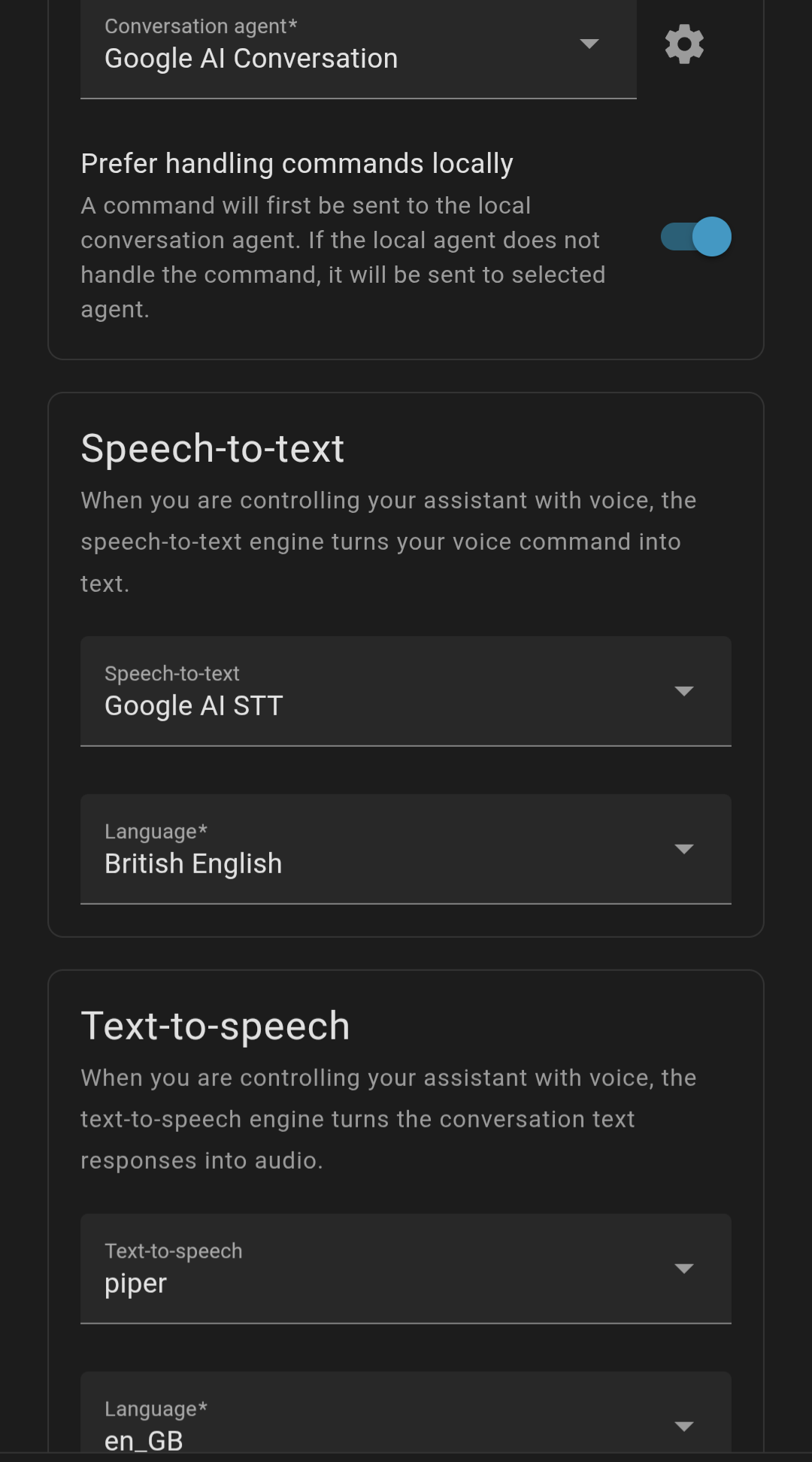
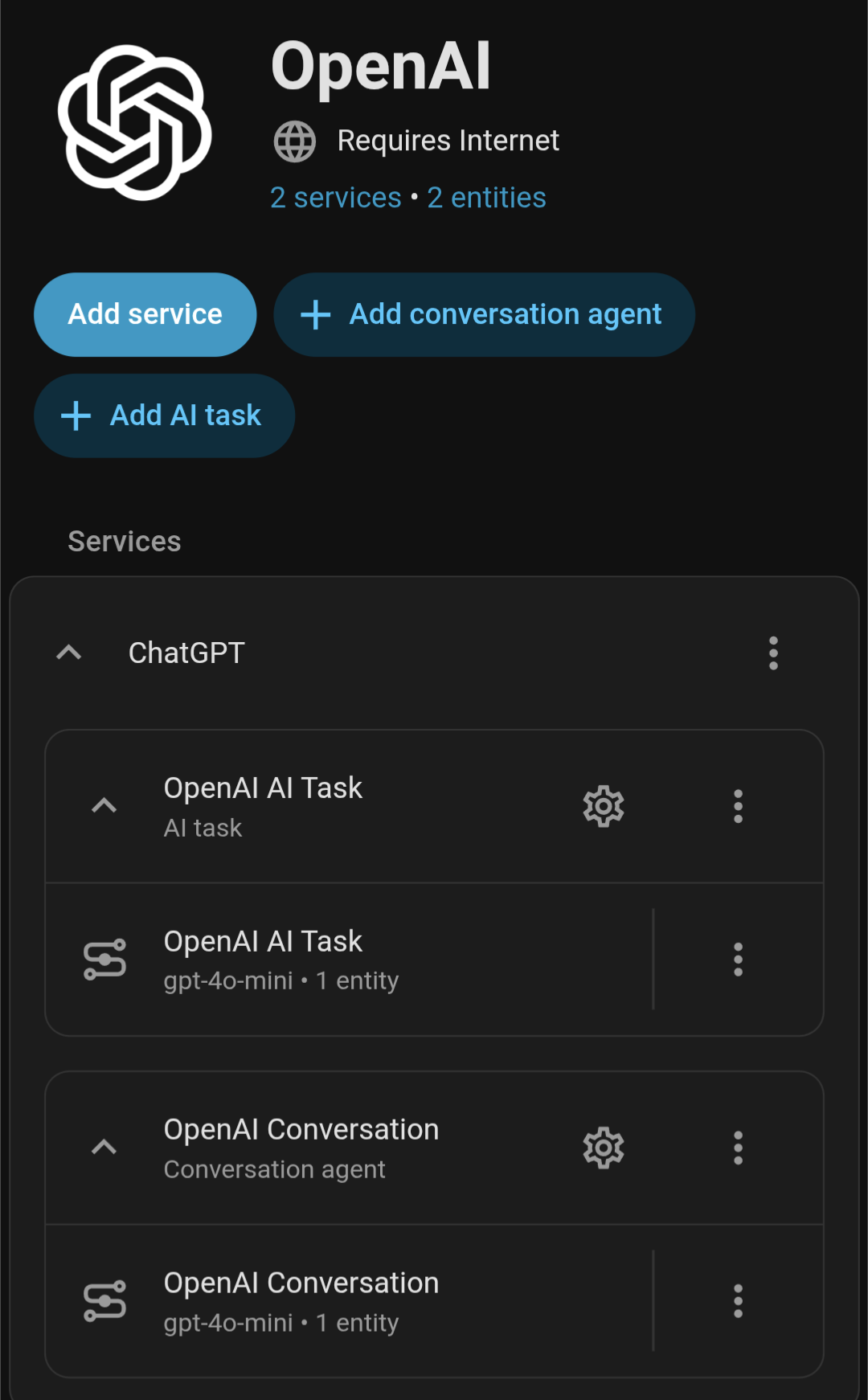
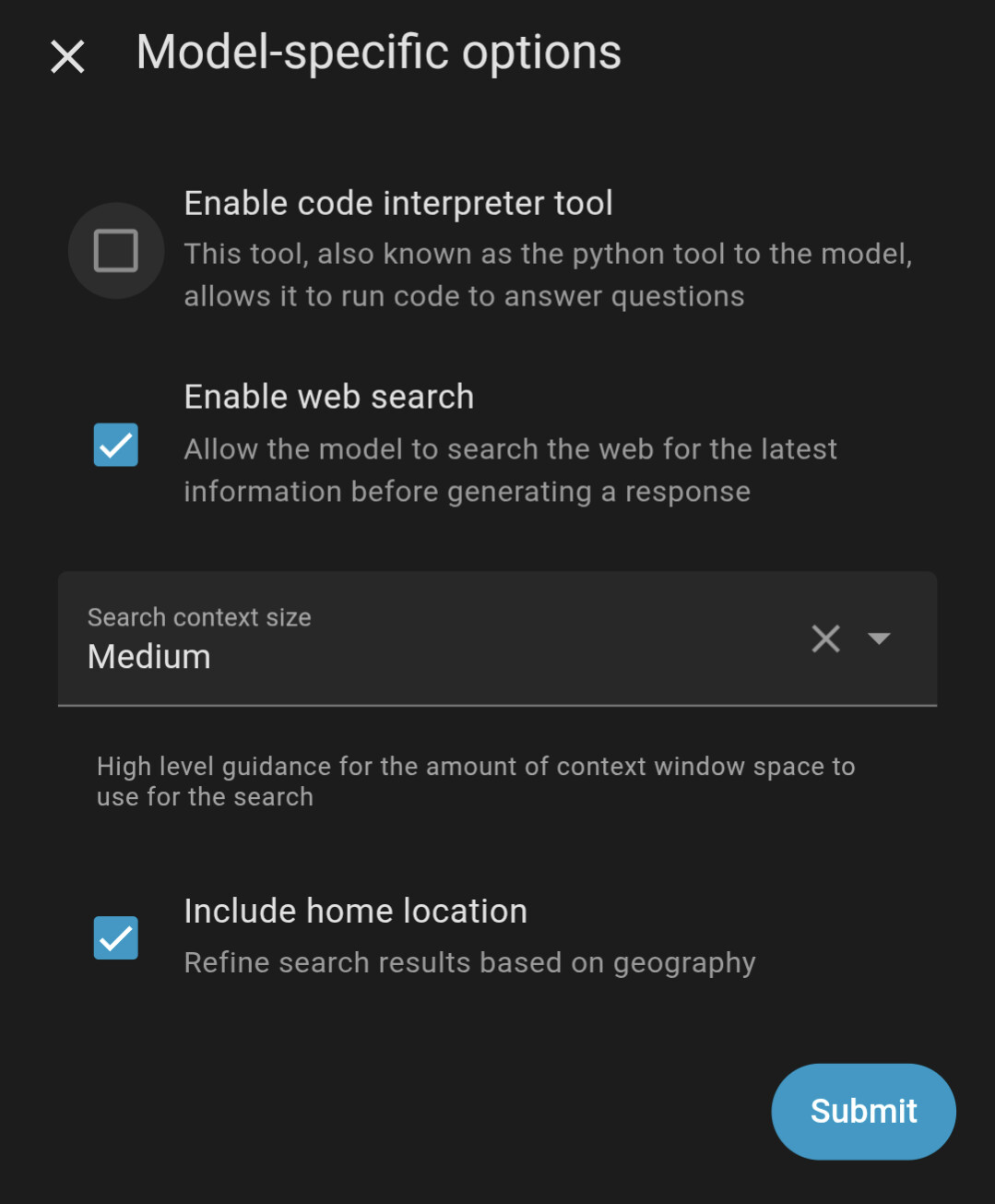
I noticed there was an OpenAI integration I could load directly so I’ve tried that with the API I acquired from platform.openai.com, I just added £5 to test it. The integration automatically selects the model gpt-4o-mini and the other settings are below in the screenshots.
Piper was already in streaming mode and that response time seams fine.
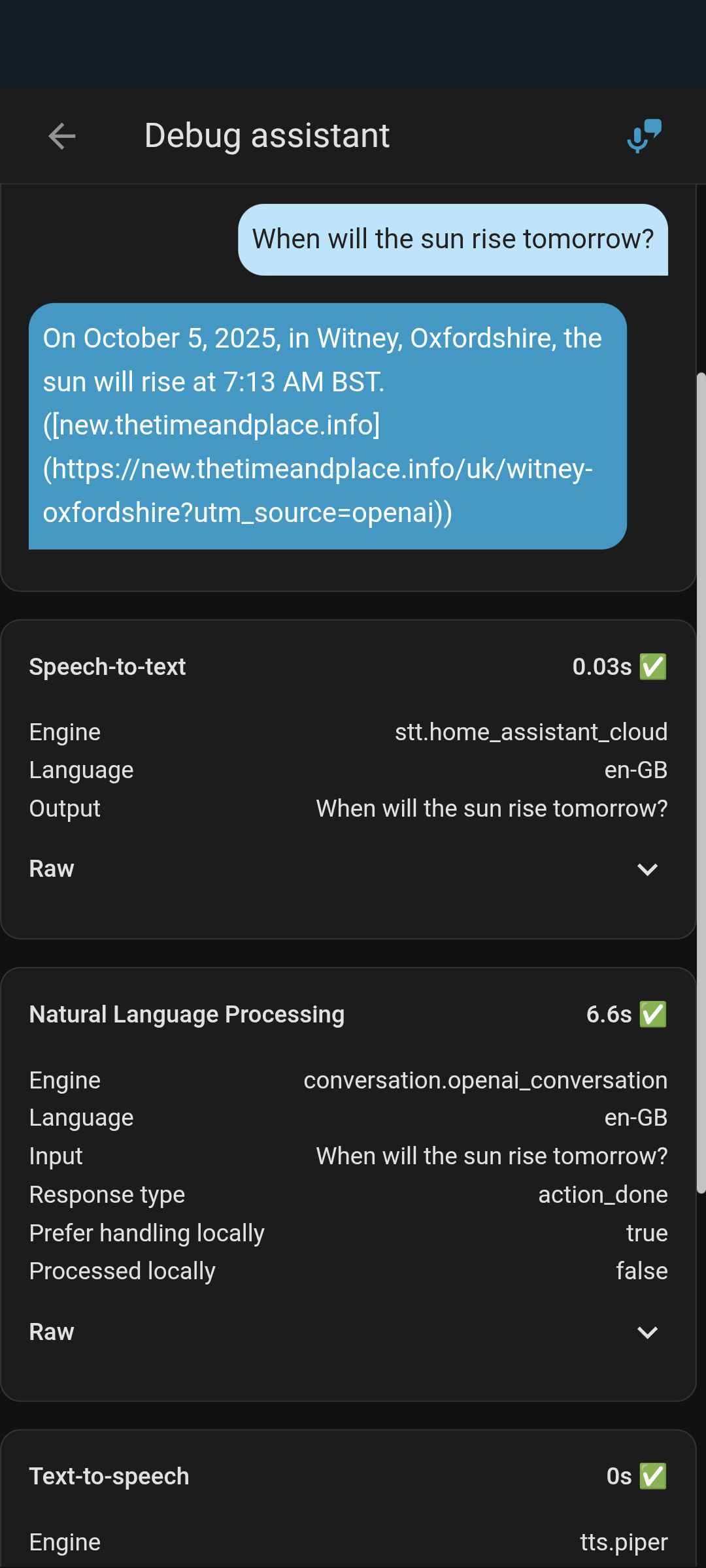
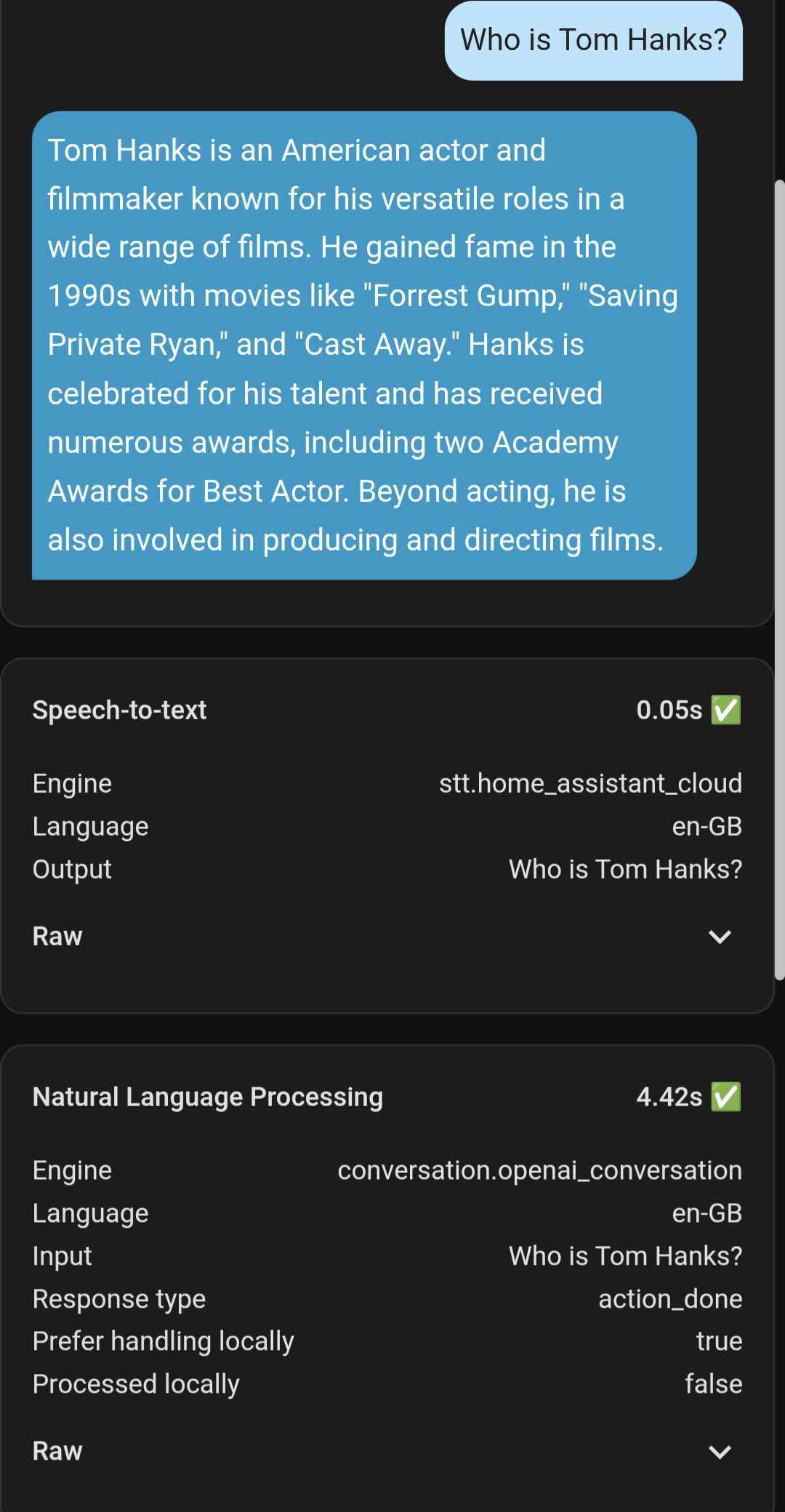
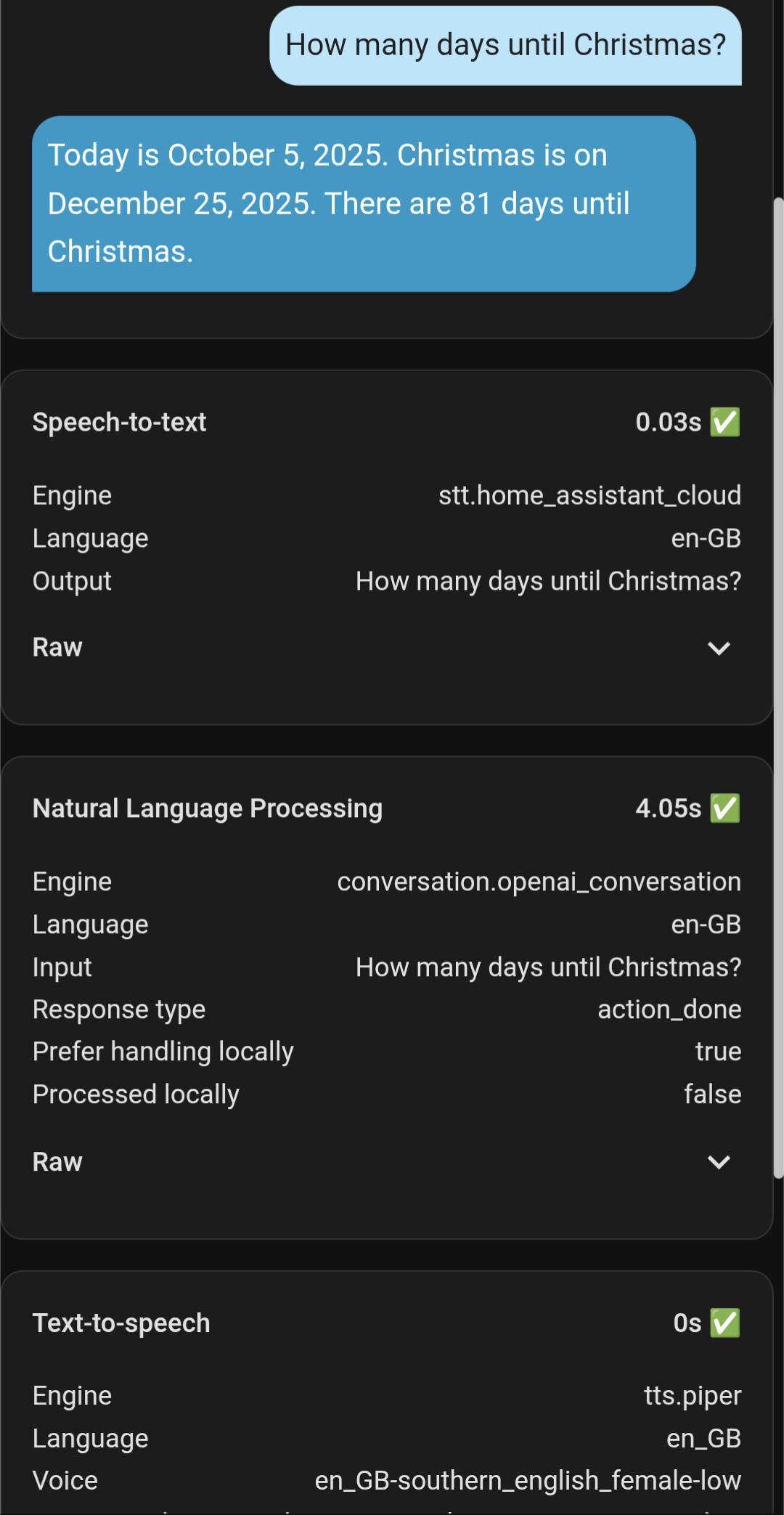
The OpenAI integration only had Conversation and AI Task so I set the STT to Home Assistant Cloud. From the examples below the slow response only seems to be OpenAI, and the times were definitely a bit longer than the debug reports.
I was going to try your suggestion of the ha-openai-whisper-stt-api above and then I noticed the OpenAI integration so tried that first.
Everything looks pretty good. You may experience a slight delay of 1-2 seconds after finishing your voice input. In HA, streaming audio synthesis starts after receiving the first 60 characters. Therefore, how quickly LLM provides response tokens is important. Delays can be due to the “think” stage or the processing of instrument call. Experiment with different models to find the best performance option.
GH and Alexa process audio asynchronously, and their LLMs are configured for high response, so latency is virtually imperceptible. However, their functionality is also limited.
Good suggestion but the OpenAI integration doesn’t give the option to change the model unfortunately, it’s a text field with gpt-4o-mini written in it rather than a drop down to choose other models. Am I supposed to change it elsewhere?
Ah ok great, I’ll see what other models are available and test as you suggest. When I initially searched I couldn’t find anyone else having the slow responses I’ve had with setting up the conversation agent in Assist, not sure why I’m having such issues but hopefully a different model will help.
Agree. Config is fine. Model choice for Openai? You want 4.1-mini or gpt5-mini or nano as your daily driver. Check rates and choose for your preferences. Gpt5 is much more capable for multistep chained sequences.
Nano is faster for one shot and summarizer jobs. 5 Mini is my daily driver cloud. But you will find your ability to add context and prompts will lead to success far more than model choice.
Delay is fact. You will NOT be able to reduce more than a few seconds using a cloud model and/or cloud stt. Remember you don’t control the internet the moment it leaves your premise. If you’re only seeing a few seconds - stop looking. Think will make it take longer. Also, the more capable you make the model by adding context the longer it will take. So cloud will only get longer over time. Streaming helps but there WILL be some delay and to tell you otherwise would be a disservice to you.
Basically you want faster than a few seconds delay for regular use, you will need local and streaming speech. Reduce your cloud hops.
My entire setup is documented in Fridays Party., I back linked it below for you.
Thanks so much, very detailed, I’ll look at those models and look at the link below, thanks again and fingers crossed it works well as it would be nice to move everything away from Google mini’s and hubs and over to home assistant voice
Hi, I tried all 3 of the above models and it still took over 7 seconds for simple questions, the debug definitely shows less time than what it actually took, the screenshot actually took closer to 8 seconds
I guess my setup is just not sustainable for some reason.
That’s not a bad response. Cloud lag is a real thing.
That says stt was fast.
Nlp took 4 seconds by itself
Everything else was think or cloud lag. The time it took for the llm to process your message or the transit to/from the internet. 8 seconds isn’t awfull. Honestly, youll need to adjust your expectation with a cloud llm…
At first glance this is not your system, it’s just processing network. You want faster. You’re going to have to get local.
So the LLMs Google and Alexa reserve for their speaker and hubs is always going to be quicker as they keep the high response models for their hardware despite also requiring the cloud, and that’s why the same questions are allot quicker on those devices. I’ll see how I get on with it as it’s and perhaps consider local. For home automation it works great though.
Deficated models on fast iron in a data center where voice and reasoning is processed together.
Commercial (Alexa/goog) Pipeline basically looks like:
So you > Device > cloud
Churn
Cloud > device >you
If you’re using HA Assist + cloud components then:
Voice > HA > cloud (stt) (lag)
Cloud stt > HA (lag)
(if you’re using local first and it’s recognized skip to end)
HA > cloud LLM (lag)
Cloud LLM > ha (lag)
(skip to here if locally processed)
HA > TTS (voice) (lag)
TTS voice > HA (lag)
HA > you
The more of this you put on local accelerated hardware to mimic the pipeline above the closer you get to subsecond performance… And it never leaves your house.
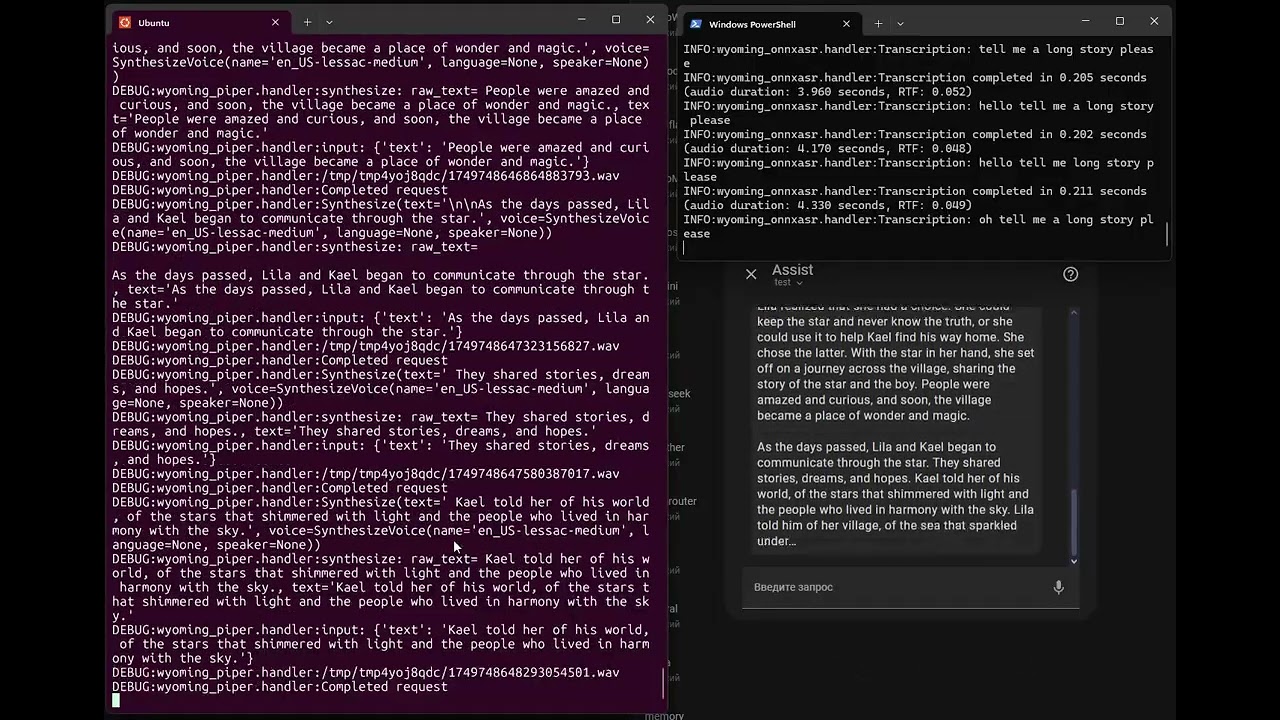
In this video, you can see the practically ideal possible speed of operation in HA. All other delays are added by components (asr, vad, llm, stt), as discussed above.
The problem is not with Home Assistant or the satellite.
We can improve the result a little more by using streaming ASR. It will generate the recognized text during listening, and then, immediately after detecting the end of speech, send the result for processing. This allows us to reduce the duration of the first phase to almost zero (this method is used in commercial solutions). However, this implementation makes sense for long phrases or slow local equipment.
Has anyone had any issues changing the recommended model in the OpenAI integration to the GPT 5 models? I tried it today and got an “Error talking to OpenAI” with this is in the HA logs
Logger: homeassistant.components.openai_conversation
Source: components/openai_conversation/entity.py:557
integration: OpenAI (documentation, issues)
First occurred: 09:19:35 (5 occurrences)
Last logged: 09:45:03

Error talking to OpenAI: Error code: 400 - {'error': {'message': 'Your organization must be verified to stream this model. Please go to: https://platform.openai.com/settings/organization/general and click on Verify Organization. If you just verified, it can take up to 15 minutes for access to propagate.', 'type': 'invalid_request_error', 'param': 'stream', 'code': 'unsupported_value'}}
I went to my OpenAI account in the link and went through the process of verifying my “organisation” and the OpenAI integration now works with gpt-5-mini
This information might be useful to anyone having this issue - or perhaps it was just me


 and the OpenAI integration now works with