I’m fairly new to home assistant and I’m trying to figure out how to set up a garage door. I created a helper → template → cover thinking this would help but it’s just throwing errors that I can’t figure out how to fix. So, to the point - I now have a helper template that does nothing and I can’t delete it. I don’t have backups on so that’s not an option for me. When I click on the offending helper, I get a window where I can edit the code that assigns the state but there is no settings gear or delete button or anything other than “Submit”. If I delete everything and hit submit, it says there are missing fields so that doesn’t do anything. The helper is named “Garage_door”. When I look in the list of entities, I find a “Garage_door” entity there but it’s something else. (I told my router that the Shelly Plus Uni that controls my garage door was named “Garage_door” so that’s what I’m seeing in the entities list.) I have the File editor installed but I don’t see a config directory under the top level homeassistant/ directory.
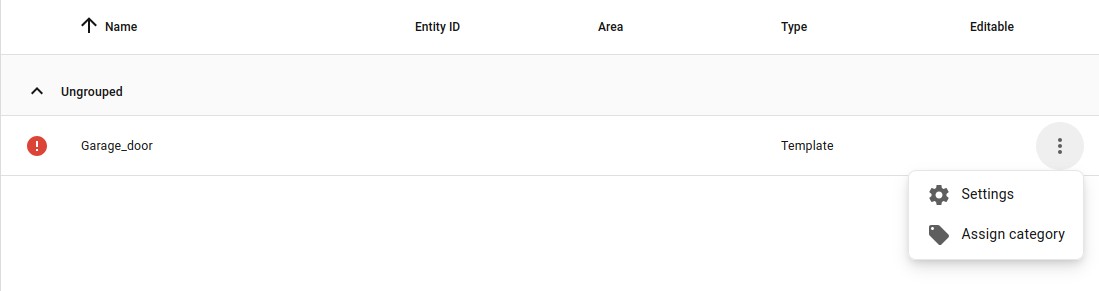
Are you sure you are looking at the helper list, and not the entity list? I am asking, because i suspect you’re looking at the wrong the list 
Helpers can only be deleted from the helper list…
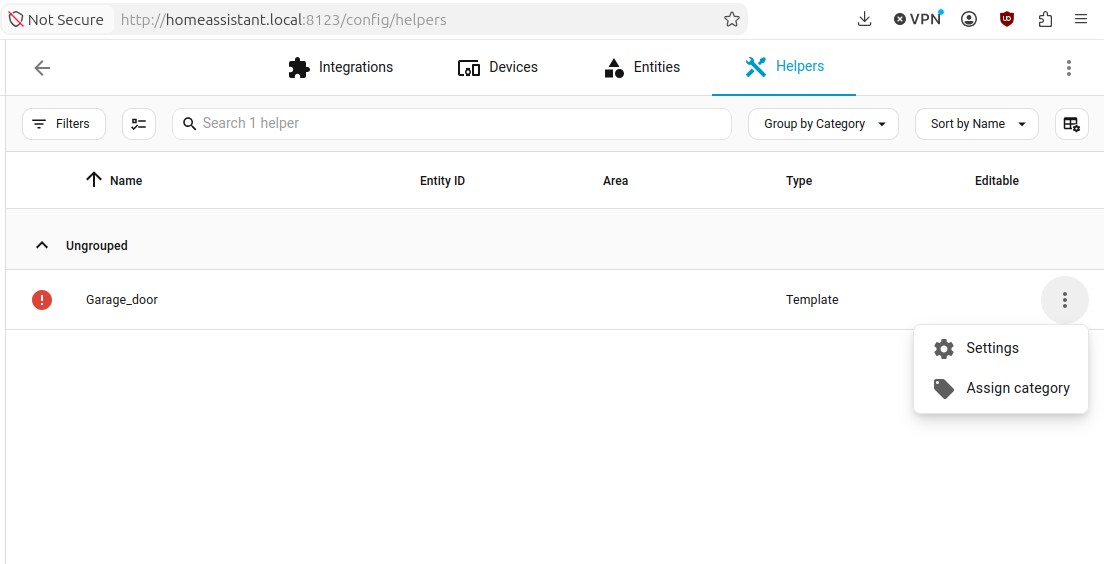
And what message do you get when you click on it ? i.e on the word template
Click it again, then click the gear wheel in top-right, then look in bottom-left (Post a Picture, so we’re on the same “page”
PS: If you still can’t find/see the gear, then just try to Rename, the helper&entity ( Not to the same as another device/entity , you already have)
And BTW
/config, Is the same as, /homeassistant
And also get familiar with the location of your Log-Files in UI( and the famous 3 Dots which also appears to the right of the log-Over-View in that you find RAW-Log )
As it sounds like you are new, get use to check this part of HA’s UI, ever time you have problems or install/create something, it’s very helpful, almost like using Toilet-paper after visiting the lavatory 
Thanks boheme61, that’s a lot of suggestions!
When I click inside the green box (but outside the red circle) I get to the same place as I get if I click inside the red circle and then select “Settings”.

Doing the above opens up a window that I will put in a following post because I just discovered that new users can’t post more than one image at a time!
I looked into renaming the entity named “Garage_door” but this name originated on my router’s manual DHCP assignment. I changed the name on the router but it didn’t get transferred over to the Shelly device even after multiple reboots of everything. I’m going to keep trying on that pathway but it didn’t seem to do what I expected it to do.
Thanks for the note that /config is the same as /homeassistant. That explains why I can’t find it!
The logs only contain multiple copies of the error message that is also at the bottom of the window that opens when I click on the offending helper. (And it clearly wants me to supply some actions but there doesn’t appear to be a place for actions in that window so I’m not sure where to put them.)
more images to follow if the system will allow them
It wasn’t the Shelly device/entity i said you should change name on,
I said change your Helper/Entity names, as you said you could edit it !
Name: Of the Helper
Entity: In The Helper
And i.e you could also paste the template-code (Formatted correctly using the “preformatted text” sign in this editor), and explain what you intended to do with the template
I don’t see a place to change the name of the Helper that is named “Garage_door”. Maybe I’m missing where that would be done? Anyway, here is the first of the images showing what I get when I open the Helper for editing:
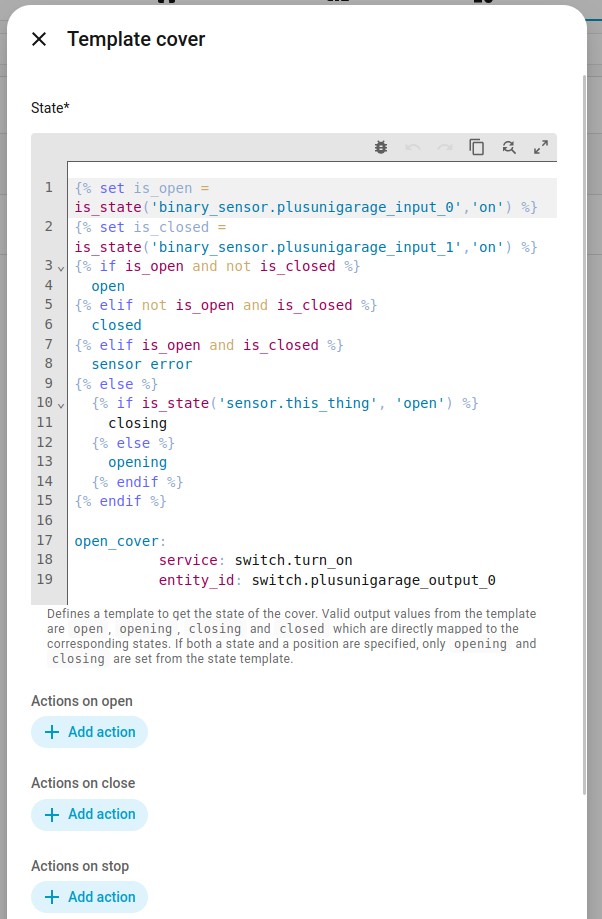
I have edited the code for the helper but I don’t see a place to edit the name of the helper.
And what do you see if you click away that editor Window ( x Template cover ) ?
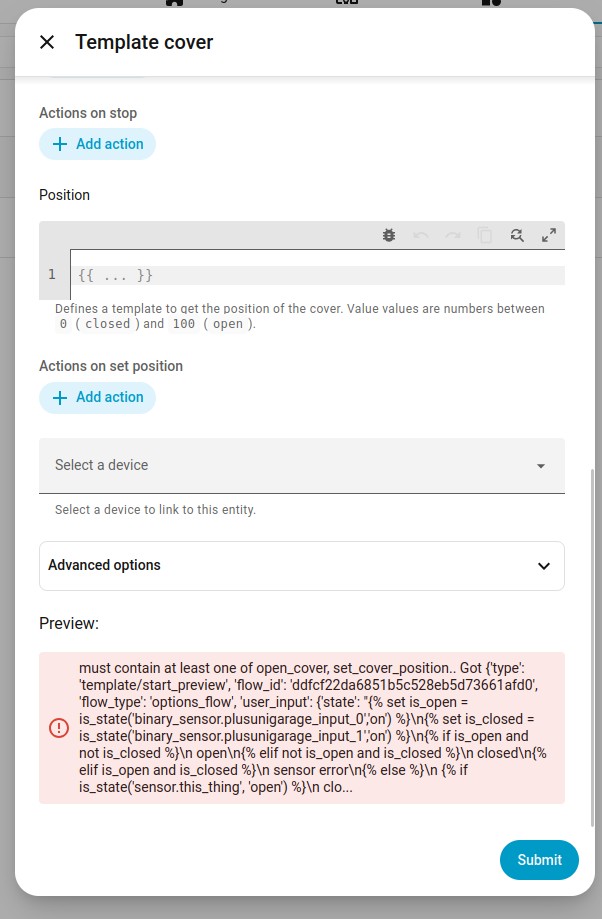
Name Should be at the very top
PS: as you are a New User i suggest you don’t use your Phone for maintenance or i.e Editing and creating templates etc.
You are very likely to miss “details” beside you have a very bad/limited Overview of what you are doing and where you are.
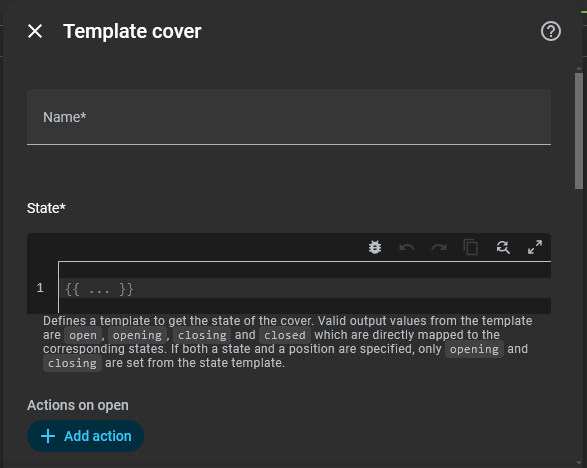
And btw, where did you get that “Template” from, or was it just a “trail&error” attempt from you ?
Well, yes, maybe “Name” should be at the very top but on my screen it isn’t and I have no idea why. Any suggestions for where to ask for help to make the “Name” field show up?
And I completely agree about not using the phone for this kind of thing. I’m using Linux for editing because I get so much more screen plus a real keyboard. The screenshots are from my computer so I’m pretty sure I’m seeing everything available to see.
I settled on the code after looking at LOTS of web pages. The main source for that code was from “petro” back in Sep 2021 from Template cover for garage door - #26 by petro
At this point, I’ve figured out that there’s no pathway for a garage door controller other than editing a template directly in yaml so that will be next. I still want to delete this bit of orphaned code because it’s throwing errors.
OK, I have replicated the problem. Now I have TWO Helper → Template → Cover things that I can’t delete. To replicate the problem, I went to Settings → Devices → Helpers → Create Helper → Template → Cover and I typed in a dummy name in the “Name*” field and put just the word “open” in the State* area and then hit “Submit”. Voila, a second helper that I can’t delete. Not that I want someone else to have this problem but it would be interesting if anyone else can replicate this behavior.
, Sorry for the “Smiley” , i actually didn’t wanted to do a test my self, because i didn’t wanted, the same situation.
As it throws error in the UI , do to the missing “positions”, you could try to add that.
However i also think You should report a Bug, in Github, as i find it absurd the people can’t easily delete a Helper/Template made in th UI,… or delete an entity for that matter , when something is “wrong” with it i.e like the Device doesn’t exist etc.
There are several other examples where it seems impossible to delete/ get rid of entities
But in Your example it is quite obvious caused by a Badly build Component, if you can’t clean out the template and delete the Entity
( Could be so that it’s because it haven’t properly created an entity Yet, )
PS: i See you are uBlock Orig , in this case or other situations i do suggest that You Disable this when accessing Your Local HTTP-Server, i pretty sure you have nothing to “worry” about and Nothing you wanna Block either
Right…figured it out…(because you did manage to re-create it, I was too )
)
You must get rid of the error before you can delete it (which is imho actually a bug, it should not have been possible to save it in the first place).
Just make sure a position is filled in…it could be anything, as long as it uses a numeric value. (I used an input.number to fulfill the requirement).

action: input_number.set_value
metadata: {}
target:
entity_id: input_number.something_temporary
data: {}
I added a comment to a bug that is currently open in GitHub.
Maybe @aceindy can add his wisdom to that bug so it gets some attention. (Because, frankly, I’m not sure what I need to add to clear up all the errors are being thrown but I’m going to try out some things to see what happens.)
I’ll post again if I manage to clear this up.
OK, I’m still stumped. When I click on “+ Add Action” nothing happens so I can’t add the suggested code there. I tried adding the code to the “State*” field. I tried adding the code to the “Position*” field. I tried putting just the number 5 in the “Position*” field. The error still says "must contain at least one of open_cover, set_cover_position.. " and I’ve tried adding some code for that in both places but neither seems to work. Where should the code starting with action: be put to allow me to delete this?
Oh My! I got it! For some reason, the Add action buttons were not working and they just started working. I don’t think I did anything to make them work (or not work). I’m not sure what I did to get into the YAML editor for the action on set position but once I was editing the YAML directly I added the snippet of code above and replaced something_temporary with the temperature from one of my thermometers and then the delete option appeared! Yay! (And yes, the offending helper did get removed from the list when I deleted it).