Help with TS0026 (6 Key Scene Controller)

Looking for some help with a TS0026 and getting it working via ZHA. I have a TS0001 and that works fine.

Happy to look at working it out myself but not sure where to start. I can see that the device connects to ZHA but the generated 6 switches don’t seem to work.

Here’s an image of the device:

Edit: It appears this may have been mapped in Z2M: TuYa TS0026 control via MQTT | Zigbee2MQTT

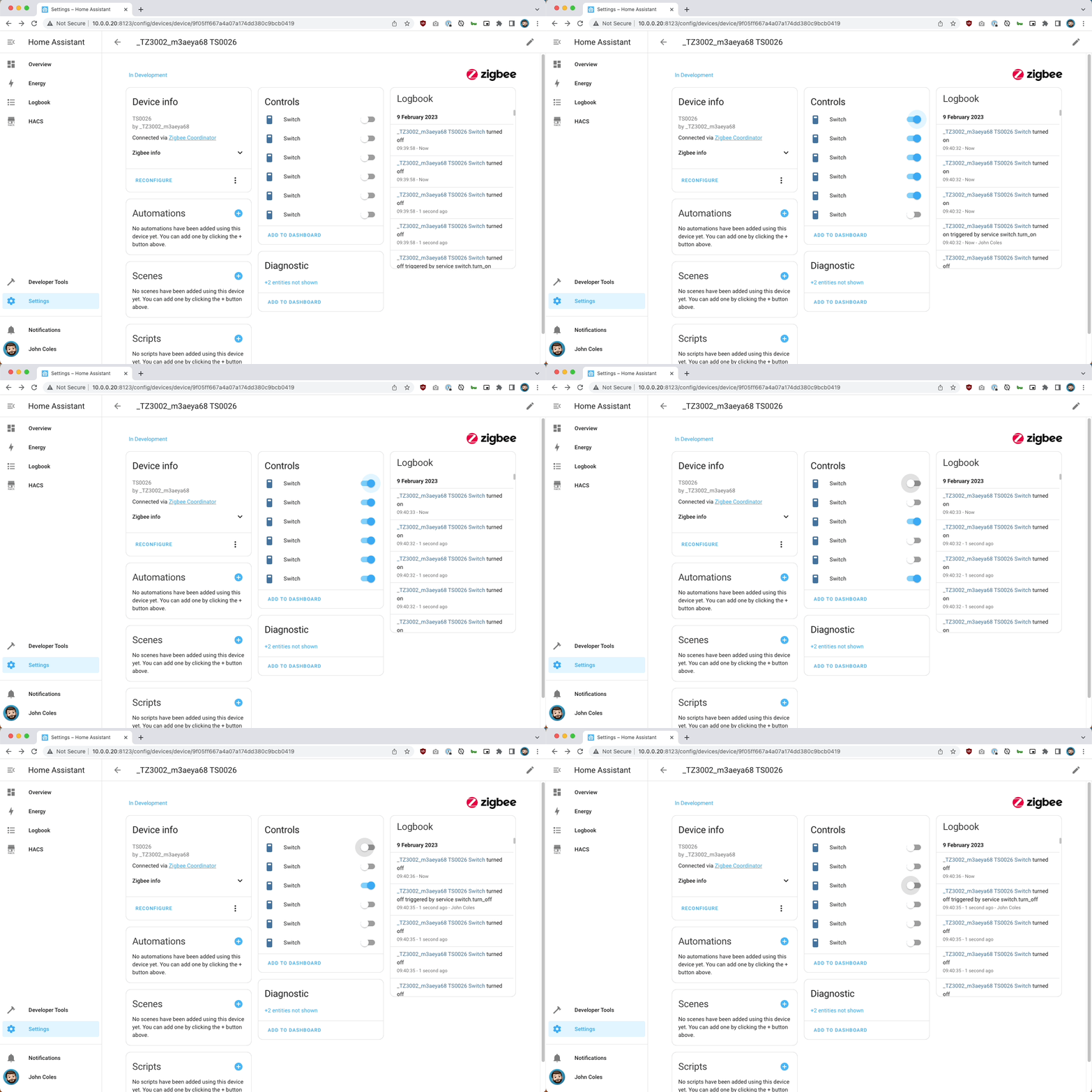
Adding it to ZHA seems to work fine:

ZHA identifies it as 6 switches. Toggling them doesn’t do anything and toggling one toggles them all…
Feb-09-2023 09-41-16

Pressing buttons on the device creates no log entries. The log entry in this screenshot is from another scene pad I got working a while ago.

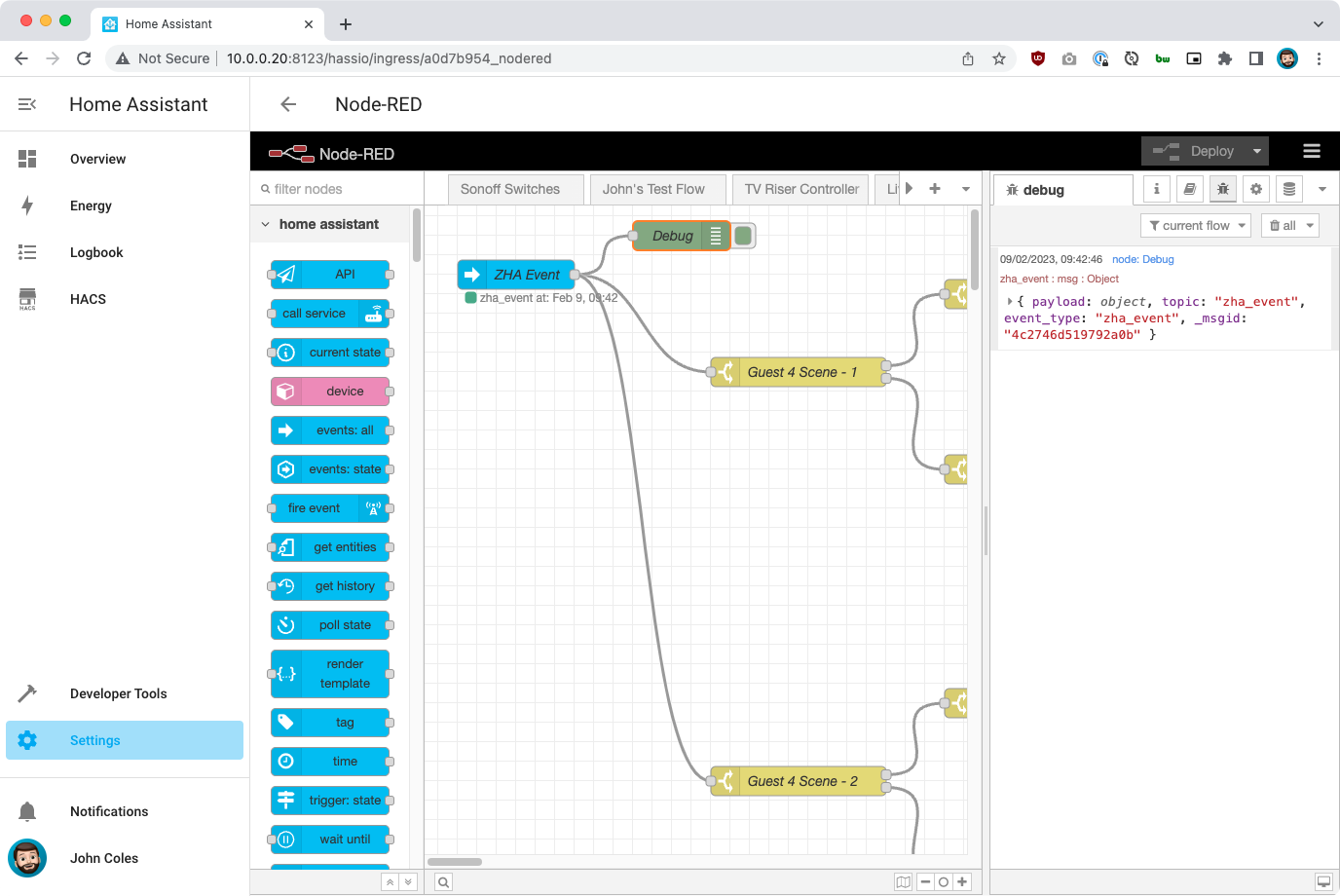
NodeRED doesn’t show any ZHA events either (again the event visable is a test event from a different keypad).

Deleting the device in ZHA causes it to go in to pairing mode which seems to be correct.

Here is the log for pairing the device:

Small update, I nolonger have the Zigbee chip on this device, I have replaced it with ESP for testing if I can replce it.

If anyone wants me to look at anything relating to Zigbee I can change it back, but as I’ve had no help on here, Facebook or Discord in where to start or look for debug data I can’t work out how to create a quirk.

So I have decided to look at making my own firmware with an ESP-12 using ESPHome.

Wow, on a side note I am very interested in learning about your microscope setup - that’s the coolest way to solder “intimately” in my opinion.

I am also interested in how things work out for you. I currently have a bunch of the 4 button large square type scene controllers that are working out well (after finally sorting out the issue where they eat batteries, blink randomly, and then eventually get into a blink loop where they kill the batteries in a day or two - these are the TS0044 models I am talking about).

But I like the idea of a six button controller with what looks like backlit buttons.

I can’t help much with your efforts, but I’ll standby and cheer you on! Thanks for the posts and work on this.

1 Like

did you open issue on z2m github page ? They do add support for devices, at some time range.

I have the 4 buttons ones too! Wanted a mains version to put in all our rooms and managed to find these which the company will customise the buttons for.

Currently working on a custom PCB that will be a drop in replacement running ESPHome and have RGB LEDs allowing better status feedback. For example if one of the buttons starts music playing you could press again to cycle to a different playlist and then update the colour to be different.

Edit:
The microscope is this one: https://www.amazon.co.uk/dp/B07HBZTCK1/
Also has the ability to output over USB to a PC which I use for longer recording or snapping pictures.

Good for soldering and validating that a solder joint is good!

Z2M has them, it’s ZHA that doesn’t. Wasn’t sure the best place to report it as I don’t have an reasonable data for why it doesn’t work.

Aaah yes sorry, i mixed up with z2m.

1 Like

FYI, Zigbee devices that do not only use standard configuration and parameters (default ZCL clusters and attributes) but instead also implement custom manufacturer clusters and attributes (also known as “quirks”) will need a custom handler/converter/parser/translator as Python script code in the upstream “ZHA Device Handlers” library repository to extend custom manufacturer device “quirk” support for specific non-standard ZCL clusters and attributes (which Zigbee gateway implementations that depends on zigpy and the ZHA Device Handlers library, like Home Assistant s ZHA integration, then can make use of).

https://github.com/zigpy/zha-device-handlers/#readme

If you can not code that Python script code yourself to write the needed custom handler/converter/parser/translator for adding that specific device to the “ZHA Device Handlers” repository/library then suggest submitting a “device support request” (with device signature and diagnostic information) as new issues → https://github.com/zigpy/zha-device-handlers/issues

Without a “device support request” as a new issue posted to the “ZHA Device Handlers” repository/library requesting support for an unsupported device or device feature with Device signature and Diagnostic information the ZHA integration developers will not even know about the device unless they by random chance happened to have bought it themselves.

The reason is why non-standard devices need a custom handler/converter/translator is explained in ZHA integration documentation here → https://www.home-assistant.io/integrations/zha#zha-exception-and-deviation-handling

Zigbee devices that use the clusters and attributes that are standard in the official ZCL (Zigbee Cluster Library) do not need custom handlers/converters/translators as explained in the ZHA integration documentation here → https://www.home-assistant.io/integrations/zha#knowing-which-devices-are-supported

PS: Off-topic but FYI, this also works kind of similarly for Zigbee2MQTT which also requires a custom handlers/converters/parsers/translators for specific devices → https://www.zigbee2mqtt.io/advanced/support-new-devices/01_support_new_devices.html

Thanks for the reply!

I can take a look at getting it implemented. The issue I had was even as a software developer I couldn’t find where or how I was meant to start adding support in. :sweat_smile:

1 Like

I have to ask. How did you get the buttons labeled so well. Are they engraved?

Yes laser engraved. :slight_smile:

Are the individual buttons replacable? Just wondering in terms of changing the words down the line or something :smiley: thanks! These look awesome btw

Apologies for the slow reply, they appear to be replaceable. I haven’t had much time to work on this in the last couple of months unfortunately!

1 Like

Just bumping this again to see if there are any more thoughts. I’m going to try the original Tuya Zigbee module back in the panel and check if there has been support added to ZHA. I’ll also look to test against Z2M too.