Helper entity for Temperature not in Area configuration

I have just integrated a Zigbee thermostat using Z2M. It shows up as a climate sensor and works fine, however it reports the temperature as an attribute which is not selectable in the area configuration.
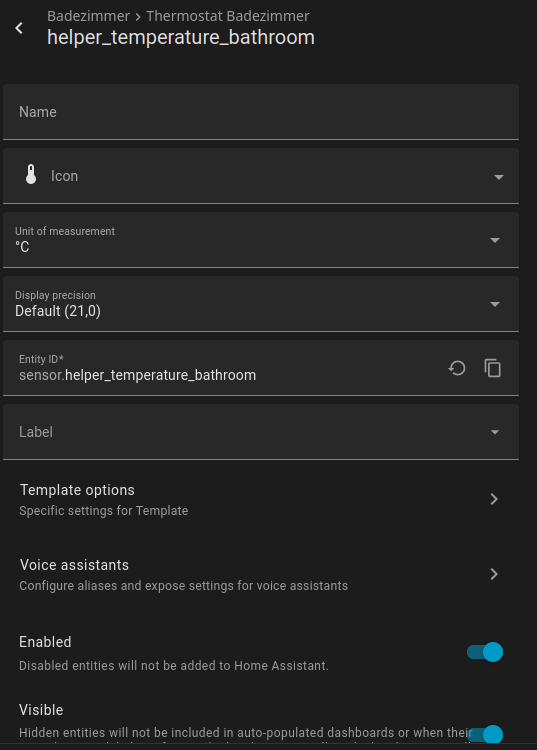
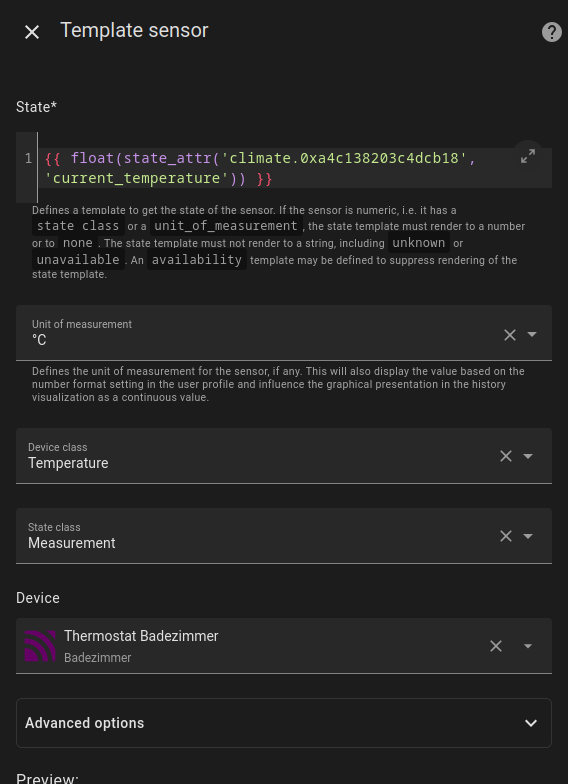
I created a helper entity with the respective template and assigned it to the area, but it still does not show up in the area configuration as a temperature sensor.

What am I missing here?

Kind regards,
blindcoder

Same issue I have noticed. I have helpers template and max/min and none of them show up as pickable in the area config. I suspect - it will only show temperature sensors attached to a device.

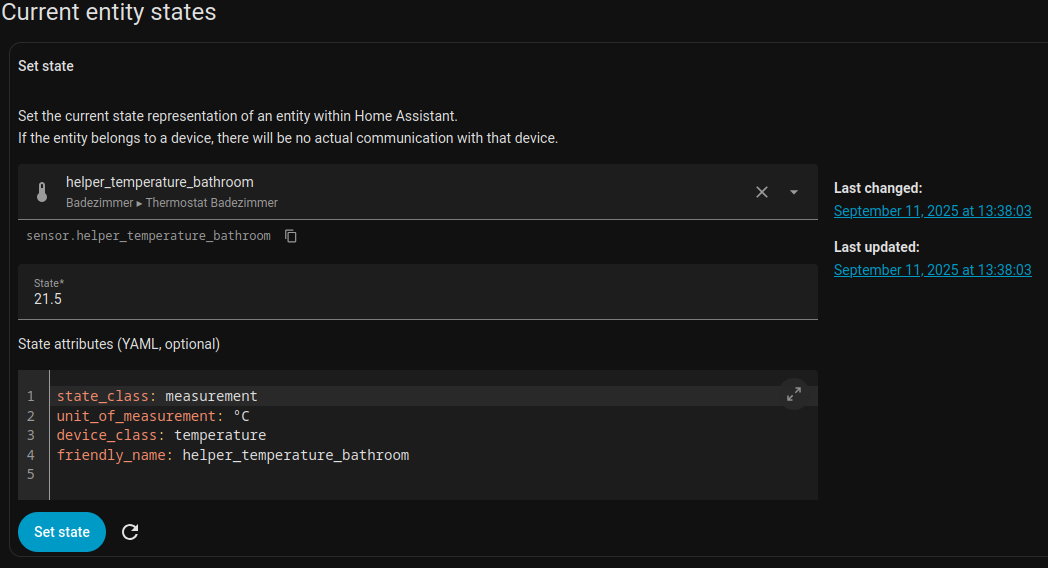
What do you see in Developer’s Tools, States?

sensor.average_garden_temperature

Helper - combine the state of several sensors.

state_class: measurement
unit_of_measurement: °C
icon: mdi:forest-outline
friendly_name: Average Garden Temperature

No device_class added to the sensor.

sensor.tmpl_outside_temeprature

This is a template sensor with the device_class added.

state_class: measurement
unit_of_measurement: °C
device_class: temperature
friendly_name: TMPL Outside Temperature

This DOES show up in the area config.

The problem is obviously that the helper sensor should be inheriting the device_class of the first available sensor in the group.


This is the helper, with device_class set, too.

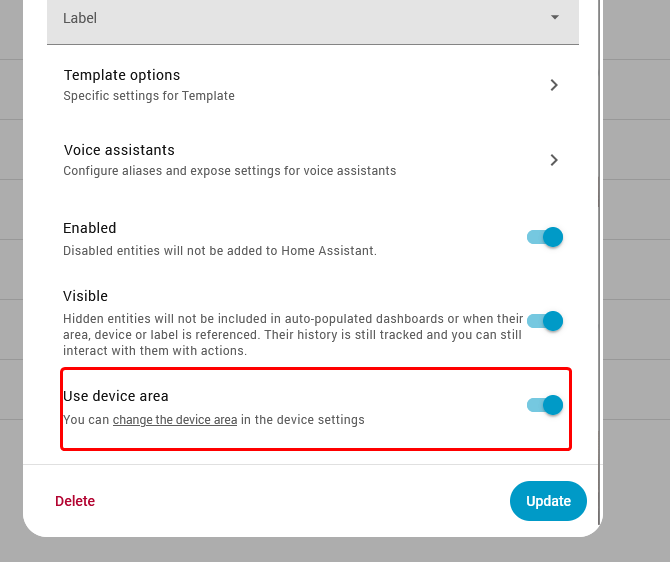
Scroll down, there’s a toggle that says “Use device area”. Untoggle this and you can assign the area.

Ooooh, thanks! That worked!
Just wondering, though: Why does the “Use device area” not work?

Use device area does work, what’s not working?

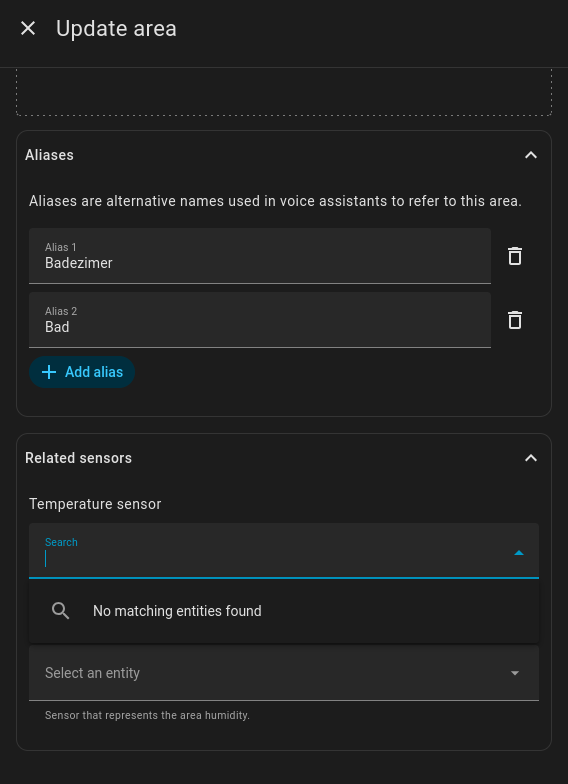
As you said, when “Use device area” is enabled, it’s not showing up in the Area configuration. Why?

It shows up under the device you attached it to in the area configuration. It won’t show up as an entity attached to that area in that window. That’s how that window has always worked.
1 Like

Ooooh, interesting. I think I get it now, thank you very much!