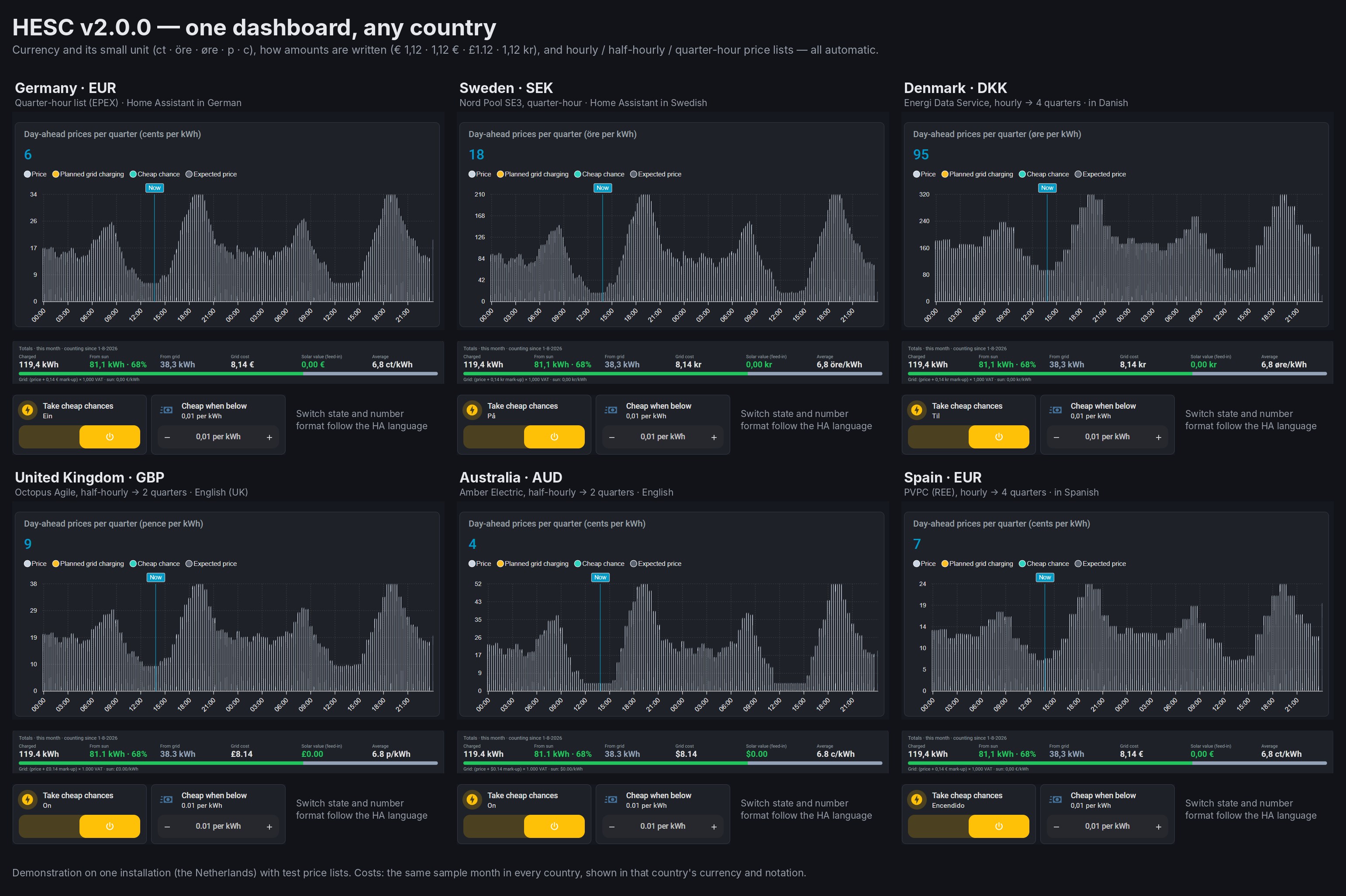
Updated for v3.1.1 (25 October 2026). The replies below follow the project from v1 to v3.
Hi all,
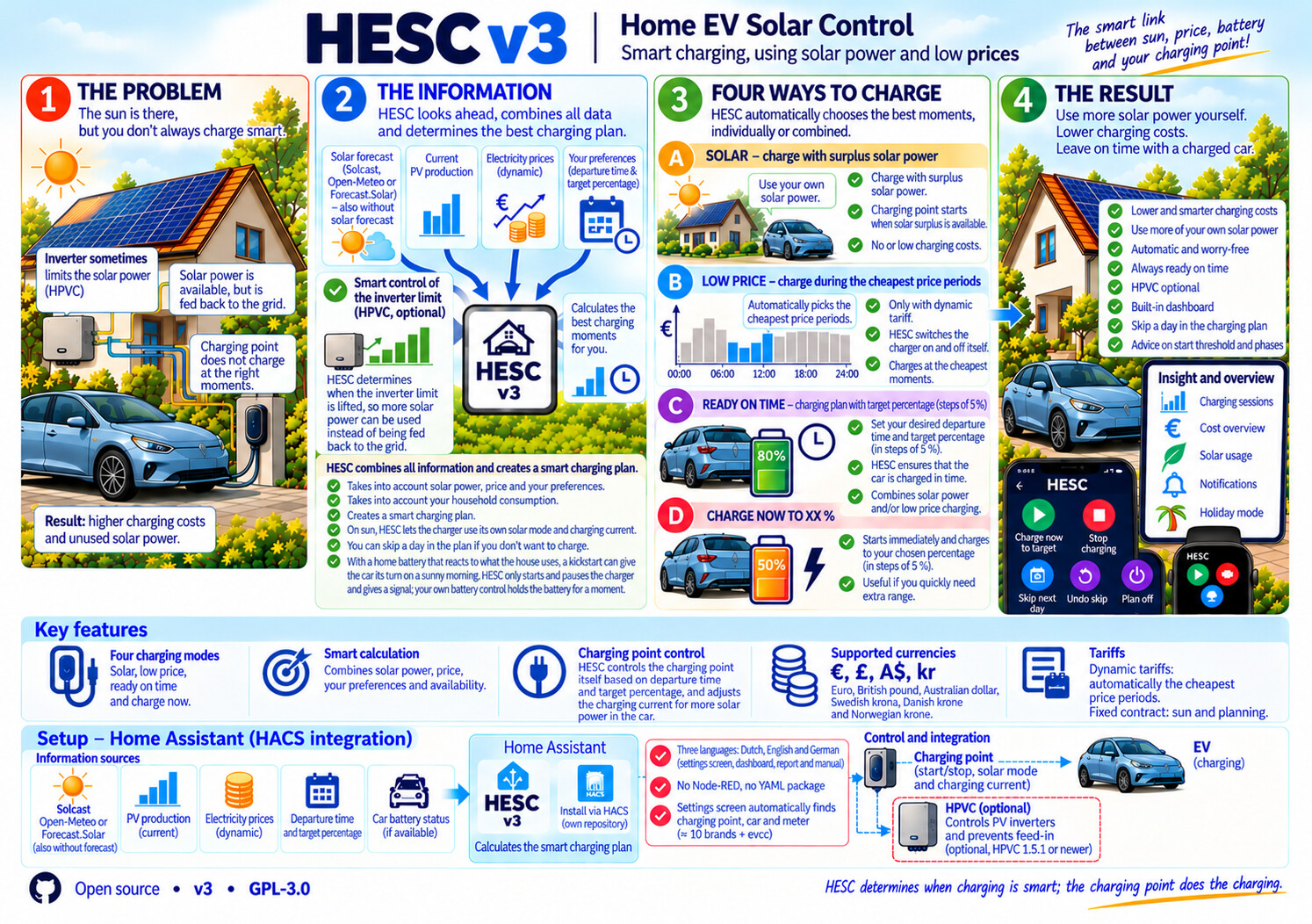
I would like to share HESC (Home EV Solar Control), a Home Assistant integration I built and run at home. In short: HESC makes sure your EV has the energy you want at the time you want, charged the cheapest way, from the sun and the grid.
It is free and open source (GPL-3.0), installed with HACS: github.com/satscan1/hesc-home-ev-solar-control
Why I built it
At home two batteries are controlled by Home Battery Control (HBC). To prepare for the end of net metering in the Netherlands in 2027, I added Home PV Control (HPVC), which turns the panels down when exporting costs money.
The side effect: on exactly those sunny moments the car did not charge. The solar mode of most wallboxes only starts when the house exports power, and HPVC made sure there was no export. HESC started as the fix for that. Since then it has grown into a standalone solution that also works without HPVC, and even without solar panels.
What it does
- Charges on sun. HESC watches your solar forecast and your solar power, and lets your charger start on sun at the right moment.
- Plans grid charging. “100% by Tuesday 10:00” or “80% on weekdays at 07:30”. HESC picks the cheapest quarters with dynamic prices, and leaves room for the sun that is still to come.
- Works with your home battery. When the home batteries would take all the sun, HESC gives the car a kickstart, so it gets its turn. HESC never controls the home battery itself.
- Shows what happens. A dashboard with today, the forecast, costs and advice, and a report you can open at any time.
- Shadow mode. A new install watches and shows what it would do, but switches nothing until you turn shadow mode off.
The dashboard
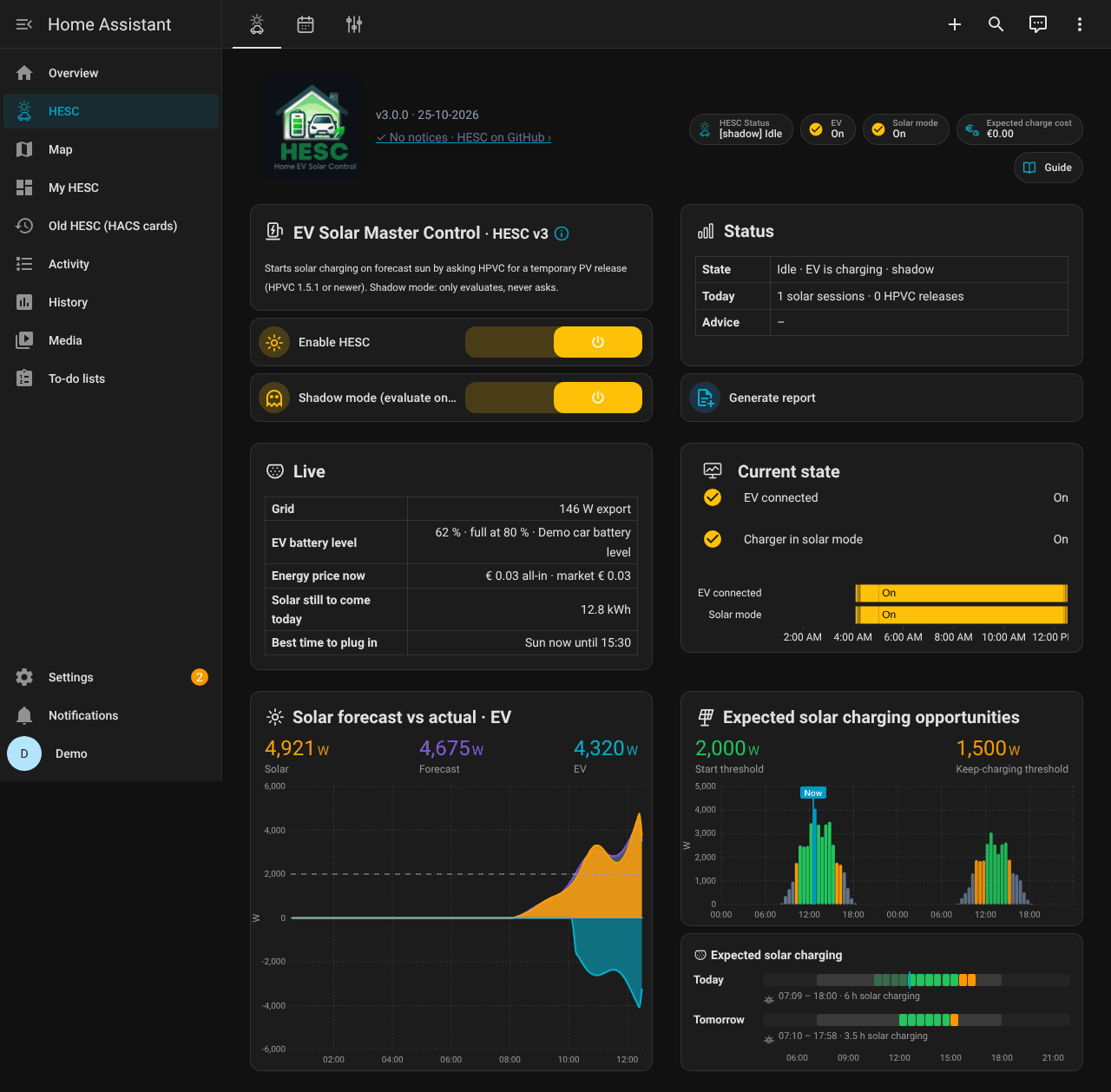
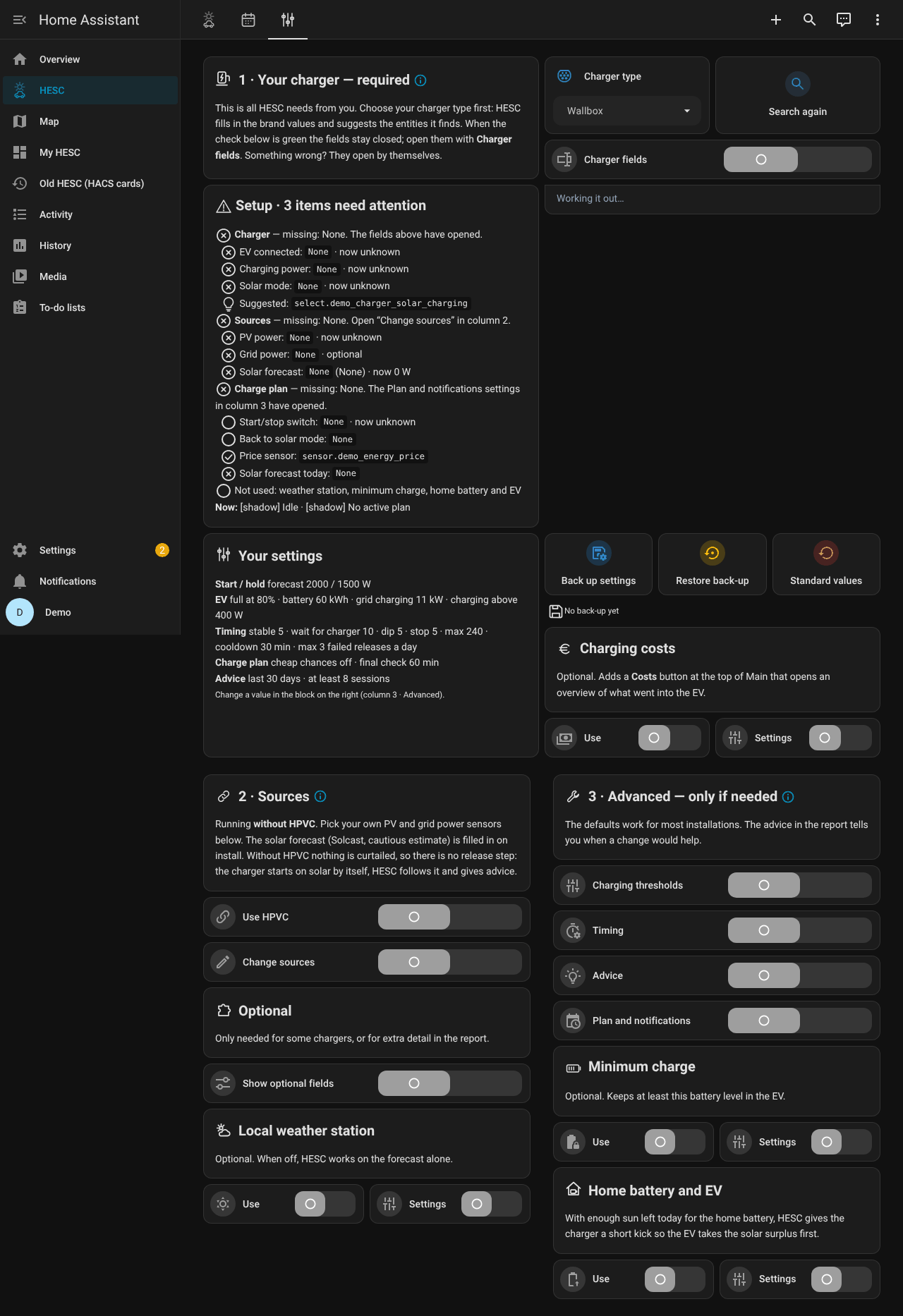
The dashboard comes with HESC: HESC in the sidebar, nothing to paste, no extra cards to install. It follows each user’s language (English, Dutch, German).
Main: status, live values and the solar forecast against what really happened.
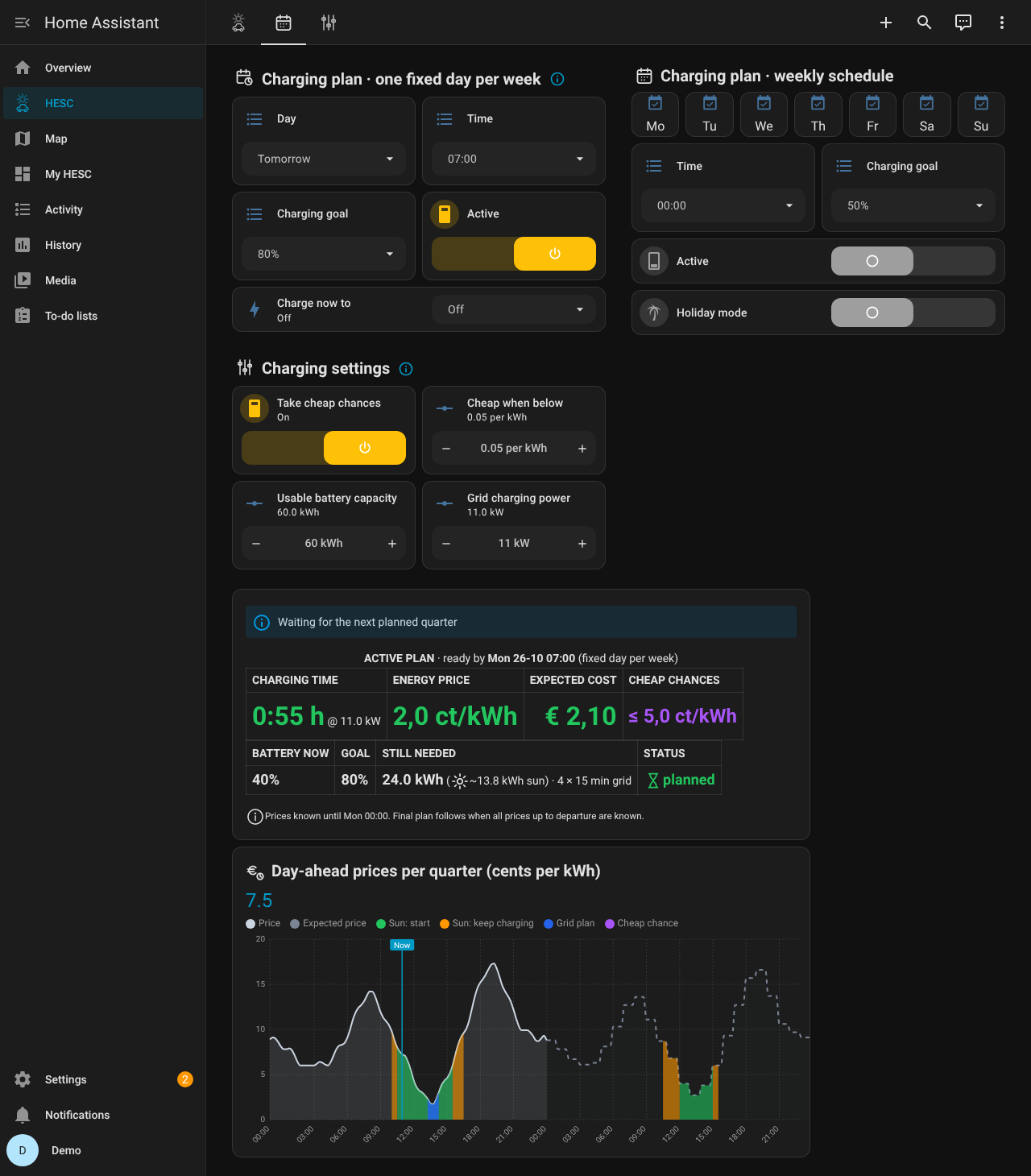
Charge plan: one-day and weekly plans, the price chart with the planned quarters and the expected cost.
Settings: pick your charger type and HESC fills in the rest.
What you need
- Home Assistant 2026.10.1 or newer.
- Your charger in Home Assistant, through its own integration.
- Your car’s battery level in Home Assistant (recommended; HESC also works without it).
- Optional: a solar forecast (Solcast, Open-Meteo or Forecast.Solar), dynamic energy prices, a home battery, and HPVC 1.5.1 or newer.
Chargers
HESC uses the solar mode your charger already has. Ready for Wallbox (Pulsar Plus, Copper), Alfen Eve, Peblar, myenergi Zappi, go-e, Fronius Wattpilot, SMA EV Charger, Ohme, Easee, and any charger through evcc. Only the Wallbox has been tested in practice. With another charger, keep shadow mode on for a few sunny days first.
Install
- HACS → ⋮ → Custom repositories → add
https://github.com/satscan1/hesc-home-ev-solar-controlas type Integration, then download HESC and restart Home Assistant. - Settings → Devices & services → Add integration → HESC v3, and fill in the setup screen.
- Open HESC in the sidebar.
Step by step, in English, Dutch and German: see the manual. Coming from v2 (Node-RED)? See Upgrading from v2: settings and history come over with one button.
Feedback, questions and experiences with other chargers are very welcome, here or as an issue on GitHub.